
1. Introduction
The Douk Audio B1FM is a versatile Bluetooth 5.1 receiver and FM radio tuner designed to integrate high-fidelity audio streaming and radio broadcasting into your home audio system. It features advanced audio codecs like LDAC and aptX HD for superior sound quality, along with multiple digital and analog output options for broad compatibility. This manual provides detailed instructions for setup, operation, and maintenance of your B1FM unit.
2. Package Contents
Please inspect the package carefully to ensure all items are present and undamaged:
- 1x B1 FM Bluetooth Receiver
- 1x IR Remote Control (batteries not included)
- 1x Bluetooth Antenna
- 1x Optical Cable
- 1x DC 5V Type-C Cable
- 1x 6-section FM Antenna with 10-meter cable
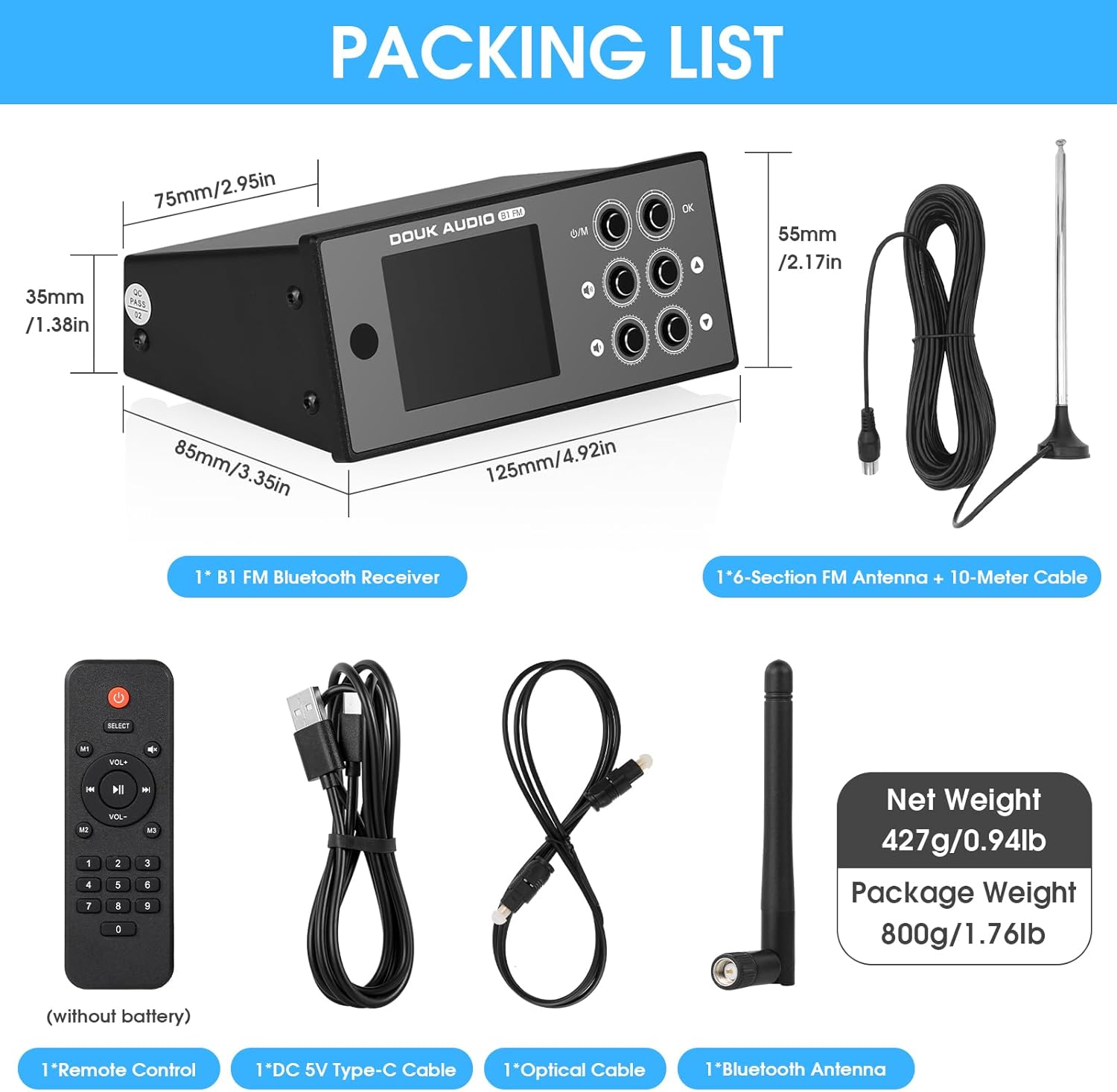
Image: Contents of the Douk Audio B1FM package, including the receiver, remote, antennas, and cables.
3. Product Overview
3.1 Front Panel Controls and Display

Image: Front view of the B1FM receiver with labels for Infrared receiver, Display screen, Volume controls, Power/Input select, Multi-function button, and navigation buttons.
- Infrared Receiver: Receives signals from the remote control.
- Display Screen: 2.4-inch color screen showing current mode, track information, FM frequency, and settings.
- Power On/Off / Input Select Button (U/M): Press to power on/off, short press to cycle through input modes (Bluetooth/FM).
- Volume +/- Buttons: Adjusts the output volume.
- Multi-function Button (OK): Confirms selections or enters menus.
- Navigation Buttons (Previous/Next Song, Previous/Next Radio Station Frequency): Used for track navigation in Bluetooth mode or station tuning in FM mode.
3.2 Rear Panel Connections

Image: Rear view of the B1FM receiver with labels for Line Out (RCA), Coaxial Out, FM Antenna, Optical Out, RF (Bluetooth Antenna), and DC 5V Type-C power input.
- LINE OUT (RCA): Analog stereo audio output for connecting to amplifiers or active speakers.
- COAX OUT (Coaxial): Digital audio output for connecting to a DAC or amplifier with coaxial input.
- FM-ANT: Connection for the included FM antenna.
- OPT OUT (Optical): Digital audio output for connecting to a DAC or amplifier with optical input.
- RF (Bluetooth Antenna): Connection for the included Bluetooth antenna.
- DC 5V: Type-C power input. Connect to a DC 5V power adapter (not included) using the provided Type-C cable.
4. Setup
- Connect Antennas:
- Screw the Bluetooth antenna into the "RF" port on the rear panel.
- Connect the FM antenna to the "FM-ANT" port. Position the FM antenna for optimal reception.
- Connect Audio Output: Choose one of the following output methods to connect the B1FM to your audio system:
- RCA Output: Connect the "LINE OUT" RCA ports to the analog input of your amplifier or active speakers using RCA cables (not included).
- Optical Output: Connect the "OPT OUT" port to the optical input of your DAC or amplifier using the provided optical cable.
- Coaxial Output: Connect the "COAX OUT" port to the coaxial input of your DAC or amplifier using a coaxial cable (not included).

Image: Diagram illustrating various input (Bluetooth/FM) and output (RCA, Coaxial, Optical) connections for the B1FM receiver.
- Connect Power: Connect the provided Type-C cable to the "DC 5V" port on the rear panel and the other end to a DC 5V power adapter (e.g., a phone charger, minimum 1A output).
- Power On: Press the "U/M" button on the front panel or the power button on the remote control to turn on the unit. The display will illuminate.
5. Operating Instructions
5.1 Bluetooth Mode
- Select Bluetooth Input: Press the "U/M" button on the front panel or the "Input" button on the remote until "Bluetooth" is displayed on the screen. The Bluetooth icon will flash, indicating it's in pairing mode.
- Pair with Device: On your smartphone, tablet, or other Bluetooth-enabled device, go to Bluetooth settings and search for "Douk Audio B1FM". Select it to pair.
- Connection Confirmation: Once paired, the Bluetooth icon on the B1FM display will stop flashing and remain solid. You can now stream audio from your device.
- High-Resolution Audio: The B1FM supports LDAC, aptX-Adaptive, and aptX HD codecs. Ensure your source device also supports these codecs for the best audio quality.
- Reset Bluetooth: If you wish to connect a new device, press and hold the "OK" button on the front panel or the "Bluetooth Reset" button on the remote control to clear the current pairing and enter pairing mode again.
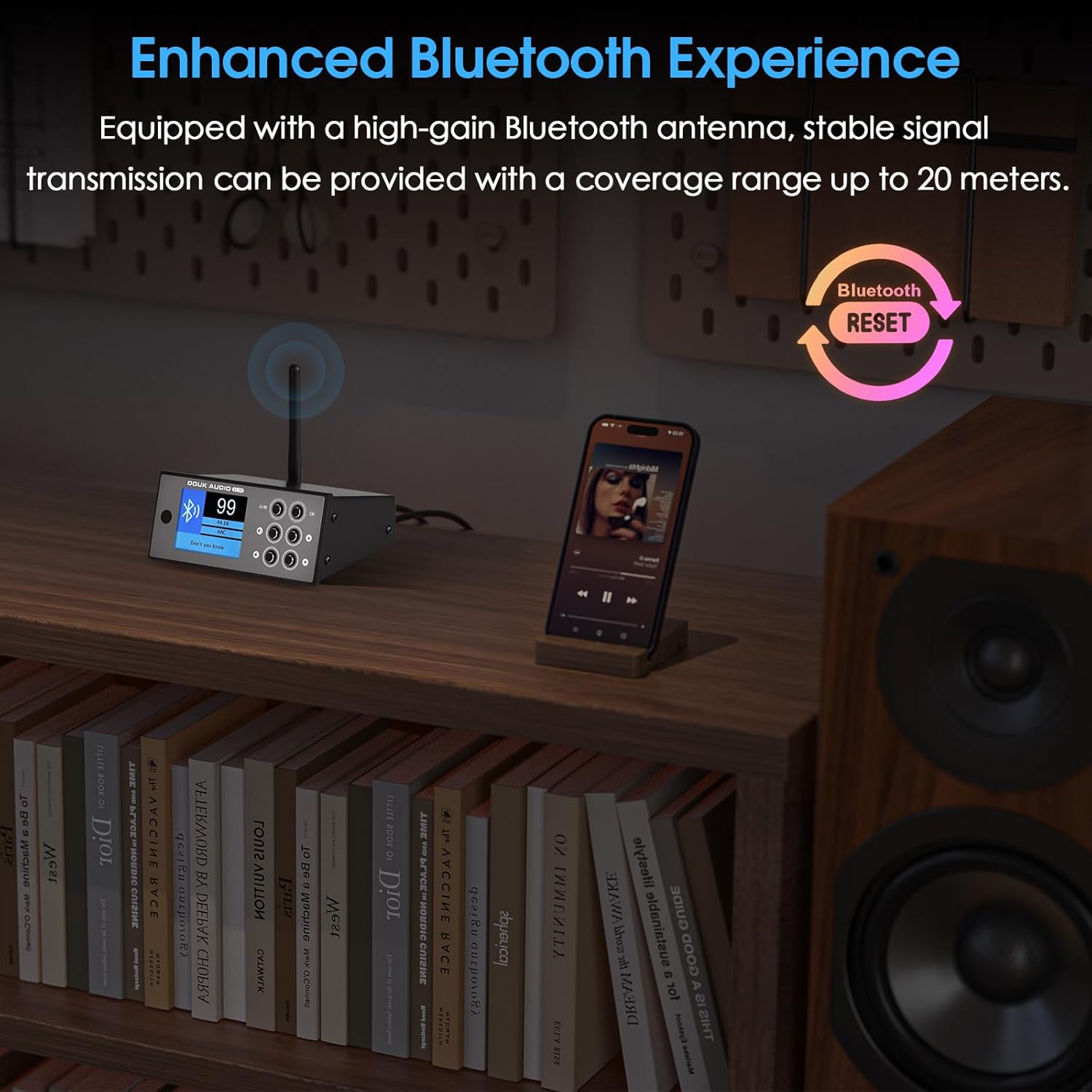
Image: A smartphone streaming music via Bluetooth to the B1FM receiver, highlighting the stable signal transmission with the high-gain Bluetooth antenna.
5.2 FM Radio Mode
- Select FM Input: Press the "U/M" button on the front panel or the "Input" button on the remote until "FM" is displayed on the screen.
- Automatic Search (FMA): Press the "OK" button on the front panel or the "Scan" button on the remote to initiate an automatic scan for available FM stations. The unit will scan and save stations with strong signals.
- Manual Tuning (FMM): Use the navigation buttons (Previous/Next Radio Station Frequency) on the front panel or remote to manually tune to specific frequencies.
- Station Navigation: After scanning, use the navigation buttons to cycle through saved stations.

Image: The B1FM receiver with its FM antenna, demonstrating optimal signal reception for FM radio broadcasts.
5.3 Remote Control Functions
The included IR remote control provides convenient access to various functions:
- Power: Turns the unit on or off.
- Input: Cycles through Bluetooth and FM input modes.
- Volume +/-: Adjusts the output volume.
- Mute: Mutes or unmutes the audio output.
- Play/Pause: Controls playback in Bluetooth mode.
- Previous/Next: Skips tracks in Bluetooth mode or navigates saved FM stations.
- Scan (FM): Initiates automatic FM station scanning.
- Bluetooth Reset: Clears current Bluetooth pairing.
- Numeric Keypad: For direct FM frequency input (if supported by firmware) or other functions.

Image: The B1FM receiver with its 2.4-inch color screen displaying information, and the infrared remote control being used to operate the device.
6. Specifications
| Parameter | Value |
|---|---|
| Audio Input | Bluetooth / FM |
| Audio Output | Stereo RCA / Coaxial / Optical |
| Bluetooth Chip | QCC5125 (supports LDAC/aptX-Adaptive/aptX HD/AAC/SBC, 96kHz/24Bit) |
| FM Frequency Range | 76-108MHz |
| Input Sensitivity | 0dBFS |
| THD (Total Harmonic Distortion) | 0.07%@1kHz |
| Frequency Response | 20Hz-20kHz (±1dB) |
| SNR (Signal-to-Noise Ratio) | ≥98dB |
| Working Voltage | DC 5V ≥1A |
| Rated Output Level | 2.5V |
| Dimensions (W*D*H) | 125*85*55mm / 4.92*3.35*2.17in |
| Net Weight | 427g / 0.94lb |
| Display | 2.4-inch Color Screen |
| Compatible Devices | Amplifier |

Image: Illustration of the advanced internal components of the B1FM, including the QCC5125 Bluetooth chip, ES9038 DAC chip, OPA1656 op-amps, and CS8406 conversion chip.
7. Troubleshooting
- No Power:
Ensure the DC 5V Type-C cable is securely connected to both the unit and a working power adapter. Verify the power adapter provides at least 1A output.
- No Sound Output:
- Check that the correct audio output (RCA, Optical, Coaxial) is selected on your amplifier/DAC.
- Verify all audio cables are securely connected.
- Ensure the volume on the B1FM and your connected audio system is not muted or set too low.
- Confirm the B1FM is in the correct input mode (Bluetooth or FM).
- Bluetooth Pairing Issues:
- Ensure the B1FM is in Bluetooth pairing mode (Bluetooth icon flashing).
- Turn off Bluetooth on other nearby devices to prevent interference.
- Try resetting the B1FM's Bluetooth connection using the remote or front panel button.
- Move your source device closer to the B1FM.
- Poor FM Reception:
- Adjust the position and orientation of the FM antenna.
- Ensure the FM antenna is fully extended.
- Check for sources of interference (e.g., other electronic devices).
- Remote Control Not Working:
- Ensure there are fresh batteries in the remote control.
- Point the remote directly at the infrared receiver on the front panel of the B1FM.
- Remove any obstacles between the remote and the unit.
8. Maintenance
- Keep the unit in a dry, well-ventilated area, away from direct sunlight, heat sources, and moisture.
- Clean the unit with a soft, dry cloth. Do not use liquid cleaners or abrasive chemicals.
- Avoid placing heavy objects on top of the unit.
- Do not attempt to disassemble or modify the unit, as this will void the warranty and may cause damage.
9. Warranty and Support
Douk Audio products are designed for reliability and performance. For warranty information or technical support, please refer to the warranty card included with your purchase or contact Douk Audio customer service directly through their official channels. Please have your model number (B1FM or SUC-B1-FM) and purchase details ready when contacting support.
For further assistance, visit the Douk Audio Store on Amazon.