
1. Introduction
The realme Air 6 True Wireless Earbuds offer an immersive audio experience with advanced features such as 50dB Active Noise Reduction, Hi-Res Sound, and a powerful 12.4mm Dynamic Bass Driver. Designed for comfort and durability, these earbuds provide clear calls with 6 microphones and extended playback time. This manual will guide you through the setup, operation, and maintenance of your realme Air 6 earbuds.

Figure 1: realme Air 6 True Wireless Earbuds and Charging Case (Green color variant shown).
2. What's in the Box
Verify that all the following items are included in your package:
- realme Air 6 True Wireless Earbuds (Left and Right)
- Wireless Charging Case
- USB Charging Cable
- Eartips (various sizes)
- User Manual
3. Setup
3.1 Charging the Earbuds and Case
Before first use, fully charge the earbuds and the charging case. The case provides multiple charges for the earbuds, extending their usage time.
- Place both earbuds into the charging case, ensuring they are correctly seated.
- Connect the USB charging cable to the charging port on the case and to a power source (e.g., USB wall adapter, computer USB port).
- The indicator light on the charging case will show the charging status. A full charge typically takes approximately 10 minutes for 7 hours of music playback, or longer for a full charge of the case and earbuds.

Figure 2: realme Air 6 Charging Case with indicator light.
3.2 Pairing with a Device
The realme Air 6 earbuds use Bluetooth 5.3 for stable and efficient wireless connectivity.
- Ensure the earbuds are in the charging case and the case lid is open.
- On your device (smartphone, tablet, computer), enable Bluetooth.
- In your device's Bluetooth settings, search for available devices.
- Select "realme Air 6" from the list of found devices to initiate pairing.
- Once paired, the earbuds will automatically connect to your device when taken out of the case and Bluetooth is enabled on your device.
3.3 Choosing the Right Eartips
Selecting the correct eartip size is crucial for optimal sound quality, noise cancellation, and comfort. Experiment with the included eartip sizes to find the best fit for your ears.
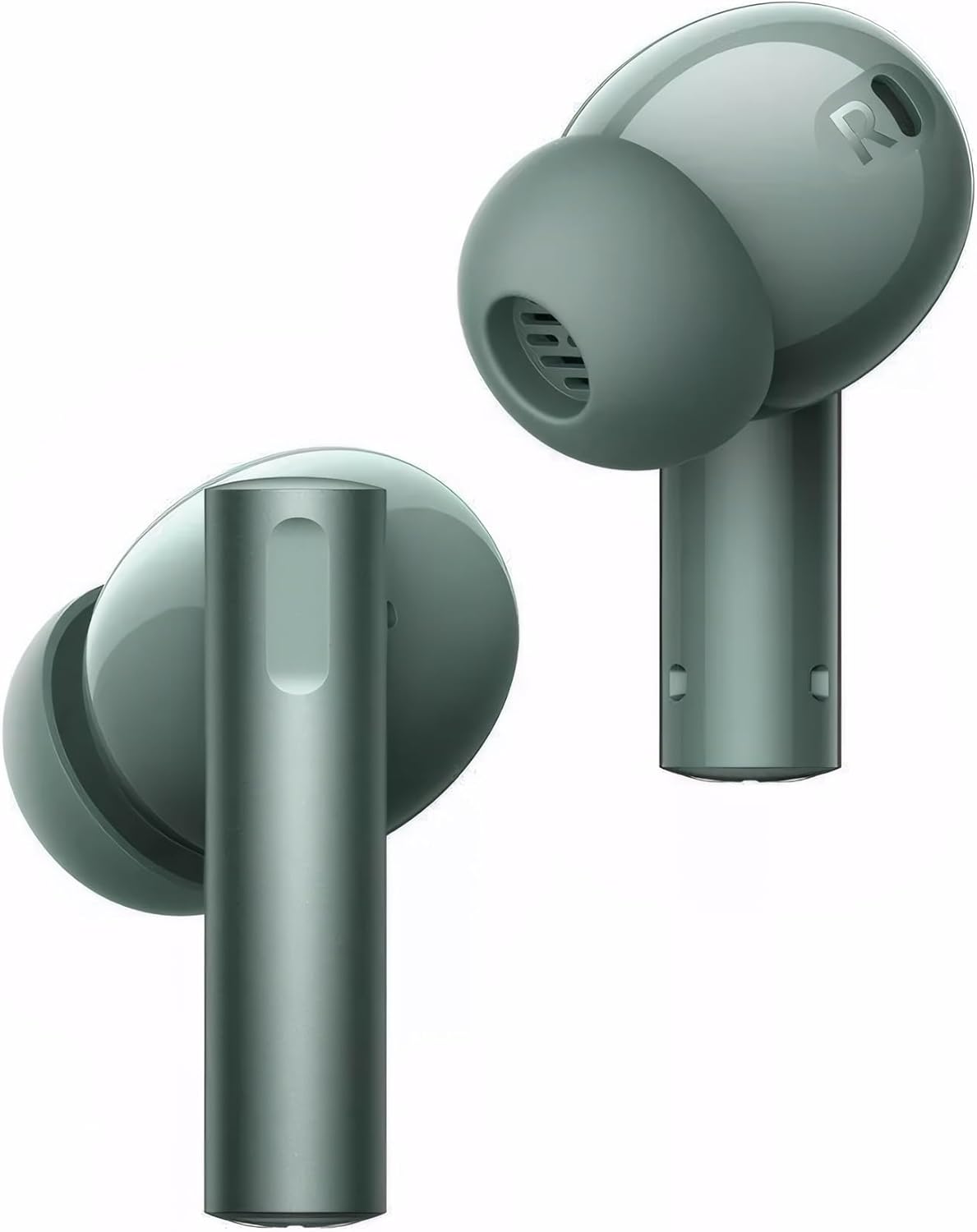
Figure 3: Close-up view of realme Air 6 earbuds, highlighting the ear tips.
4. Operating Instructions
4.1 Touch Controls
The realme Air 6 earbuds feature intuitive touch controls on each earbud. Specific functions can often be customized via the realme Link app.
| Action | Function |
|---|---|
| Single Tap | Play/Pause music, Answer/End call |
| Double Tap | Next track, Decline call |
| Triple Tap | Previous track |
| Press and Hold (one earbud) | Switch Noise Control Mode (ANC On/Off/Transparency) |
| Press and Hold (both earbuds) | Enter/Exit Game Mode |
4.2 Active Noise Cancellation (ANC)
The realme Air 6 features 50dB Active Noise Cancellation, effectively reducing ambient noise for an undisturbed listening experience. It also includes a Transparency Mode to allow you to hear your surroundings without removing the earbuds.
- ANC On: Blocks out external noise. Ideal for noisy environments.
- Transparency Mode: Allows ambient sounds to pass through, useful for awareness of surroundings.
- Normal Mode: Standard audio playback without noise cancellation or transparency.
Switch between modes by pressing and holding one earbud. The realme Link app may offer further customization for noise control.
4.3 Game Mode (Super Low Latency)
Activate Game Mode for an ultra-low latency experience (55ms), ensuring audio and video synchronization during gaming or video playback.
- To activate Game Mode, press and hold both earbuds simultaneously.
- Repeat the action to exit Game Mode.
4.4 Call Function
Equipped with 6 microphones, the realme Air 6 earbuds provide clear call quality even in noisy environments.
- Answer Call: Single tap either earbud.
- End Call: Single tap either earbud during a call.
- Decline Call: Double tap either earbud when an incoming call rings.
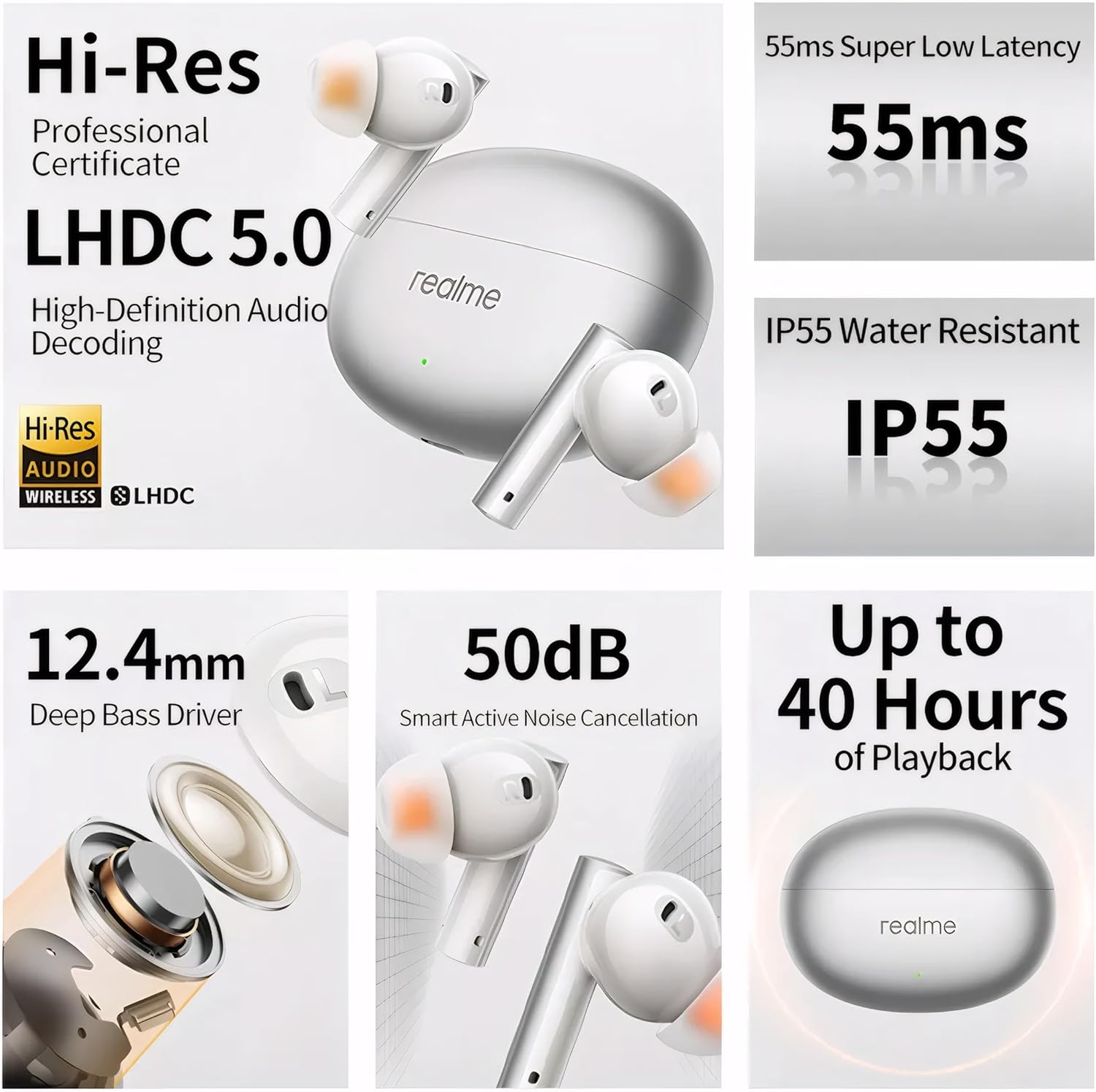
Figure 4: Key features of realme Air 6 earbuds, including Hi-Res Audio and 50dB ANC.
5. Maintenance
5.1 Cleaning
Regular cleaning helps maintain sound quality and hygiene.
- Gently wipe the earbuds and charging case with a soft, dry, lint-free cloth.
- Remove eartips and clean them with mild soap and water, then dry thoroughly before reattaching.
- Use a cotton swab or small brush to carefully clean the speaker mesh and charging contacts. Avoid using sharp objects.
5.2 Storage
When not in use, store the earbuds in their charging case to protect them and keep them charged. Store the case in a cool, dry place away from direct sunlight and extreme temperatures.
5.3 Water Resistance (IP55)
The realme Air 6 earbuds are IP55 water resistant, meaning they are protected against dust ingress and low-pressure water jets from any direction. This makes them suitable for workouts and light rain. Do not submerge the earbuds in water or expose them to high-pressure water jets.
6. Troubleshooting
If you encounter issues with your realme Air 6 earbuds, try the following solutions:
| Problem | Possible Solution |
|---|---|
| Earbuds not pairing/connecting |
|
| No sound or low volume |
|
| Microphone not working during calls |
|
| Battery drains quickly |
|
7. Specifications
Key technical specifications for the realme Air 6 True Wireless Earbuds:
| Feature | Detail |
|---|---|
| Model Name | Air 6 |
| Connectivity Technology | Wireless (Bluetooth 5.3) |
| Noise Control | 50dB Active Noise Cancellation |
| Audio Driver Size | 12.4mm Dynamic Bass Driver |
| Microphones | 6 Mics for Clear Call |
| Battery Life (Earbuds + Case) | Up to 40 Hours |
| Charging Time | 10 minutes charge for 7 hours playback |
| Low Latency Mode | 55ms Super Low Latency (Game Mode) |
| Water Resistance | IP55 |
| Frequency Range | 20 Hz - 40 kHz |
| Weight | 3.17 ounces |
8. Warranty and Support
For warranty information, technical support, or further assistance, please refer to the official realme website or contact realme customer service. Keep your purchase receipt for warranty claims.
Official realme website: www.realme.com