
Introduction
This manual provides detailed instructions for the setup, operation, and maintenance of your Douk Audio M1FM HiFi Bluetooth 5.1 Digital Amplifier with FM Receiver. Please read this manual thoroughly before using the product to ensure proper function and to maximize your listening experience. Keep this manual for future reference.
Safety Instructions
- Ensure the power supply voltage matches the requirements specified on the device.
- Do not expose the unit to rain, moisture, or extreme temperatures.
- Avoid placing the unit near heat sources or in direct sunlight.
- Do not open the casing. Refer all servicing to qualified personnel.
- Keep the unit away from strong magnetic fields.
- Disconnect the power adapter during lightning storms or when unused for long periods.
- Ensure proper ventilation around the unit to prevent overheating.
Package Contents
Verify that all items are present in the package:
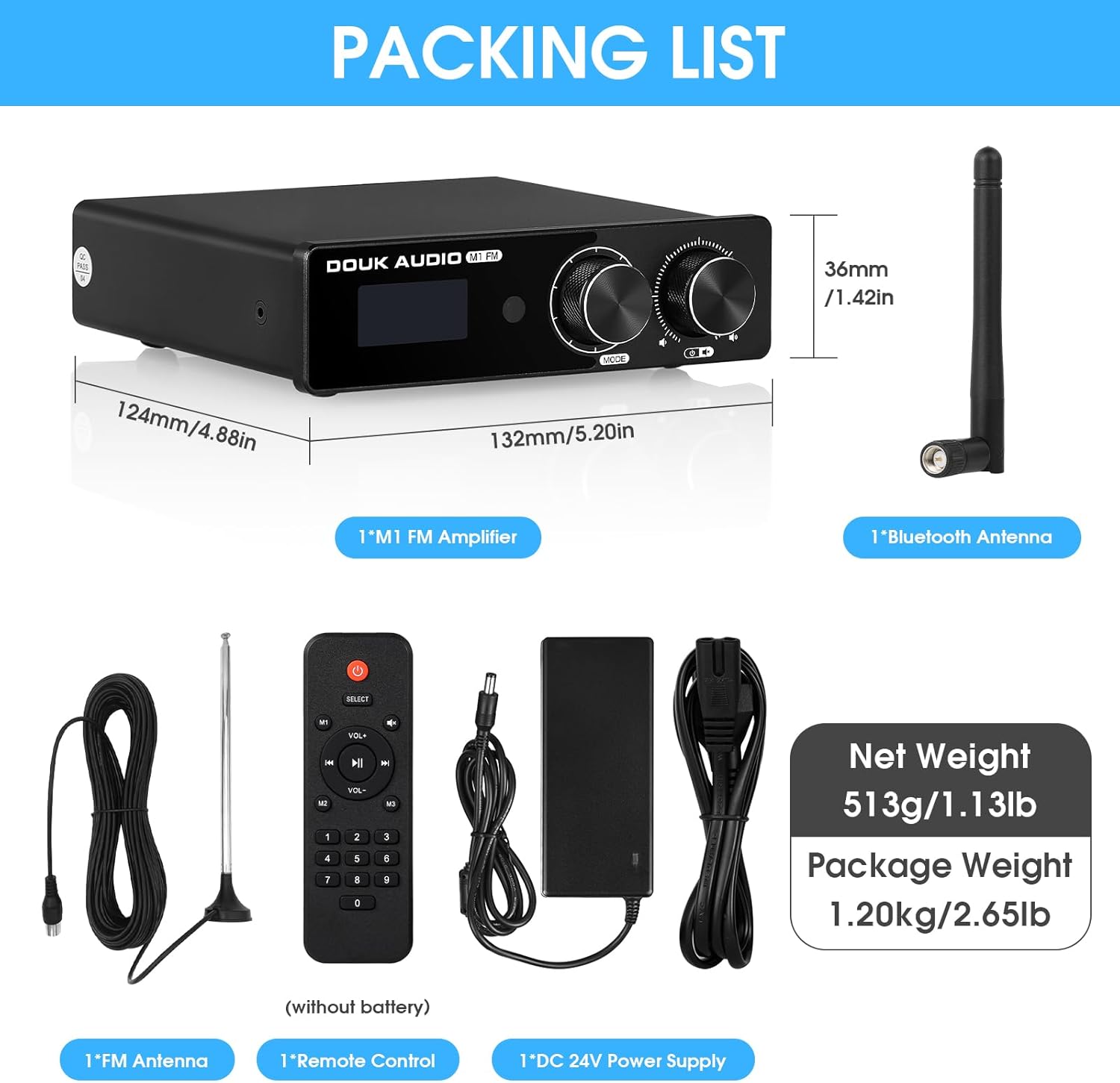
- 1x Douk Audio M1FM Amplifier
- 1x 24V/4A Power Supply
- 1x Bluetooth Antenna
- 1x FM Antenna
- 1x Remote Control (batteries not included)
Product Overview
Familiarize yourself with the front and rear panels of the M1FM amplifier.

Front Panel Controls:
- Display Screen: Shows current input mode, FM frequency, and volume level.
- Multi-function Knob: Used for menu navigation and selection.
- Power / Volume / Mute Knob: Press to power on/off or mute, rotate to adjust volume.
- Infrared Receiver: For remote control signals.
Rear Panel Connections:
- FM ANT: Connect the FM antenna.
- RCA IN (L/R): Analog audio input for devices like CD players.
- AUX IN (3.5mm): Analog audio input for portable devices.
- AUX OUT (3.5mm): Audio output to connect to another amplifier or active speaker/subwoofer.
- Speaker Output (L/R): Connect passive speakers using banana plugs or bare wire.
- DC 15-24V: Power input.
Setup
- Connect Speakers:
Connect your passive speakers to the "SPK OUT L" and "SPK OUT R" terminals on the rear panel. Ensure correct polarity (red to red, black to black). The amplifier supports 3-8Ω passive speakers.
- Connect Audio Sources:
- RCA Input: Connect devices such as CD players or DACs to the "RCA IN" ports using an RCA cable.
- AUX Input: Connect portable devices (e.g., smartphones, tablets) to the "AUX IN" (3.5mm) port using a 3.5mm audio cable.
- Connect FM Antenna:
Attach the provided FM antenna to the "FM ANT" connector on the rear panel. Extend the antenna for optimal reception.

Figure 3: FM Antenna Setup. This image shows the Douk Audio M1FM amplifier connected to speakers and an FM antenna, illustrating the setup for radio reception. - Connect Bluetooth Antenna:
Screw the provided Bluetooth antenna into the dedicated connector on the rear panel for stable wireless connectivity.
Video 1: Douk Audio M1FM Amplifier Setup. This video demonstrates the physical connections for the Douk Audio M1FM amplifier, including speaker wires, RCA cables, AUX cables, and antenna connections, showcasing the rear panel setup. - Power Connection:
Connect the 24V/4A power supply to the DC input on the rear panel, then plug the power supply into a wall outlet.
Operation
Power On/Off and Volume Control:
- Press the Power/Volume/Mute knob on the front panel to turn the unit on or off.
- Rotate the Power/Volume/Mute knob to adjust the volume level.
- Press the knob briefly to mute or unmute the audio.
Input Selection:
Press the Multi-function knob on the front panel to cycle through available input modes: Bluetooth, FM, RCA, AUX.
Bluetooth Operation:
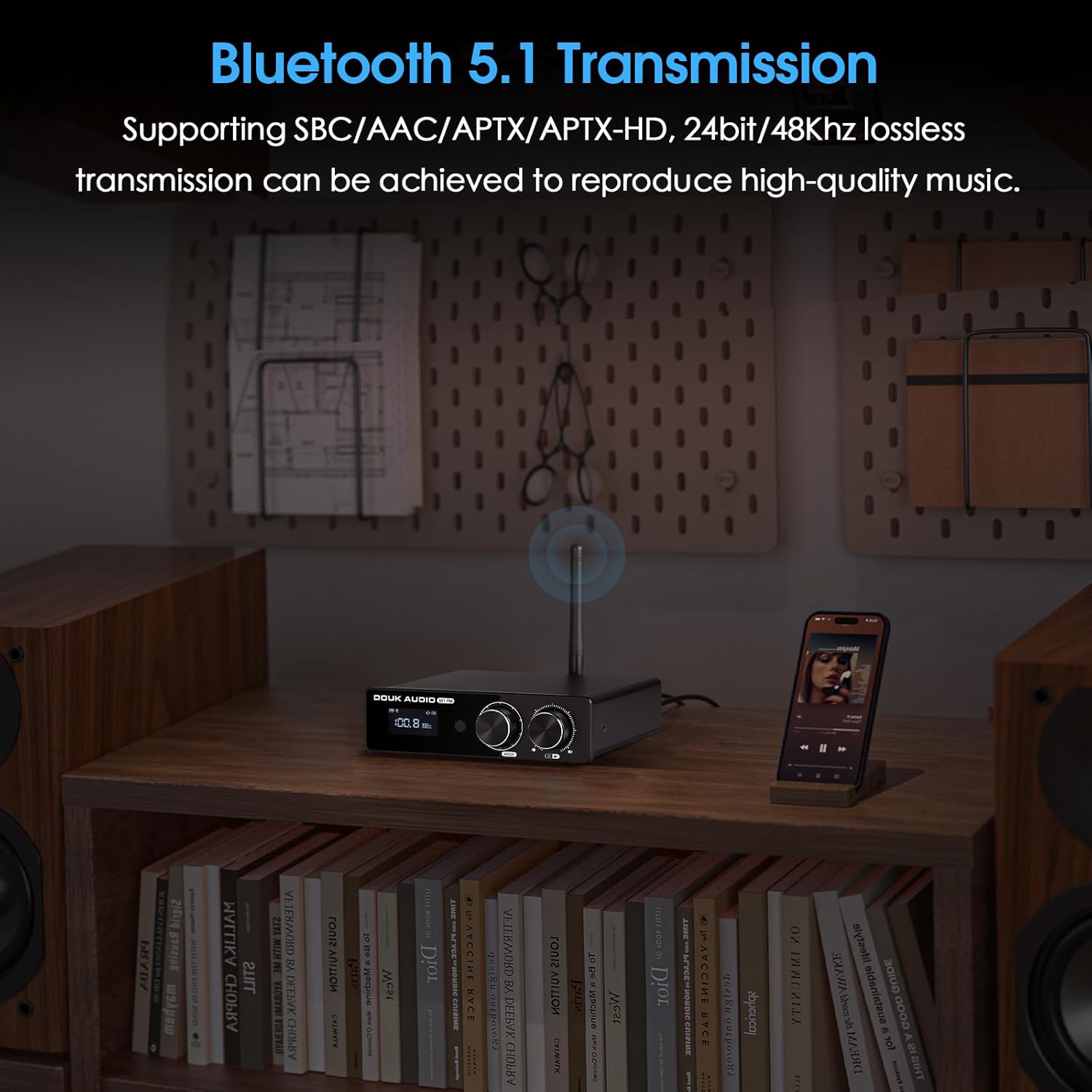
- Select "Bluetooth" input mode on the amplifier. The display will show "BT".
- On your mobile device, enable Bluetooth and search for "Douk Audio M1FM".
- Select the amplifier to pair. Once connected, the display will indicate a successful connection.
- To clear paired devices, use the Bluetooth reset function via the remote control.
FM Radio Operation:
- Select "FM" input mode.
- Use the Multi-function knob or remote control to perform automatic or manual station searches.
- The display will show the current FM frequency (76-108MHz).
Remote Control Usage:
The full-function remote control allows for convenient operation from a distance. Insert 2x AAA batteries (not included) into the remote. Functions include power, input selection, volume adjustment, mute, FM tuning, and Bluetooth reset.

Specifications
| Parameter | Value |
|---|---|
| Audio Input | Bluetooth 5.1 / FM / RCA / AUX |
| Audio Output | AUX / Banana speaker jacks |
| Amplifier IC | TPA3116D2 |
| Bluetooth Chip | QCC303X (supports AAC/SBC/APTX/APTX-HD, 48kHz/24bit) |
| Op-amp | 4PCS NE5532 (pluggable sockets) |
| FM Frequency | 76-108Mhz |
| Frequency Response | 20Hz-20kHz (±1dB) |
| Rated Output Power | 50W*2 @ 4Ω |
| Input Sensitivity | 0.775V |
| AUX Rated Output Level | 1.3V |
| THD+N | 0.03% |
| SNR | ≥102dB |
| Working Voltage | DC 15-24V |
| Dimensions (W*D*H) | 132*124*36mm / 5.20*4.88*1.42in |
| Net Weight | 513g / 1.13lb |

Troubleshooting
| Problem | Possible Cause | Solution |
|---|---|---|
| No power | Power cable not connected; Power outlet faulty; Power adapter damaged. | Check power cable connection; Try a different outlet; Contact support for adapter replacement. |
| No sound | Incorrect input selected; Volume too low; Speaker cables loose; Mute function active. | Select correct input; Increase volume; Check speaker connections; Deactivate mute. |
| Bluetooth connection issues | Device not in pairing mode; Amplifier too far from device; Interference; Previously paired device. | Ensure amplifier is in BT mode; Move device closer; Clear Bluetooth history on amplifier and device; Try pairing again. |
| Poor FM reception | FM antenna not connected or poorly positioned; Weak signal in area. | Ensure FM antenna is securely connected and fully extended; Reposition antenna for better signal; Consider an external FM antenna if needed. |
| Distorted sound | Volume too high; Input signal too strong; Speaker impedance mismatch. | Reduce volume; Check source device output level; Ensure speakers are 3-8Ω. |
Maintenance
- Clean the unit with a soft, dry cloth. Do not use liquid cleaners or aerosols.
- Keep ventilation openings clear of dust and debris.
- Store the amplifier in a cool, dry place when not in use for extended periods.
Warranty and Support
Douk Audio products are designed for reliability and performance. For warranty information, please refer to the warranty card included with your purchase or visit the official Douk Audio website. For technical support or service inquiries, please contact Douk Audio customer service through their official channels.
You can find more information and contact details at the Douk Audio Store on Amazon.


