Introduction
The Samsung Jet™ 75 Pet Cordless Stick Vacuum is designed for efficient cleaning across various surfaces. It features a lightweight design, powerful suction, and a removable battery for extended operation. This manual provides essential information for the proper setup, operation, and maintenance of your vacuum cleaner.

Image: The Samsung Jet 75 Pet Cordless Vacuum, showcasing its sleek, lightweight design in silver.
What's in the Box
Your SAMSUNG Jet 75 Pet Cordless Vacuum package includes the following components:
- Jet 75 Pet Vacuum: The main unit for cordless cleaning.
- Turbo Action Brush: Designed for multi-surface cleaning, effective on carpets and hardwood floors.
- Pet Tool: A compact, powered tool specifically optimized for picking up pet hair.
- Combination Tool: A versatile attachment for various cleaning tasks.
- Crevice Tool: For reaching narrow spaces and corners.
- Battery: A removable, rechargeable Lithium-Ion battery providing up to 60 minutes of run time.
- 2-in-1 Charger: For convenient charging of the battery.
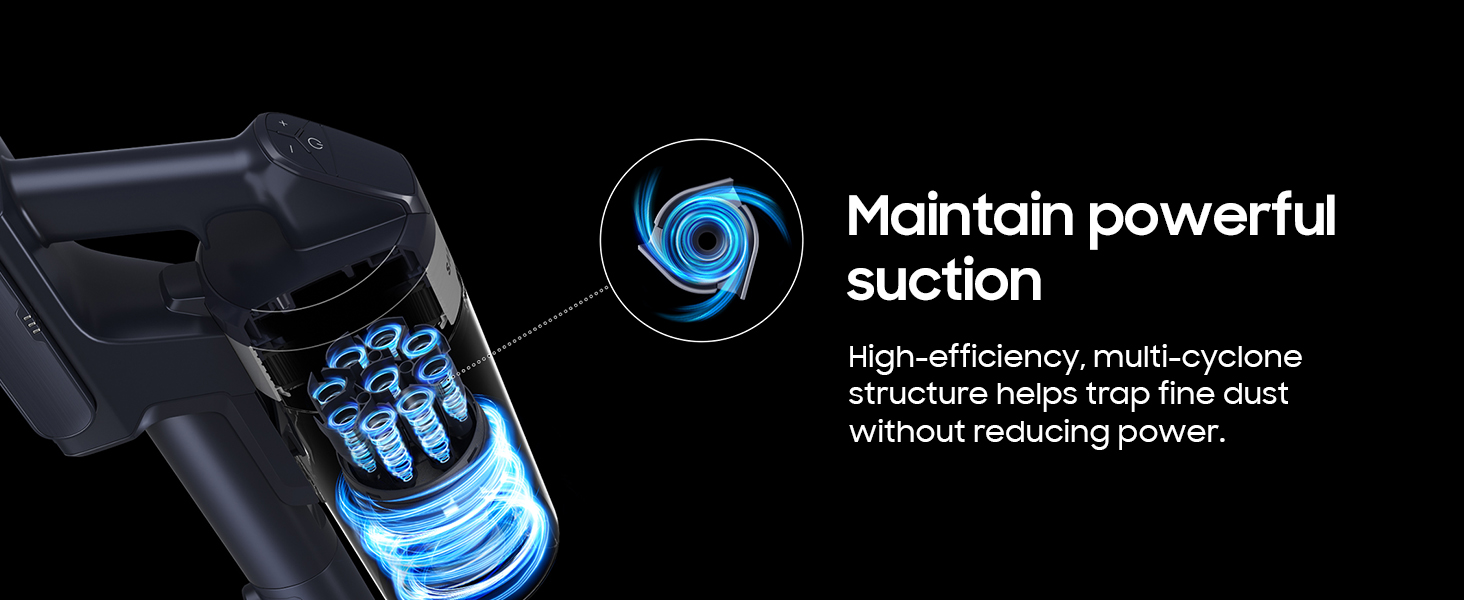
Image: An illustration detailing all components included in the SAMSUNG Jet 75 Pet Cordless Vacuum package.
Setup
- Assembly: Connect the main vacuum body to the extension pipe, and then attach the desired cleaning head (e.g., Turbo Action Brush) to the other end of the pipe.
- Battery Installation: Insert the removable battery into the designated slot on the main vacuum body until it clicks securely into place.
- Initial Charging: Before first use, fully charge the battery using the provided 2-in-1 charger. The charger can be mounted on a wall or used as a standalone unit.

Image: The SAMSUNG Jet 75 Pet Cordless Vacuum fully assembled and ready for operation.
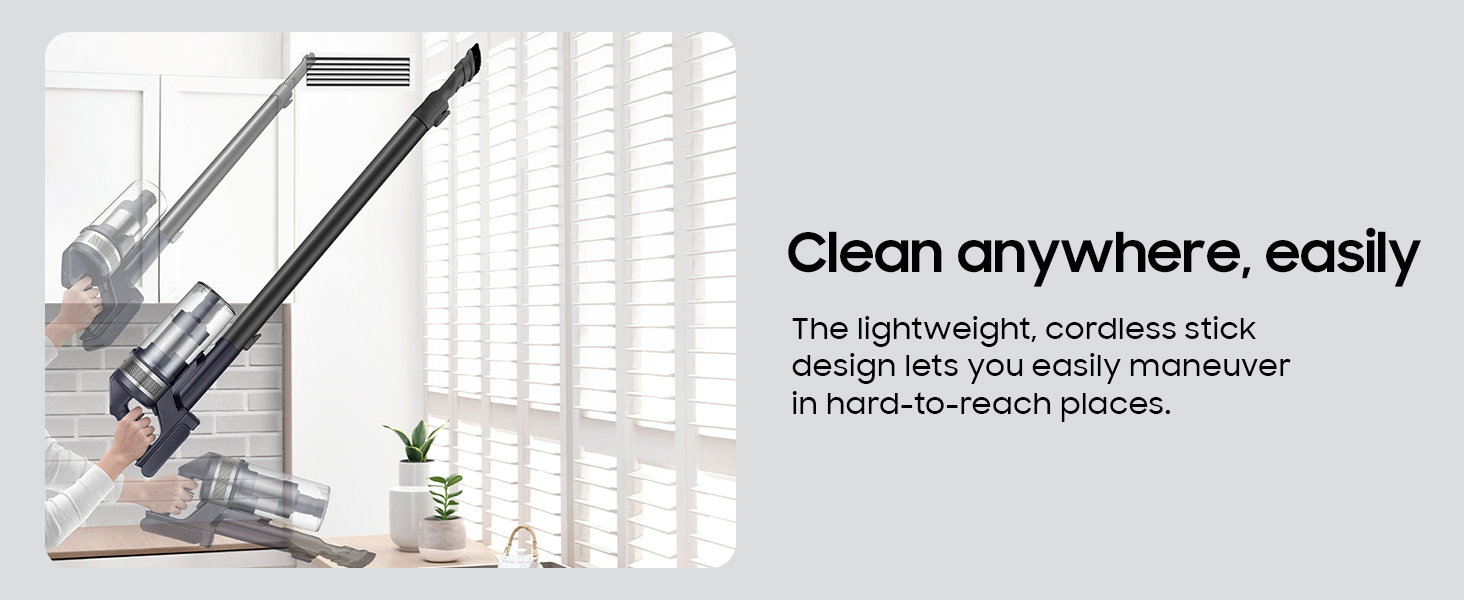
Image: Flexible charging options for the removable battery, including wall-mounted and standalone configurations.
Operating Instructions
The SAMSUNG Jet 75 offers multiple power levels and specialized tools for effective cleaning.
- Power On/Off: Press the power button located on the handle to turn the vacuum on or off.
- Adjusting Suction Power: Use the '+' and '-' buttons on the digital display to cycle through different suction modes (Min, Mid, Max, Jet). The display provides real-time status updates on power levels and battery life.
- Multi-Surface Cleaning: The Turbo Action Brush is suitable for both carpets and hardwood floors. For pet hair, attach the specialized Pet Tool.
- Lightweight Design: The vacuum's lightweight construction (5.7 pounds) and 180-degree swivel head allow for easy maneuverability around furniture and into hard-to-reach areas.
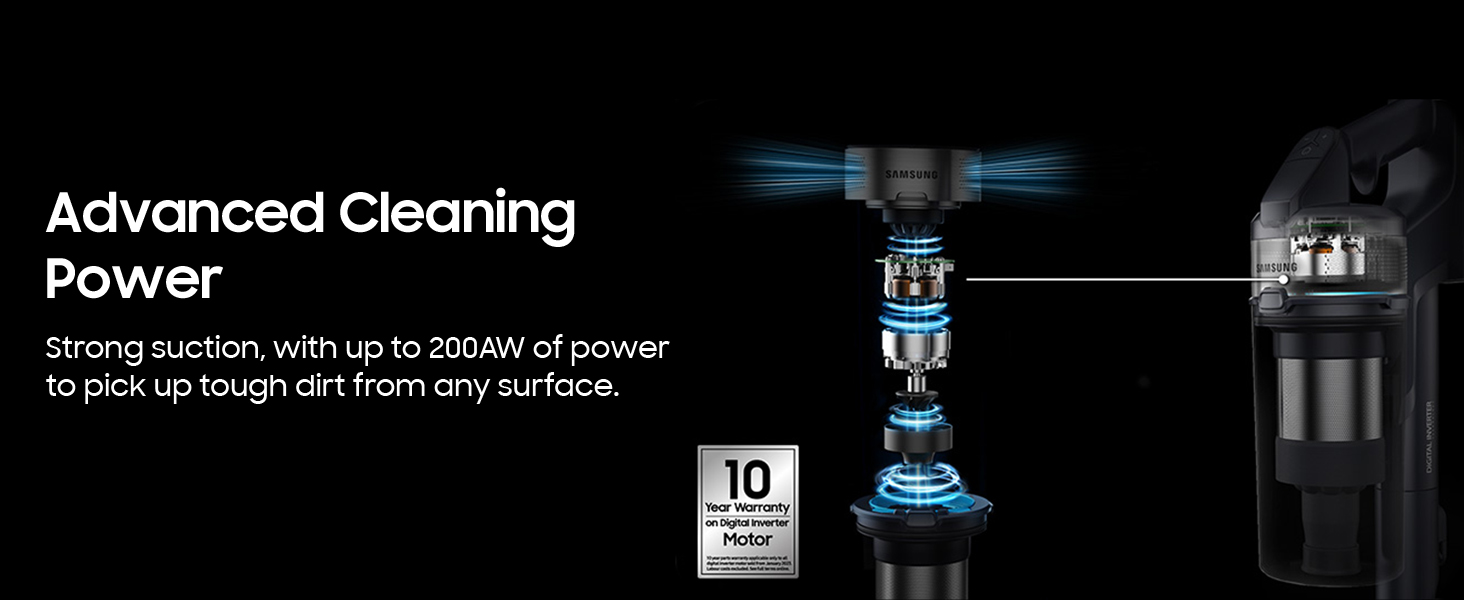
Image: The digital display on the vacuum's handle, showing power levels and battery status.
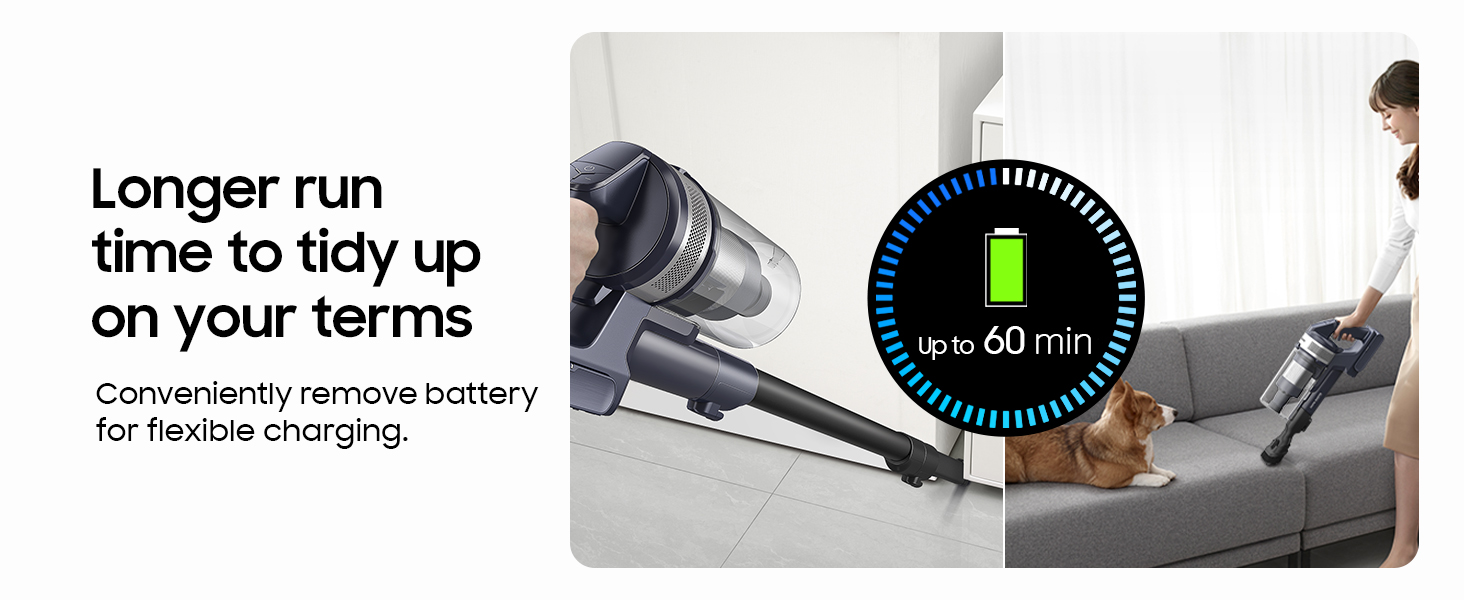
Image: The Turbo Action Brush effectively cleaning both carpeted and hard floor surfaces.
Video: A user demonstrating the Samsung Jet 75 vacuum's maneuverability and cleaning performance on various surfaces.
Maintenance
Regular maintenance ensures optimal performance and longevity of your vacuum.
- Dustbin Emptying: The dustbin can be easily detached and emptied. For hands-free emptying, use the optional Clean Station (if purchased separately) which automatically empties the dustbin and cleans the filter.
- Filter Cleaning: The HEPA filter and multi-cyclone system are designed to trap fine dust. Filters are washable; refer to the full user manual for detailed cleaning instructions.
- Brush Roll Maintenance: Periodically check the Turbo Action Brush and Pet Tool for tangled hair or debris. The brush rolls can be easily removed for cleaning.

Image: The washable dustbin and filters, highlighting ease of cleaning for optimal performance.
Video: Demonstration of the self-empty feature of the Samsung Jet 75, showing the dustbin being automatically emptied into the Clean Station.
Troubleshooting
If you encounter issues with your SAMSUNG Jet 75, try the following common troubleshooting steps:
- Reduced Suction: Check if the dustbin is full and needs emptying. Ensure all filters are clean and properly installed. Inspect the brush roll and nozzle for any blockages.
- Battery Not Charging: Verify that the charger is correctly plugged into a working power outlet and the battery is securely seated in the charger.
- Brush Roll Not Spinning: Check for tangled hair or debris obstructing the brush roll. Ensure the cleaning head is properly attached to the extension pipe.
- Unusual Noises: Turn off the vacuum and inspect all parts for any foreign objects or damage.
For more detailed troubleshooting, refer to the complete user manual or contact Samsung customer support.
Specifications
| Brand | Samsung |
| Model Name | Jet 75 Pet Cordless Vacuum |
| Item Model Number | VS20B75AGR5/AA |
| Special Feature | Cordless |
| Filter Type | HEPA Filter |
| Maximum Suction | 200 AW |
| Battery Life | Up to 60 minutes (minimum power level with non-motorized tool) |
| Battery Type | Lithium-Ion |
| Dustbin Capacity | 0.8 Liters |
| Item Weight | 5.7 pounds |
| Product Dimensions | 8.5"L x 9.8"W x 44.5"H |

Image: Dimensions of the SAMSUNG Jet 75 Pet Cordless Vacuum.
Warranty and Support
Your SAMSUNG Jet 75 Pet Cordless Vacuum is covered by a manufacturer's warranty. Please refer to the warranty card included in your package for specific terms and conditions.
For technical assistance, service, or to purchase replacement parts, please contact Samsung customer support through their official website or the contact information provided in your product documentation.
Online resources and FAQs may also be available on the Samsung Store.


