
Stealth Cam STC-DCPTRSOLPX
Contents
Stealth Cam Deceptor MAX Cellular Trail Camera & Sol-Pak Solar Battery Pack User Manual
Model: STC-DCPTRSOLPX
Introduction
This manual provides comprehensive instructions for the setup, operation, and maintenance of your Stealth Cam Deceptor MAX Cellular Trail Camera and Sol-Pak Solar Battery Pack. Please read this manual thoroughly before using your device to ensure optimal performance and longevity.

Image: The Stealth Cam Deceptor MAX Cellular Trail Camera (left) and the accompanying Sol-Pak Solar Battery Pack (right), showcasing the complete system.
Package Contents
- Stealth Cam Deceptor MAX Cellular Trail Camera
- Stealth Cam Sol-Pak Solar Battery Pack (5000mAh Li-ion)
- Pre-installed SIM cards (for AT&T & Verizon networks)
- Tree Strap for mounting
- 10ft insulated metal cable (for solar panel connection)
Setup Guide
1. Battery Installation
The Deceptor MAX camera requires 16 AA batteries (not included) for primary power or as a backup when the solar panel is not in use. The Sol-Pak Solar Battery Pack contains a 5000mAh Li-ion battery. Ensure all batteries are inserted with correct polarity.

Image: The internal compartment of the Deceptor MAX camera, showing the battery slot and LED status indicators for battery, network, and account connection.
2. SIM Card & Network Connection
The camera comes with two pre-installed SIM cards, enabling connectivity to both AT&T and Verizon networks. The camera will automatically connect to the strongest available signal. For initial setup, use the Quick Scan QR code located on the camera to simplify the activation process.
3. COMMAND Pro App Setup
Download the COMMAND Pro App from your mobile device's app store. This app allows you to register your camera, view images, change settings, and manage your data plan remotely. Follow the in-app instructions for camera registration and linking.
4. Mounting the Camera and Solar Panel
Use the provided tree strap to securely mount the camera to a tree or post. Position the camera at an appropriate height and angle for optimal wildlife monitoring. The Sol-Pak Solar Battery Pack should be mounted in a location that receives maximum direct sunlight throughout the day to ensure continuous charging. Connect the solar panel to the camera using the 10ft insulated metal cable via the 12-volt DC jack.

Image: The Stealth Cam Deceptor MAX camera securely mounted to a tree, demonstrating its outdoor deployment.

Image: A person demonstrating the setup and mounting of the Stealth Cam trail camera on a wooden post.
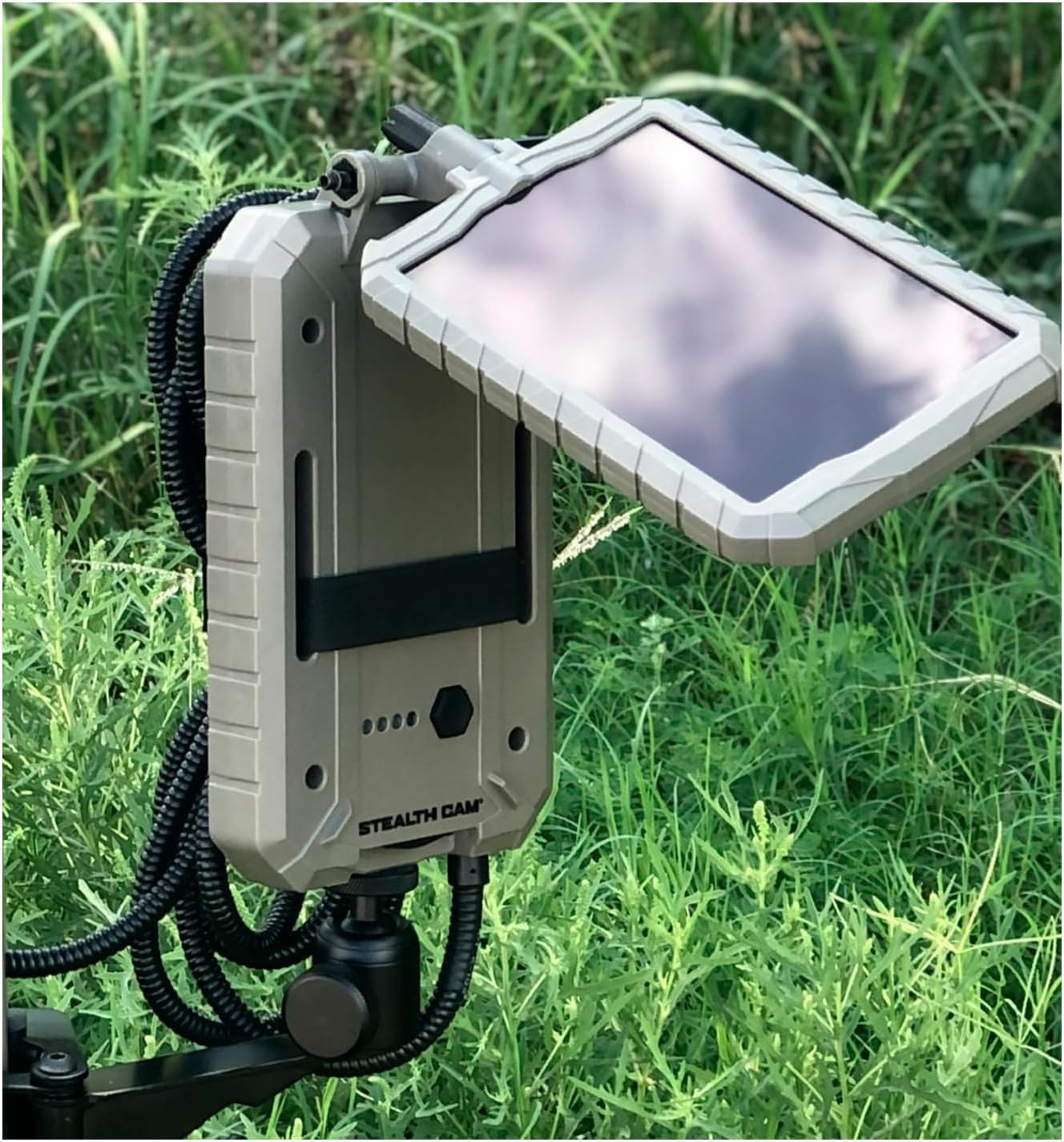
Image: The Sol-Pak Solar Battery Pack positioned in a field, illustrating its outdoor placement for solar charging.
Operating Instructions
1. Powering On/Off
Locate the power switch inside the camera housing. Switch it to the 'ON' position to power on the camera. The camera will perform a self-check and attempt to connect to the cellular network. Switch to 'OFF' to power down.
2. Capturing Photos and Videos
The Deceptor MAX captures high-resolution images and videos based on motion detection. It features a rapid 0.4-second trigger speed to ensure you don't miss any action. The camera can capture up to 40MP photos and 1440P QHD videos with audio. In Burst Mode, it can take up to 9 pictures per trigger event.
The 36-piece 940nm No-Glo LED array provides an invisible detection and flash range of up to 80 feet, ensuring discreet operation during nighttime.
3. Remote Monitoring with COMMAND Pro App
Once connected, the COMMAND Pro App allows you to remotely view captured images and videos, adjust camera settings, and monitor battery life and signal strength. Images and videos are uploaded to your account for easy access and sharing.
4. Solar Power Management
The Sol-Pak Solar Battery Pack continuously charges the camera's internal battery, extending its field life significantly. Ensure the solar panel is clean and unobstructed to maximize charging efficiency. The 5000mAh Li-ion battery in the Sol-Pak provides robust power storage.
Maintenance
1. Cleaning
Periodically clean the camera lens, PIR sensor, and solar panel surface with a soft, damp cloth. Avoid abrasive cleaners or solvents that could damage the surfaces. Ensure the solar panel is free of dirt, leaves, or snow to maintain charging efficiency.
2. Battery Care
While the Sol-Pak extends battery life, it is good practice to check the camera's internal AA batteries periodically, especially if the solar panel is not consistently exposed to sunlight. Replace depleted AA batteries promptly.
3. Environmental Protection
The camera and solar panel are designed with durable, weather-resistant ABS housing and an IP65 international protection rating, making them suitable for outdoor use in various conditions. However, avoid submerging the devices in water or exposing them to extreme temperatures beyond their operating range.
Troubleshooting
| Problem | Possible Cause | Solution |
|---|---|---|
| Camera not powering on. | Low or dead batteries; incorrect battery insertion. | Replace all 16 AA batteries. Ensure correct polarity. Check Sol-Pak connection and charge. |
| No images/videos captured. | PIR sensor obstructed; camera not armed; insufficient motion. | Clear any obstructions from the PIR sensor. Ensure camera is in 'ON' mode. Verify motion detection settings in the app. |
| No cellular connection. | Weak signal area; SIM card issue; no active data plan. | Relocate camera to an area with better cellular coverage. Check status indicators inside the camera (Network LED). Verify data plan status via COMMAND Pro App. |
| Solar panel not charging. | Panel obstructed; insufficient sunlight; faulty connection cable. | Ensure panel is clean and receives direct sunlight. Check the connection cable between the solar panel and camera. |
| Activation issues. | Incorrect QR code scan; app registration error. | Re-scan the Quick Scan QR code. Ensure stable internet connection during app registration. Contact customer support if issues persist. |
Refer to the status codes inside the camera for quick diagnostics:
- Battery Status: Red (No SD Card or Low Battery), Green (Successful Connection)
- Network Status: Red (Weak Signal or No Active Data Plan), Green (Successful Connection)
- Account Status: Red (Account Not Found), Green (Successful Connection)
Specifications
| Feature | Detail |
|---|---|
| Model Name | Deceptor Max Sol-Pak Combo |
| Model Number | STC-DCPTRSOLPX |
| Brand | Stealth Cam |
| Indoor/Outdoor Usage | Outdoor |
| Compatible Devices | Smartphone or Desktop |
| Power Source | Battery Powered (16 AA for camera, 5000mAh Li-ion for Sol-Pak) |
| Connectivity | Cellular (AT&T & Verizon), Wi-Fi |
| Controller Type | App (COMMAND Pro App) |
| Mounting Type | Tree Strap |
| Photo Resolution | Up to 40MP |
| Video Resolution | 1440P QHD with Audio |
| Trigger Speed | 0.4 seconds |
| Recovery Time | 2-59 seconds |
| LEDs | 36-piece 940nm No-Glo LED array |
| Flash Range | Up to 80ft |
| Burst Mode | Up to 9 pictures per trigger |
| International Protection Rating | IP65 |
| Dimensions (L x W x H) | 6 x 4 x 12 inches |
| Weight | 3.63 pounds |
| UPC | 813628069812 |
| Manufacturer | GSM Outdoors |
| Alert Type | Motion Only |
| Video Capture Format | MP4 |
Warranty and Support
For technical assistance, troubleshooting beyond this manual, or warranty inquiries, please contact Stealth Cam customer support. Refer to the official Stealth Cam website for the most current contact information and support resources.
Protection plans are available for purchase separately to extend coverage beyond the standard manufacturer's warranty. Details on these plans can be found where the product was purchased.
Ask a question about this manual
Ask about setup, troubleshooting, compatibility, parts, safety, or missing instructions. Manuals+ will review the question and use this page’s manual context to help answer it.