
1. Introduction
This manual provides essential instructions for the setup, operation, and maintenance of your HUAWEI WATCH D2 smartwatch. Please read this manual thoroughly before using the device to ensure proper function and safety.
2. What's in the Box
Verify that all items are present in your product packaging:
- HUAWEI WATCH D2 (including a short strap, L-sized strap, airbag, and airbag clothing)
- Independent cover
- Wrist circumference ruler
- Wearing guide
- Wireless charger (including the charging cable)
3. Setup
3.1 Initial Charging
Before first use, fully charge your HUAWEI WATCH D2. Connect the wireless charger to a power source and place the watch onto the charging pad. The watch display will indicate charging status. A full charge typically takes approximately 2.5 hours.
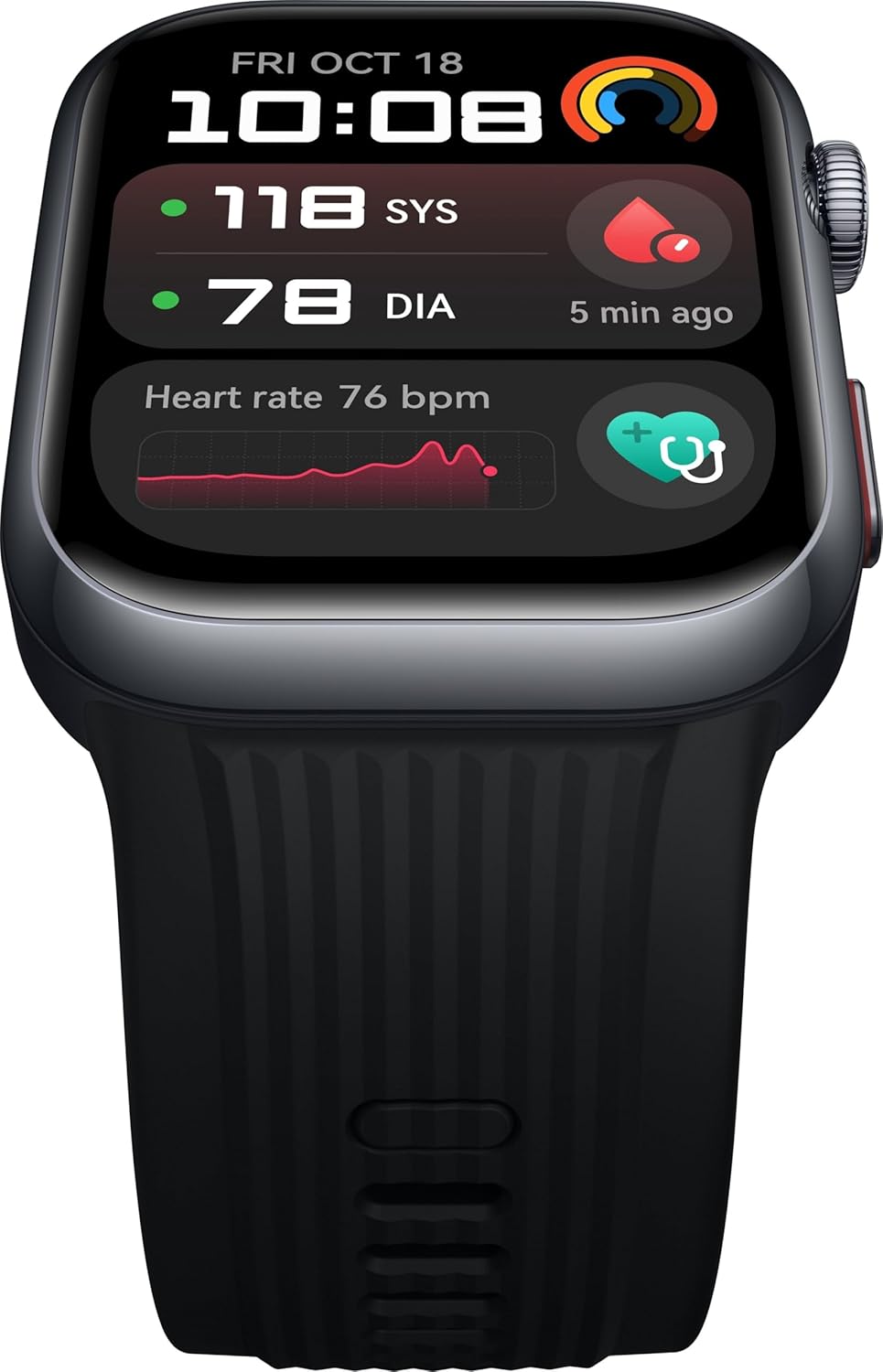
Image: HUAWEI WATCH D2 placed on its wireless charging pad.
3.2 Pairing with Your Smartphone
- Download the HUAWEI Health app from your smartphone's app store.
- Open the HUAWEI Health app and follow the on-screen instructions to create an account or log in.
- Ensure Bluetooth is enabled on your smartphone.
- In the HUAWEI Health app, navigate to Devices and select "Add device." Choose your HUAWEI WATCH D2 from the list of available devices.
- Confirm the pairing request on both your watch and smartphone.
For optimal functionality, ensure the HUAWEI Health app is updated to its latest version.
3.3 Adjusting the Strap
The watch comes with an innovative strap-airbag unibody design. Use the provided wrist circumference ruler to select the appropriate strap size (short or L-sized) for a snug fit. The strap can be removed and replaced using the Quick Release button.

Image: HUAWEI WATCH D2 smartwatch displaying its screen and adjustable strap.
4. Operating Instructions
4.1 Basic Navigation
- Touchscreen: Swipe up, down, left, or right to navigate through menus and notifications. Tap to select items.
- Side Button (Crown): Press to return to the home screen or access the app list. Rotate to scroll through lists.
- Side Button (ECG Electrode): Used for ECG measurements.

Image: Side view of the HUAWEI WATCH D2, highlighting the crown and other side buttons.
4.2 Ambulatory Blood Pressure Monitoring
The HUAWEI WATCH D2 features wrist-based ambulatory blood pressure monitoring. To initiate a measurement:
- Ensure the watch is worn snugly on your wrist.
- Open the Blood Pressure app on your watch.
- Follow the on-screen instructions, remaining still and relaxed during the measurement.
- You can also set up a 24-hour auto-monitoring plan through the HUAWEI Health app to track SBP and DBP readings throughout the day and night.
For accurate readings, ensure proper wearing and follow the instructions in the HUAWEI Health app.

Image: HUAWEI WATCH D2 screen showing blood pressure and heart rate data.
4.3 ECG Analysis
To perform an ECG measurement:
- Open the ECG app on your watch.
- Place your finger on the electrode on the side of the watch for 30 seconds.
- Remain still and avoid talking during the measurement.
- The results will be displayed on the watch and synchronized with the HUAWEI Health app.
4.4 Health Monitoring (SpO2, Sleep, Breathing, Heart Rate)
- SpO2: The watch continuously monitors your blood oxygen saturation. View current and historical data in the SpO2 app or HUAWEI Health app.
- Sleep Breathing Awareness: The watch monitors your sleep patterns and breathing during sleep. Detailed analysis is available in the HUAWEI Health app.
- Heart Rate: Continuous heart rate monitoring is active by default. Access real-time and historical heart rate data via the Heart Rate app or HUAWEI Health app.
4.5 Exercise Modes and GNSS
The HUAWEI WATCH D2 supports over 80 exercise modes. It also features automatic detection for six common activities and pinpoint GNSS positioning for outdoor workouts.
- Open the Workout app on your watch.
- Select your desired exercise mode.
- Start your workout. The watch will track relevant metrics.
4.6 Bluetooth Calling
Connect your watch to your smartphone via Bluetooth to answer or reject calls directly from your wrist.
- Ensure your watch is paired and connected to your smartphone.
- When a call comes in, you can answer or reject it using the watch screen.
5. Maintenance
- Cleaning: Regularly clean the watch and strap with a soft, damp cloth. Avoid using harsh chemicals or abrasive materials.
- Charging Port: Keep the charging contacts clean and dry to ensure efficient charging.
- Storage: Store the watch in a cool, dry place when not in use. Avoid extreme temperatures.
- Software Updates: Periodically check for and install software updates via the HUAWEI Health app to ensure optimal performance and access to new features.
6. Troubleshooting
| Problem | Possible Solution |
|---|---|
| Watch does not turn on. | Ensure the watch is fully charged. Connect it to the charger for at least 10 minutes. |
| Cannot pair with smartphone. |
|
| Inaccurate blood pressure/ECG readings. |
|
| Battery drains quickly. |
|
7. Specifications
| Brand | Huawei |
| Model | 55020DAC (Luca-B19) |
| Display | 1.82 Inches AMOLED, 480 x 408 Resolution |
| Operating System | HarmonyOS |
| Memory Storage Capacity | 4 GB |
| Special Features | Blood Pressure Monitor, Breath Monitor, Custom Activity Tracking, Heart Rate Monitor |
| Battery Type | Lithium Polymer (included) |
| Battery Capacity | 524 mAh |
| Battery Average Life | Up to 7 Days |
| Charging Time | Approx. 2.5 Hours |
| Wireless Type | Bluetooth |
| Device Interface | Buttons, Touchscreen |
| Item Weight | 40 g |
| Compatible Devices | Smartphone |
8. Warranty and Support
For warranty information and technical support, please refer to the official Huawei website or contact Huawei customer service. Keep your purchase receipt for warranty claims.
Official Huawei Support: consumer.huawei.com/en/support/


