
1. Introduction
The AIRIVO White Laser Fairy Lights Projector, Model GY-01A, is designed to transform your indoor and outdoor spaces with captivating white laser light effects. This projector creates a dynamic display of twinkling lights, simulating a starry sky or falling snowflakes, suitable for various occasions and environments. This manual provides essential information for the safe and effective use of your projector.
2. Package Contents
Please verify that all items are present in your package:
- Star Lights Projector Body
- Remote Control
- Instruction Manual
3. Product Overview
The AIRIVO White Laser Fairy Lights Projector features an industrial-grade laser for a longer service life and wider projection area. It offers multiple lighting modes and adjustable speeds to customize your light display.

The AIRIVO White Laser Fairy Lights Projector and its remote control, shown projecting white fairy lights onto trees and the ground in an outdoor environment.

The projector creating a fairy light effect on the walls and floor of an indoor space, suitable for bedroom or living room decoration.

An outdoor scene demonstrating the projector's ability to cover a house and surrounding landscape with white snowflake-like light patterns, ideal for holiday decorations.
Product Demonstration Video
This video demonstrates the AIRIVO White Laser Snowflake Projector's light effects in various outdoor and indoor settings, highlighting the moving light patterns.
4. Setup Instructions
Follow these steps to set up your projector:
- Unpack: Carefully remove all components from the packaging.
- Placement: Position the projector on a stable surface using its floor mount. Ensure the projection lens is clear and unobstructed.
- Power Connection: Connect the power adapter to the projector and then plug it into a standard electrical outlet.
- Adjust Angle: The projector features a 100° adjustable angle. Loosen the side knobs, tilt the projector to your desired angle, and then tighten the knobs to secure it.
- Projection Distance: The projection coverage varies with distance. For example, a greater distance from the projection surface will result in a larger coverage area (approximately 15 to 150 square meters). Adjust the projector's distance to achieve your desired effect.
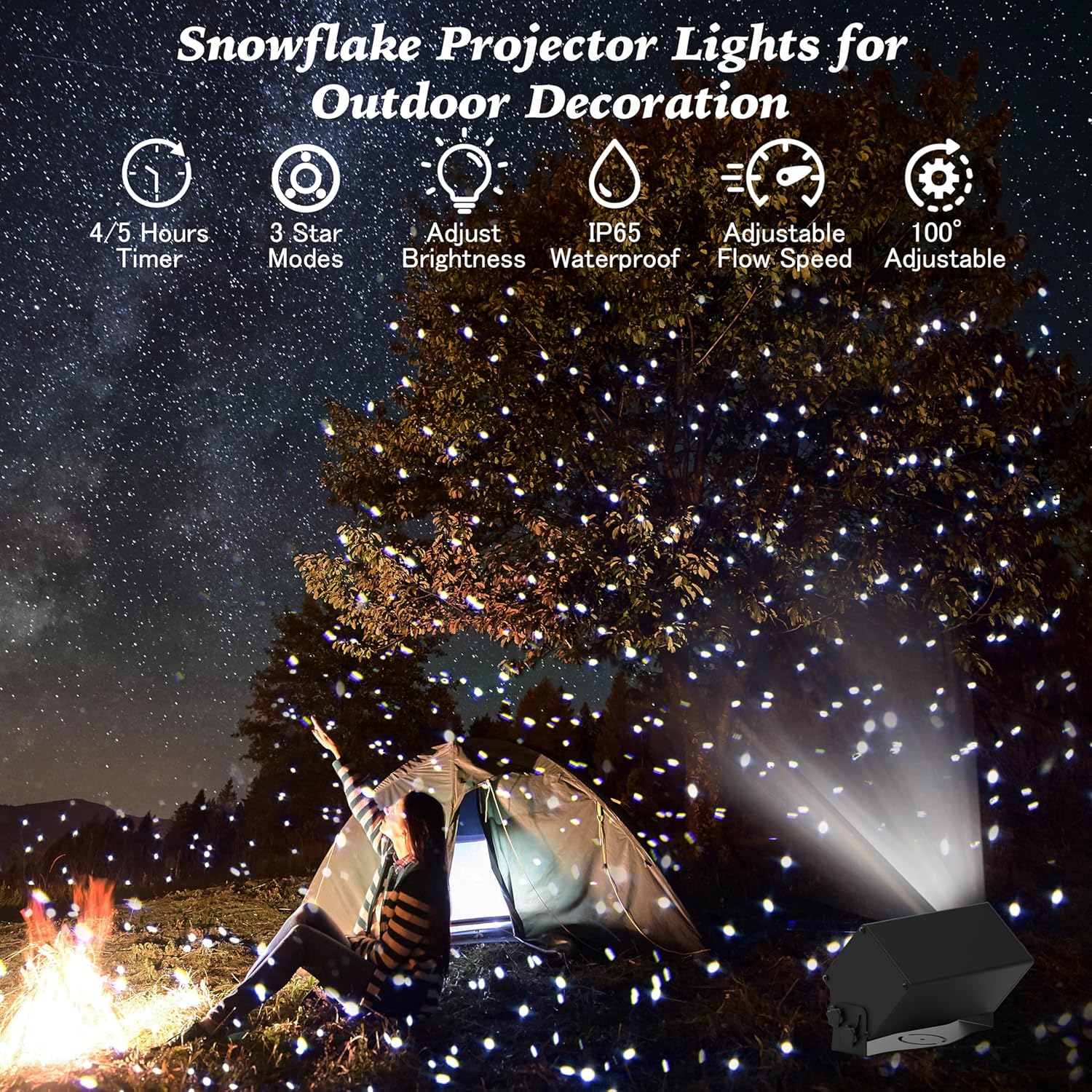
The projector casting white light patterns over a camping tent and surrounding trees, illustrating its use for outdoor ambiance.
5. Operating Instructions
Use the included remote control to operate your AIRIVO projector. Ensure the remote has working batteries (not included).

A detailed diagram of the remote control, highlighting buttons for power, mode selection, rotation speed, flashing speed, brightness adjustment, and timer settings.
Remote Control Functions:
- Power On/Off: Press the Power button to turn the projector on or off.
- Mode Selection: Cycle through 3 lighting modes: Breathing, Strobe, and Steady.
- Adjust Moving Speed: Control the speed of the light patterns (still, slow, or fast).
- Adjust Brightness: Increase or decrease the intensity of the projected lights.
- Timer Settings: Set the projector to automatically turn off after 4, 5, or 6 hours. Press the Timer Cancel button to deactivate the timer.
Operation Demonstration Video
A demonstration of the projector's fairy light effect, showing how it illuminates a house facade and a child enjoying the projected lights, emphasizing the magical ambiance created.
6. Maintenance
To ensure the longevity and optimal performance of your projector, follow these maintenance guidelines:
- Cleaning: Gently wipe the lens and exterior with a soft, dry cloth. Avoid abrasive cleaners or solvents.
- Storage: When not in use, store the projector in a cool, dry place, away from direct sunlight and extreme temperatures.
- Cable Care: Regularly inspect the power cord for any damage. Do not use the projector if the cord is frayed or damaged.
- Weather Protection: While designed for outdoor use, prolonged exposure to severe weather conditions (heavy rain, snow, extreme heat) may affect performance. Consider bringing the unit indoors during harsh weather.
7. Troubleshooting
If you encounter issues with your projector, refer to the following common solutions:
| Problem | Possible Cause | Solution |
|---|---|---|
| Projector does not turn on. | No power supply; faulty power adapter. | Ensure the power adapter is securely plugged into both the projector and a working electrical outlet. Check the power button on the projector. |
| Remote control is not working. | Dead batteries; remote out of range; obstruction. | Replace remote control batteries. Ensure you are within effective range and there are no obstructions between the remote and the projector's sensor. |
| Lights are dim or unclear. | Lens is dirty; projection surface too far; ambient light too high. | Clean the projector lens. Adjust the projection distance. Ensure the projection area is sufficiently dark for optimal visibility. |
| Light patterns are not moving. | Moving speed set to 'still' mode. | Use the remote control to adjust the moving speed to 'slow' or 'fast'. |
8. Specifications
| Feature | Detail |
|---|---|
| Brand | AIRIVO |
| Model Number | GY-01A |
| Color | White Laser |
| Shape | Rectangular |
| Material | Metal |
| Finish Type | Projector |
| Light Source Type | Laser |
| Power Source | Corded Electric |
| Item Weight | 5.7 Pounds |
| Product Dimensions | 10.6"L x 5.7"W x 4.3"H |
| Mounting Type | Floor Mount |
| Number of Light Sources | 3 |
| Batteries Included? | No |
| Batteries Required? | No |
| Projection Coverage | Approx. 15 - 150 square meters (depending on distance) |
9. Safety Information
Please read and adhere to the following safety precautions:
- Laser Safety: Do not stare directly into the laser light. Avoid direct eye exposure to the laser beam.
- Power Source: Use only the provided power adapter. Ensure the voltage is compatible with your local power supply.
- Outdoor Use: While designed for outdoor use, ensure the power connection is protected from water. Do not submerge the projector in water.
- Children and Pets: Keep the projector and its remote control out of reach of children and pets to prevent accidental damage or misuse.
- Ventilation: Ensure adequate ventilation around the projector to prevent overheating. Do not cover the unit during operation.
- Disassembly: Do not attempt to open or repair the projector yourself. This may void the warranty and pose a safety risk.
10. Warranty and Support
Specific warranty details are not provided in the product information. For warranty claims, technical support, or replacement parts, please contact AIRIVO customer service directly through their official channels or the retailer where the product was purchased. Keep your purchase receipt as proof of purchase.