1. Introduction and Overview
The FiveHome Kids Alarm Clock is designed to help toddlers and young children develop healthy sleep habits by visually indicating when it's time to wake up or go to bed. This versatile device combines a sleep training clock with a night light, a sleep sound machine, and a nap timer, making it an essential tool for parents.
- Sleep Training Clock: Features Sun and Moon icons with colored lights to teach children time concepts.
- Night Lights: Offers 9 color lights and 3 levels of warm light to create a comfortable bedtime environment.
- Sleep Sound Machine: Includes 6 soothing sleep sounds and 4 alarm music options.
- Nap Timer & Snooze: Supports timed activities and a 9-minute snooze function.

The FiveHome Kids Alarm Clock displaying the time with sun and moon icons.
2. Setup
The FiveHome Kids Alarm Clock is designed for easy setup. It must be plugged in to operate.
2.1 Unboxing and Initial Power-On
Carefully remove the alarm clock and its accessories from the packaging. Connect the provided power adapter to the clock's power input port and plug it into a standard electrical outlet. The clock will power on automatically.

The back panel of the FiveHome Kids Alarm Clock, illustrating the power input and various control buttons for settings.
2.2 Video Guide: Unboxing and Basic Functions
This official video demonstrates the unboxing process and provides an overview of the clock's basic functions, including light changes and sound options.
3. Operating Instructions
3.1 Sleep Training Function (Sun & Moon)
The clock uses visual cues to help children understand sleep and wake times. The display changes between a sun and moon icon, accompanied by different light colors.
- Wake-Up Time: When it's time to wake up, the sun icon appears on the LED screen, and the clock illuminates with a green light.
- Bedtime: When it's time to go to bed, the moon icon appears on the screen, and the clock illuminates with a red light.

The clock showing the sun icon and green light, indicating it's time to wake up.
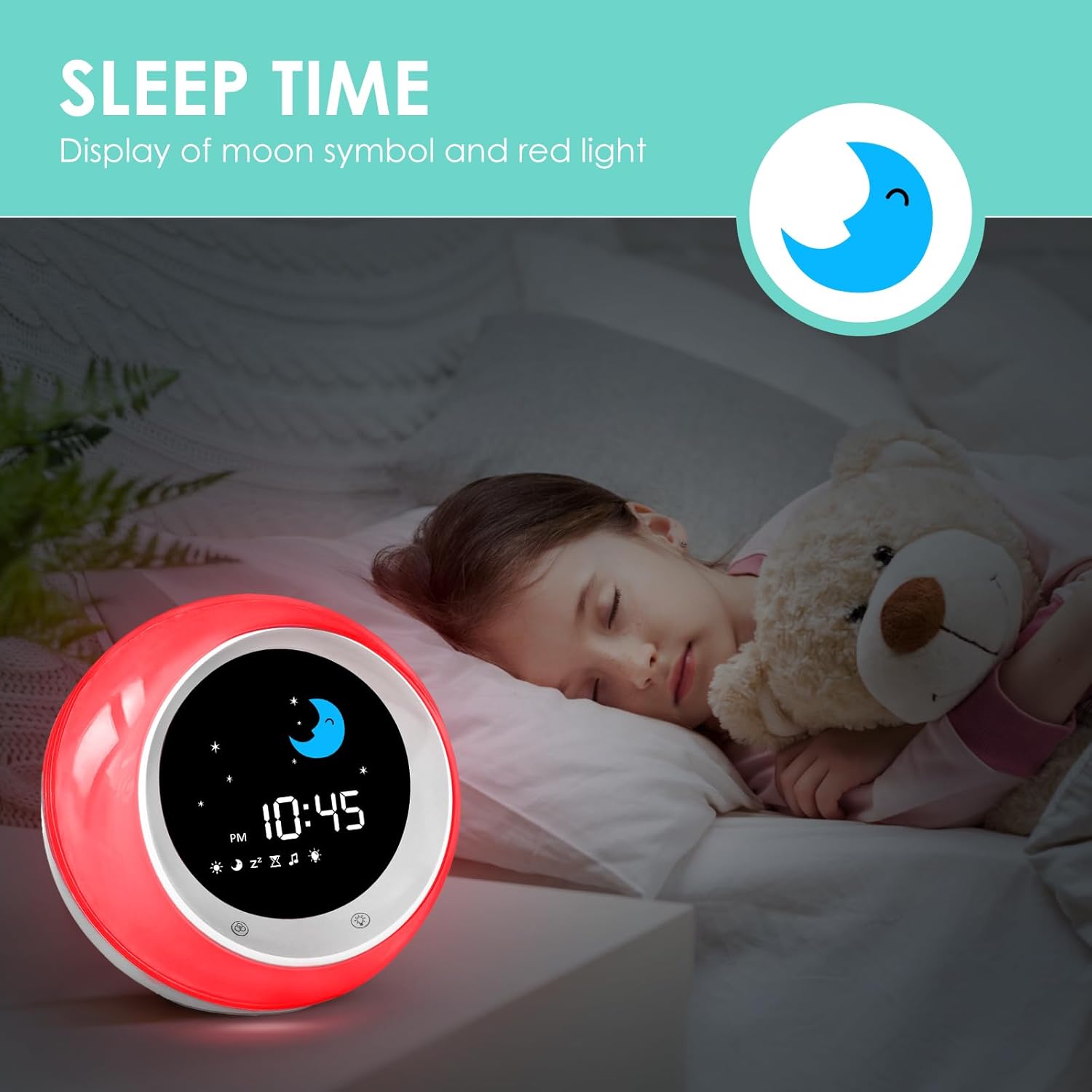
The clock showing the moon icon and red light, indicating it's time for sleep.
3.2 Night Lights and Sleep Sound Machine
The clock offers customizable lighting and sound options to enhance the sleep environment.
- 9 Color Lights & 3 Warm Light Levels: Easily switch between various colors and adjust warm light intensity to suit your child's preference.
- 6 Sleep Sounds & 4 Alarm Music: Choose from a selection of soothing sounds to help your child fall asleep, and different music options for alarms.
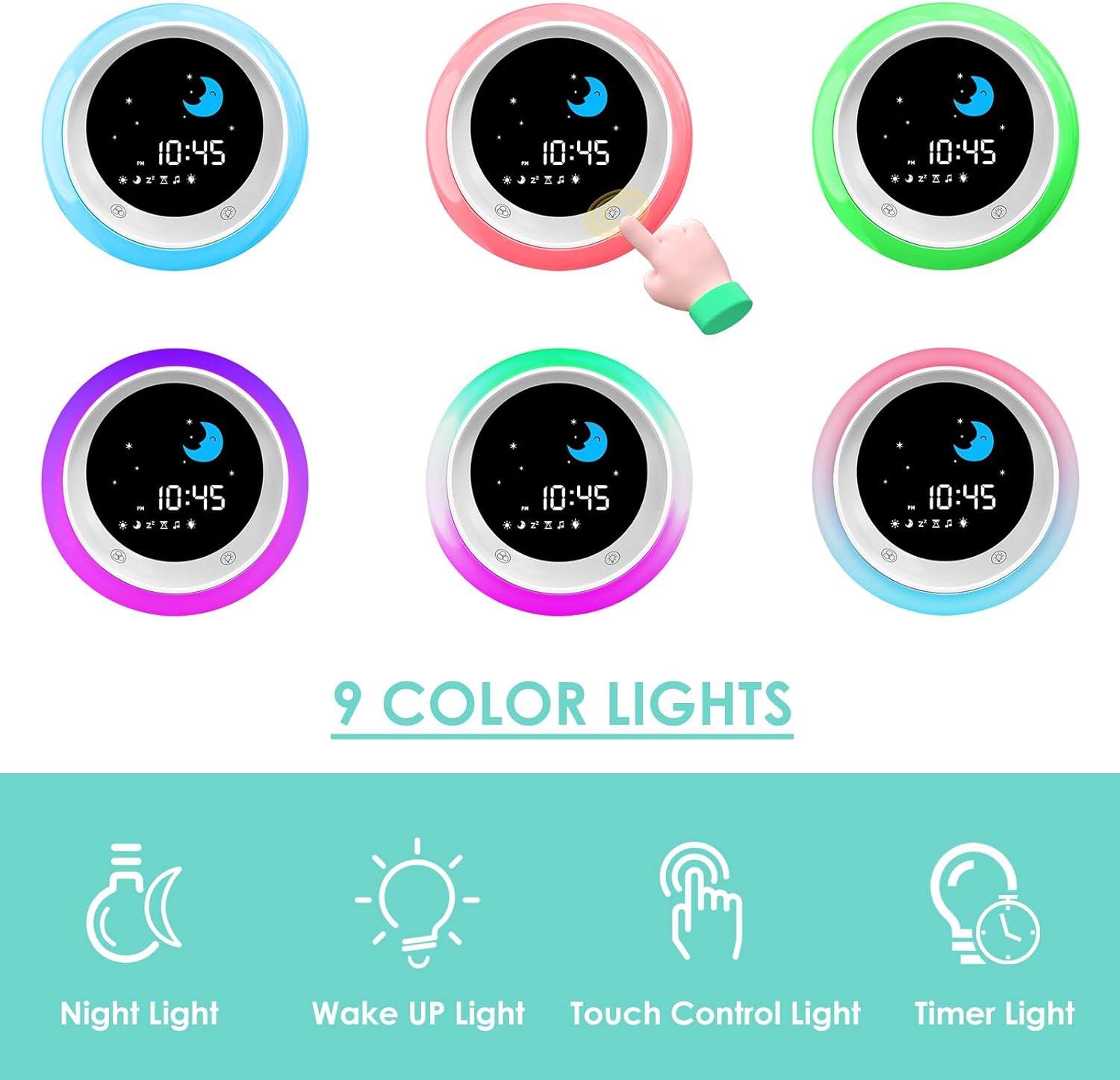
The clock demonstrating its capability to display 9 different color lights.
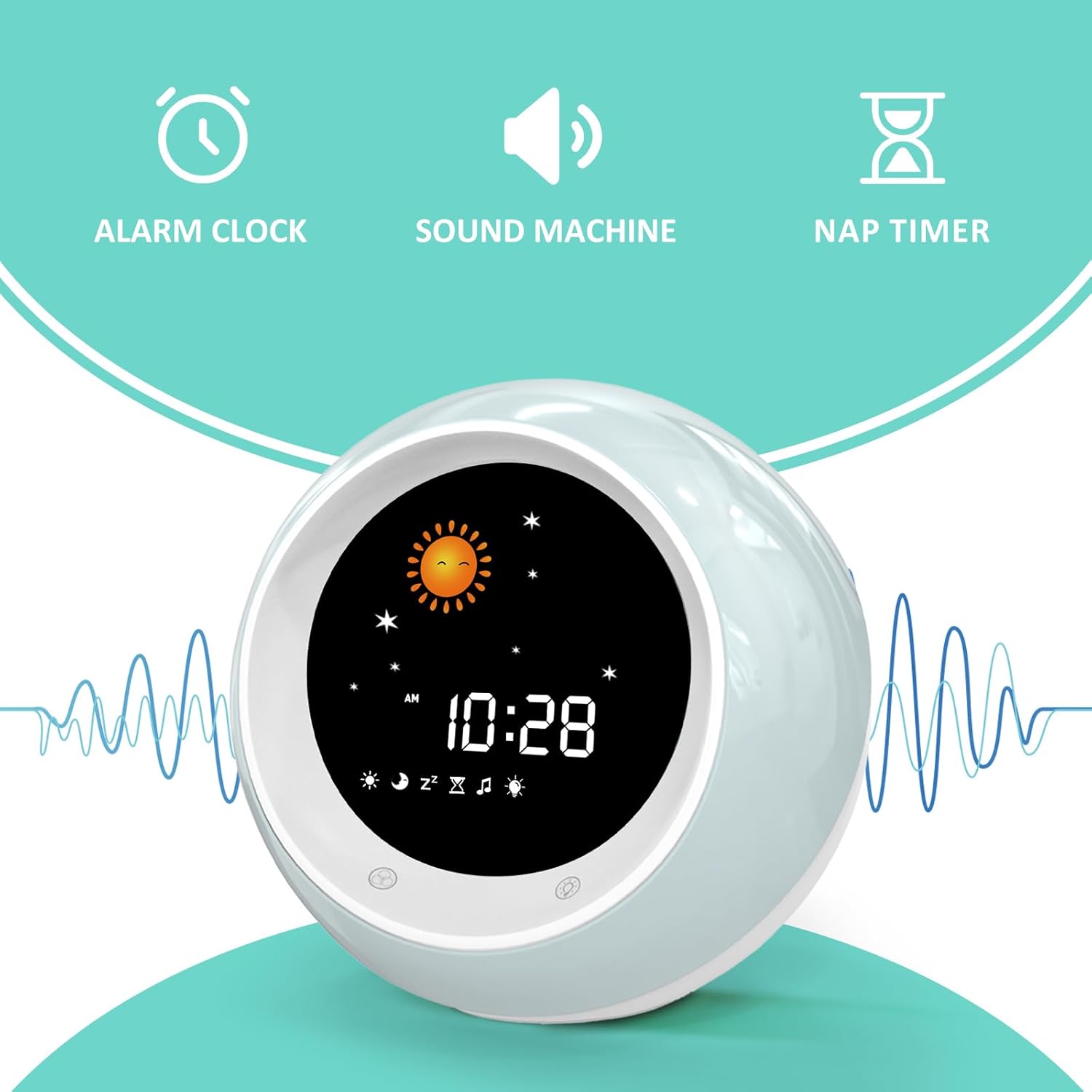
The clock operating as a sleep sound machine, offering various soothing sounds.
3.3 Nap Timer & Snooze Function
The clock includes a timer function useful for various activities and a snooze option for alarms.
- Timer Function: Set a countdown for homework, playtime, or naps (options: 15/30/60/90/120 minutes).
- Snooze Function: Allows for a 9-minute snooze period after the alarm sounds.

The clock highlighting its alarm, sound machine, and nap timer functionalities.
4. Maintenance
To ensure the longevity and optimal performance of your FiveHome Kids Alarm Clock, follow these simple maintenance guidelines:
- Cleaning: Use a soft, dry cloth to wipe the surface of the clock. Avoid using abrasive cleaners or solvents, as they may damage the finish.
- Power Care: Always use the original power adapter provided with the clock. Ensure the power cord is not bent or pinched to prevent damage.
- Placement: Place the clock on a stable, flat surface away from direct sunlight, excessive heat, or moisture.
5. Troubleshooting
If you encounter any issues with your FiveHome Kids Alarm Clock, please refer to the following common solutions:
- Clock Does Not Retain Time After Unplugging: This clock requires continuous power to maintain time settings. If unplugged, you will need to reset the time upon reconnection.
- Alarm Sound is Too Loud/Cannot Be Turned Off: Refer to the setup guide for detailed instructions on adjusting alarm volume and disabling the alarm sound. The control buttons are located on the bottom of the unit.
- Wake-Up Light is Too Bright/Cannot Be Dimmed or Turned Off: The wake-up light is designed to signal morning. While brightness can be adjusted, some users note that the green wake-up light cannot be fully disabled without affecting the sleep training function.
- Difficulty Changing Colors or Settings: Ensure you are using the correct buttons as indicated in the setup guide. The touch controls on the front and physical buttons on the bottom each have specific functions.
- Clock Not Responding: Try unplugging the clock from the power source for a few minutes, then plug it back in to perform a soft reset.
If the issue persists after attempting these solutions, please contact customer support.
6. Specifications
| Feature | Detail |
|---|---|
| Brand | FiveHome |
| Model Number | A300-NEW |
| Color | Purple |
| Display Type | Desktop Display |
| Power Source | Corded Electric |
| Product Dimensions | 5.7"W x 4.8"H |
| Material | Plastic |
| Item Weight | 14.4 ounces |
| Age Range (Description) | 3-8 years |
| Special Feature | Corded |
7. Warranty and Support
The FiveHome Kids Alarm Clock comes with a 1-Year Limited Warranty.
For any product-related inquiries, technical support, or warranty claims, please contact FiveHome customer service. Refer to the contact information provided in your product's setup guide or visit the official FiveHome store on Amazon.
We are committed to providing a solution within 24 hours for any problems you may encounter.


