1. Introduction
Thank you for purchasing the Tbest Vintage Overdrive Guitar Effect Pedal. This manual provides essential information for the proper setup, operation, and maintenance of your new pedal. Please read it thoroughly before use to ensure optimal performance and longevity of the device.
2. Safety Information
- Use only a DC 9V adapter (not included) with the correct polarity. Using an incorrect power supply can damage the pedal and void the warranty.
- Do not expose the pedal to water, moisture, or extreme temperatures.
- Avoid dropping the pedal or subjecting it to strong impacts.
- Do not attempt to open or modify the pedal. Refer all servicing to qualified personnel.
- Disconnect the power supply when not in use or during cleaning.
3. Product Overview
The Tbest Vintage Overdrive Pedal is designed to deliver classic, smooth, and mellow overdrive tones. It features a durable aluminum alloy casing, true bypass circuitry, and an LED indicator for operational status.

Figure 3.1: Top view of the Tbest Guitar Effect Pedal. Note: The pedal shown in this image is an Analog Delay pedal, but the operational principles for connecting and using a guitar effect pedal are similar.
Controls and Connectors:
- DISTORTION Knob: Adjusts the amount of overdrive/gain.
- VOLUME Knob: Controls the overall output level of the effect.
- TONE Knob: Shapes the tonal character, from darker to brighter sounds.
- FOOTSWITCH: Engages or disengages the effect.
- LED Indicator: Illuminates when the effect is active.
- INPUT Jack: Connect your guitar here.
- OUTPUT Jack: Connect to your amplifier or other pedals here.
- DC 9V Input: Connect a DC 9V power adapter.
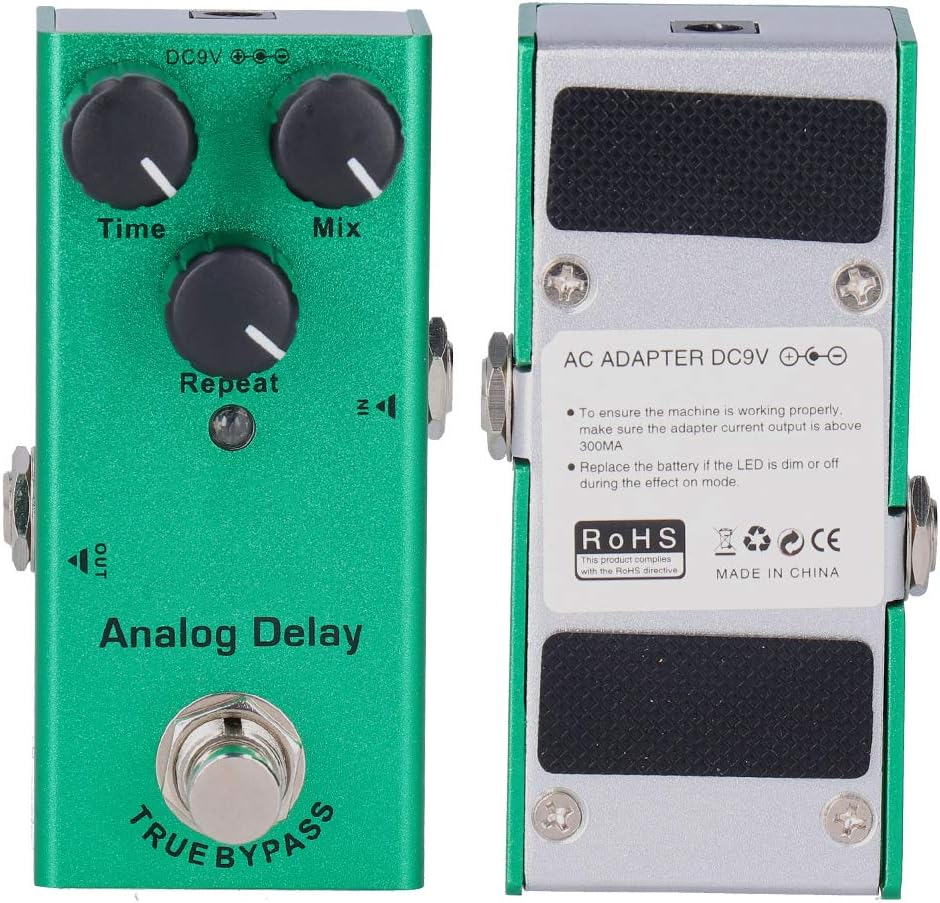
Figure 3.2: Front and back views of the pedal, showing controls, input/output jacks, and power input. The back panel also indicates power requirements and battery information.
4. Setup
- Ensure your amplifier is turned off or set to a low volume.
- Connect your guitar to the INPUT jack of the pedal using a standard 1/4-inch instrument cable.
- Connect the OUTPUT jack of the pedal to your amplifier's input (or to the input of another effect pedal in your chain) using another 1/4-inch instrument cable.
- Connect a DC 9V power adapter (center negative, not included) to the DC 9V Input jack on the pedal.
- You may now turn on your amplifier and adjust its volume.
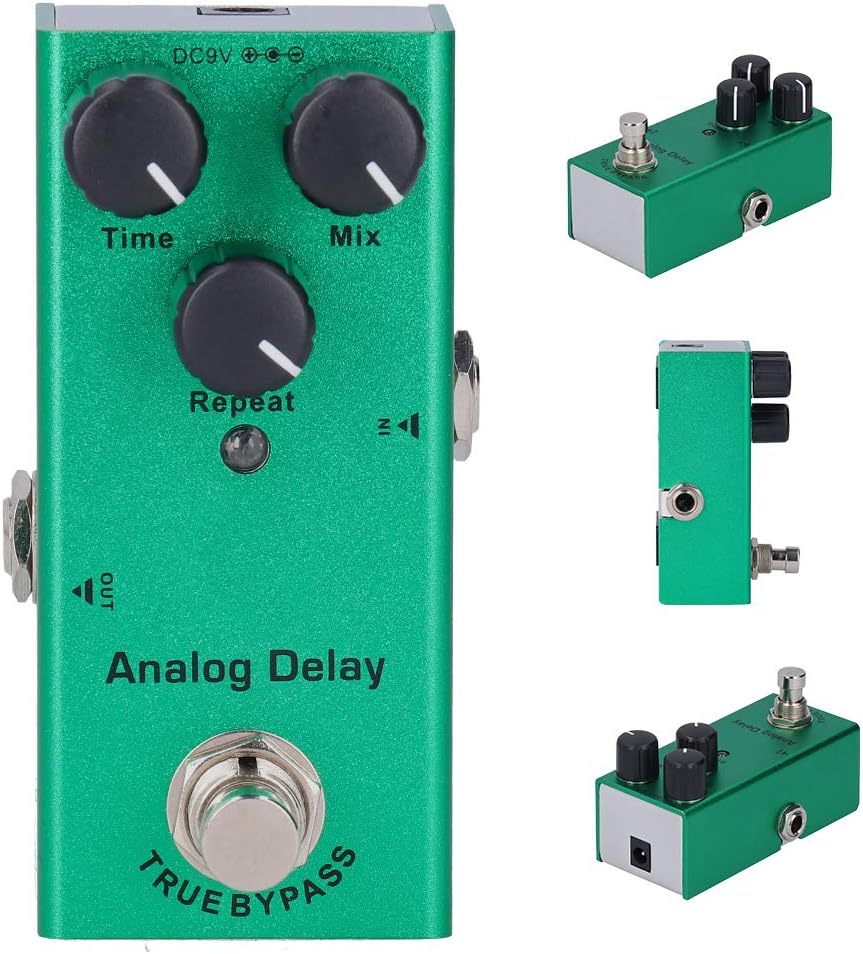
Figure 4.1: The effect pedal connected to a guitar, illustrating a typical setup.
5. Operating Instructions
- Engaging the Effect: Press the footswitch to activate the overdrive effect. The LED indicator will illuminate.
- Disengaging the Effect: Press the footswitch again to bypass the effect. The LED indicator will turn off. The pedal features true bypass, ensuring your guitar's original tone remains unaffected when the pedal is disengaged.
- Adjusting Distortion: Turn the DISTORTION knob clockwise for more gain and a heavier overdrive sound. Turn it counter-clockwise for less gain and a cleaner, milder overdrive.
- Adjusting Volume: Use the VOLUME knob to set the overall output level of the pedal. Adjust it to match the volume of your bypassed signal or to boost your sound.
- Adjusting Tone: The TONE knob allows you to shape the frequency response. Turn it clockwise for brighter, more cutting tones, and counter-clockwise for warmer, darker tones.
Experiment with different knob settings to find your desired overdrive sound. The interaction between the Distortion, Volume, and Tone controls offers a wide range of sonic possibilities.
6. Maintenance
- Cleaning: Use a soft, dry cloth to clean the pedal's surface. Do not use abrasive cleaners or solvents.
- Storage: Store the pedal in a dry, cool place away from direct sunlight when not in use.
- Battery Replacement (if applicable): If using a 9V battery (not included) and the LED indicator becomes dim or fails to light when the effect is engaged, the battery may need replacement. Refer to the back panel instructions for battery access. Ensure correct polarity when inserting a new battery.
7. Troubleshooting
| Problem | Possible Cause | Solution |
|---|---|---|
| No sound when pedal is engaged. | Incorrect cable connection, faulty cable, no power, pedal not engaged. | Check all cable connections. Ensure power adapter is connected and functional. Press footswitch to engage effect (LED should light). Test with different cables. |
| LED indicator does not light up. | No power, faulty LED, pedal not engaged, dead battery (if applicable). | Verify power adapter connection. Press footswitch. If using battery, replace it. |
| Weak or distorted sound (unintended). | Low battery (if applicable), incorrect settings, faulty cables. | Replace battery. Adjust Distortion, Volume, and Tone knobs. Test cables. |
8. Specifications
- Item Type: Guitar Effect Pedal
- Model: -10
- Main Material: Aluminum alloy
- Input Impedance: 500K Ohms
- Output Impedance: 10K Ohms
- Running Current: 7mA
- Power Supply: DC 9V Adapter (not included) / 9V Battery (not included)
- Dimensions: Approx. 9.1 x 3.2 x 4cm / 3.6 x 1.3 x 1.6in (L x W x H)
- Weight: Approximately 6 ounces (170g)

Figure 8.1: Diagram showing the approximate dimensions of the pedal.
9. Warranty and Support
For warranty information or technical support, please refer to the retailer where you purchased this product or visit the official Tbest website. Keep your proof of purchase for any warranty claims.


