Introduction
Thank you for choosing the Dolphin MCX21 Wireless Microphone System. This system is designed to provide crystal clear audio with advanced features like noise cancellation, DSP, and long-range capabilities, making it ideal for various applications including karaoke, weddings, parties, and events. This manual will guide you through the setup, operation, and maintenance of your new wireless microphone system.
What's in the Box
Please check the package contents to ensure all items are present:
- 2x Dolphin MCX21 Wireless Microphones
- 1x Wireless Receiver
- 1x USB-C Charge Cable
- 3x Rechargeable Lithium Ion Batteries (18650 type)
- 2x Mic Holders (anti-rolling sleeves)

Image: The complete Dolphin MCX21 Wireless Microphone System package, including two microphones, a receiver, batteries, USB-C cable, and mic holders.
Key Features
- Crystal Clear Sound & Anti-Interference: High sensitivity and low noise design with advanced technology for minimal interference.
- Digital Signal Processing (DSP): Reduces distortion and enhances sound quality for true-to-life audio.
- Long Range Use: Operates over a distance of 30+ meters for freedom of movement.
- Full Metal Design: Durable and robust construction for long-lasting performance.
- Long Battery Life & Easy Recharge: Up to 10 hours of continuous use with USB-C rechargeable batteries.
- High Quality Sound: Ensures reliable, uninterrupted performance.
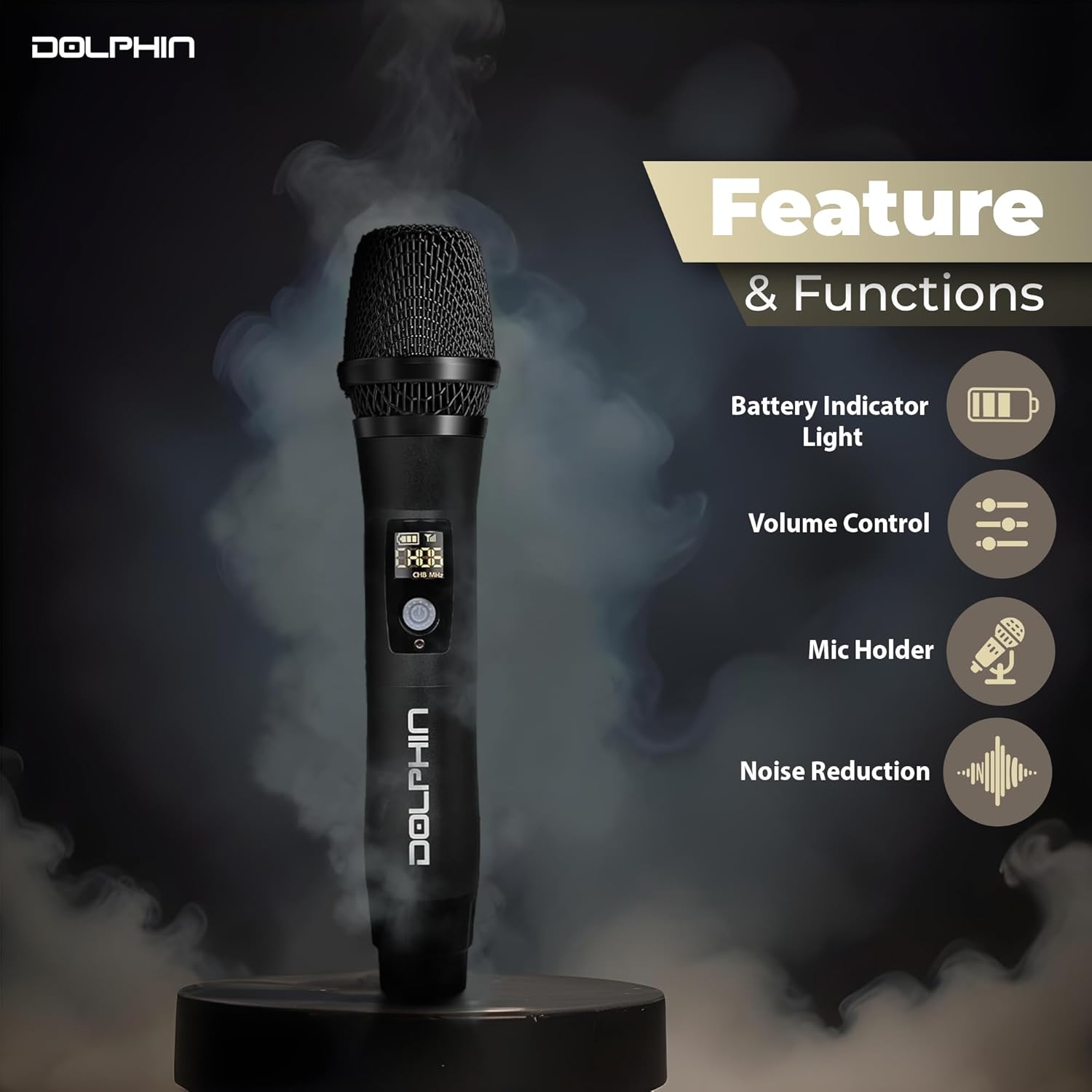
Image: A close-up of the Dolphin MCX21 microphone, illustrating its key features and functions.
Setup Guide
- Charge Batteries: Insert the provided rechargeable Lithium Ion batteries into each microphone. Connect the USB-C charge cable to the receiver and a power source (e.g., USB wall adapter, computer USB port) to charge the receiver's internal battery. Ensure all components are fully charged before first use.
- Connect Receiver: Plug the wireless receiver into the 1/4-inch (6.35mm) input jack of your audio device (e.g., amplifier, PA system, karaoke machine, speaker). If your device uses a 3.5mm input, you may need a compatible adapter (not included).
- Power On: Turn on the wireless receiver. The indicator light on the receiver will illuminate.
- Activate Microphones: Turn on each microphone by pressing its power button. The microphone's display will light up, showing battery level and channel information.
- Automatic Pairing: The microphones and receiver are designed to pair automatically. If pairing does not occur, ensure both are powered on and within range.
- Adjust Volume: Use the volume controls on the microphones and your audio device to set the desired sound level.

Image: The compact wireless receiver, capable of maintaining connection over 30 meters.
Operating Instructions
Microphone Usage
- Power On/Off: Press and hold the power button on the microphone to turn it on or off.
- Volume Control: Use the volume buttons on the microphone to adjust the output level directly.
- Channel Selection: The microphones operate on UHF frequencies. If interference occurs, you may be able to switch channels on the microphone (refer to the microphone's display and controls for specific channel adjustment options).
- Range: Maintain a distance of up to 30+ meters between the microphone and the receiver for optimal performance. Obstacles like walls can reduce this range.
Receiver Usage
- Charging: The receiver is rechargeable via USB-C. A full charge provides extended operation.
- Indicator Lights: Observe the indicator lights on the receiver for power and connection status.

Image: A user demonstrating the microphone's ability to deliver crystal clear sound.
Maintenance
- Cleaning: Wipe the microphones and receiver with a soft, dry cloth. Do not use liquid cleaners or solvents.
- Battery Care: For optimal battery life, fully charge the batteries before storage and recharge them every few months if not in regular use. The 18650 Lithium Ion batteries are replaceable.
- Storage: Store the system in a cool, dry place away from direct sunlight and extreme temperatures.
- Mic Holders: Use the provided anti-rolling sleeves to protect the microphones and prevent them from rolling off surfaces.
Troubleshooting
| Problem | Possible Cause | Solution |
|---|---|---|
| No Sound Output | Microphone or receiver not powered on; low battery; incorrect connection; volume too low. | Ensure both microphone and receiver are on and charged. Check all cable connections. Increase volume on microphone and audio device. |
| Interference/Static | Other wireless devices nearby; out of range; environmental obstacles. | Move closer to the receiver. Try changing the microphone channel if available. Move away from other electronic devices. |
| Short Battery Life | Batteries not fully charged; aging batteries. | Ensure full charge before use. Replace batteries if they no longer hold a charge effectively. |
| Microphone Not Pairing | Microphone or receiver not powered on; out of range. | Ensure both devices are powered on and within close proximity for initial pairing. Restart both devices. |
Specifications
| Feature | Detail |
|---|---|
| Brand | Dolphin |
| Model Name | MCX21 |
| Connectivity Technology | UHF |
| Microphone Form Factor | Handheld |
| Number of Channels | 2 |
| Frequency Range | 512.1 MHz - 562.6 MHz |
| Frequency Response | 50 KHz |
| Signal-to-Noise Ratio | 70 dB |
| Noise Level | 95 dB |
| Impedance | 4 Ohm |
| Power Source | Battery Powered, Corded Electric (USB-C) |
| Battery Type | Lithium Ion (18650 type) |
| Material | Metal |
| Color | Black |
| Item Dimensions (L x W x H) | 2.1 x 2.1 x 9.81 inches |
| Item Weight | 1.1 pounds |
| Compatible Devices | Amplifier, Home Theater, Karaoke Machine, PA System, Speaker |
| Special Features | Battery Indicator Light, Mic Holder, Noise Reduction, Volume Control |
Warranty and Support
For warranty information and technical support, please contact the manufacturer, General Sound Co, or refer to the product's official website. Keep your purchase receipt as proof of purchase for any warranty claims.
Manufacturer: General Sound Co




