
Introduction
This manual provides detailed instructions for the realme Buds Air 6 Pro True Wireless Earbuds. Please read this manual carefully before using the product to ensure proper operation and maintenance. These earbuds feature 50dB noise reduction, adaptive noise cancelling, Hi-Res sound, LDAC support, 3D audio, and a long-lasting battery.
What's in the Box
- realme Buds Air 6 Pro Earbuds
- Wireless Charging Case
- Eartips (various sizes)
- Charging Cable
- User Manual
Product Overview
Earbud Components

Image: realme Buds Air 6 Pro Earbuds in their open charging case, showcasing the earbuds and the case interior.
The realme Buds Air 6 Pro consists of two earbuds and a compact wireless charging case. The earbuds are designed for a comfortable in-ear fit and feature touch-sensitive surfaces for control.
Color Options
Silver Blue

Titanium Twilight
Image: Two variants of the realme Buds Air 6 Pro, Silver Blue and Titanium Twilight, demonstrating the available color options.
The realme Buds Air 6 Pro is available in Silver Blue and Titanium Twilight color options.
Key Features
Audio Quality

Image: An exploded diagram illustrating the Hi-Fi level coaxial dual unit of the realme Buds Air 6 Pro, showing the 6mm micro-plane tweeter and 11mm woofer.
- Hi-Fi Level Coaxial Dual Unit: Features a 6mm micro-plane tweeter and an 11mm woofer for rich, detailed audio with crisp highs and deep bass.
- Hi-Res Sound Certification: Ensures exceptional audio fidelity.
- LDAC Audio Codec Support: Provides high-resolution audio streaming.
- 3D Spatial Sound: Creates a wider and more realistic soundscape for immersive listening.
- Custom Listening Experience Algorithm: Tailors the sound profile to your preferences.
Noise Cancellation & Call Clarity

Image: Visual representation of the 4000Hz ultra-wide frequency noise cancellation and the 6-microphone call noise reduction feature, alongside a "Meditation Mode" interface.
- 50dB Intelligent Deep Sea Noise Cancellation (ANC) 2.0: Significantly reduces ambient noise for focused listening.
- 4000Hz Ultra-Wide Frequency Noise Reduction: Tackles a broader range of noise.
- 6 Integrated Microphones with AI Noise Cancellation: Actively filter out unwanted sounds for clear calls.
Battery Life & Charging

Image: Infographic detailing the battery life of realme Buds Air 6 Pro, showing up to 40 hours total playback with the charging case and 10 minutes of charge for 7 hours of playback.
- Up to 40 Hours Total Playback: With the charging case.
- Fast Charging: 10 minutes of charge provides 7 hours of playback.
- Wireless Charging Support: For convenient charging.
Connectivity & Design

Image: The realme Buds Air 6 Pro earbuds next to a smartphone screen showing a racing game, emphasizing the 55ms ultra-low latency for gaming immersion.
- Bluetooth 5.3 Connectivity: Ensures a stable and reliable connection.
- 55ms Ultra-Low Latency: Guarantees perfect synchronization for videos and games.
- IP55 Water Resistance Rating: Protects against light splashes and sweat.
- Touch Controls: Convenient music playback and call management.
Setup
Initial Charging
Before first use, fully charge the realme Buds Air 6 Pro and its charging case. Place the earbuds into the charging case and connect the provided USB-C cable to a power source. The indicator light on the case will show charging status. For wireless charging, place the case on a compatible wireless charging pad.
Pairing with a Device
- Ensure the earbuds are in the charging case and the case lid is open.
- Activate Bluetooth on your smartphone, tablet, or other compatible device.
- In your device's Bluetooth settings, search for "realme Buds Air 6 Pro" and select it to pair.
- Once paired, the earbuds will automatically connect to your device when taken out of the case.
For optimal experience, download the realme Link app from your device's app store. The app allows for customization of settings, firmware updates, and access to advanced features like custom listening experience algorithm and meditation mode.
Operating Instructions
Touch Controls
The realme Buds Air 6 Pro features intuitive touch controls on each earbud. Specific gestures can be customized via the realme Link app, but common default controls include:
- Play/Pause: Double-tap either earbud.
- Next Track: Triple-tap the right earbud.
- Previous Track: Triple-tap the left earbud.
- Answer/End Call: Double-tap either earbud.
- Reject Call: Press and hold either earbud.
- Toggle ANC/Transparency Mode: Press and hold either earbud (customizable).
Noise Cancellation Modes
The earbuds offer Active Noise Cancellation (ANC) and Transparency Mode. You can switch between these modes using the touch controls or through the realme Link app. ANC reduces ambient noise, while Transparency Mode allows you to hear your surroundings clearly without removing the earbuds.
3D Spatial Sound
Activate 3D Spatial Sound via the realme Link app for an enhanced, immersive audio experience, particularly beneficial for movies and games. This feature creates a wider and more dynamic soundstage.
Maintenance
Cleaning
Regularly clean your earbuds and charging case to ensure optimal performance and hygiene. Use a soft, dry, lint-free cloth. For stubborn dirt, slightly dampen the cloth with water. Do not use abrasive materials or harsh chemicals. Ensure the charging contacts on both the earbuds and the case are clean and dry.
Water Resistance (IP55)
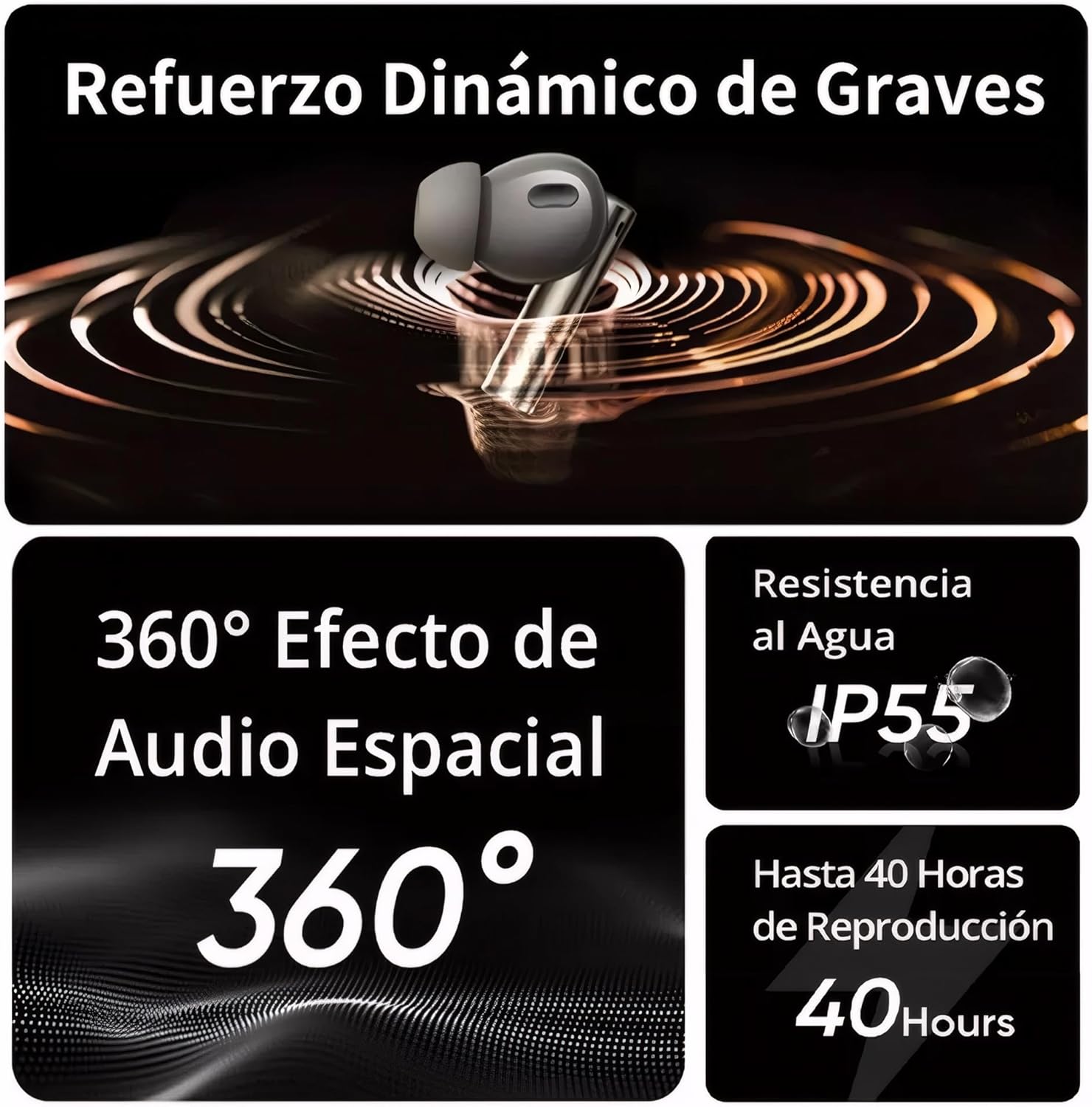
Image: A composite image highlighting features including Dynamic Bass Boost, 360° Spatial Audio Effect, IP55 Water Resistance, and 40 Hours of Playback for the realme Buds Air 6 Pro.
The earbuds have an IP55 water resistance rating, meaning they are protected against limited dust ingress and low-pressure water jets from any direction. This makes them suitable for workouts and light rain. However, they are not designed for swimming or showering. Do not submerge the earbuds in water. Ensure the earbuds are completely dry before placing them back into the charging case to prevent damage.
Troubleshooting
If you encounter any issues with your realme Buds Air 6 Pro, try the following steps:
- No Sound/Connection Issues:
- Ensure earbuds are charged.
- Check Bluetooth connection on your device. Try unpairing and re-pairing.
- Restart your source device.
- One Earbud Not Working:
- Place both earbuds back in the case, close the lid, wait a few seconds, then open and try again.
- Ensure both earbuds are clean and making proper contact with charging pins.
- Poor Sound Quality:
- Ensure earbuds are clean and free of debris.
- Try different sized eartips for a better seal.
- Check audio settings in the realme Link app.
- Charging Issues:
- Verify the charging cable and power adapter are working.
- Ensure the charging case and earbuds' charging contacts are clean.
- Try a different charging method (wired vs. wireless).
For more advanced troubleshooting or specific issues, refer to the realme Link app or the official realme support website.
Specifications
| Feature | Detail |
|---|---|
| Model Name | Air 6 Pro |
| Connectivity Technology | Wireless (Bluetooth 5.3) |
| Noise Control | Active Noise Cancellation (50 dB) |
| Audio Driver Type | Dynamic Driver (6mm tweeter, 11mm woofer) |
| Frequency Range | 20 Hz - 20,000 Hz |
| Audio Latency | 55 Milliseconds |
| Control Method | Touch |
| Water Resistance | IP55 |
| Battery Life | Up to 40 hours (with charging case) |
| Item Weight | 160 Grams (5.6 ounces) |
| Manufacturer | realme |
Official Product Video
Video: An official product video showcasing the realme Buds Air 6 Pro Wireless Earbuds, highlighting key features and design.
Warranty and Support
For warranty information and customer support, please refer to the official realme website or contact realme customer service. You can also find additional support and frequently asked questions within the realme Link app.
For the most up-to-date information and support resources, please visit the official realme support page: realme Global Support