
Introduction
The realme Buds Air 6 Pro True Wireless Earbuds offer an exceptional audio experience with advanced features designed for daily use. These earbuds combine high-fidelity sound, powerful noise cancellation, and long-lasting battery life in a comfortable and durable design. This manual provides detailed instructions to help you get the most out of your realme Buds Air 6 Pro.

Figure 1: realme Buds Air 6 Pro Earbuds and Charging Case
What's in the Box
Upon opening your realme Buds Air 6 Pro package, you should find the following items:
- realme Buds Air 6 Pro Earbuds (Left and Right)
- Wireless Charging Case
- USB-C Charging Cable
- User Manual
- Multiple Sizes of Eartips
Setup
1. Initial Charging
Before first use, fully charge the earbuds and the charging case. Connect the provided USB-C cable to the charging port on the case and a power source. The indicator light on the case will show charging status.
2. Pairing with Your Device
- Ensure the earbuds are in the charging case and the lid is open.
- On your device (smartphone, tablet, laptop), enable Bluetooth.
- Select "realme Buds Air 6 Pro" from the list of available Bluetooth devices.
- A confirmation sound will indicate successful pairing.
The earbuds support Bluetooth 5.3 for stable connectivity and dual device simultaneous connection, allowing you to seamlessly switch between two paired devices.
3. realme Link App Installation
For full customization and access to advanced features, download the realme Link app from your device's app store. The app allows for personalized settings, firmware updates, and more.
Operating Instructions
1. Touch Controls
The realme Buds Air 6 Pro feature intuitive touch controls on each earbud. Default gestures include:
- Play/Pause: Double-tap either earbud.
- Next Song: Triple-tap either earbud.
- Noise Cancellation/Transparency Mode: Press and hold either earbud.
- Answer/End Call: Double-tap either earbud.
- Reject Call: Press and hold either earbud.
Note: These gestures can be customized via the realme Link app.
2. Noise Control Features

Figure 2: 50dB Smart Noise Cancellation
The earbuds feature 50dB Intelligent Deep Sea Noise Cancellation (ANC) 2.0, significantly reducing ambient noise. You can switch between different modes:
- Active Noise Cancellation (ANC): Blocks out external noise for an immersive listening experience.
- Transparency Mode: Allows you to hear your surroundings while still enjoying your audio, useful for awareness.
- Off: Disables all noise control features.
These modes can be toggled using the touch controls or through the realme Link app, which also offers manual adjustment for noise cancellation depth (Light to Deep) and adaptive noise cancellation.
3. Audio Features
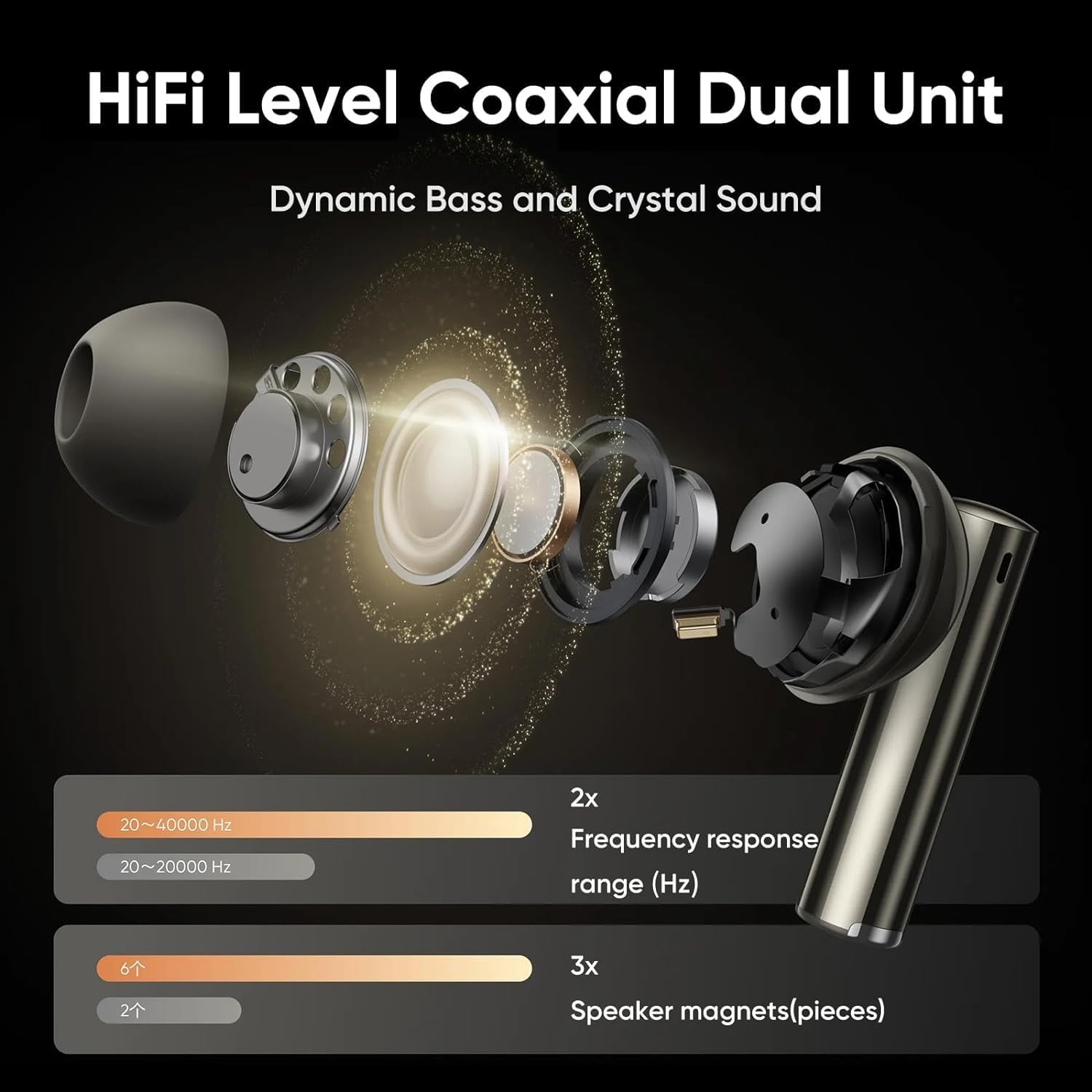
Figure 3: Hi-Fi Level Coaxial Dual Unit

Figure 4: Hi-Res Audio Wireless and LDAC Support
The Buds Air 6 Pro deliver Hi-Fi level audio with a coaxial dual unit (6mm micro-plane tweeter and 11mm woofer). They are Hi-Res certified and support LDAC audio codec for superior sound quality.
- 3D Spatial Sound: Creates an immersive and realistic soundscape, ideal for movies and games.
- Adaptive Sound: Automatically adjusts sound based on your ear shape and environment.
- Audio Balance: Customize sound profiles (e.g., Enhance Bass, Enhance Treble, Enhance Voice) or create a custom equalizer setting via the realme Link app.
4. In-ear Detection
The earbuds automatically pause audio when removed from your ears and resume playback when put back in. This feature can be enabled or disabled in the realme Link app.
5. Call Management

Figure 5: 6 Microphones for Clear Calls
Equipped with 6 integrated microphones and AI noise cancellation, the earbuds ensure clear calls by filtering out background noise. Incoming calls can be answered automatically when wearing the earbuds, a setting configurable in the realme Link app.
Maintenance
1. Water Resistance
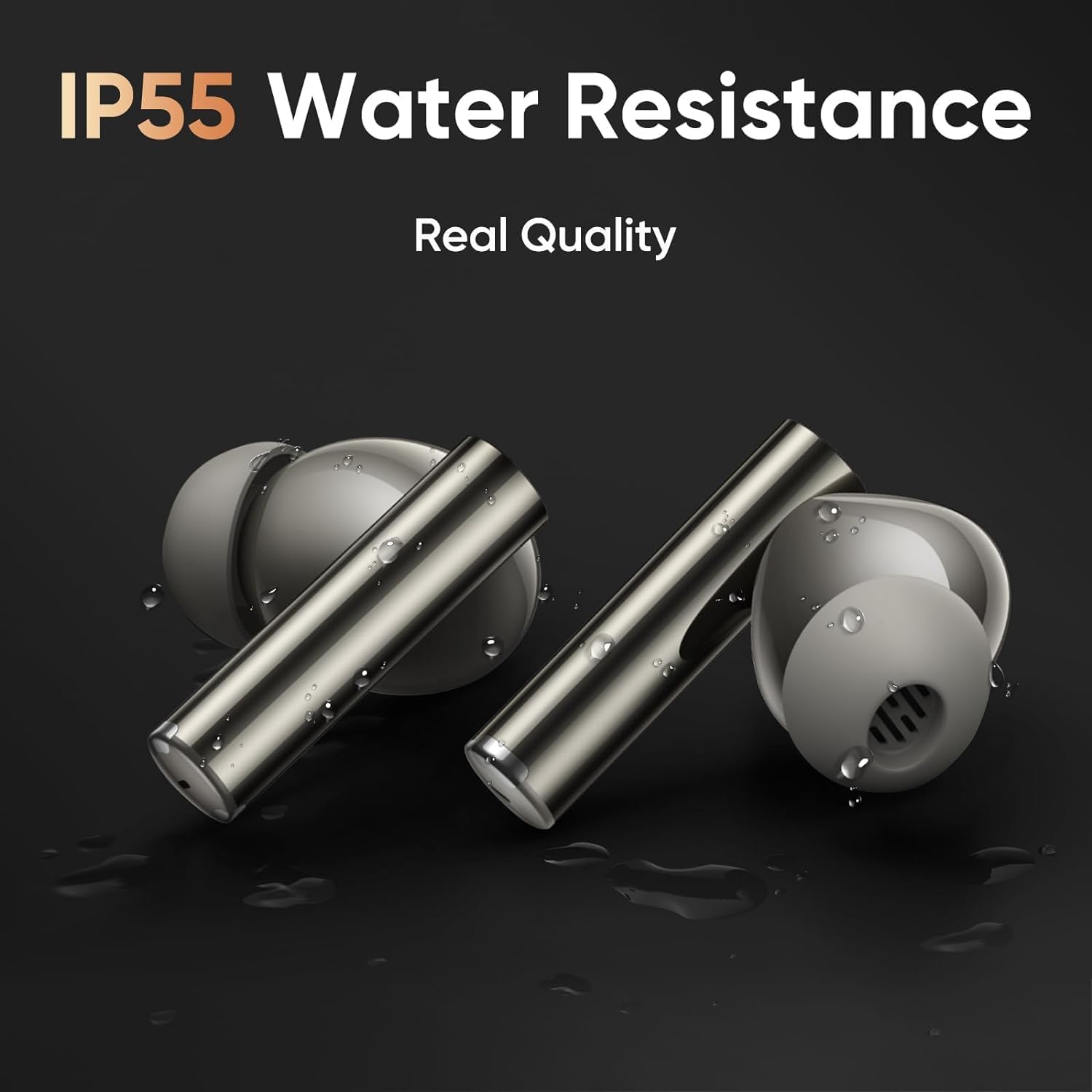
Figure 6: IP55 Water Resistance
The realme Buds Air 6 Pro have an IP55 water resistance rating, making them resistant to light splashes and sweat. They are suitable for workouts and light rain. However, they are not designed for swimming or submersion in water.
2. Cleaning
Regular cleaning helps maintain optimal performance and hygiene:
- Gently wipe the earbuds and charging case with a soft, dry, lint-free cloth.
- Remove eartips and clean them with mild soap and water, then dry thoroughly before reattaching.
- Use a dry cotton swab to carefully clean the charging contacts on both the earbuds and the case.
Troubleshooting
1. Connectivity Issues
- Earbuds not connecting: Ensure Bluetooth is enabled on your device and the earbuds are charged. Try placing them back in the case, closing the lid, and reopening it.
- Intermittent connection: Move closer to your device. Ensure no strong interference sources (e.g., Wi-Fi routers, other Bluetooth devices) are nearby.
- Unable to pair: Forget the device from your phone's Bluetooth settings and try pairing again. If issues persist, perform a factory reset (refer to realme Link app or online support for specific steps).
2. Sound Quality Issues
- Low volume/poor sound: Ensure eartips are correctly sized and provide a good seal. Use the "Ear tip fit test" in the realme Link app. Clean any debris from the earbud nozzles.
- Noise Cancellation not effective: Check the ANC settings in the realme Link app. Ensure earbuds are properly seated in your ears.
3. Charging Issues
- Earbuds not charging: Ensure the charging contacts on both the earbuds and case are clean and dry. Try a different USB-C cable and power adapter.
- Case not charging: Verify the charging cable and adapter are working correctly.
4. realme Link App Issues
If you experience issues with the realme Link app (e.g., unable to connect, settings not applying), ensure the app is updated to the latest version. Try restarting the app or your phone. Some users have reported issues with account creation/verification; refer to realme's official support channels for assistance with app-specific problems.
Specifications
| Feature | Description |
|---|---|
| Model Name | Air 6 Pro |
| Model Number | RMA2401 |
| Connectivity | Wireless (Bluetooth 5.3) |
| Audio Drivers | Hi-Fi level coaxial dual unit (6mm micro-plane tweeter, 11mm woofer) |
| Noise Control | Active Noise Cancellation (ANC) up to 50dB, Transparency Mode |
| Microphones | 6 integrated microphones with AI noise cancellation for calls |
| Audio Codec | LDAC, Hi-Res Audio Wireless certified |
| Battery Life (Earbuds) | Up to 9.5 hours (single charge) |
| Total Battery Life (with Case) | Up to 40 hours |
| Charging Port | USB-C |
| Water Resistance | IP55 (Earbuds) |
| Control Method | Touch Control |
| Audio Latency | 55ms (ultra-low) |
| Compatible Devices | Cellphones, Tablets, Laptops, Desktops |
| Material | Silicone, Plastic, Rubber |
| Item Weight | 6 ounces |
| Date First Available | June 17, 2024 |
Warranty and Support
Your realme Buds Air 6 Pro are covered by a standard manufacturer's warranty. For specific warranty terms and conditions, please refer to the warranty card included in your product packaging or visit the official realme support website.
For technical support, troubleshooting assistance, or to access the latest firmware updates, please utilize the realme Link app or visit the realme official support page. The app provides a direct channel for product registration, FAQs, and customer service contact.
Additional protection plans may be available for purchase separately to extend coverage beyond the standard warranty period. Please check with your retailer or Amazon for details on available protection plans.