
1. Introduction
This manual provides instructions for the ACCUTIME Transformers Kids Watch, model TFC4082AZ. Please read this manual thoroughly before using the watch to ensure proper operation and care. This watch features an LCD display and a durable design suitable for children.
2. Safety Information
- This product is designed for children. Adult supervision is recommended during initial setup.
- Do not attempt to open the watch casing or replace the battery yourself, as this may damage the watch and void the warranty.
- Avoid exposing the watch to extreme temperatures, direct sunlight for prolonged periods, or harsh chemicals.
- The watch is not waterproof. Avoid submerging it in water.
3. Package Contents
Verify that all items are present in the package:
- ACCUTIME Transformers Kids Watch (Model TFC4082AZ)
- Collectible Tin Packaging
- Instruction Manual (this document)
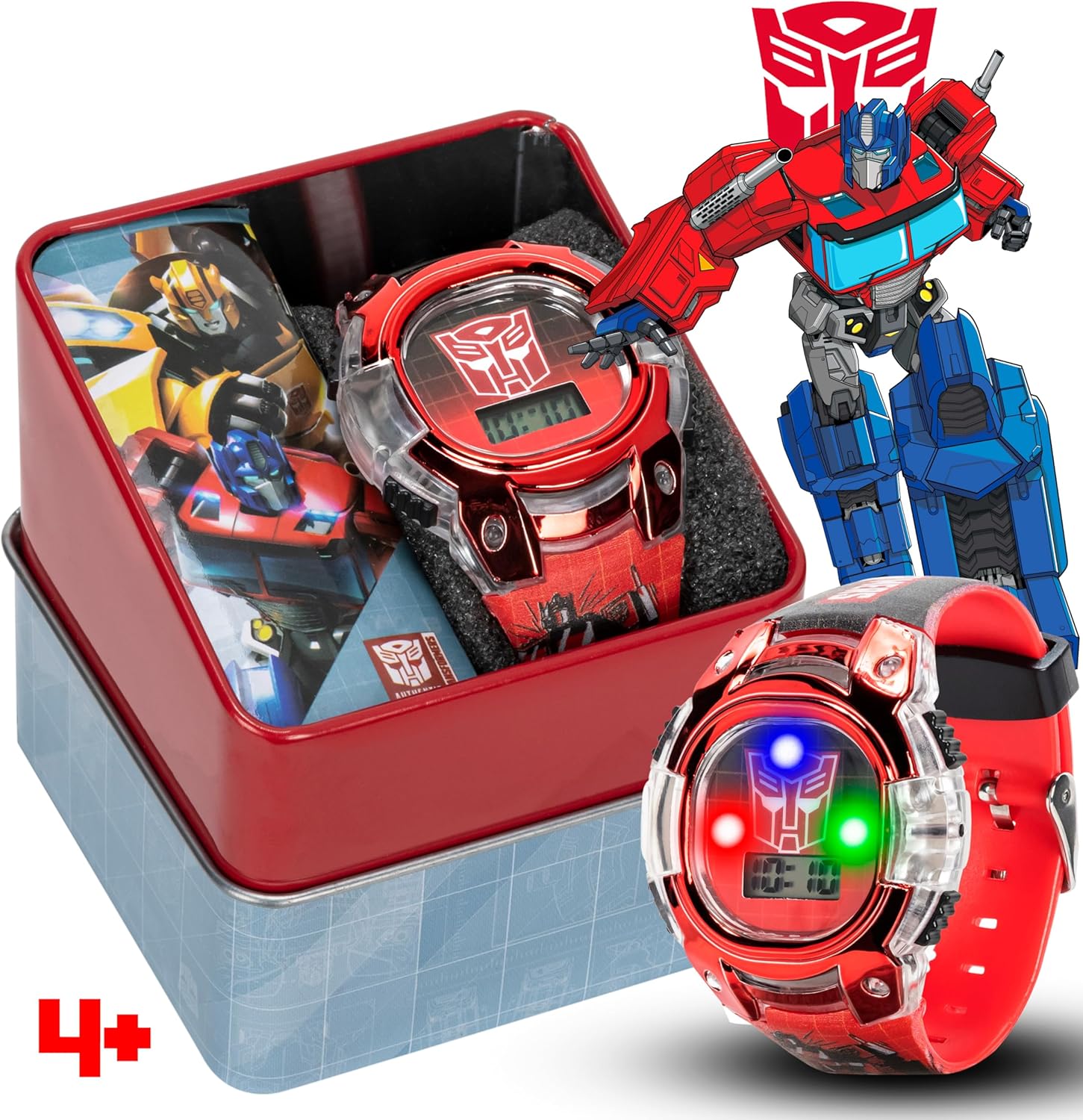
Image 3.1: The ACCUTIME Transformers Kids Watch packaged in its collectible tin, featuring Optimus Prime artwork. The watch itself is red with a clear plastic case and an LCD display.
4. Setup
4.1 Initial Battery Activation
The watch comes with batteries pre-installed. No activation is typically required. If the display is blank, press any button to check if it powers on.
4.2 Setting the Time
- Locate the buttons on the side of the watch. There are typically two or three buttons.
- Press the MODE button (usually the bottom-left button) repeatedly until the time display starts flashing.
- Use the SET button (usually the top-right button) to adjust the hours. Pressing it will advance the hour.
- Press the MODE button again to move to the minutes setting.
- Use the SET button to adjust the minutes.
- Press the MODE button one last time to confirm the settings and return to normal time display.

Image 4.1: Side view of the watch, highlighting the buttons used for setting time and operating functions.
5. Operating Instructions
5.1 Displaying Time
The watch automatically displays the current time in a digital format on its LCD screen.

Image 5.1: Front view of the watch showing the LCD display with the time. The watch features a red metallic bezel and a clear plastic case.
5.2 Light Function
This watch features an LED light show function. Press the LIGHT button (usually the top-left button) to activate the multi-colored LED lights around the display. The lights will illuminate for a few seconds and then turn off automatically.

Image 5.2: The watch with its LED lights activated, demonstrating the light show feature. Text overlays indicate "LED LIGHT SHOW", "SNUG SILICONE STRAP", and "KID TOUGH DESIGN".
6. Maintenance
6.1 Cleaning
To clean the watch, wipe it gently with a soft, dry cloth. For stubborn dirt, a slightly damp cloth can be used, but ensure no water enters the watch casing. Do not use abrasive cleaners or chemical solvents.
6.2 Strap Care
The plastic strap is designed for durability. If it becomes dirty, wipe it with a damp cloth. Avoid excessive bending or pulling to prevent damage.

Image 6.1: The watch with its strap laid out, illustrating the full design and material for cleaning and inspection.
6.3 Storage
When not in use, store the watch in a cool, dry place, away from direct sunlight and extreme temperatures. The collectible tin provided can be used for storage.
7. Troubleshooting
| Problem | Possible Cause | Solution |
|---|---|---|
| Watch display is blank. | Battery low or depleted. | The watch uses 2 x LR41 (1.5V) batteries. Contact customer support for battery replacement options. Do not attempt to replace batteries yourself. |
| Time is incorrect. | Time needs to be reset. | Follow the "Setting the Time" instructions in Section 4.2. |
| Light function not working. | Battery low or malfunction. | Ensure batteries are not depleted. If the issue persists, contact customer support. |
8. Specifications
| Feature | Detail |
|---|---|
| Model Number | TFC4082AZ |
| Display Type | LCD Digital |
| Case Material | Clear Plastic with Metallic Bezel |
| Strap Material | Printed Plastic |
| Battery Type | 2 x LR41 (1.5V) Lithium Ion (included) |
| Manufacturer | Accutime |
| Dimensions | 8.9 x 7.9 x 7.3 cm (Package) |
| Weight | 100 g (Package) |

Image 8.1: Rear view of the watch, displaying the model number TFC4082AZ, manufacturer (ACCUTIME WATCH CORP), and battery type (2 x LR41 (1.5V)).
9. Warranty and Support
For warranty information or technical support, please refer to the contact details provided with your purchase documentation or visit the official ACCUTIME website. Do not attempt repairs yourself.


