
1. Product Overview
This manual provides essential information for the safe and effective use of your Morpilot 25.2V 6500mAh Li-ion Replacement Battery for Dyson V10 series vacuum cleaners. This high-capacity battery is designed to extend the operational time of your vacuum, offering a reliable power source for various cleaning tasks.

Image: The Morpilot replacement battery for Dyson V10, showing its sleek design and the included screws for installation.
2. Key Features
The Morpilot V10 replacement battery incorporates several features designed for enhanced performance and user experience:
- LED Breathing Light: Provides clear visual indication of charging status and battery health.
- High-Quality ABS Material: Ensures durability and a robust build for long-term use.
- Precise Charging Port: Designed for seamless compatibility with original Dyson V10 chargers and docking stations.

Image: A detailed view highlighting the LED breathing light, the high-quality ABS material construction, and the precisely engineered charging port of the Morpilot replacement battery.
3. Compatibility
The Morpilot replacement battery is designed for perfect compatibility with the following Dyson V10 series vacuum cleaner models:
- Dyson Cyclone V10 Animal
- Dyson V10 Absolute
- Dyson V10 Motorhead
- Dyson V10 Fluffy
- Dyson V10 Allergy
- Dyson V10 Total Clean
- Dyson V10 SV12
It is engineered to fit the original V10 charger and charging station.

Image: Visual representation of the Morpilot battery's compatibility with various Dyson V10 vacuum models, including V10 Animal, Absolute, Fluffy, Motorhead, Total Clean, and Cyclone.
4. Specifications and Performance
| Feature | Detail |
|---|---|
| Voltage | 25.2V |
| Capacity | 6500mAh |
| Battery Type | Lithium-Ion |
| Estimated Cycles | 600+ cycles |
| Item Weight | 1.26 pounds |
| Package Dimensions | 6.97 x 4.21 x 3.98 inches |
| Material | High-quality ABS material |
Estimated Run Time:
- Standard Mode: Approximately 65-67 minutes
- MAX Mode: Approximately 6-7 minutes

Image: A graphic illustrating the improved battery endurance of the Morpilot battery, showing estimated run times for both standard and MAX power modes.

Image: An X-ray style view of the battery, highlighting its internal structure, 6500mAh capacity, 25.2V voltage, and over 600 charge cycles, indicating its durable construction.
5. Safety Information and Protection System
Your Morpilot replacement battery is equipped with an advanced intelligent protection design to ensure safe and reliable operation. This system includes:
- Overcharge Protection: Prevents damage from excessive charging.
- Deep Discharge Protection: Protects the battery from being fully depleted, which can reduce lifespan.
- Overvoltage Protection: Safeguards against voltage spikes.
- Overcurrent Protection: Prevents damage from excessive current flow.
- Overheating Protection: Monitors and regulates battery temperature to prevent overheating.
- Output Short-circuit Protection: Automatically cuts off power in case of a short circuit.
- Charging Undervoltage Protection: Ensures safe charging voltage levels.
- Discharge Overcurrent Protection: Protects during high power discharge.
- Discharge High Temperature Protection: Prevents overheating during discharge.
Important Safety Precautions:
- Do not disassemble, modify, or repair the battery.
- Do not expose the battery to fire, high temperatures, or direct sunlight.
- Do not short-circuit the battery terminals.
- Keep the battery away from water or other liquids.
- Store the battery in a cool, dry place when not in use.
- If the battery shows signs of damage, swelling, or leakage, discontinue use immediately and dispose of it properly.

Image: Diagram illustrating the "Smart Protect System" with various safety features like overcharge, deep discharge, overvoltage, overcurrent, and overheating protection, ensuring the battery's longevity and safety.
6. Installation Guide
Replacing your Dyson V10 battery is a straightforward process. Follow these steps carefully:
- Prepare the Vacuum: Ensure your Dyson V10 vacuum cleaner is turned off and unplugged from any power source.
- Locate Screws: Identify the two screws securing the existing battery to the vacuum cleaner. One screw is typically visible on the handle, and the other might be located near the dustbin or motor housing. You may need to remove the dustbin to access the second screw.
- Unscrew and Remove: Using an appropriate screwdriver (often a Phillips head), carefully unscrew both screws. Once loosened, gently pull out the primary (old) battery from its housing.
- Insert New Battery: Align the Morpilot replacement battery with the battery slot in your Dyson V10. Gently push it into place until it sits flush.
- Tighten Screws: Reinsert the screws and tighten them securely. Do not overtighten, as this can damage the plastic housing.
- Test: Once installed, reattach the dustbin (if removed) and attempt to power on your vacuum cleaner to confirm proper installation.
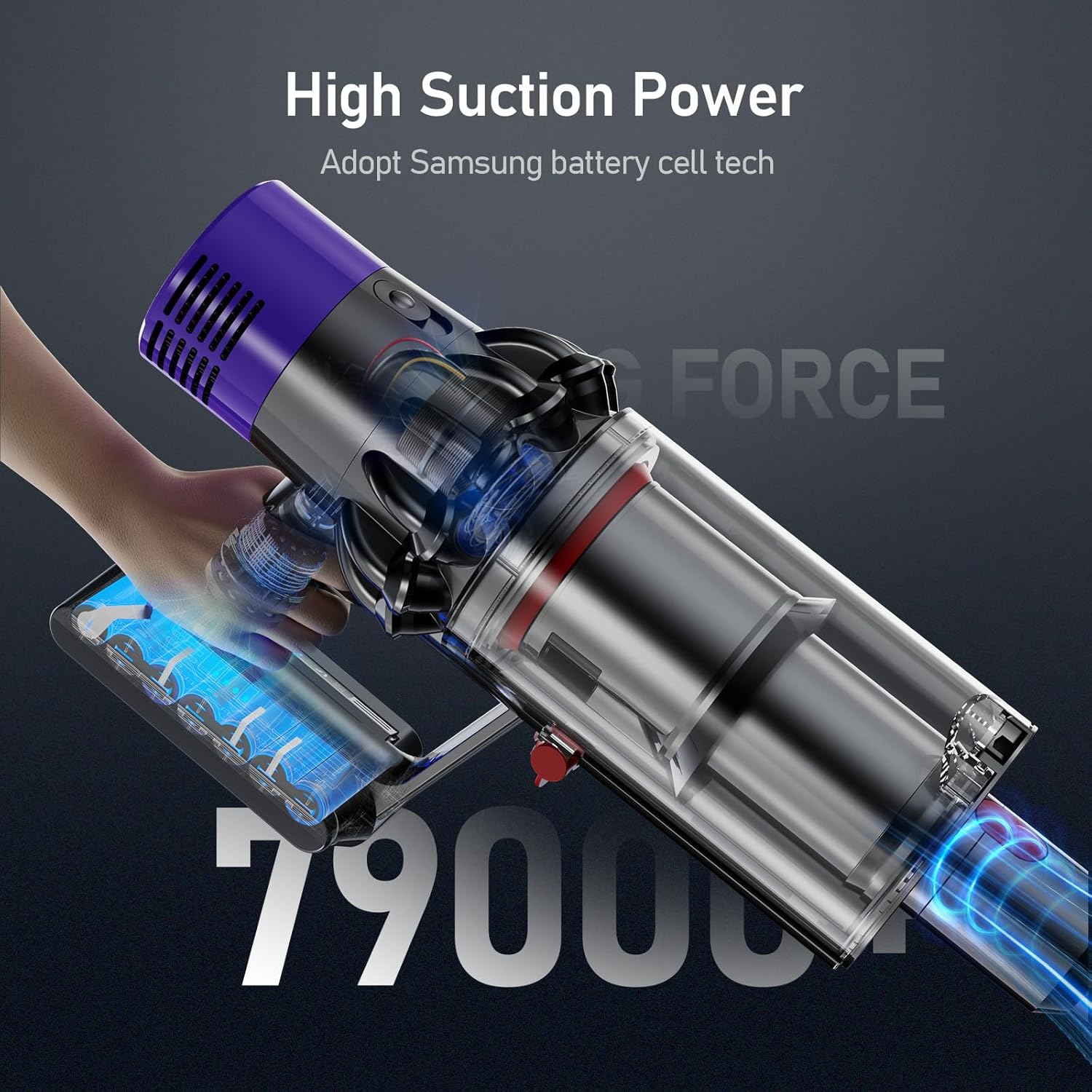
Image: A Dyson V10 vacuum cleaner with the Morpilot replacement battery attached, demonstrating the seamless fit and high suction power.
7. Charging Instructions
The Morpilot replacement battery is designed to be charged using your original Dyson V10 charger and charging station. The battery features an LED breathing light indicator for charging status.
Charging Methods:
- Direct Plug-in Charging: Connect the original Dyson charger directly to the charging port on the battery.
- Drop-in Docking: Place the vacuum cleaner with the installed battery into its wall-mounted docking station.
The LED indicators on the battery will show the charging status:
- Blue Lights: Charging in progress.
- All Blue Lights Solid: Fully charged.
- Yellow Light: High temperature protection activated (charging paused).
- Red Light: Battery fault protection activated.

Image: Illustration of the two charging methods for the Morpilot battery: direct connection to the charger and charging via the wall-mounted docking station, along with LED indicator meanings.
8. Maintenance and Care
To maximize the lifespan and performance of your Morpilot replacement battery, follow these maintenance guidelines:
- Regular Charging: Charge the battery fully after each use to maintain optimal performance. Avoid leaving the battery completely discharged for extended periods.
- Temperature Control: Operate and store the battery within recommended temperature ranges (typically 0°C to 40°C or 32°F to 104°F). Extreme temperatures can degrade battery performance and lifespan.
- Clean Contacts: Periodically inspect and clean the battery contacts on both the battery and the vacuum cleaner to ensure a good connection. Use a dry, clean cloth.
- Long-Term Storage: If storing the battery for an extended period (e.g., several months), charge it to approximately 50-60% capacity and store it in a cool, dry place. Recharge it every 3-6 months to prevent deep discharge.
- Avoid Physical Damage: Protect the battery from drops, impacts, and excessive vibration, which can damage internal components.
9. Troubleshooting
If you encounter issues with your Morpilot replacement battery, refer to the following common problems and solutions:
| Problem | Possible Cause | Solution |
|---|---|---|
| Battery not charging |
|
|
| Short run time |
|
|
| Vacuum not powering on |
|
|
10. Warranty and Customer Support
Morpilot provides a warranty for this V10 replacement battery for 12 months from the date of purchase. We are committed to ensuring your satisfaction with our product.
For any problems, questions, or concerns, please do not hesitate to contact our friendly customer support team. We offer 24 hours, 7 days a week support to assist you.
Please refer to your purchase documentation or the retailer's website for specific contact methods (e.g., email, phone number).