
1. Product Overview
The HIHUOS Porch Light with Security Camera is an outdoor lighting fixture designed for enhanced security and convenience. It features a built-in security camera, a dusk-to-dawn sensor for automatic operation, and a robust weather-resistant construction.

Image 1.1: HIHUOS Porch Light with integrated security camera and motion detection capabilities.
Key Features:
- Integrated Security Camera: Weatherproof camera with 270° horizontal rotation for wide surveillance coverage.
- Dusk-to-Dawn Sensor: Automatically turns the light on at night (below 20 LUX) and off during the day (above 100 LUX) for energy efficiency.
- Durable Construction: Made from premium aluminum and thick tempered clear glass, IP65 waterproof, anti-rust, and anti-corrosion.
- E26 Standard Base: Compatible with standard E26 dimmable LED/incandescent bulbs (up to 60W, bulb not included).
- Easy Bulb Access: Open bottom design for convenient bulb installation and fixture cleaning.
2. Setup and Installation
This section provides instructions for installing your HIHUOS Porch Light with Security Camera.
2.1 Package Contents and Components
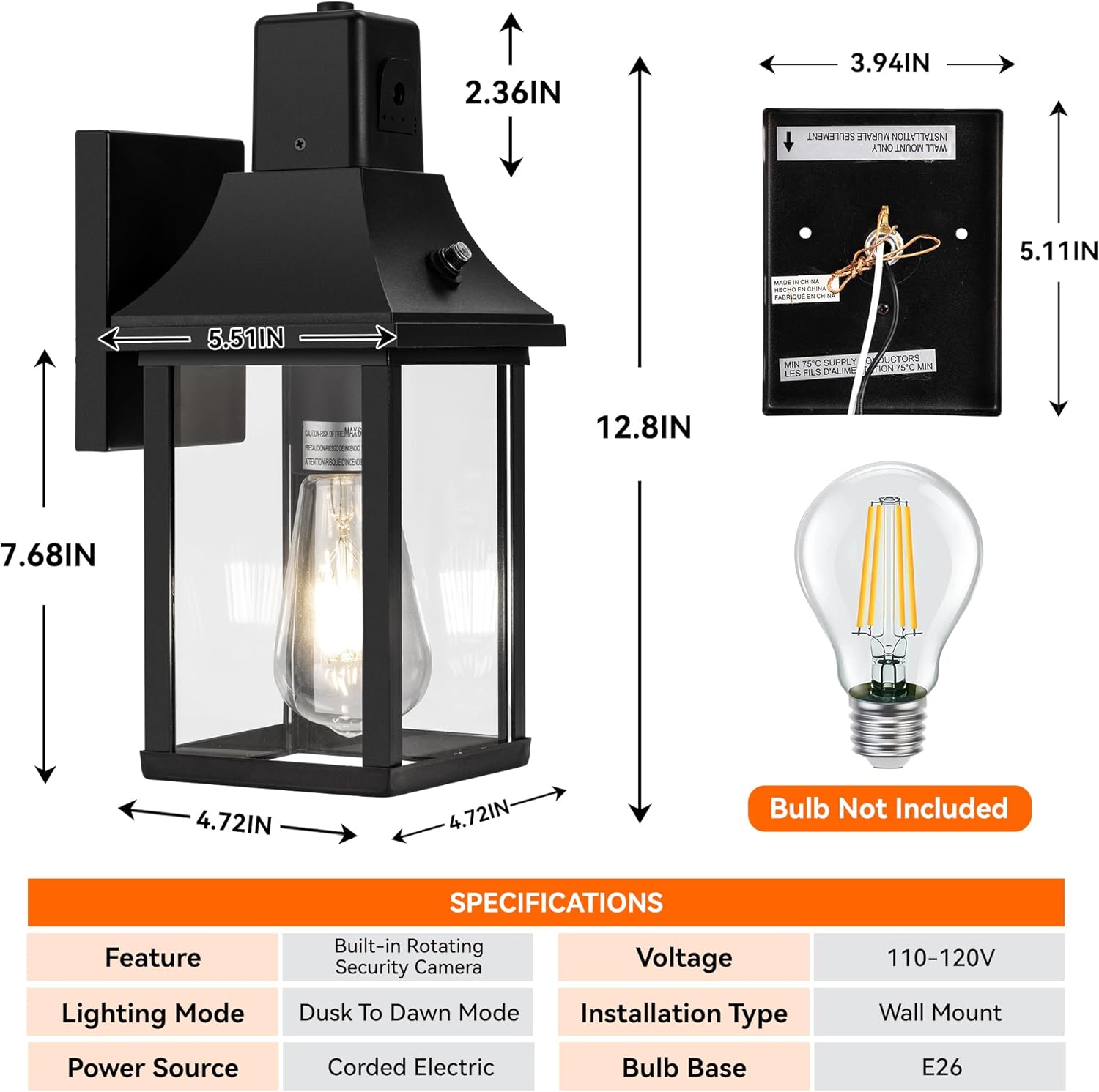
Image 2.1: Key components and accessories of the porch light fixture.
Ensure all hardware and instructions are present before beginning installation.
2.2 Physical Installation
- Mounting: The fixture is designed for wall mounting and includes a universal mounting plate compatible with existing junction boxes. Follow the provided hardware and instructions for secure installation on your wall.
- Bulb Installation: The fixture features an E26 standard base. Insert a compatible E26 dimmable LED or incandescent bulb (up to 60W). The bottom of the fixture is open for easy access. Note: Bulb is not included.
2.3 Camera Wi-Fi Connection Guide
For optimal performance, ensure the porch light is installed no more than 20-25 meters away from your Wi-Fi router. If the distance is greater, a Wi-Fi extender may be necessary. Prioritize a 2.4G Wi-Fi connection for better range and penetration.
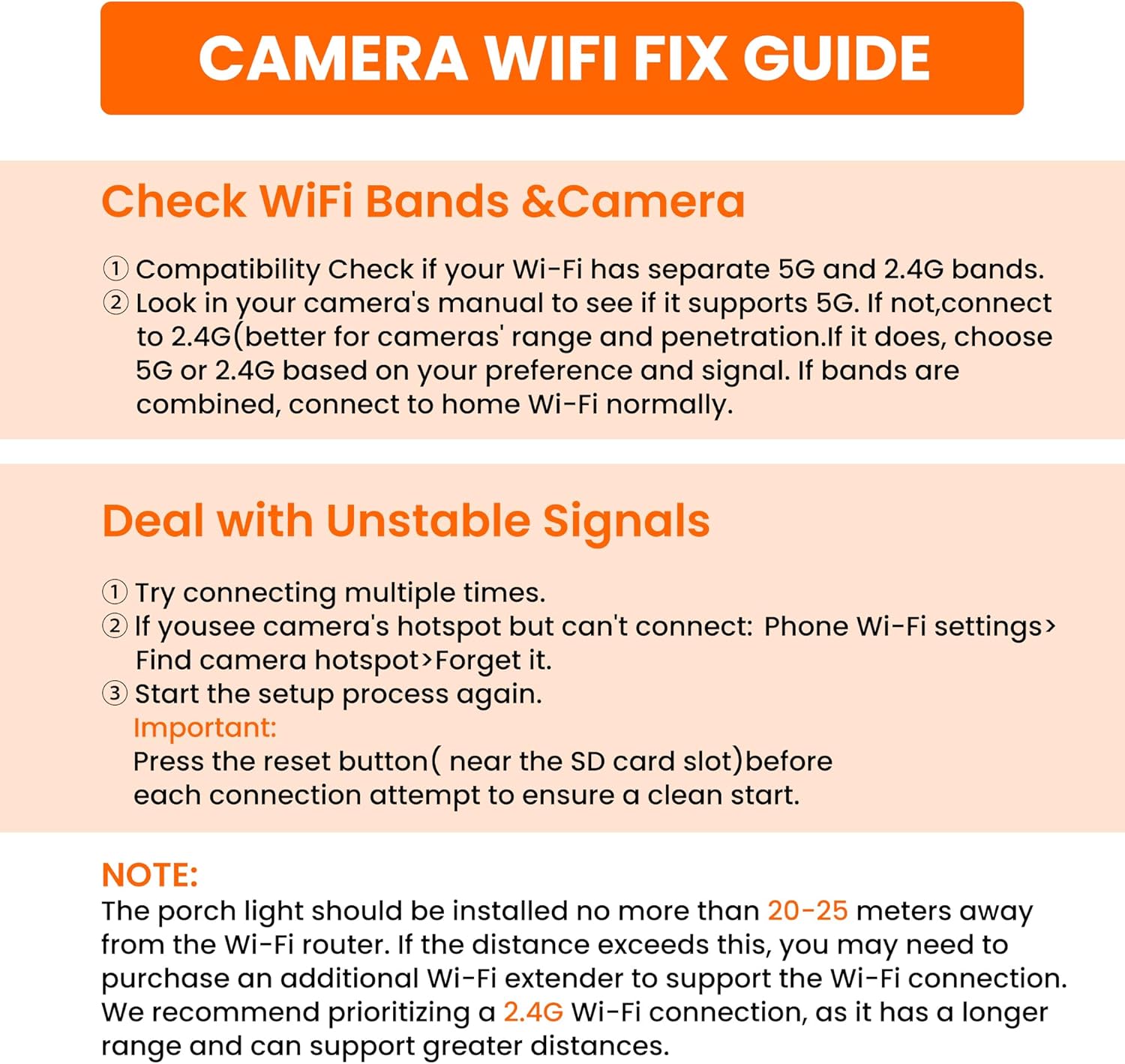
Image 2.2: Camera Wi-Fi connection and troubleshooting guide.
Check Wi-Fi Bands & Camera Compatibility:
- Verify if your Wi-Fi network has separate 5G and 2.4G bands.
- Consult your camera's manual to determine if it supports 5G. If not, connect to the 2.4G band.
- If your Wi-Fi bands are combined, connect to your home Wi-Fi network normally.
3. Operating Instructions
Understand how to use the lighting and security camera features of your HIHUOS Porch Light.
3.1 Dusk-to-Dawn Lighting Functionality
The outdoor light fixture is equipped with an advanced dusk-to-dawn sensor. It automatically detects ambient brightness:
- The light will turn on automatically at night when ambient brightness is less than 20 LUX.
- The light will turn off automatically during the daytime when brightness exceeds 100 LUX.
This feature ensures efficient energy usage without manual intervention. The security camera operates continuously as long as power is connected, independent of the porch light's on/off status.

Image 3.1: Automatic dusk-to-dawn operation of the porch light.
3.2 Security Camera Operation
The integrated security camera provides surveillance and real-time alerts.
Camera Features:
- 270° Horizontal Rotation: The camera can be adjusted horizontally (left and right) to cover a wide area. Note: Vertical adjustment is not supported.
- Motion Detection: The camera detects moving objects (people, pets, etc.) and sends immediate push notifications to your mobile phone.
- Video Playback: Recorded video footage is accessible via the mobile application.
- Two-Way Audio: Utilize the built-in speaker to emit sounds from your phone, such as to deter intruders.

Image 3.2: Mobile application interface for camera video recording and playback.
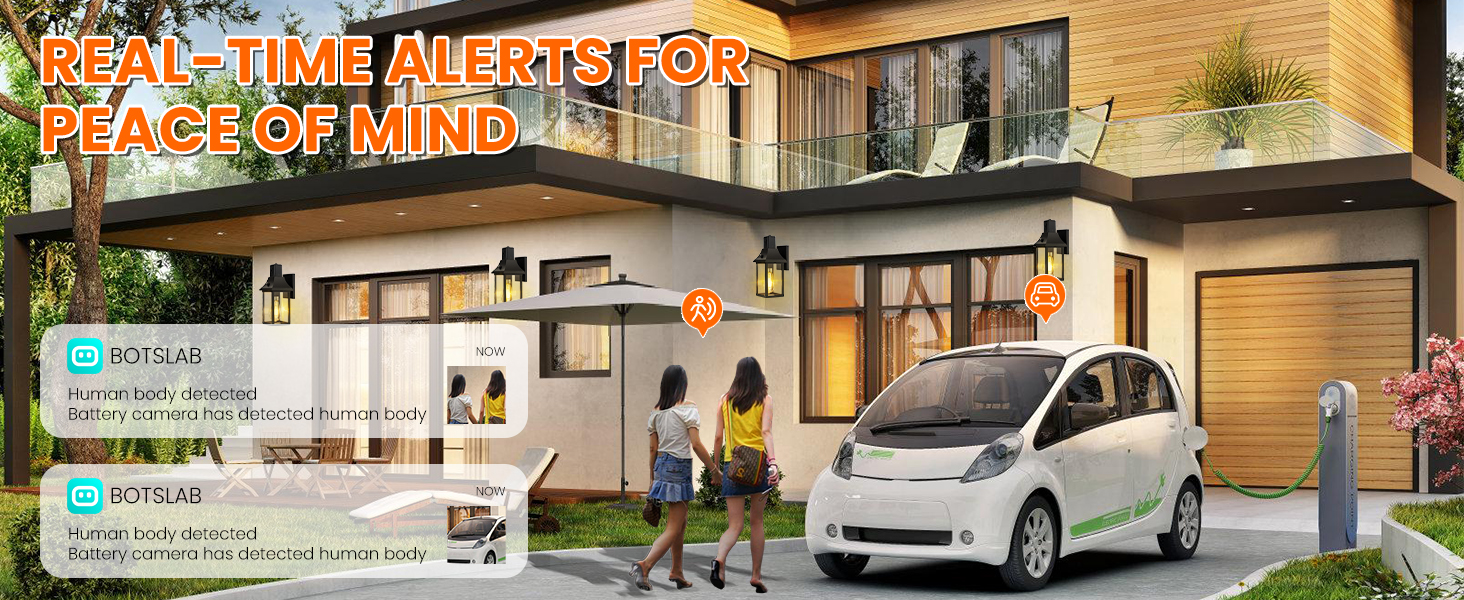
Image 3.3: Camera's 270-degree horizontal rotation capability.
Storage Options:
The camera supports both SD card storage (up to 128GB, not included) and cloud storage for recorded footage.
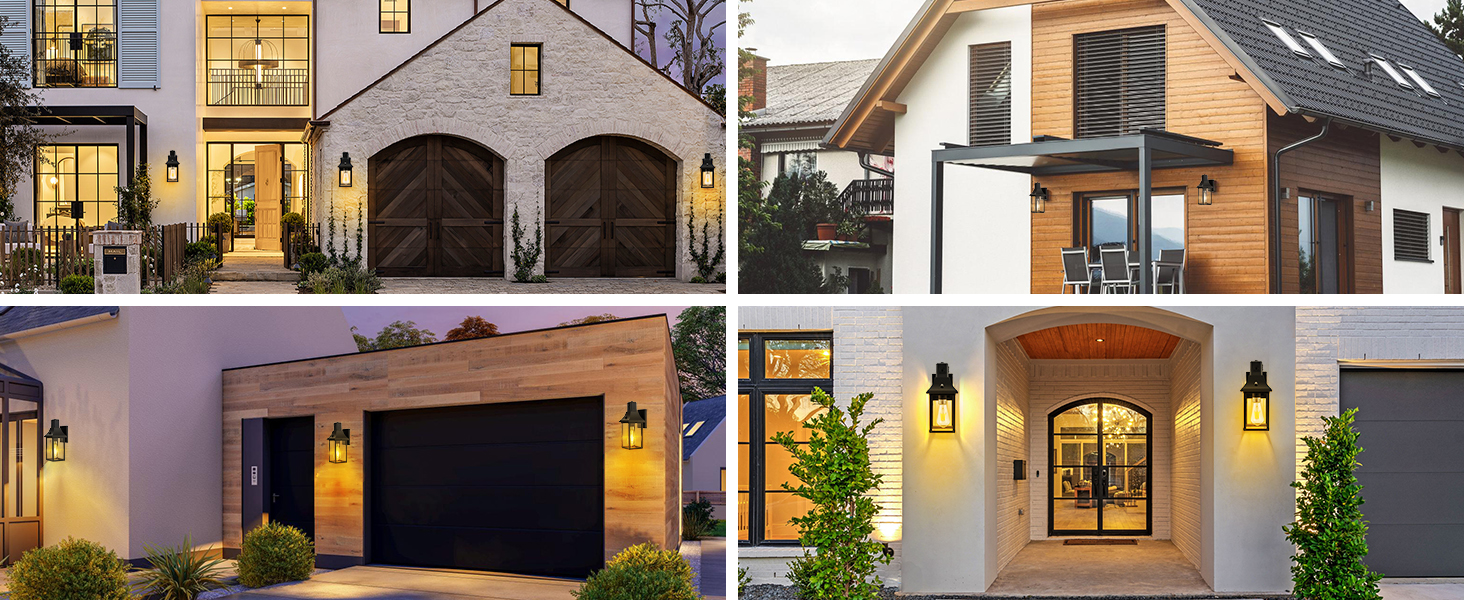
Image 3.4: SD card and cloud storage options for the security camera.
4. Maintenance
Proper maintenance ensures the longevity and optimal performance of your HIHUOS Porch Light.
4.1 Cleaning
- To clean the fixture, ensure power is off. Use a soft, damp cloth to wipe down the aluminum frame and tempered glass.
- The open bottom design allows for easy cleaning of the interior without disassembly.
4.2 Weather Resistance
The fixture is constructed with premium aluminum and thick tempered clear glass, providing IP65 waterproof rating, anti-rust, and anti-corrosion properties. It is designed to withstand various outdoor weather conditions, including heavy rain, snow, and extreme temperatures.
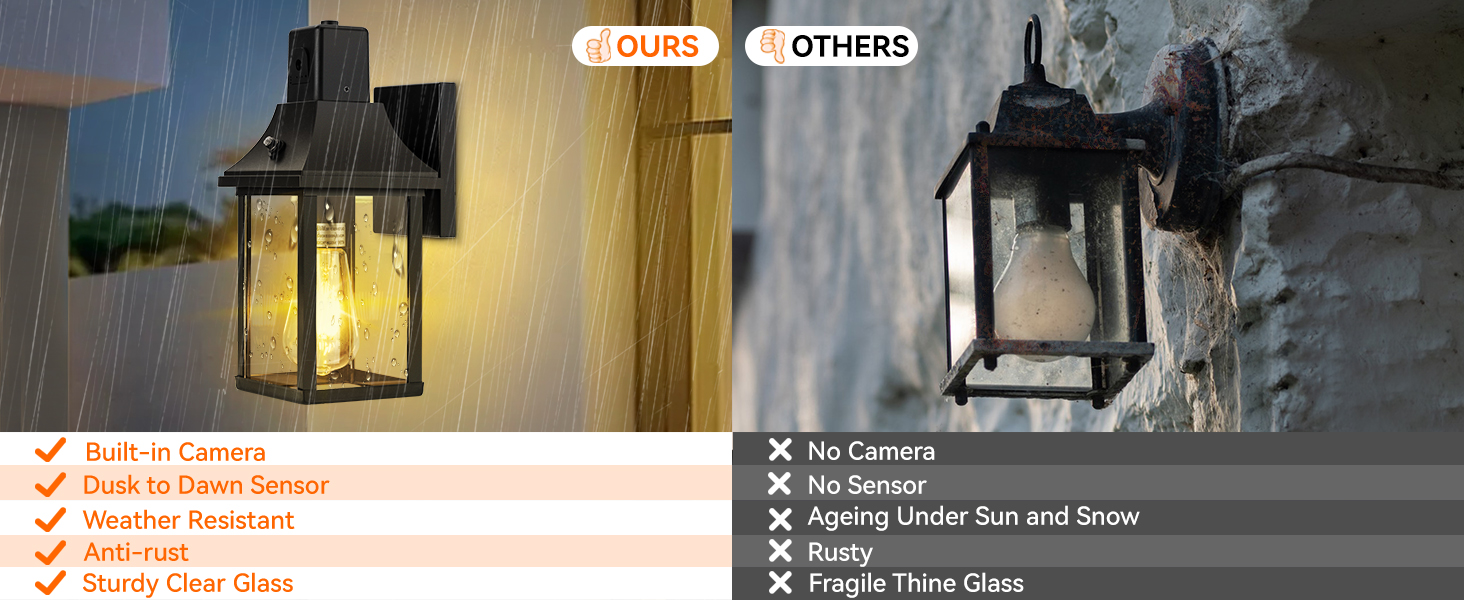
Image 4.1: Durability and weather resistance of the HIHUOS porch light.
5. Troubleshooting
This section addresses common issues and solutions for your porch light and camera.
5.1 Wi-Fi Connection Issues
Dealing with Unstable Signals:
- Attempt to connect multiple times.
- If you detect the camera's hotspot but cannot connect: Navigate to your phone's Wi-Fi settings, locate the camera hotspot, and select 'Forget it'.
- Restart the setup process from the beginning.
Important: Press the reset button (located near the SD card slot) before each connection attempt to ensure a clean start.
5.2 Light Not Turning On/Off Automatically
- Ensure the dusk-to-dawn sensor is not obstructed by dirt, debris, or external light sources.
- Verify that the ambient light conditions meet the activation thresholds (on below 20 LUX, off above 100 LUX).
- Check the bulb for proper installation and functionality.
5.3 Camera Not Recording or Sending Alerts
- Confirm the camera has a stable Wi-Fi connection. Refer to the Wi-Fi connection guide in Section 2.3.
- Check if an SD card is properly inserted (if using local storage) or if cloud storage subscription is active.
- Ensure motion detection settings are correctly configured in the mobile application.
- Verify that the camera's power supply is continuous.
6. Specifications
Detailed technical specifications for the HIHUOS Porch Light with Security Camera.
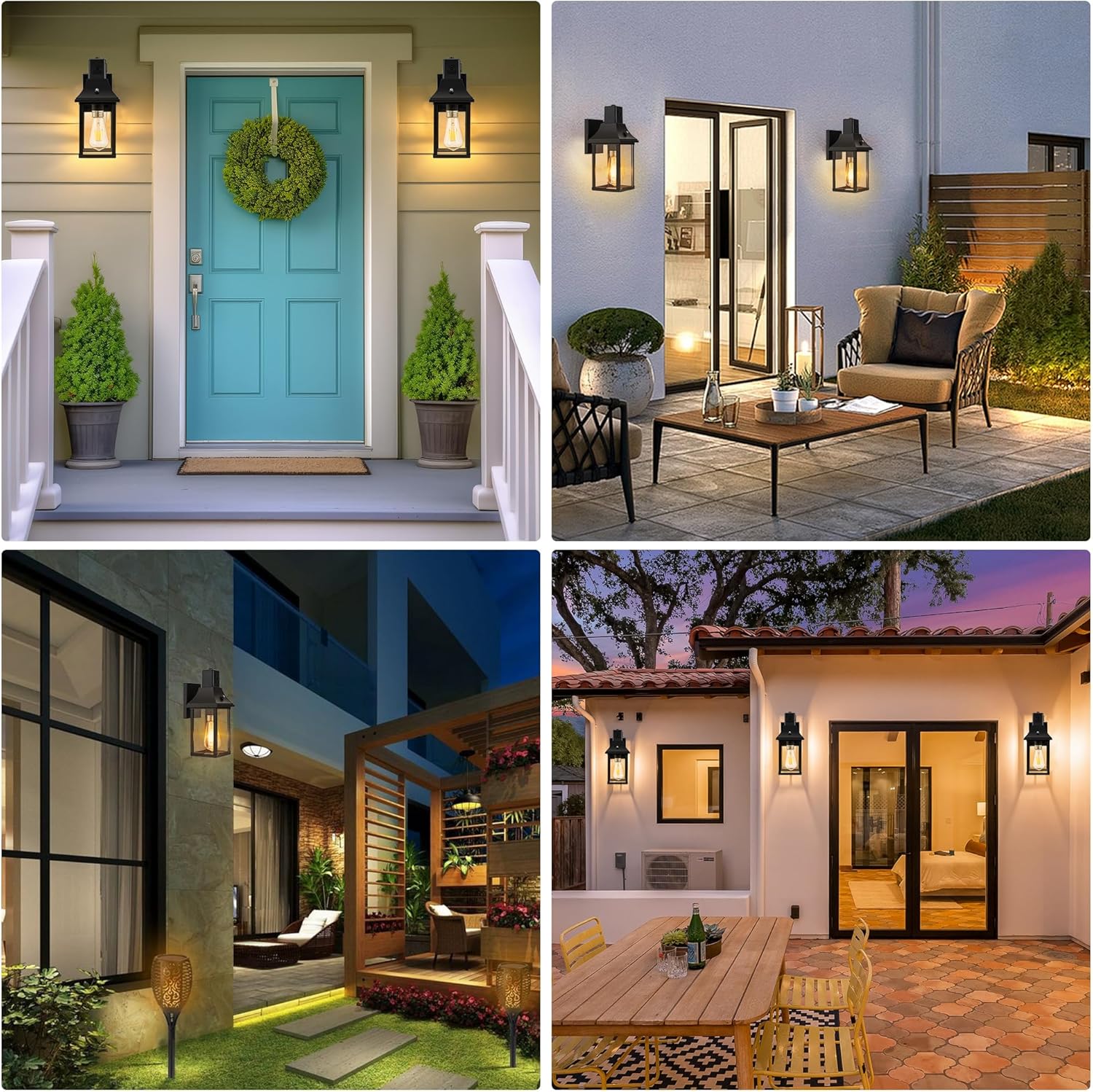
Image 6.1: Product dimensions and key specifications.
| Feature | Specification |
|---|---|
| Brand | HIHUOS |
| Model Number | C004-JK |
| Product Dimensions | 6.5 x 6 x 14.17 inches |
| Item Weight | 4.09 pounds |
| Color | Black |
| Style | WITH CAMERA |
| Light Fixture Form | Sconce |
| Installation Type | Wall Mount |
| Special Feature | Waterproof, Built-in Camera, Dusk to Dawn Sensor |
| Control Method | Voice (via app), Push Button (reset) |
| Light Source Type | LED (compatible) |
| Voltage | 120 Volts |
| Bulb Base | E26 |
| Max Wattage | 60 watts |
| Water Resistance Level | IP65 |
| Camera Rotation | 270° Horizontal |
| SD Card Support | Up to 128GB (not included) |
7. Warranty and Support
HIHUOS provides an extended 1-year assurance for this product.
7.1 Warranty Information
The 1-year assurance covers defects in materials and workmanship under normal use. Please retain your proof of purchase for warranty claims.
7.2 Customer Support
If you have any questions, issues, or require assistance with your HIHUOS Porch Light, our support team is available to help within 24 hours. Please refer to the contact information provided with your product packaging or visit the official HIHUOS website for support details.


