
1. Product Overview
The RESUXI Professional Men's Grooming Kit is a comprehensive cordless set designed for various hair and beard grooming needs. It includes a barber clipper, a T-blade hair trimmer, and an electric foil shaver. This kit is equipped with advanced features for precise and comfortable grooming.

Image 1.1: Overview of the RESUXI Professional Hair Clipper Kit, including the clipper, trimmer, shaver, various guide combs, cleaning brush, and charging cable.
Key Features:
- Cordless Clipper: Features an adjustable blade for cutting all hair types and lengths.
- T-Blade Trimmer: Ideal for precise trimming, grooming, sideburns, necklines, and beard lines.
- Electric Foil Shaver: Designed for close shaves on dense, short, and thick hair, with triple smart floating shaving heads and adjustable speeds.
- Intelligent LCD Display: Shows remaining charge, battery status, and oil reminder.
- Long-Life Battery: 2000mAh capacity providing up to 180 minutes of cordless use after a 3-hour charge.
- Durable Blades: Upgraded stainless steel blades for efficient and smooth cutting.
2. Safety Information
Please read all safety instructions before using the product to prevent injury or damage.
- WARNING: Avoid contact with water. Do not immerse the devices in water or use them near water sources.
- WARNING: Do not use the devices while charging.
- CAUTION: Be careful when handling blades. Blades are sharp and can cause injury if not handled properly.
- Keep out of reach of children.
- Ensure the device is fully charged before first use.
- Only use the provided charging cables and adapters.
3. Setup
3.1 Charging the Devices
Before first use, fully charge each device. The intelligent LCD display will indicate the battery percentage.
- Connect the charging cable to the charging port on the device.
- Plug the USB end of the cable into a compatible USB power adapter (not included) or a USB port on a computer/power bank.
- The LCD display will show the charging status. A full charge typically takes 3 hours for up to 180 minutes of cordless use.
- Once fully charged, disconnect the device from the power source.

Image 3.1: Illustration of the rechargeable battery capacity and charging time for the clipper, trimmer, and shaver.
3.2 Attaching Guide Combs
Guide combs are used to achieve desired hair lengths. The barber clipper comes with eight guide combs, and the T-blade trimmer includes three guards.
- Ensure the device is turned off before attaching or detaching combs.
- Select the desired guide comb for your intended hair length.
- Align the comb with the blade and push it firmly until it clicks into place.
- To remove, gently pull the comb away from the blade.
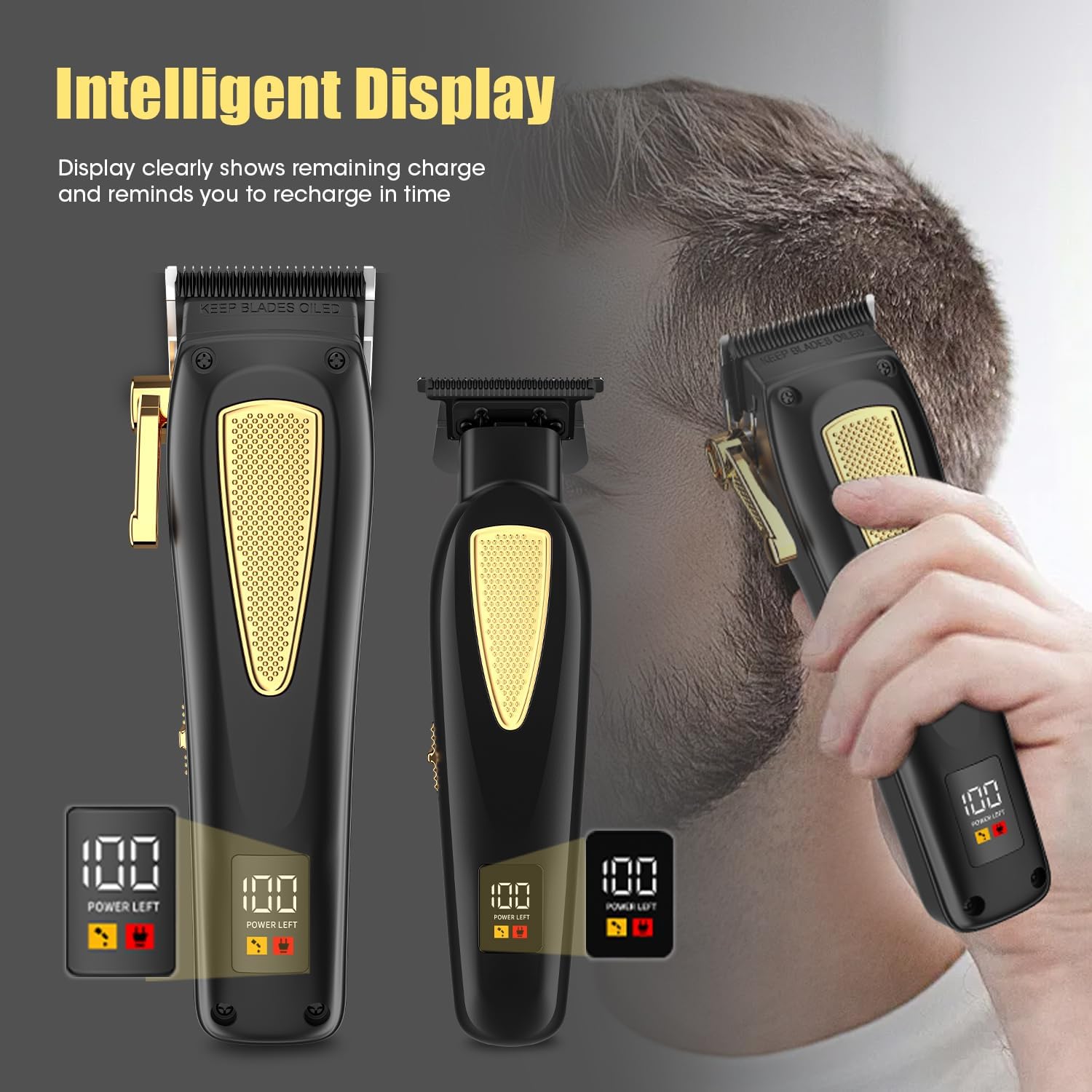
Image 3.2: The RESUXI grooming kit showing the clipper, trimmer, shaver, and the different sizes of guide combs included for various cutting lengths.
4. Operating Instructions
4.1 Powering On/Off
Each device has a power button. Press the power button to turn the device on. Press it again to turn it off.
4.2 Using the Hair Clipper
The cordless clipper is designed for general hair cutting and shaping.
- Ensure hair is clean and dry.
- Attach the appropriate guide comb for the desired length.
- Turn on the clipper.
- Start cutting from the nape of the neck, moving upwards against the direction of hair growth.
- Use smooth, overlapping strokes for an even cut.
- The clipper features an adjustable blade for fine-tuning cutting length without a comb.

Image 4.1: Close-up view of the clipper's powerful motor and sharp, detachable blade, highlighting features like smooth cutting and easy cleaning.
4.3 Using the T-Blade Trimmer
The T-blade trimmer is ideal for detailing, outlining, and creating sharp lines.
- Use on clean, dry hair or beard.
- For precise lines, use the trimmer without a guide comb.
- For beard trimming or shorter hair lengths, attach one of the three guide guards.
- Carefully outline desired areas such as sideburns, necklines, and beard edges.
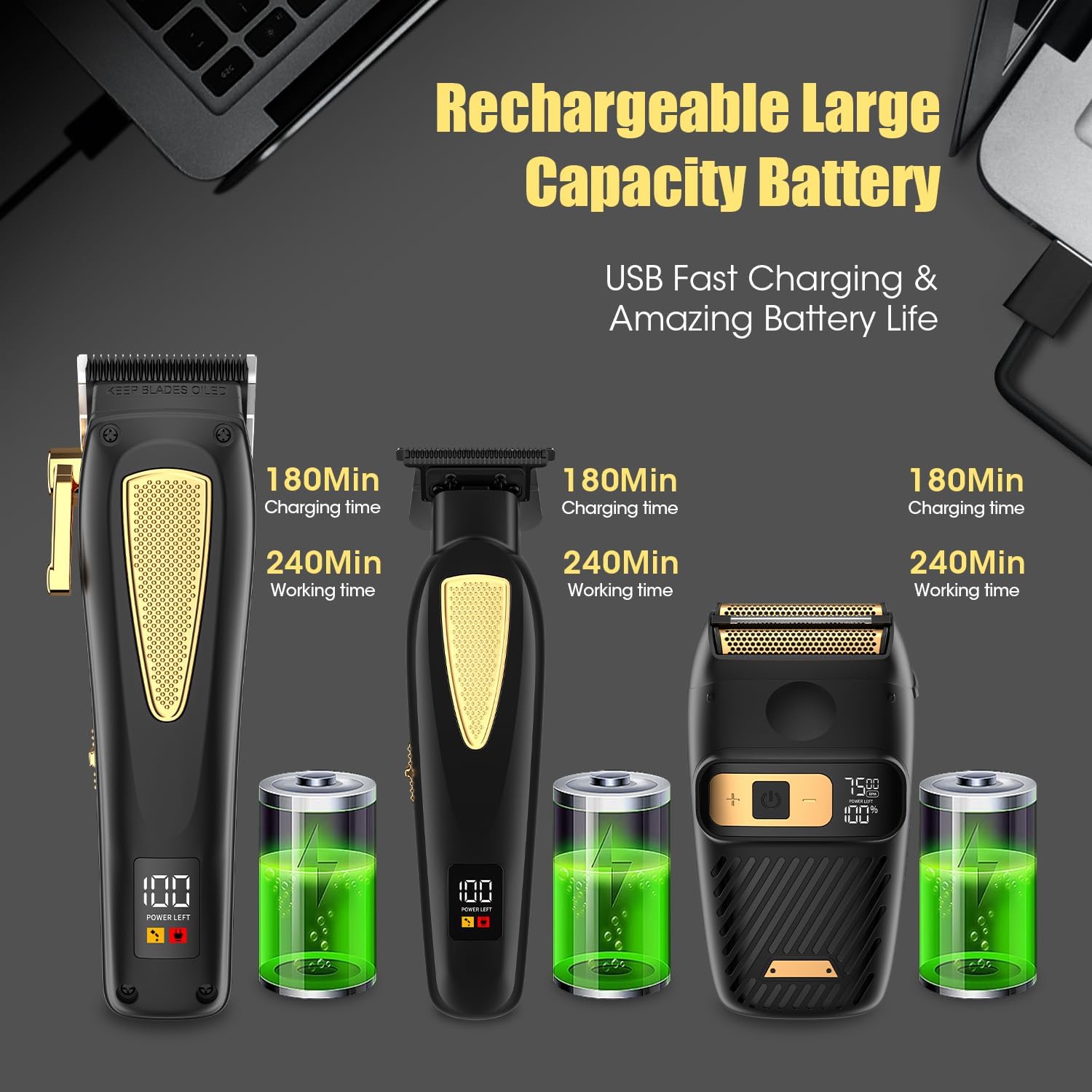
Image 4.2: A man using the RESUXI T-blade trimmer to create a clean hairline, demonstrating its precision for detailing.
4.4 Using the Electric Foil Shaver
The electric foil shaver provides a close, smooth shave for facial hair and neck areas.
- Ensure skin is clean and dry.
- Turn on the shaver. It features three adjustable speeds (6500-7000-7500 RPM). Use the speed adjustment button to select your preferred setting.
- Gently press the shaver against the skin and move it in short, circular, or linear motions against the direction of hair growth.
- The triple smart floating shaving heads adapt to facial contours for a comfortable shave.

Image 4.3: The electric foil shaver displaying its sharp double blades and three adjustable shaving speeds (6500, 7000, 7500 RPM).
4.5 Intelligent LCD Display
The LCD display on the clipper and trimmer provides important information:
- Battery Percentage: Shows the remaining charge.
- Oil Reminder: An icon will appear to remind you to lubricate the blades.
- Charging Reminder: An icon will indicate when the battery is low and needs charging.

Image 4.4: The intelligent LCD display on the clipper and trimmer, showing battery percentage, oil reminder, and charging reminder icons.
5. Maintenance
Regular cleaning and maintenance will ensure optimal performance and extend the lifespan of your grooming kit.
5.1 Cleaning the Blades
- Turn off the device and disconnect it from any power source.
- Use the included cleaning brush to brush away any loose hair from the blades and guide combs.
- For the foil shaver, the magnetic shaving heads are easy to remove for thorough cleaning. Gently detach them and brush away hair.
- Do not rinse the entire device under water. Only the blades may be rinsed if specified by the manufacturer (refer to product packaging for specific water resistance details). Ensure blades are completely dry before reattaching.
5.2 Lubricating the Blades
The LCD display will remind you when to oil the blades. Regular lubrication helps maintain blade sharpness and smooth operation.
- Apply a few drops of clipper oil (not included) to the blades.
- Turn on the device for a few seconds to allow the oil to distribute evenly.
- Wipe off any excess oil with a clean cloth.
5.3 Storage
Store the grooming kit in a cool, dry place, away from direct sunlight and moisture. Keep the protective caps on the blades when not in use.
6. Troubleshooting
If you encounter any issues with your RESUXI grooming kit, refer to the following common problems and solutions:
| Problem | Possible Cause | Solution |
|---|---|---|
| Device does not turn on. | Battery is depleted. | Charge the device fully. |
| Poor cutting performance or pulling hair. | Blades are dull, dirty, or not lubricated. | Clean and lubricate the blades. If performance does not improve, consider blade replacement. |
| Device not charging. | Charging cable or adapter is faulty; poor connection. | Ensure the cable is securely connected. Try a different USB port or adapter. |
| Shaver heads not moving smoothly. | Hair debris trapped in heads. | Remove and clean the magnetic shaver heads thoroughly. |
If the problem persists after attempting these solutions, please contact RESUXI customer service for further assistance.
7. Specifications
| Feature | Detail |
|---|---|
| Model Number | JACK949 |
| Product Dimensions | 6 x 4 x 2 inches |
| Item Weight | 12 Ounces |
| Power Source | Battery Powered |
| Battery Type | 1 Lithium Ion battery (included) |
| Battery Capacity | 2000mAh |
| Charging Time | Approximately 3 hours |
| Working Time | Up to 180 minutes |
| Blade Material | Stainless Steel |
| Shaver Motor Speed | 6500-7000-7500 RPM (adjustable) |
| Included Components | Clipper, Trimmer, Shaver, Guide Combs, Cleaning Brush, Charging Cable |
8. Warranty and Support
RESUXI provides friendly customer service. If you encounter any problems with your product, please do not hesitate to contact us. We are committed to providing a satisfactory solution.
For support, please refer to the contact information provided with your purchase or visit the official RESUXI website.


