
1. Introduction
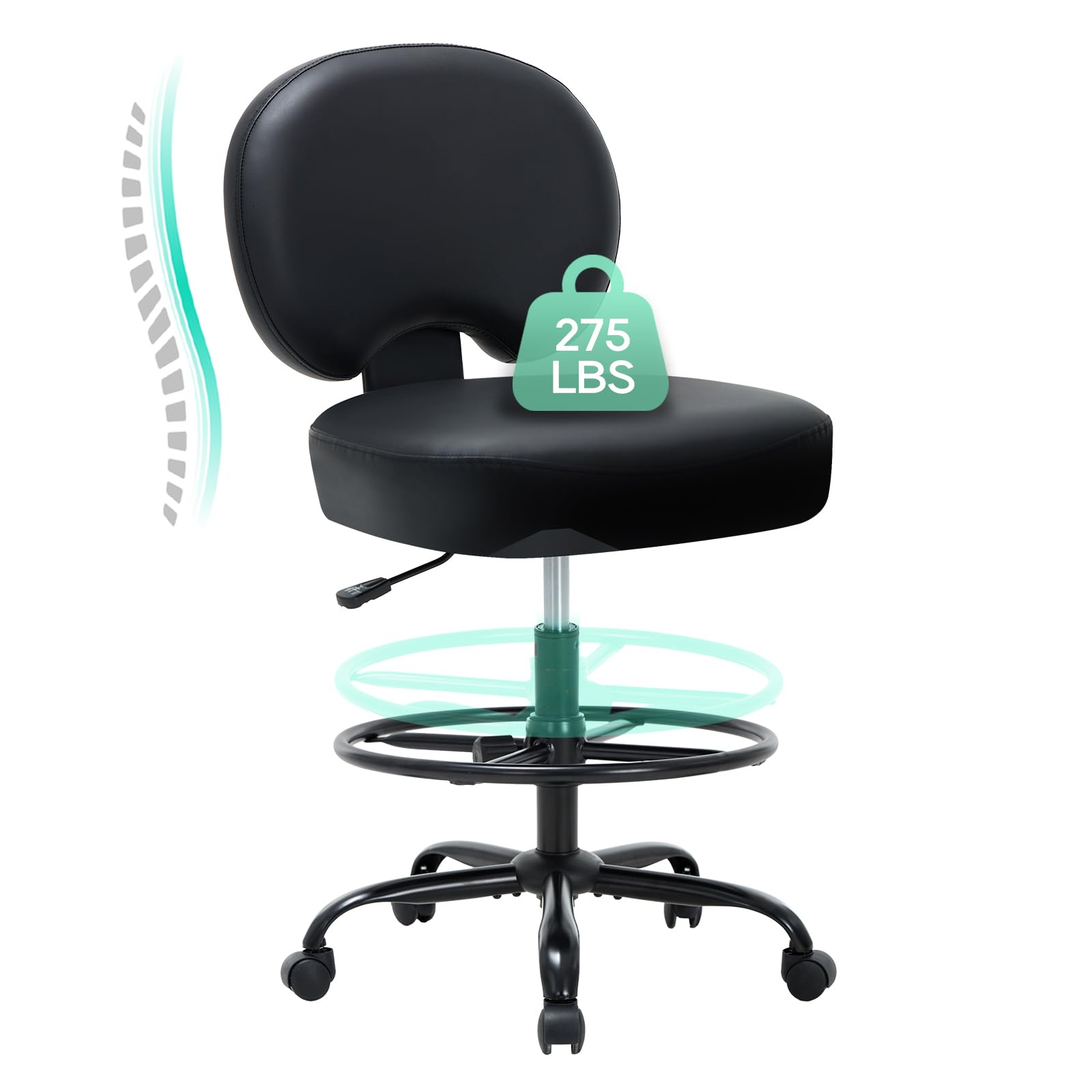
Image: The COLAMY Leather Drafting Chair in a creative workspace setting.
Thank you for choosing the COLAMY Leather Drafting Chair, Model 7309DF. This manual provides detailed instructions for the assembly, operation, and maintenance of your new chair. Please read this manual thoroughly before assembly and use to ensure proper function and longevity of the product. This chair is designed for drafting, gaming, home, office, and reading use, offering comfort and support for various activities.
2. Safety Information
- Weight Capacity: This chair is designed to support a maximum weight of 275 pounds (125 kg). Do not exceed this limit.
- Assembly: Ensure all parts are correctly assembled and tightened before use. Refer to the assembly instructions carefully.
- Stability: Always sit properly in the chair. Avoid standing on the chair or using it as a step stool.
- Floor Surface: The chair is suitable for hard floor surfaces.
- Children: Keep children away from the chair during assembly. Small parts may pose a choking hazard.
- Maintenance: Regularly check all bolts and connections to ensure they remain tight.
3. Package Contents
Before beginning assembly, please ensure all components listed below are present and undamaged. If any parts are missing or damaged, please contact customer support.
Video: Overview of COLAMY Leather Drafting Chair components for assembly.
- Backrest
- Seat Cushion
- Seat Plate Mechanism
- Gas Lift Cylinder
- Footrest Ring
- Star Base
- Base Legs (5 pieces)
- Casters (5 pieces)
- Armrests (2 pieces)
- Hardware Pack (bolts, washers, Allen wrench)
- User Manual (this document)
4. Assembly Instructions
Follow these steps to assemble your COLAMY Leather Drafting Chair. It is recommended to have a clear, flat surface for assembly.
Video: Step-by-step guide on how to set up the COLAMY Drafting Chair.
Step 1: Assemble the Chair Base
- Attach the five base legs to the star base using the provided bolts and Allen wrench. Ensure they are securely tightened.
- Insert the five casters into the holes at the end of each base leg. Push firmly until they click into place.
- Insert the gas lift cylinder into the center hole of the star base. Remove the plastic cap from the top of the gas lift.
- Slide the footrest ring onto the gas lift cylinder. Adjust its height and tighten the knob to secure it in place.
Step 2: Attach Seat Plate and Armrests
- Place the seat cushion upside down on a protected surface.
- Align the seat plate mechanism with the pre-drilled holes on the underside of the seat cushion. Ensure the "FRONT" label on the seat plate faces the front of the seat. Secure it with the provided bolts and Allen wrench.
- Attach the armrests to the seat plate using the designated bolts. Tighten them securely.
Step 3: Attach Backrest
- Align the backrest with the mounting holes on the seat plate. Secure it with the remaining bolts and Allen wrench.
Step 4: Connect Seat to Base
- Carefully place the assembled seat onto the gas lift cylinder, ensuring the center hole of the seat plate aligns with the top of the gas lift. Push down firmly until the connection is secure.
Your COLAMY Leather Drafting Chair is now assembled and ready for use.
5. Operating Instructions
Your COLAMY Drafting Chair offers several adjustable features to enhance your comfort and productivity.
Video: Demonstration of the chair's 360-degree swivel, height adjustment, and rocking features.
5.1. Seat Height Adjustment

Image: The chair's height adjustment mechanism, allowing it to adapt to various desk heights.
To adjust the seat height, locate the lever on the right side beneath the seat. While seated, pull the lever upwards to lower the seat. To raise the seat, stand up slightly and pull the lever upwards. Release the lever at your desired height to lock it in place. The chair offers a significant height range to accommodate both standard and standing desks.
5.2. Adjustable Footrest Ring

Image: Close-up of the footrest ring and its adjustment knob.
The footrest ring can be adjusted to provide optimal leg support. Loosen the knob on the side of the footrest ring, slide the ring up or down to your preferred height, and then tighten the knob securely to lock it. This helps relieve leg pressure during extended periods of sitting.
5.3. Swivel Function
The chair features a 360-degree swivel base, allowing for easy rotation and movement without needing to reposition the entire chair. This enhances mobility and accessibility in your workspace.
6. Maintenance
- Cleaning: Wipe clean with a damp cloth. Avoid harsh chemicals or abrasive cleaners that may damage the faux leather.
- Inspection: Periodically check all bolts and screws to ensure they are tight. Re-tighten if necessary to maintain stability and safety.
- Casters: Keep casters free of debris (hair, dust) to ensure smooth rolling.
7. Troubleshooting
| Problem | Possible Cause | Solution |
|---|---|---|
| Chair does not adjust height. | Gas lift cap not removed or gas lift is faulty. | Ensure the plastic cap on the gas lift is removed. If the issue persists, contact customer support. |
| Chair is wobbly. | Loose bolts or uneven assembly. | Check and tighten all assembly bolts, especially those connecting the base legs and seat plate. Ensure the chair is on a flat surface. |
| Casters do not roll smoothly. | Debris caught in casters. | Remove any hair, dust, or debris from the caster wheels. |
8. Specifications
| Feature | Detail |
|---|---|
| Brand | COLAMY |
| Model Name | 7309DF |
| Color | Black |
| Material | Faux Leather (Seat Material: Foam) |
| Frame Material | Metal |
| Product Dimensions (D x W x H) | 26.38"D x 26.38"W x 43.5"H |
| Item Weight | 30 Pounds |
| Maximum Weight Recommendation | 275 Pounds |
| Additional Features | Adjustable Footrest Ring, Adjustable Height, Armless, Back Support, Swivel Base |
| Assembly Required | Yes |
| Product Care Instructions | Wipe Clean |
9. Warranty and Support
COLAMY products are manufactured with quality and durability in mind. For specific warranty information, please refer to the warranty card included with your purchase or visit the official COLAMY website. If you encounter any issues or have questions regarding your COLAMY Leather Drafting Chair, please contact COLAMY customer support for assistance. Keep your purchase receipt for warranty claims.
Contact Information: Please refer to the contact details provided on the product packaging or the official COLAMY website.