
Product Overview
The KUCACCI Q1 Keypad Smart Door Lock with Knob offers multiple convenient and secure access methods for your home. This manual provides detailed instructions for installation, operation, maintenance, and troubleshooting to ensure optimal performance and security.
Key Features:
- 5-in-1 Unlocking Methods: Fingerprint, App, Passcode, Key Fob, and Mechanical Key.
- 4-in-1 Locking Methods: Auto Lock, App Lock, Long press "✓" button to lock, and Key Locking.
- Remote Control: Supports Wi-Fi remote control and Alexa voice commands (additional gateway required).
- Easy Installation: Designed for quick replacement of existing door knobs with minimal tools.
- Advanced Security: High hardness and corrosion-resistant aluminum alloy construction, backlit keypad, low battery alert, anti-peeping user code, and IP65 weather resistance.
- App Management: Easy setup and management via a dedicated app, allowing remote passcode generation, access permissions, and auto-lock functionality.
Package Contents
Before beginning installation, please verify that all components are present:
- Face Plate (Exterior Assembly) x1
- Back Plate (Interior Assembly) x1
- Hardware Assembly (Screws, Shaft, Positioning Columns) x1
- User Guide x1
- Adjustable Latchbolt x1
- Physical Key x2
- Key Fob x2
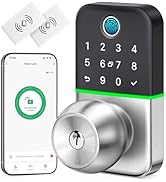
Image: Overview of the KUCACCI Q1 Smart Lock package contents, showing the lock components, keys, and installation guide.
Installation Guide
Follow these steps carefully to install your KUCACCI Q1 Smart Door Lock. A screwdriver is the primary tool required.
1. Prepare the Door
- Remove your existing door knob and latch.
- Use the provided drill template to mark the door if new holes are required.

Image: Visual guide for easy installation, showing the removal of an old knob, marking the door with a template, and the components needed for installation.
2. Install the Latchbolt
- Adjust the latch length if necessary (2-3/8" or 2-3/4").
- Insert the latchbolt into the door edge. Ensure the latch's square hole is placed horizontally.
- Secure the latchbolt with screws.
3. Prepare the Exterior Assembly
- Fix the exterior rubber plate onto the exterior assembly.
- Install the shaft and the three screw casings into the exterior assembly.
- Install the two positioning columns.
4. Install the Exterior Assembly
- Insert the exterior assembly into the door, ensuring the shaft passes through the latchbolt's square hole.
5. Install the Interior Assembly
- Fix the interior rubber plate onto the interior assembly.
- Connect the wire from the exterior assembly to the interior assembly.
- Align the interior assembly with the exterior assembly and secure it with the provided screws.
- Mount the knob onto the interior assembly and tighten the set screw.
6. Insert Batteries and Reset
- Insert 4 AA alkaline batteries into the interior assembly.
- Reset the Smart Lock: Press the "Reset Button" for 5 seconds until the green light flashes. This procedure will delete all user codes associated with the lock.
7. Test the Lock
- Test key unlocking: Use a mechanical key to ensure the lock operates smoothly.
- Test the knob: Turn the knob to open the door.
Video: Official Kucacci Q1 Smart Lock installation guide. This video demonstrates the step-by-step process of installing the smart lock, including preparing the door, installing the latch, assembling the exterior and interior units, and performing initial tests.
Operating Instructions
Unlocking Methods:
- Fingerprint: Place your registered fingerprint on the sensor.
- App: Use the dedicated KUCACCI app on your smartphone to unlock the door via Bluetooth.
- Passcode: Enter your programmed passcode on the keypad.
- Key Fob: Present the key fob to the lock's sensor.
- Mechanical Key: Use the physical key as a backup.

Image: Illustrates the five different methods to unlock the KUCACCI Q1 Smart Lock: fingerprint, mobile app, keypad code, key fob, and traditional mechanical key.
Locking Methods:
- Auto Lock: Configure the auto-lock feature via the app to automatically lock the door after a set period (5-99 seconds).
- App Lock: Lock the door remotely using the KUCACCI app.
- Manual Lock: Long press the "✓" button on the keypad for 3 seconds to manually lock the door.
- Key Locking: Use the mechanical key to lock the door.

Image: Demonstrates the auto-lock function, which can be set via the app, and the one-touch manual locking by long-pressing the checkmark button on the keypad.
App Features:
- Keyless Entry: Unlock the door directly from the app.
- Share Access: Grant access permissions to others, including one-time or short-term passcodes.
- Auto Lock Functionality: Customize the auto-lock delay.
- Generate Passcode Remotely: Create and send temporary passcodes from anywhere (requires additional gateway for remote functionality).
- View History: Access a log of all lock and unlock events.

Image: A smartphone screen displaying the KUCACCI app interface, highlighting features like keyless entry, sharing access with family members, auto-lock, remote passcode generation, and viewing access history.
Anti-Peeping User Code:
To enhance security, you can enter random digits before or after your actual passcode. The lock will still recognize the correct sequence within the longer string of numbers.

Image: Demonstrates the anti-peeping passcode feature, where random digits can be entered before and after the correct password to obscure it from onlookers.
Remote Control and Voice Commands:
For Wi-Fi remote control and integration with Amazon Alexa or Google Assistant, an additional gateway is required (sold separately). This allows you to unlock/lock your door from anywhere and use voice commands.
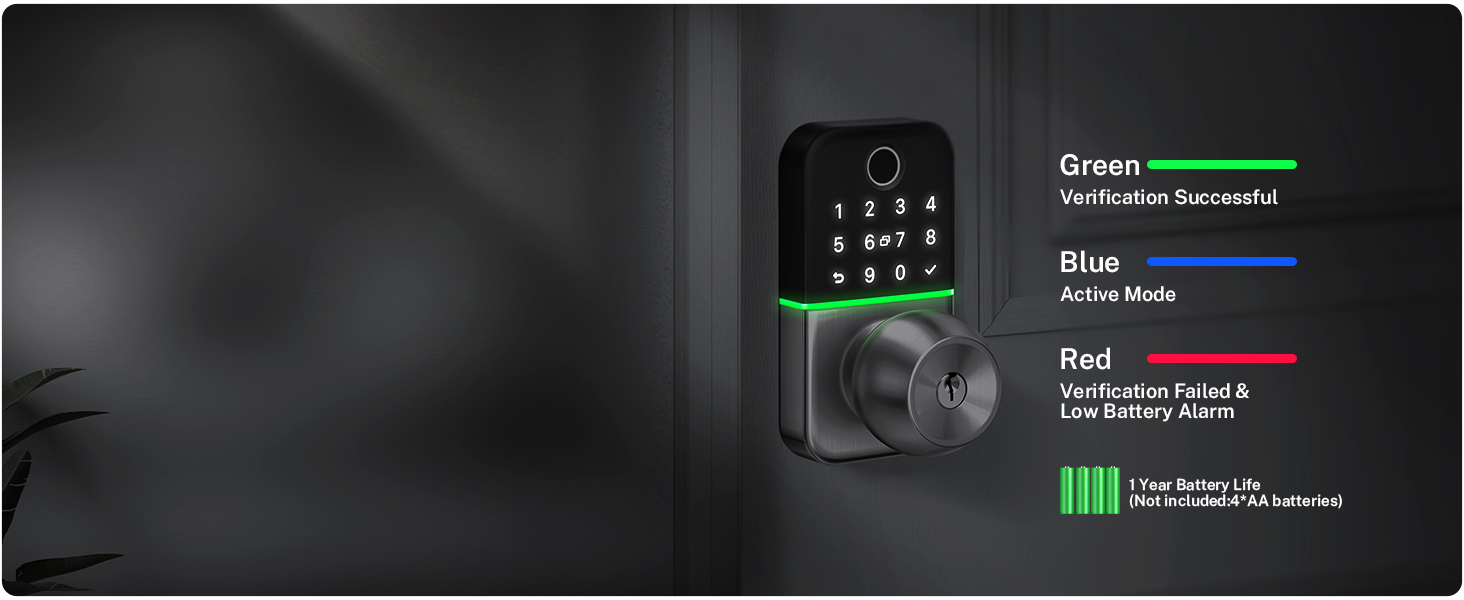
Image: Highlights the emergency backup power feature of the KUCACCI Smart Lock, showing a Type-C port for external power in case of battery failure.
Maintenance
Battery Replacement:
The lock operates on 4 AA alkaline batteries. When the battery level is low, the lock will provide an alert. Replace all four batteries promptly to ensure continuous operation.
Emergency Backup Power:
In case of complete battery depletion, the lock features a Type-C port for emergency backup power. Connect a portable power bank to temporarily power the lock and gain access.
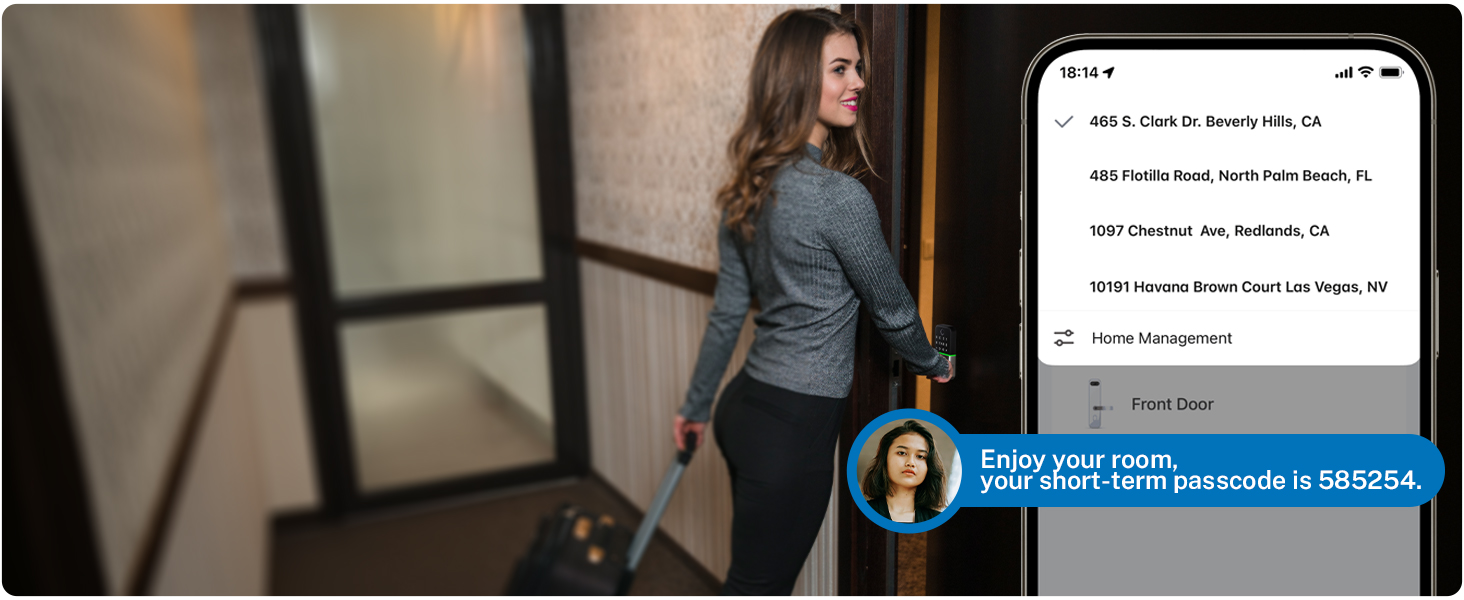
Image: Highlights the emergency backup power feature of the KUCACCI Smart Lock, showing a Type-C port for external power in case of battery failure.
Weather Resistance:
The KUCACCI Q1 Smart Lock is designed with IP65 weather resistance, making it suitable for both indoor and outdoor use and capable of withstanding various weather conditions.
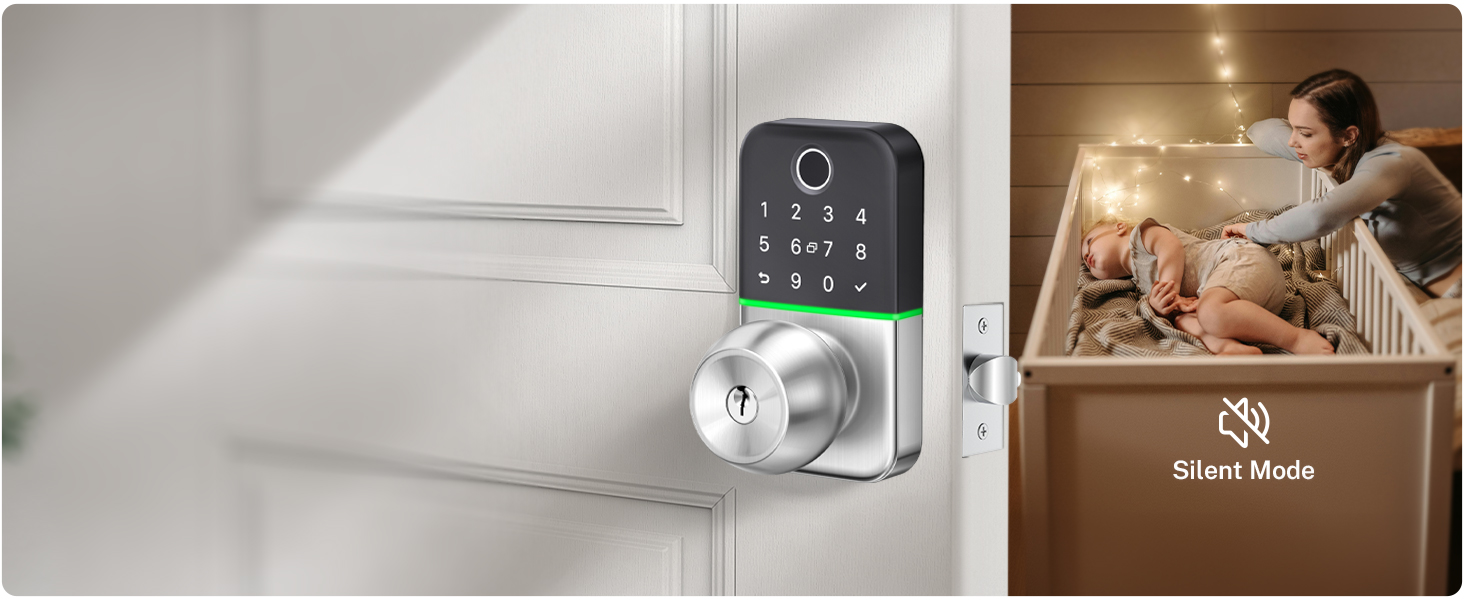
Image: Illustrates the IP65 weather resistance of the KUCACCI Smart Lock, showing its ability to withstand rain, frost, and heat, making it suitable for various environments.
Troubleshooting
- Lock Not Responding: Check battery levels. If low, replace batteries or use emergency power.
- Fingerprint Not Recognized: Ensure your finger is clean and dry. Re-register your fingerprint if issues persist.
- Passcode Entry Issues: Verify the correct passcode is being entered. Remember the anti-peeping feature allows extra digits.
- App Connectivity Problems: Ensure Bluetooth is enabled on your phone and you are within range. If using Wi-Fi, check your gateway connection.
- Lock Automatically Locking/Unlocking Unexpectedly: Review auto-lock settings in the app. Perform a factory reset if necessary (refer to Installation Guide, Step 6).
Specifications
| Feature | Detail |
|---|---|
| Brand | KUCACCI |
| Model Name | KUCACCI Q1 |
| Lock Type | Keypad |
| Material | Aluminum |
| Color | Silver |
| Item Dimensions (L x W x H) | 2.7 x 4.13 x 5.62 inches |
| Item Weight | 2.66 pounds |
| Connectivity Protocol | Bluetooth |
| Control Method | App |
| Controller Type | Amazon Alexa, Google Assistant (with additional gateway) |
| Batteries Required | Yes (4x AA, not included) |
| Special Features | Fingerprint, Weather-resistant Keypad (IP65), Key Fob, Physical Key Access, Easy Installation, Full APP Control |
Warranty and Support
KUCACCI offers the following support for your smart lock:
- 30-Day Money-Back Guarantee: If you are not satisfied with your purchase.
- 1-Year Product Warranty: Covers manufacturing defects from the date of purchase.
- Lifetime After-Sales Support: Assistance with any product-related issues.
- Lifetime Free App Access: Enjoy all app features without subscription fees.
For technical assistance or warranty claims, please contact KUCACCI customer support through their official channels.

