1. Product Overview
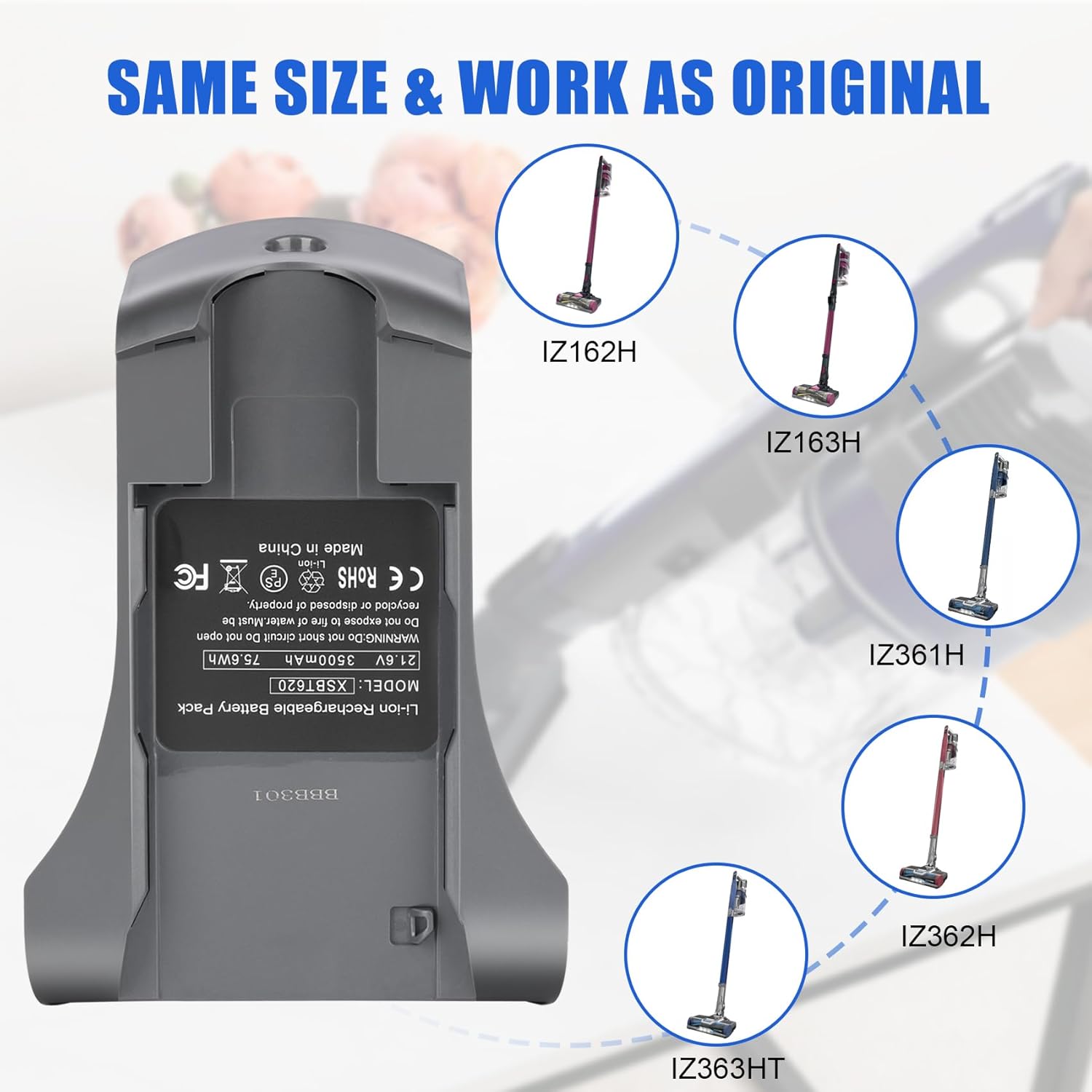
The KUNLUN XSBT620 is a lithium-ion replacement battery designed for various Shark cordless stick vacuum cleaners. This battery provides 21.6V of power and has a capacity of 3500mAh, offering a reliable power source for your vacuum.
- Model: XSBT620
- Voltage: 21.6V
- Capacity: 3500mAh
- Cell Type: Lithium-ion
- Designed to match the size and function of the original battery.

2. Compatibility
This XSBT620 replacement battery is compatible with the following Shark cordless stick vacuum cleaner models:
- Shark IZ363HT
- Shark IZ362H
- Shark IZ361H
- Shark IZ163H
- Shark IZ162H
- Shark QZ162H
- Shark QZ163H
- Shark QZ163HQPB
- Shark QZ163HQBI
- Shark QZ163HQDE
- Shark QZ163HQLC
- Shark QZ163HQSV
- Shark QZ162HQBI
3. Safety Information
The KUNLUN XSBT620 battery incorporates multiple protection features to ensure safe operation and prevent damage. These features comply with FCC, CE, and RoHS standards.
- Over-charge protection: Prevents the battery from being charged beyond its safe limit.
- Over-discharge protection: Protects the battery from being drained too low, which can cause damage.
- Over-voltage protection: Safeguards against excessive voltage input.
- Over-current protection: Prevents damage from excessive current flow.
- Over-heating protection: Monitors and regulates battery temperature to prevent overheating.
- Short-circuit protection: Automatically cuts off power in case of a short circuit.

4. Setup and Installation
Installing and removing the KUNLUN XSBT620 battery is designed to be straightforward, fitting perfectly into compatible Shark cordless stick vacuum cleaners.
- Ensure the vacuum cleaner is powered off and unplugged from any charging source.
- Locate the battery compartment on your Shark vacuum. This is typically near the handle or main body of the vacuum.
- Press the release button or latch to unlock the existing battery (if present) and carefully slide it out.
- Align the KUNLUN XSBT620 replacement battery with the battery slot.
- Slide the new battery into the compartment until it clicks securely into place. Ensure it is fully seated and locked.
- To remove the battery, reverse these steps.

5. Operating Instructions
5.1 Charging the Battery
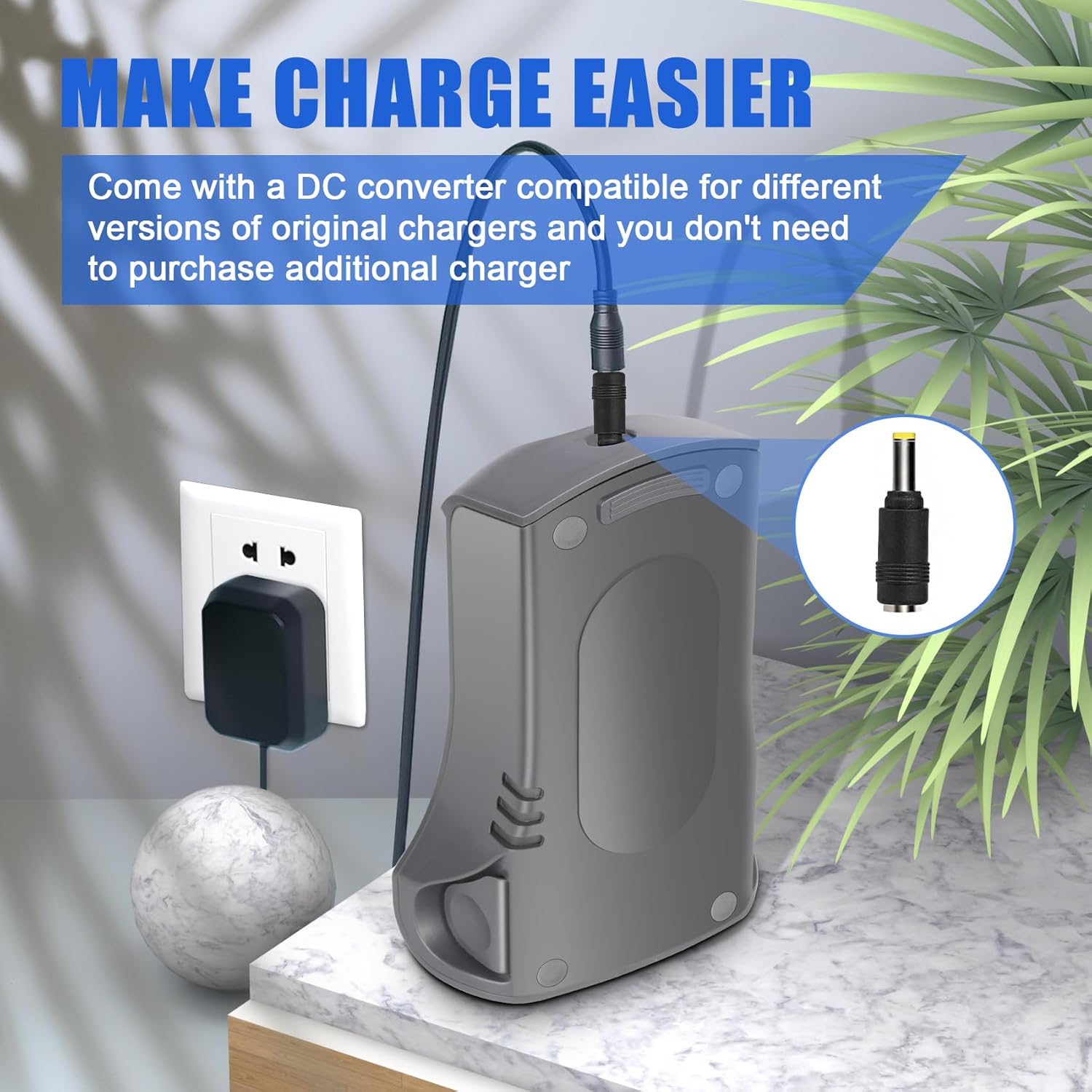
The KUNLUN XSBT620 battery can be charged using your original Shark charger. An adapter is included in the package to ensure compatibility with different versions of original chargers, eliminating the need to purchase additional charging equipment.
- Connect the appropriate DC converter (if needed) to your original charger.
- Plug the charger into a standard wall outlet.
- Connect the charging cable to the charging port on the battery.
- Allow the battery to charge fully before first use and whenever the battery level is low.
5.2 LED Indicator
The battery features an LED indicator to display the charging status and remaining power level.
- Observe the LED lights on the side of the battery to monitor its status.
- Typically, solid lights indicate a full charge or sufficient power, while blinking lights may indicate charging in progress or a low battery level. Refer to your vacuum's manual for specific LED behavior during operation.

6. Battery Care and Maintenance
Proper care extends the life and performance of your battery.
- Storage: Store the battery in a cool, dry place away from direct sunlight and extreme temperatures. For long-term storage, charge the battery to about 50% capacity.
- Cleaning: Keep the battery contacts clean and free of dust or debris. Use a dry cloth to wipe the battery if necessary.
- Avoid Extreme Temperatures: Do not expose the battery to temperatures below 0°C (32°F) or above 45°C (113°F).
- Regular Use: For optimal performance, use and recharge the battery regularly.
- Disposal: Dispose of old or damaged batteries according to local regulations for lithium-ion batteries. Do not dispose of them in household waste.
7. Troubleshooting
If you encounter issues with your KUNLUN XSBT620 battery, consider the following troubleshooting steps:
| Problem | Possible Cause | Solution |
|---|---|---|
| Battery not charging | Charger not connected properly, faulty charger/adapter, battery not seated correctly. | Ensure charger and adapter are securely connected. Verify the battery is fully inserted into the vacuum or charging dock. Test with another compatible charger if available. |
| Short run time | Battery not fully charged, battery degradation, vacuum motor issues. | Ensure the battery is fully charged. If the battery is old, it may be reaching the end of its lifespan. Check the vacuum for blockages or issues that might increase power consumption. |
| Vacuum not powering on | Battery not installed correctly, battery completely drained, vacuum fault. | Re-install the battery, ensuring it clicks into place. Charge the battery. If the issue persists, consult your vacuum's user manual for troubleshooting vacuum-specific problems. |
If these steps do not resolve the issue, please contact KUNLUN customer support.
8. Product Specifications
| Feature | Specification |
|---|---|
| Model Number | XSBT620 |
| Voltage | 21.6V |
| Capacity | 3500mAh |
| Cell Type | Lithium Ion |
| Item Weight | 1.21 pounds |
| Package Dimensions | 7.13 x 5.16 x 2.44 inches |
| Manufacturer | Dongguan Jinhuihuang New Energy Technology Co.,Ltd. |
| Recommended Uses | Vacuum Cleaner |

9. Package Contents
- 1 x KUNLUN XSBT620 Replacement Battery (3.5Ah)
- 1 x DC Converter Adapter (for charger compatibility)
10. Warranty and Customer Support
The KUNLUN XSBT620 Replacement Battery comes with a 12-month product warranty. For any concerns or questions regarding this item, please contact KUNLUN customer support. Your feedback is welcome at any time.
For additional information or to explore other KUNLUN products, please visit the KUNLUN Store.


