1. Introduction
Thank you for choosing the EENOUR D18 12 Volt Car Refrigerator. This portable compressor electric cooler is designed to keep your food and beverages chilled or frozen during camping trips, road trips, RV adventures, and truck journeys. Please read this manual thoroughly before operation to ensure proper use and maintenance.
What's in the Box:
- 19 Quart Car Refrigerator (D18)
- 110-240V AC Adapter & Cord
- 12/24V DC Car Charging Cord
- User Manual

Figure 1.1: Contents included with your EENOUR D18 Car Refrigerator.
2. Safety Information
Always observe the following safety precautions to reduce the risk of fire, electric shock, or injury.
- Do not operate the appliance if it is visibly damaged.
- Ensure the voltage indicated on the rating label matches your power supply.
- Do not immerse the refrigerator in water or expose it to heavy rain.
- Keep ventilation openings clear of obstructions.
- Do not use electrical devices inside the refrigerator unless they are of the type recommended by the manufacturer.
- Avoid touching exposed cables or wires.
- Unplug the unit before cleaning or maintenance.
3. Product Overview and Features
The EENOUR D18 is designed for versatility and performance, offering reliable cooling and freezing capabilities wherever you go.
Key Features:
- Capacity: 19 Quarts (18 Liters), capable of holding up to 23 cans of 330ml coke or 15 bottles of 500ml water.
- Rapid Cooling: Features a powerful fluorine-free compressor that cools from 77°F (25°C) to 32°F (0°C) in just 10 minutes, and to -4°F (-20°C) in 25 minutes.
- Multiple Power Options: Supports 12/24V DC (car cigarette lighter), 110-240V AC (household outlet), and can be powered by an EENOUR 171Wh detachable battery (sold separately) or a solar panel (100W recommended).
- Energy Efficiency: Offers MAX mode (38W) for fast cooling and ECO mode (25W) for power saving, consuming less than 0.5 kWh/day.
- Vehicle Battery Protection: Includes a 3-level protection system (High, Medium, Low) to prevent your car battery from being depleted.
- Low Noise Operation: Operates at a quiet 43 dB, comparable to a whisper.
- Durable Design: Shockproof design allows operation even at a 30° tilt, with corner protectors for added durability.
- Excellent Insulation: Thickened EPDM interior (approx. 2 inches) provides superior insulation and sealing.

Figure 3.1: The spacious 19Qt/18L interior of the EENOUR D18.

Figure 3.2: Demonstrating the rapid cooling capability of the EENOUR D18.

Figure 3.3: The EENOUR D18 supports multiple power sources for versatile use.
4. Setup
Before using your EENOUR D18, follow these steps for initial setup:
- Unpacking: Carefully remove the refrigerator and all accessories from the packaging. Inspect for any shipping damage.
- Placement: Place the refrigerator on a stable, level surface. Ensure adequate ventilation around the unit, especially the fan and vents. Avoid direct sunlight or heat sources.
- Power Connection:
- For AC Power (Household): Connect the 110-240V AC adapter to the refrigerator's AC input port, then plug the adapter into a wall outlet.
- For DC Power (Car/Truck): Connect the 12/24V DC car charging cord to the refrigerator's DC input port, then plug the other end into your vehicle's cigarette lighter socket.
- For Battery Power (Optional): If using the EENOUR 171Wh detachable battery (sold separately), insert it into the designated battery compartment.
- For Solar Power (Optional): Connect a 100W solar panel (recommended) to the PV input port. This can charge the battery while powering the refrigerator.
- Initial Cleaning: Wipe the interior and exterior with a damp cloth before first use.
5. Operating Instructions
The EENOUR D18 features an intuitive control panel for easy operation.
Control Panel Functions:
- Power Button (U): Press to turn the unit ON/OFF.
- Settings Button (⚙): Press to cycle through settings such as temperature unit (°C/°F) and battery protection level.
- Mode Button (M): Press to switch between MAX (fast cooling) and ECO (power saving) modes.
- Temperature Up Button (+): Increases the set temperature.
- Temperature Down Button (-): Decreases the set temperature.
Setting Temperature and Mode:
- Turn on the refrigerator by pressing the Power Button.
- Use the Temperature Up (+) and Down (-) buttons to set your desired temperature. The display will show the current internal temperature and the set temperature.
- Press the Mode Button (M) to select between MAX mode for quicker cooling or ECO mode for reduced power consumption.
Vehicle Battery Protection:
The D18 features a 3-level battery protection system to prevent your vehicle's battery from draining. You can adjust this setting via the Settings Button (⚙).
- High: Provides maximum protection for your vehicle's battery, shutting off the refrigerator at a higher voltage threshold.
- Medium: Standard protection level.
- Low: Allows the refrigerator to run longer, but with less protection for the vehicle's battery. Use with caution or when connected to a dedicated auxiliary battery.
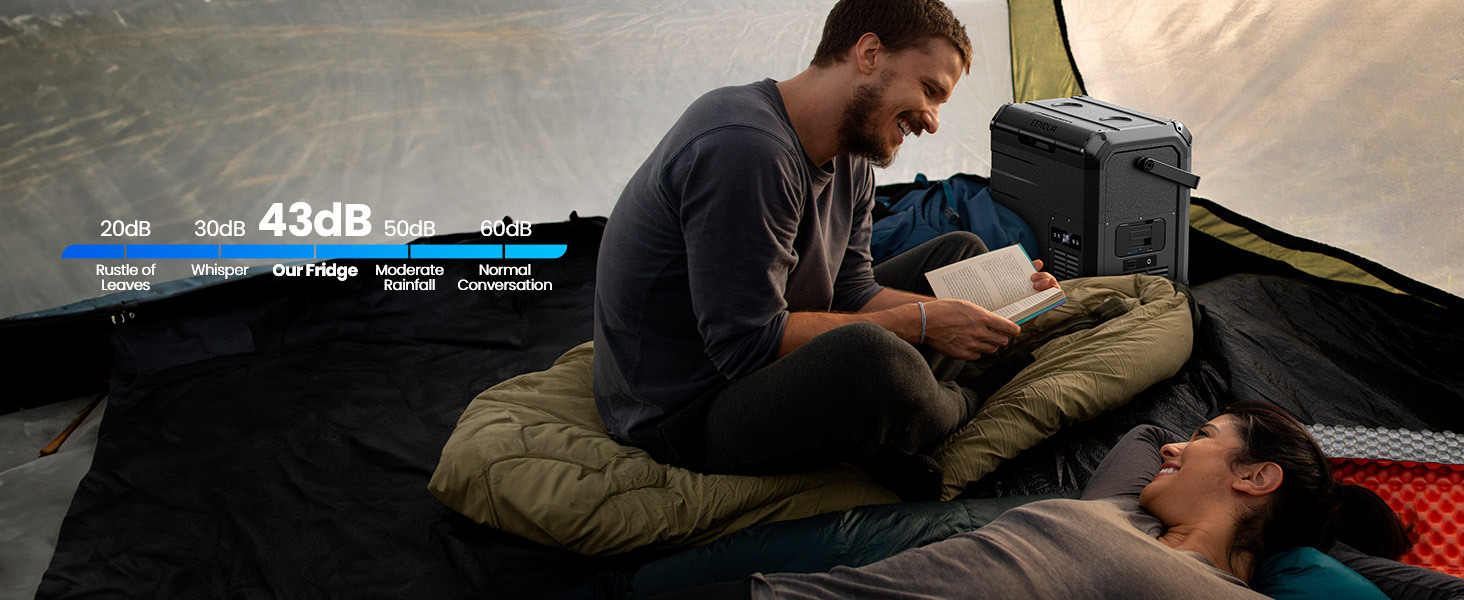
Figure 5.1: The 3-level battery protection system helps safeguard your vehicle's power source.
6. Maintenance
Regular maintenance ensures the longevity and optimal performance of your EENOUR D18.
Cleaning:
- Always unplug the unit before cleaning.
- Clean the interior and exterior with a damp cloth and mild detergent. Do not use abrasive cleaners or solvents.
- Ensure the drain hole (if applicable) is clear for easy cleaning and water removal.
- Regularly clean the ventilation grilles to prevent dust buildup, which can affect cooling efficiency.
Defrosting:
The EENOUR D18 features manual defrost. Frost may accumulate on the interior walls, especially in humid conditions or when frequently opened.
- Turn off the refrigerator and unplug it.
- Remove all contents.
- Leave the lid open to allow the frost to melt naturally. You can place a towel inside to absorb water.
- Once defrosted, wipe the interior dry before restarting the unit.

Figure 6.1: Key product details including the internal LED light and drain hole for easy cleaning.
7. Troubleshooting
If you encounter issues with your EENOUR D18, please refer to the following common problems and solutions:
| Problem | Possible Cause | Solution |
|---|---|---|
| Refrigerator not turning on | No power supply; Loose connection; Blown fuse in vehicle | Check power source and connections; Replace vehicle fuse if necessary. |
| Poor cooling performance | Insufficient ventilation; Too high ambient temperature; Door not sealed properly; Overloaded with warm items | Ensure proper airflow; Operate in cooler environment; Check door seal; Allow warm items to cool before placing inside. |
| Display error codes | Internal fault; Low voltage | Refer to specific error code in full manual (if available); Check power supply voltage. |
| Excessive noise | Unit not level; Fan obstruction | Place on a level surface; Clear any obstructions from the fan. |
If the problem persists after attempting these solutions, please contact EENOUR customer support.
8. Specifications
| Specification | Value |
|---|---|
| Brand Name | EENOUR |
| Model Info | D18 |
| Item Weight | 20.4 pounds |
| Product Dimensions | 16.1 x 12.2 x 17.3 inches |
| Capacity | 19 Quarts (18 Liters) |
| Annual Energy Consumption | 182.5 Kilowatt Hours Per Year |
| Installation Type | Freestanding |
| Special Features | Portable |
| Color | Black |
| Voltage | 12 Volts (DC) |
| Defrost | Manual |
| Door Material Type | Plastic |
| Number Of Doors | 1 |
9. Warranty and Support
EENOUR provides a standard warranty for its products. Please refer to the warranty card included with your purchase or visit the official EENOUR website for detailed warranty terms and conditions. For technical support, troubleshooting assistance, or parts inquiries, please contact EENOUR customer service through the contact information provided on the product packaging or their official website.
Online Support: Visit the EENOUR Store on Amazon


