
Piegricdiat M79
Piegricdiat Clip-on Earbuds User Manual
Model: M79
Introduction
This manual provides comprehensive instructions for the use and maintenance of your Piegricdiat Clip-on Earbuds, Model M79. These wireless earbuds are designed for seamless audio streaming, delivering clear sound and comfortable fit for extended wear. Please read this manual thoroughly before using the product to ensure optimal performance and longevity.
What's in the Box
- Wireless Charging Case
- Charging Cable
- Instruction Manual

Image: The Piegricdiat Clip-on Earbuds shown inside their charging case, with the LED power display visible.
Product Features
- LED Power Display and 60H Playback: Dual digital LED power display on the charging case indicates battery levels for both the case and individual earbuds. The charging case provides approximately 4 additional full charges for the earbuds, with each earbud offering 6 hours of playback, totaling up to 60 hours of music time.
- Long Distance Connection: Features an extended effective range and waterproof design, allowing for stable connectivity even across distances within a home environment.
- One-Step Pairing & Easy Touch Control: Earbuds automatically connect to your device upon opening the charging case after initial pairing. Touch controls on the earbuds allow for managing music playback (switches, volume), calls, and voice assistants without needing to access your phone.
- Ergonomic, Lightweight Design: Engineered for comfortable, non-inductive wear, reducing ear pressure. The compact size of the earbuds and charging case enhances portability.
- Bluetooth 5.4: Utilizes advanced Bluetooth 5.4 technology for stable and efficient wireless communication.
- Waterproof: Designed with a waterproof rating for enhanced durability.

Image: Illustration highlighting the comfortable fit and HD sound quality of the earbuds.
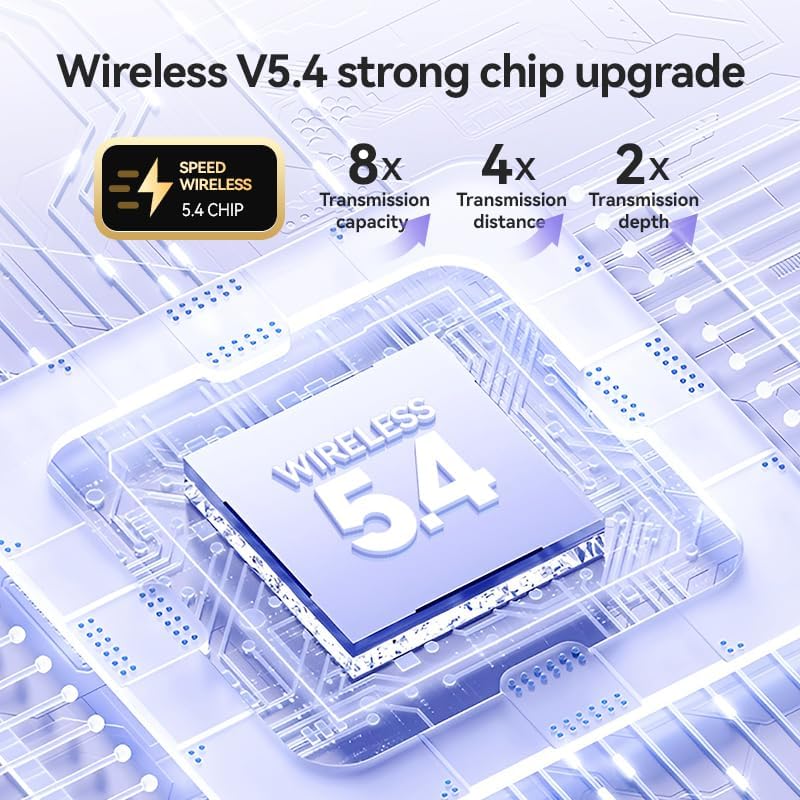
Image: Diagram illustrating the benefits of the Wireless V5.4 chip, including improved transmission capacity, distance, and depth.
Setup Guide
1. Initial Charging
Before first use, fully charge the charging case and earbuds. Connect the provided USB-C cable to the charging port on the case and a compatible USB power source. The LED display on the case will show the charging progress, flashing from 1 to 100. Place the earbuds into the case to charge them simultaneously.

Image: The earbud charging case with a USB-C cable connected, illustrating the charging process and power display.
2. Pairing with Your Device
- Ensure the earbuds are charged and inside the charging case.
- Open the lid of the charging case. The earbuds will automatically enter pairing mode.
- On your smartphone or Bluetooth-enabled device, go to the Bluetooth settings.
- Search for new devices and select "M79" (or similar product name) from the list of available devices.
- Once connected, a confirmation sound will play, and the earbuds will be ready for use.
For subsequent uses, the earbuds will automatically connect to the last paired device when the case lid is opened, provided Bluetooth is enabled on your device.

Image: The earbuds and charging case displayed alongside a laptop and smartphone, indicating intelligent connection and compatibility with various devices.
Operating Instructions
Touch Controls
The Piegricdiat M79 earbuds feature intuitive touch controls on each earbud. The specific functions may vary slightly depending on your device and application.
| Action | Function |
|---|---|
| Single Tap (Left/Right Earbud) | Play/Pause Music, Answer/End Call |
| Double Tap (Right Earbud) | Next Track |
| Double Tap (Left Earbud) | Previous Track |
| Triple Tap (Right Earbud) | Volume Up |
| Triple Tap (Left Earbud) | Volume Down |
| Long Press (2 seconds) | Activate Voice Assistant (Siri, Google Assistant, etc.), Reject Call |

Image: An exploded view diagram showing the internal components of an earbud, highlighting elements like the polymer diaphragm and sound enhancement features for panoramic sound quality.
Maintenance
- Cleaning: Regularly clean the earbuds and charging case with a soft, dry, lint-free cloth. Do not use abrasive cleaners, alcohol, or chemical solvents.
- Water Exposure: While the earbuds are waterproof, avoid prolonged submersion in water. Dry them thoroughly before placing them back in the charging case to prevent damage to the charging contacts.
- Storage: When not in use, store the earbuds in their charging case to protect them from dust and physical damage. Store in a cool, dry place away from extreme temperatures.
- Charging: Use only the provided charging cable or a certified USB-C cable. Avoid overcharging the device.
Troubleshooting
- Earbuds not pairing/connecting:
- Ensure Bluetooth is enabled on your device.
- Make sure the earbuds are charged.
- Place earbuds back in the case, close the lid, wait a few seconds, then open the lid to re-initiate pairing mode.
- Forget the device ("M79") in your phone's Bluetooth settings and try pairing again.
- Restart your device.
- No sound or low volume:
- Check the volume level on both your device and the earbuds (using touch controls).
- Ensure earbuds are properly seated in your ears.
- Confirm the earbuds are connected to the correct audio output on your device.
- Charging case LED display not working correctly:
- Ensure the charging cable is securely connected to both the case and the power source.
- Try a different charging cable or power adapter.
- Clean the charging port on the case.
- Microphone issues during calls:
- Ensure the microphone on the earbuds is not obstructed.
- Check your device's settings to ensure the earbud microphone is selected as the input source.
- Test in a quieter environment to rule out background noise interference.
Specifications
| Feature | Detail |
|---|---|
| Model Name | M79 5.4 bluetooth earbuds |
| Connectivity Technology | Bluetooth |
| Wireless Communication Technology | Bluetooth |
| Included Components | Cable, protect manual, Wireless Charging Case |
| Age Range (Description) | Adult |
| Compatible Devices | Bluetooth-enabled devices |
| Cable Feature | Without Cable |
| Water Resistance Level | Waterproof |
| Style | Modern |
| Control Method | Touch |
| Number of Items | 1 |
| Bluetooth Version | 5.4 |
| Earpiece Shape | Rounded Tip |
| Number of Power Levels | 5 |
| Series Number | 79 |
| UPC | 792483634574 |
| Manufacturer | Piegricdiat |
| Package Dimensions | 4.49 x 3.7 x 1.46 inches |
| Item Weight | 3.52 ounces |
| ASIN | B0DB127QVV |
| Item model number | M79 |
| Date First Available | July 24, 2024 |
| Country of Origin | China |
| Brand | Piegricdiat |
| Color | Black |
| Ear Placement | On Ear |
| Form Factor | On Ear |
| Noise Control | Passive Noise Cancellation |
Warranty and Support
Piegricdiat offers a 1-year warranty on these TWS Buds. If you encounter any issues during use, please contact Piegricdiat customer support for assistance. Your satisfaction is our top priority.
For support, please refer to the contact information provided with your product packaging or visit the official Piegricdiat website.
Ask a question about this manual
Ask about setup, troubleshooting, compatibility, parts, safety, or missing instructions. Manuals+ will review the question and use this page’s manual context to help answer it.