1. Introduction
This manual provides detailed instructions for the proper use and maintenance of your UAYESOK QX-18 USB Handheld Speaker Microphone. Please read this manual thoroughly before operating the device to ensure optimal performance and longevity.
The UAYESOK QX-18 is a versatile USB handheld speaker microphone designed for various applications, including gaming (e.g., Euro Truck Simulator 2), communication, and general computer use. It features both a Microphone mode for push-to-talk (PTT) functionality and a Keyboard mode for customizable key assignments.
2. Package Contents
Verify that all items listed below are present in your package:
- 1x UAYESOK QX-18 USB Handheld Speaker Microphone
- 1x Microphone Holder Mount
- 1x Product Instruction Manual (this document)
3. Product Overview
Familiarize yourself with the components of your UAYESOK QX-18 speaker microphone.
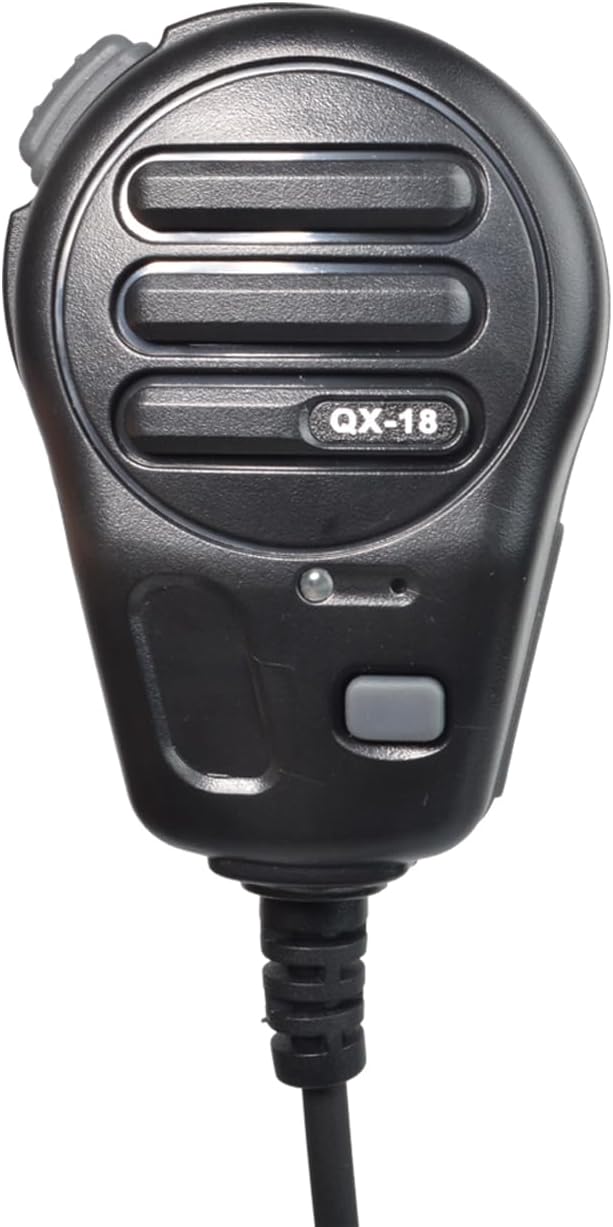
Figure 3.1: Front view of the UAYESOK QX-18 USB Handheld Speaker Microphone, showing the speaker grille, PTT buttons, and indicator light.

Figure 3.2: The UAYESOK QX-18 microphone held in a hand, illustrating its ergonomic design and size for handheld use.

Figure 3.3: The UAYESOK QX-18 microphone connected to its coiled USB cable, ending in a standard USB-A connector for device connection.
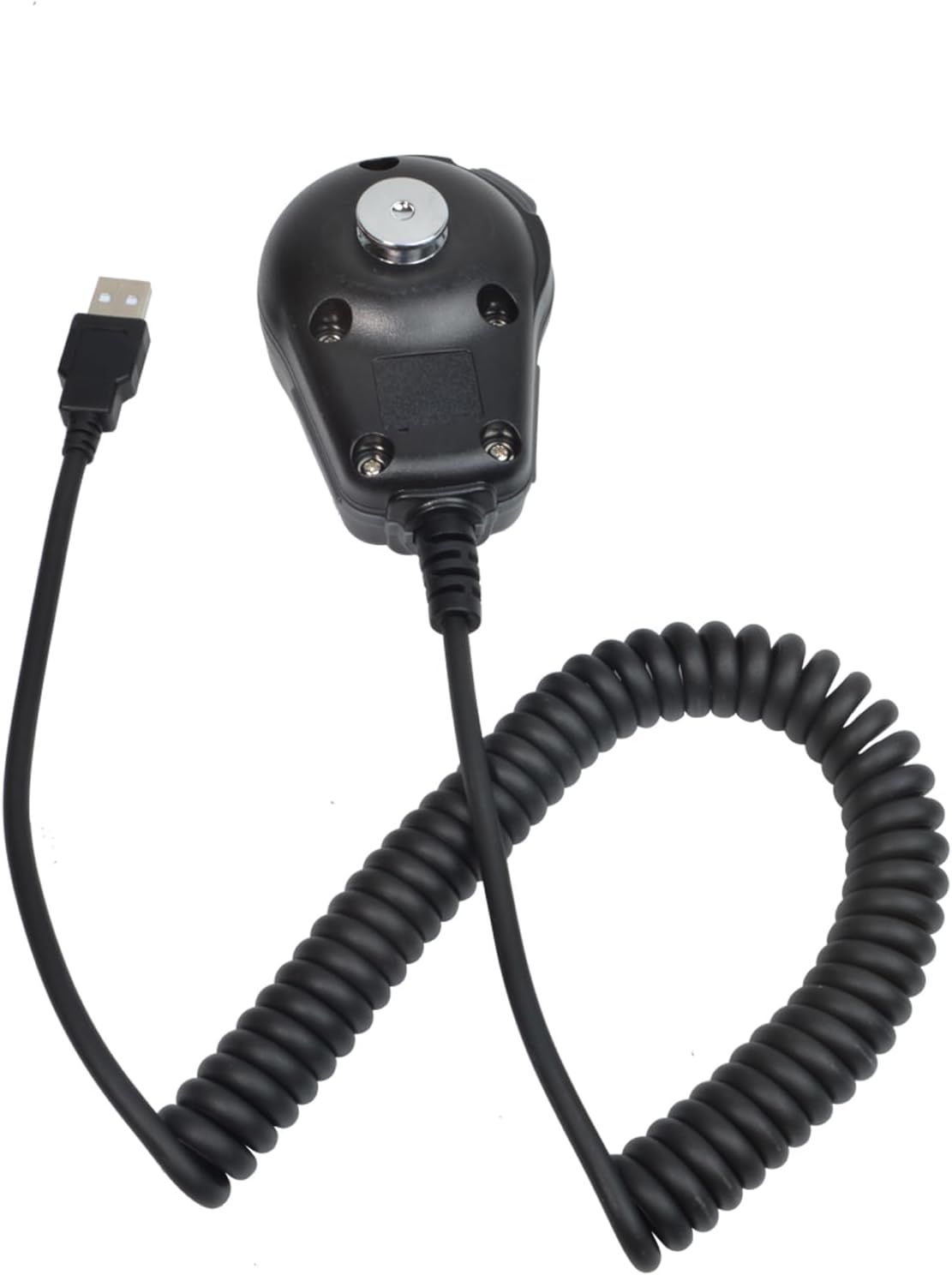
Figure 3.4: Rear view of the UAYESOK QX-18 microphone, highlighting the robust connection point for the USB cable.
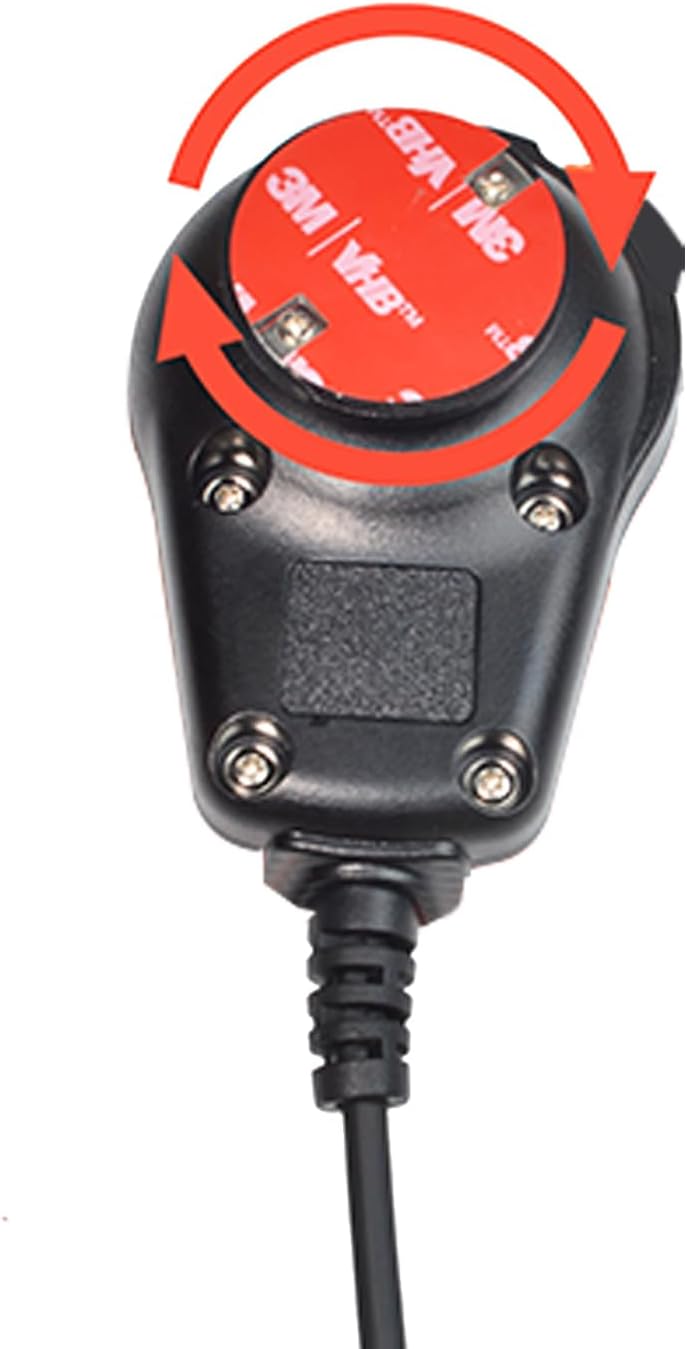
Figure 3.5: Close-up of the microphone's rear, showing the circular attachment point for the included mic holder, with adhesive backing indicated by red arrows.

Figure 3.6: Detailed view of the USB-A connector, which provides connectivity to various devices.
4. Setup
- Software Download: Refer to the manufacturer's website or product packaging for software download instructions. This software is essential for configuring the device, especially for Keyboard mode customization.
- Connect the Device: Plug the USB-A connector of the QX-18 microphone into an available USB port on your computer, Android phone (with appropriate adapter, not included), or laptop.
- Install Microphone Holder: If desired, attach the mic holder mount to a suitable surface using its adhesive backing. The microphone can then be securely placed in the holder when not in active use.
- Initial Configuration: Follow the on-screen prompts or instructions within the downloaded software to set up the device and select the desired operating mode (Microphone or Keyboard).
5. Operating Instructions
5.1. Microphone Mode
In Microphone mode, the device functions as a push-to-talk (PTT) microphone, commonly used in applications like Euro Truck Simulator 2 or other communication software.
- Transmit Signal: Press the PTT1 button (typically the main large button on the front) to transmit your voice.
- Indicator Light: The red indicator light on the microphone will illuminate when the PTT1 button is pressed, indicating that the device is actively transmitting.
- Release to Stop: Release the PTT1 button to stop transmitting.
5.2. Keyboard Mode
In Keyboard mode, the buttons on the QX-18 can be customized to emulate specific keyboard keys or combinations. This mode is useful for assigning shortcuts or macros.
- Customization: Use the dedicated software (downloaded during setup) to assign custom keyboard values to each button on the microphone. Refer to the software's instructions for detailed customization steps.
- No Call Function: Please note that in Keyboard mode, the device does not function as a traditional microphone for voice calls or audio input. Its primary function is to send keyboard commands.
6. Compatibility
The UAYESOK QX-18 is compatible with a range of devices and operating systems:
- Personal Computers (Windows, macOS, Linux - driver/software compatibility may vary)
- Laptops
- Android Phones (requires a USB OTG adapter, not included)
- New Energy Car Computers (compatibility may vary, refer to vehicle's specifications)
7. Specifications
| Feature | Detail |
|---|---|
| Model Name | QX-18 |
| Microphone Form Factor | Handheld |
| Connectivity Technology | USB |
| Connector Type | USB-A |
| Polar Pattern | Unidirectional |
| Number of Channels | 1 |
| Special Feature | Battery Indicator Light (for PTT status) |
| Item Weight | 8.1 ounces (0.23 Kilograms) |
| Package Dimensions | 9.96 x 3.07 x 2.52 inches |
| Recommended Uses | Gaming, Karaoke |
8. Maintenance
To ensure the longevity and proper functioning of your UAYESOK QX-18 microphone, follow these maintenance guidelines:
- Cleaning: Use a soft, dry cloth to clean the exterior of the microphone. Avoid using liquid cleaners or abrasive materials.
- Storage: Store the microphone in a cool, dry place away from direct sunlight and extreme temperatures.
- Cable Care: Avoid sharp bends or excessive pulling on the USB cable to prevent internal damage.
- Avoid Moisture: Do not expose the device to water or high humidity.
9. Troubleshooting
If you encounter issues with your UAYESOK QX-18, refer to the following common problems and solutions:
- Device Not Recognized:
- Ensure the USB cable is securely connected to both the microphone and the device.
- Try connecting to a different USB port.
- Restart your computer or device.
- Verify that the necessary drivers or software have been installed correctly.
- Microphone Not Transmitting (Microphone Mode):
- Confirm that the device is set to Microphone mode within its software.
- Ensure the PTT1 button is fully pressed. The red indicator light should be on.
- Check your operating system's sound settings to ensure the QX-18 is selected as the input device.
- Verify that the application you are using (e.g., Euro Truck Simulator 2) is configured to use the QX-18 as its microphone input.
- Keyboard Commands Not Working (Keyboard Mode):
- Confirm that the device is set to Keyboard mode within its software.
- Re-check your custom key assignments in the software to ensure they are correctly configured.
- Ensure the application you are using is active and can receive keyboard input.
10. Warranty and Support
For product support, technical assistance, or warranty inquiries, please contact UAYESOK customer service. Refer to the contact information provided with your purchase or visit the official UAYESOK website.
If you have any questions about the product, please feel free to contact us. We aim to respond within 12 hours.
Please retain your proof of purchase for warranty purposes.


