1. Introduction
This manual provides essential information for the safe and efficient operation of your Polk Audio Signature Elite ES12 Subwoofer. Please read this manual thoroughly before installation and use, and retain it for future reference.
The Polk Audio Signature Elite ES12 Subwoofer is designed to enhance your audio experience by delivering powerful and clear low-frequency sound. It features a 12-inch long-throw woofer, a 300W Class D amplifier, and Time-Smart Phase Control for seamless integration into your home audio system.
2. Important Safety Instructions
- Read these instructions.
- Keep these instructions.
- Heed all warnings.
- Follow all instructions.
- Do not use this apparatus near water.
- Clean only with a dry cloth.
- Do not block any ventilation openings. Install in accordance with the manufacturer's instructions.
- Do not install near any heat sources such as radiators, heat registers, stoves, or other apparatus (including amplifiers) that produce heat.
- Do not defeat the safety purpose of the polarized or grounding-type plug. A polarized plug has two blades with one wider than the other. A grounding-type plug has two blades and a third grounding prong. The wide blade or the third prong are provided for your safety. If the provided plug does not fit into your outlet, consult an electrician for replacement of the obsolete outlet.
- Protect the power cord from being walked on or pinched, particularly at plugs, convenience receptacles, and the point where they exit from the apparatus.
- Only use attachments/accessories specified by the manufacturer.
- Use only with the cart, stand, tripod, bracket, or table specified by the manufacturer, or sold with the apparatus. When a cart is used, use caution when moving the cart/apparatus combination to avoid injury from tip-over.
- Unplug this apparatus during lightning storms or when unused for long periods of time.
- Refer all servicing to qualified service personnel. Servicing is required when the apparatus has been damaged in any way, such as power-supply cord or plug is damaged, liquid has been spilled or objects have fallen into the apparatus, the apparatus has been exposed to rain or moisture, does not operate normally, or has been dropped.
3. What's in the Box
Upon unpacking, please verify that all items listed below are present and in good condition:
- Polk Audio Signature Elite ES12 Subwoofer
- Removable Grille
- Power Cable
- User Manual (this document)
- Quick-Start Guide
- Registration Card
- Warranty Card
- Safety / Warranty Flyer

Image: Front view of the Polk Audio Signature Elite ES12 Subwoofer with its grille attached.
4. Setup and Placement
4.1 Placement Considerations
The ES12 subwoofer's front-firing orientation and compact design allow for flexible placement within your room. It can be positioned against walls or even inside cabinets without compromising sound quality. Experiment with different locations to find the optimal bass response for your listening environment.

Image: The ES12 subwoofer positioned alongside tower speakers and a center channel speaker in a living room setting, demonstrating typical placement.
4.2 Connecting the Subwoofer
The ES12 subwoofer connects to your audio receiver or amplifier via an RCA cable. Ensure your receiver has a dedicated subwoofer output (LFE or Sub Out).
- Ensure all audio equipment is powered off before making connections.
- Connect one end of an RCA cable to the LFE/Subwoofer input on the ES12 subwoofer.
- Connect the other end of the RCA cable to the Subwoofer Output (LFE Out) on your AV receiver or processor.
- Connect the power cable to the subwoofer's power input and then to a suitable wall outlet.

Image: Close-up of the rear panel of the ES12 subwoofer, showing the volume, phase, low pass filter controls, and RCA input.
5. Operating the Subwoofer
5.1 Powering On/Off
The ES12 subwoofer features an auto-sensing power supply. It can be set to automatically switch to standby mode when not in use, reducing energy consumption. Use the power switch on the rear panel to select between ON, AUTO, and OFF modes.
- ON: The subwoofer remains powered on continuously.
- AUTO: The subwoofer automatically turns on when an audio signal is detected and enters standby mode after a period of inactivity.
- OFF: The subwoofer is powered off.

Image: The ES12 subwoofer in a room setting, highlighting its power-save mode capability.
5.2 Adjusting Settings
The rear panel of the ES12 subwoofer provides controls for fine-tuning its performance:
- Volume: Adjusts the output level of the subwoofer. Start with a moderate level and adjust to blend with your main speakers.
- Low Pass Filter: An adjustable 4th-order low pass filter controls the upper frequency limit of the subwoofer. Set this to integrate smoothly with your main speakers. A common starting point is around 80-100 Hz, but refer to your main speaker specifications.
- Time-Smart Phase Control: Offers 360-degree phase adjustment. This control helps to ensure precise blending with your main speakers, preventing cancellation or reinforcement of bass frequencies at the crossover point. Adjust this while listening to music or test tones to achieve the most coherent sound.
6. Maintenance and Care
- Cleaning: Clean the cabinet with a soft, dry cloth. Avoid using harsh chemicals, cleaning sprays, or abrasive materials, as these can damage the finish.
- Grille: The removable grille can be gently cleaned with a soft brush or vacuum cleaner to remove dust.
- Ventilation: Ensure that the subwoofer's ventilation openings are not blocked to prevent overheating.
- Power Cord: Regularly inspect the power cord for any signs of damage. If damaged, discontinue use and contact qualified service personnel.
7. Troubleshooting
| Problem | Possible Cause | Solution |
|---|---|---|
| No sound from subwoofer |
|
|
| Weak or distorted bass |
|
|
| Humming or buzzing noise |
|
|
8. Specifications
| Model Name | ES12 |
| Item Model Number | 300885-01-00-101 |
| Brand | Polk Audio |
| Speaker Type | Woofer |
| Woofer Diameter | 12 Inches |
| Speaker Maximum Output Power | 300 Watts (Class D Amplifier) |
| Frequency Response | Down to 18 Hz (Output up to 20 KHz) |
| Connectivity Technology | RCA |
| Mounting Type | Floor Standing |
| Color | Black |
| Product Dimensions (D x W x H) | 19"D x 14.3"W x 19"H |
| Item Weight | 51 Pounds |
| Power Source | Corded Electric |
| Special Features | Time-Smart Phase Control, Dual Power Ports, Acoustically Optimized Cabinet, Auto-Sensing Power Supply |
| Compatible Devices | Desktop, Home Theater, Laptop, Projector, Television |
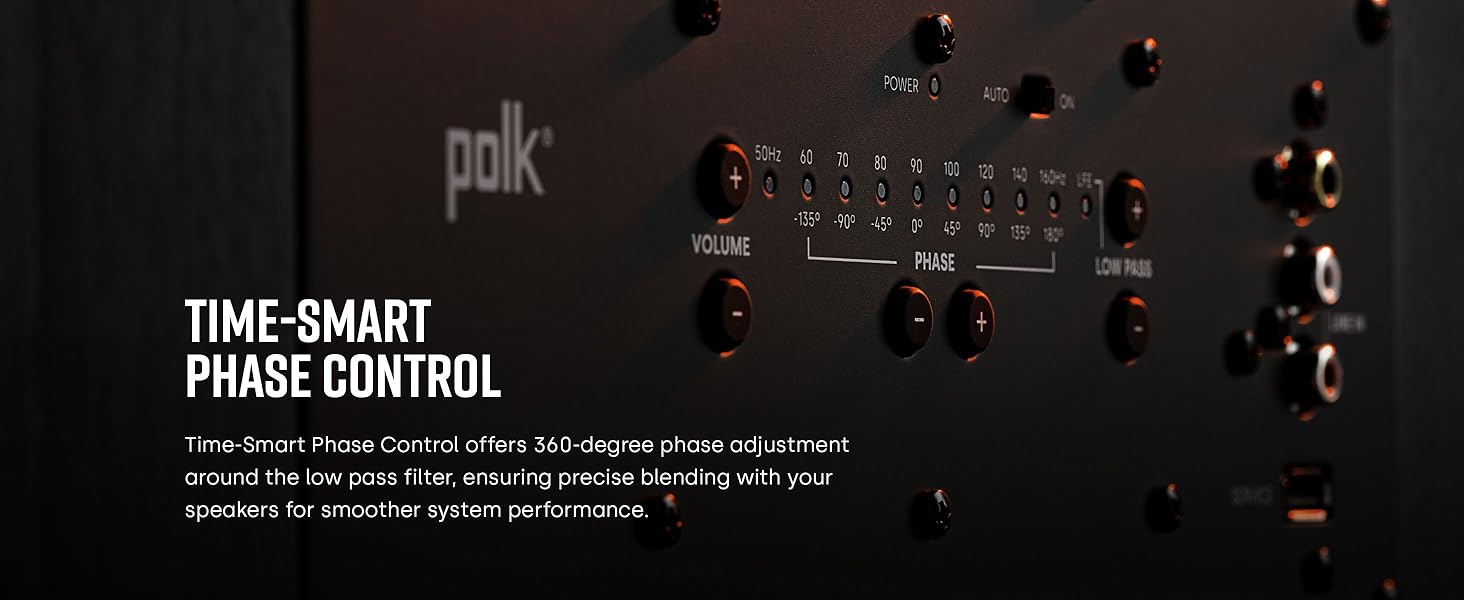
Image: A detailed view of the 12-inch forward-firing long-throw woofer, emphasizing its design.
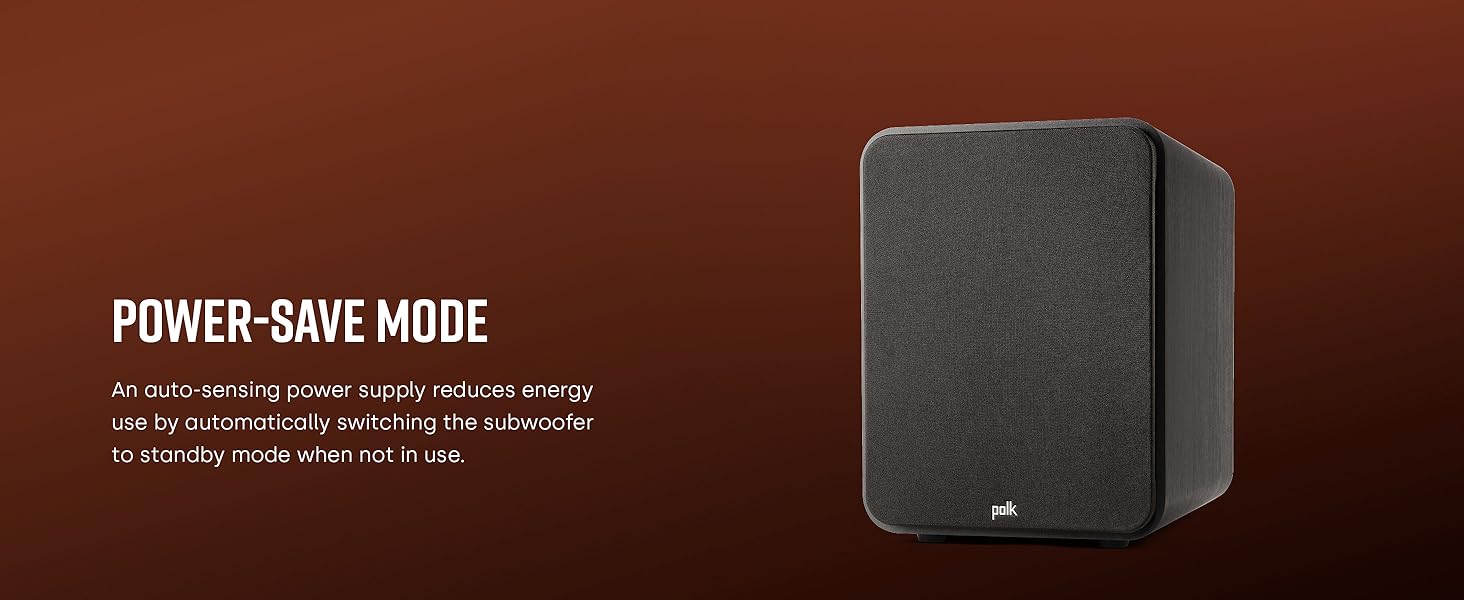
Image: A close-up of the dual Polk Power Ports, designed to minimize turbulence and distortion.
9. Warranty Information
The Polk Audio Signature Elite ES12 Subwoofer comes with an extended warranty. Please refer to the included Warranty Card and Safety / Warranty Flyer for detailed terms, conditions, and registration procedures. Retain your proof of purchase for warranty claims.
10. Customer Support
For technical assistance, troubleshooting beyond this manual, or service inquiries, please contact Polk Audio customer support. Contact information can typically be found on the manufacturer's official website or on the included documentation.
Online Resources: Visit the official Polk Audio website for FAQs, product registration, and additional support resources.


