
eKids PW-B52SK
eKids Paw Patrol Skye Kids Bluetooth Headphones User Manual
Model: PW-B52SK
Introduction
Thank you for choosing the eKids Paw Patrol Skye Kids Bluetooth Headphones. These headphones are designed to provide a safe and enjoyable listening experience for children, featuring a volume-reduced design and the beloved Paw Patrol Skye character. They offer both wireless Bluetooth connectivity and a wired option for versatile use at home, school, or while traveling.

Image: Front view of the eKids Paw Patrol Skye Kids Bluetooth Headphones, showcasing the pink and white design with Skye character art and soft orange ear accents.
What's in the Box
- eKids Paw Patrol Skye Kids Bluetooth Headphones
- USB Charging Cable
- Detachable 3.5mm Audio Cable
Product Features
- Wireless Bluetooth Connectivity: Easily connect to smartphones, tablets, laptops, and other Bluetooth-enabled devices for high-quality stereo sound.
- Volume Reduced: Engineered with a volume limiter to ensure safe listening levels for children.
- Built-in Microphone: Facilitates clear communication for video calls, online learning, and gaming.
- Wired Option: Includes a 3.5mm audio cable for use when Bluetooth is not available or the battery is low.
- Long Battery Life: Provides up to 45 hours of continuous Bluetooth playtime on a single charge.
- Comfortable & Adjustable Fit: Features an adjustable headband and soft ear cushions for extended comfort.
- Foldable Design: Compact and portable, ideal for travel and easy storage.
- Paw Patrol Skye Design: Adorned with popular Paw Patrol Skye graphics and cute, floppy fabric ears.

Image: Diagram highlighting key features such as adjustable headband, foldable design, pivoting ear cushions, attached faux Skye ears, and dual Bluetooth/Line-In cord usage.

Image: A child wearing the headphones on an airplane, illustrating the volume-reduced feature, built-in rechargeable battery, and built-in microphone for communication.
Setup
Charging the Headphones
Before first use, fully charge the headphones. Connect the included USB charging cable to the USB-C charging port on the headphones and the other end to a USB power source (e.g., computer USB port, USB wall adapter). The LED indicator will show charging status.
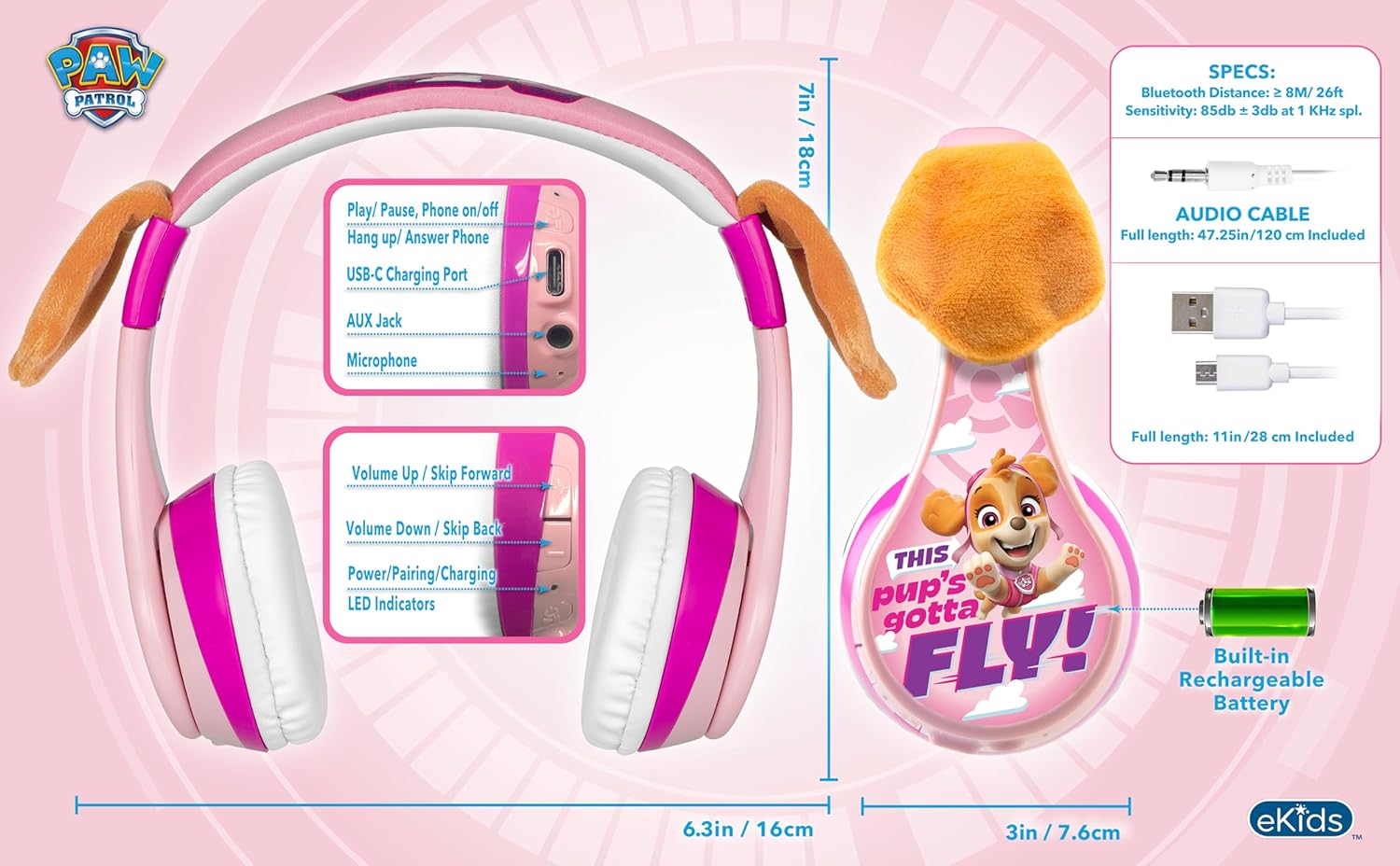
Image: Detailed view of the headphone controls and ports, including the USB-C charging port, AUX jack, microphone, volume/skip buttons, and power/pairing/charging LED indicators.
Bluetooth Pairing
- Ensure the headphones are charged.
- Press and hold the Power/Pairing button on the headphones until the LED indicator flashes blue and red, indicating pairing mode.
- On your device (smartphone, tablet, etc.), go to Bluetooth settings and turn Bluetooth on.
- Search for available devices and select "eKids PW-B52SK" (or similar name) from the list.
- Once connected, the LED indicator on the headphones will turn solid blue.
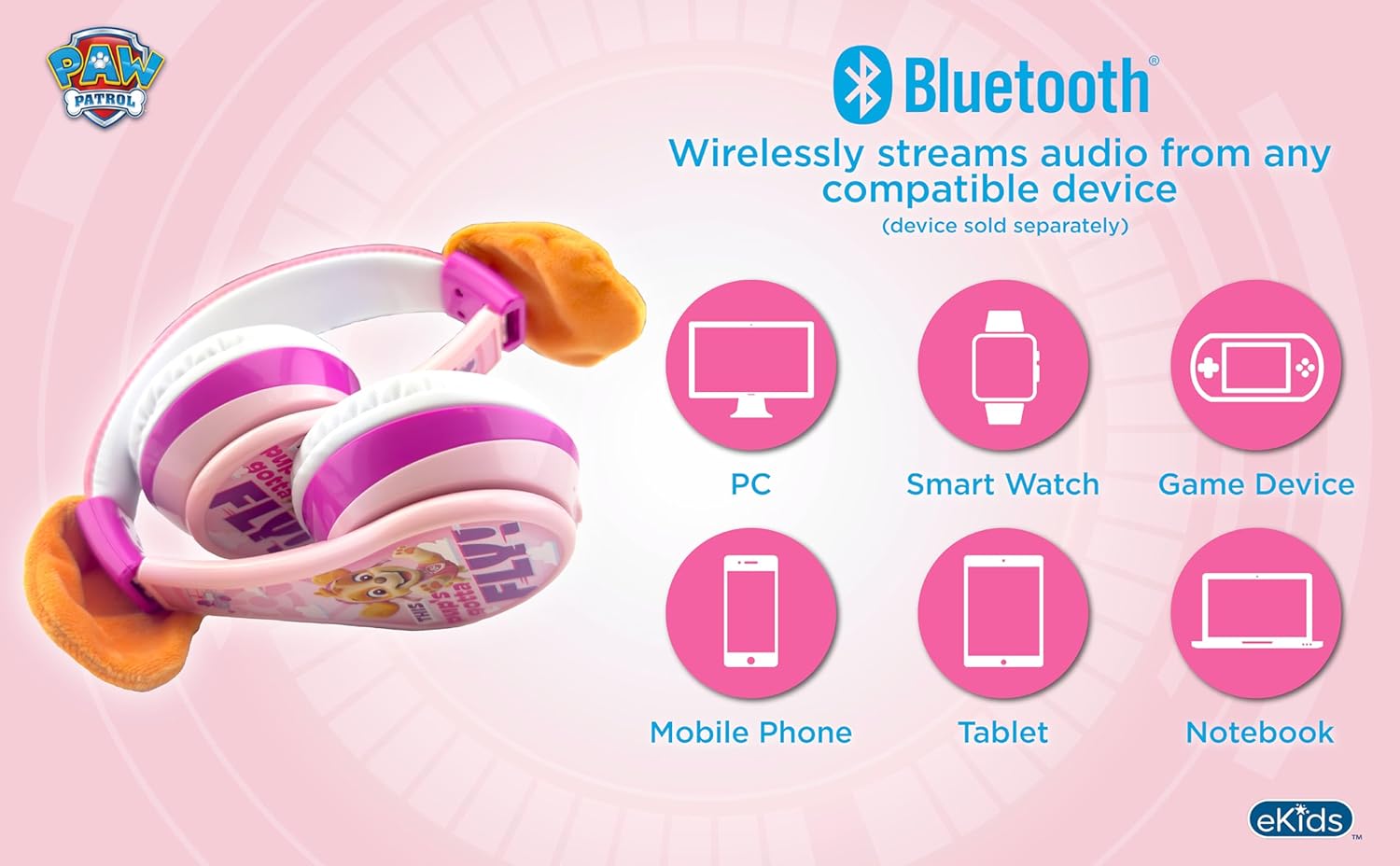
Image: Diagram illustrating Bluetooth compatibility with PC, Smart Watch, Game Device, Mobile Phone, Tablet, and Notebook.
Operating Instructions
Power On/Off
- To power on, press and hold the Power button until the LED indicator lights up.
- To power off, press and hold the Power button until the LED indicator turns off.
Controls
- Play/Pause/Answer Call: Press the Multi-function button (often the power button or a dedicated play/pause button).
- Volume Up: Press the Volume Up button.
- Volume Down: Press the Volume Down button.
- Next Track: Press and hold the Volume Up button.
- Previous Track: Press and hold the Volume Down button.
Wired Mode
To use the headphones in wired mode, connect the included 3.5mm audio cable to the AUX jack on the headphones and the other end to your device's headphone jack. This mode works even if the headphone battery is depleted.

Image: Visual comparison of wired mode (using 3.5mm audio cable) and wireless mode (Bluetooth) with battery indicators.
Video Demonstration
Video: An official product video demonstrating the features and usage of the eKids Paw Patrol Skye Bluetooth Headphones, including Bluetooth connectivity, adjustable fit, built-in microphone, and portability.
Maintenance
- Cleaning: Use a soft, dry cloth to clean the headphones. Do not use liquid cleaners or sprays.
- Storage: When not in use, store the headphones in a cool, dry place. The foldable design allows for compact storage.
- Battery Care: To prolong battery life, avoid fully discharging the battery frequently. Charge regularly, even if not used for extended periods.
- Water Resistance: These headphones are not water resistant. Avoid exposure to water or excessive moisture.
Troubleshooting
| Problem | Possible Solution |
|---|---|
| Headphones won't turn on. | Ensure the headphones are fully charged. Connect to a power source and try again. |
| Cannot pair via Bluetooth. | Make sure the headphones are in pairing mode (flashing blue/red LED). Ensure Bluetooth is enabled on your device and it's within 10 meters of the headphones. Forget the device on your phone and try pairing again. |
| No sound in wireless mode. | Check if the headphones are successfully paired and connected. Increase the volume on both the headphones and your device. Ensure no 3.5mm audio cable is plugged in, as this will switch to wired mode. |
| No sound in wired mode. | Ensure the 3.5mm audio cable is securely plugged into both the headphones and your audio device. Check the volume on your audio device. Try a different audio cable if available. |
| Microphone not working. | Ensure the headphones are connected via Bluetooth. Check your device's audio input settings to confirm the headphone microphone is selected. |
Specifications
- Model Name: B52
- Item Model Number: PW-B52SK
- Connectivity Technology: Wireless (Bluetooth), Wired (3.5mm)
- Wireless Communication Technology: Bluetooth 4.2
- Bluetooth Range: 10 Meters
- Frequency Range: 20 Hz - 20,000 Hz
- Battery Life: Up to 45 Hours (Bluetooth playtime)
- Battery Type: 1 Lithium Ion battery (included)
- Material: Plastic
- Ear Placement: Over Ear
- Control Method: Touch
- Item Weight: 7.6 ounces
- Package Dimensions: 6.3 x 4.96 x 3.23 inches
- Manufacturer: KIDdesigns
- Country of Origin: China
Warranty and Support
For warranty information and customer support, please refer to the documentation included with your purchase or visit the official eKids website. Keep your proof of purchase for any warranty claims.
Related documentsPW-B52SK


Ask a question about this manual
Ask about setup, troubleshooting, compatibility, parts, safety, or missing instructions. Manuals+ will review the question and use this page’s manual context to help answer it.