
Important Safety Information
- Read all instructions before use and retain for future reference.
- This product is not a toy. Adult supervision is recommended for children.
- Do not immerse the unit in water or expose it to excessive moisture.
- Use only the specified power sources: USB cable (included) or 3x AA batteries (not included).
- Ensure proper battery polarity when inserting batteries. Do not mix old and new batteries or different types of batteries.
- Keep away from direct heat sources and open flames.
- Clean the unit with a soft, dry cloth. Do not use abrasive cleaners or solvents.
Package Contents
Verify that all items are present in the package:
- Paladone Peppa Pig Projection Light Unit
- USB Power Cable
- 2x Interchangeable Peppa Pig Themed Projection Scenes
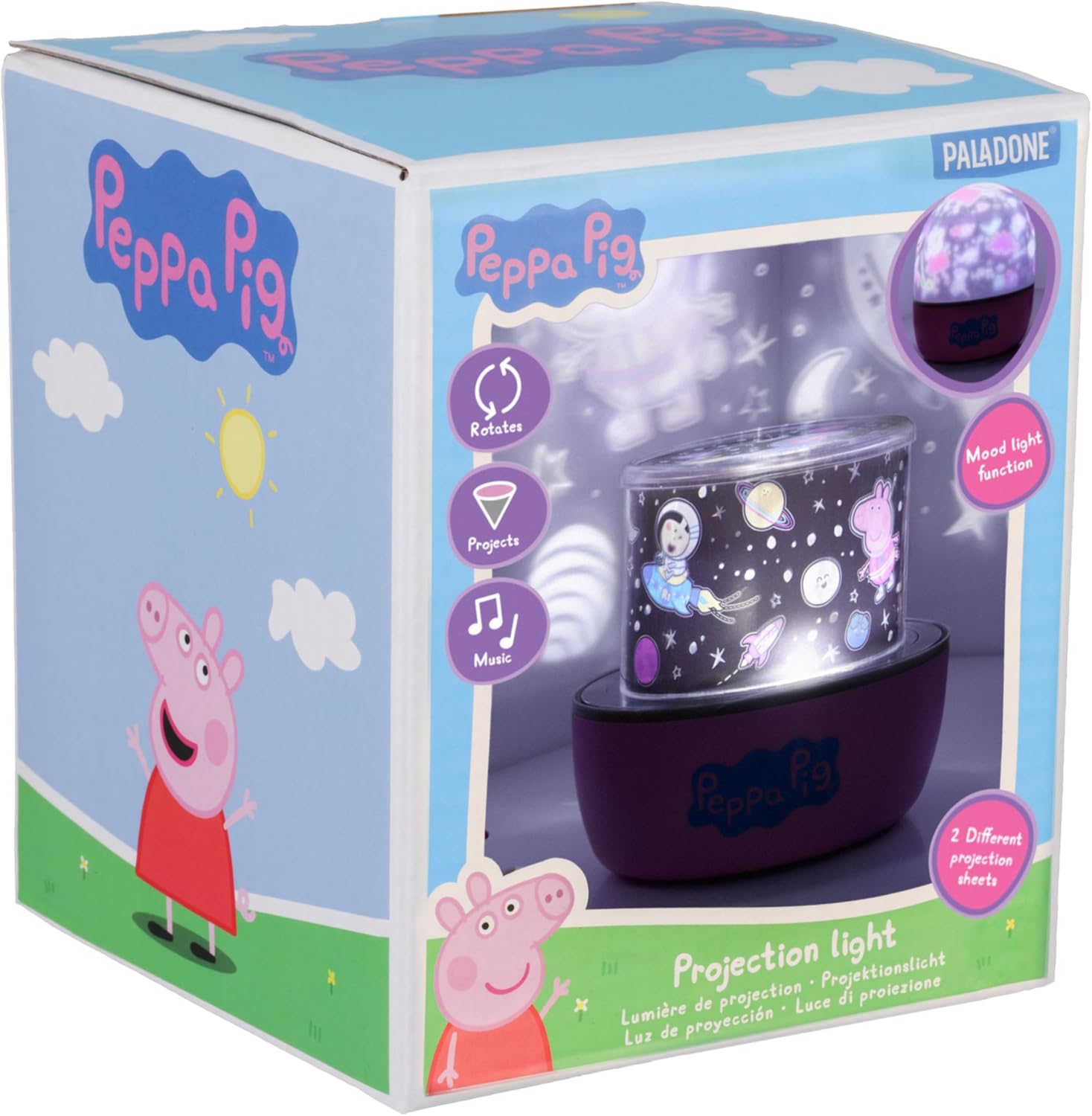
Image: The product packaging, illustrating the projection light and its included components.
Product Overview
Familiarize yourself with the components of your projection light:

Image: An exploded diagram of the projection light, detailing the base, projection cylinder, and the removable dome cover.
- Base Unit: Contains the power source, control buttons, and light source.
- Projection Cylinder: Where the interchangeable scene films are inserted.
- Dome Cover: Used to transform the projector into a mood light.
- Control Buttons: Power, Light Mode, and Sound.
- Micro USB Input: For external power supply.
Setup
1. Powering the Device
The projection light can be powered by either a USB cable or AA batteries.
- Using USB Power:
- Connect the micro USB end of the included cable to the Micro USB Input port on the back of the projection light.
- Connect the standard USB end to a compatible USB power adapter (not included) or a USB port on a computer.
- Using AA Batteries:
- Locate the battery compartment on the bottom of the unit.
- Open the battery compartment cover.
- Insert 3x AA batteries (not included), ensuring correct polarity (+/-).
- Close the battery compartment cover securely.

Image: The rear of the projection light, highlighting the control buttons and the Micro USB input port.
2. Inserting Projection Scenes
The projection light comes with two interchangeable scene films.
- Gently twist and lift the clear projection cylinder from the base unit.
- Select one of the two projection scene films.
- Carefully insert the chosen scene film into the projection cylinder, ensuring it sits flush against the inner wall.
- Align the projection cylinder with the base unit and gently twist it back into place until secure.

Image: The two distinct Peppa Pig themed projection sheets provided with the unit.
Operating Instructions
1. Power On/Off
- Press the Power Button (labeled with a power symbol) once to turn the unit on.
- Press the Power Button again to turn the unit off.
2. Changing Light Modes
The projection light features 4 distinct light modes.
- With the unit powered on, press the Light Mode Button (labeled with a light bulb symbol) to cycle through the available modes: cool white, warm white, blue, and phasing light.
- The phasing light mode transitions smoothly between colors.

Image: The projection light actively displaying a space-themed scene on a nearby surface.
3. Activating Sounds
The unit includes in-world sounds to enhance the experience.
- Press the Sound Button (labeled with a music note symbol) to activate or deactivate the sounds.
4. Mood Light Function
To use the unit as a mood light instead of a projector:
- Place the white dome cover over the projection cylinder. This diffuses the light, creating a soft glow.

Image: The projection light operating in mood light mode with the white dome cover in place.
Maintenance
Cleaning
- Ensure the unit is powered off and disconnected from any power source before cleaning.
- Wipe the exterior of the projection light with a soft, dry, lint-free cloth.
- For stubborn marks, a slightly damp cloth can be used, followed by immediate drying.
- Do not use harsh chemicals, abrasive cleaners, or solvents.
Storage
- If storing the unit for an extended period, remove the batteries to prevent leakage.
- Store in a cool, dry place away from direct sunlight and extreme temperatures.
Troubleshooting
| Problem | Possible Cause | Solution |
|---|---|---|
| Light does not turn on. | No power or low batteries. | Check USB connection or replace AA batteries. Ensure batteries are inserted with correct polarity. |
| Projection is blurry or unclear. | Projection film not seated correctly or dirty lens. | Ensure the projection film is properly inserted. Gently clean the projection lens with a soft, dry cloth. |
| Sounds are not playing. | Sound function is off. | Press the Sound Button to activate sounds. |
| Unit unexpectedly turns off. | Low battery power. | Replace AA batteries or connect to USB power. |
Specifications
| Feature | Detail |
|---|---|
| Model Number | PP12737PP |
| Brand | Paladone |
| Product Dimensions | 4.33"D x 4.33"W x 4.8"H (11cm x 11cm x 12.2cm) |
| Item Weight | 10.6 ounces (0.3 Kilograms) |
| Material | Plastic |
| Light Source Type | LED |
| Light Color Modes | Cool white, Warm white, Blue, Phasing |
| Power Source | USB (cable included) or 3x AA Batteries (not included) |
| Control Method | Touch Buttons |
| Special Feature | Interchangeable Projection Scenes, Built-in Sounds, Mood Light Function |
Warranty Information
This product is covered by a standard manufacturer's warranty. Please refer to the packaging or contact Paladone customer support for specific warranty terms and conditions.
Customer Support
For further assistance, troubleshooting, or inquiries regarding your Paladone Peppa Pig Projection Light, please visit the official Paladone website or contact their customer service department. Contact details can typically be found on the product packaging or their website.