
Introduction
This manual provides essential information for the safe and effective use of your Paladone Golden Snitch Posable Desk Lamp. Please read these instructions thoroughly before initial use and retain for future reference.
The Golden Snitch Posable Desk Lamp is a decorative and functional lighting accessory, featuring a flexible neck and touch-controlled light modes. It is designed for indoor use and is powered via a USB connection.
Safety Information
- Indoor Use Only: This product is designed for indoor environments. Do not expose to water or high humidity.
- Power Source: Use only the provided USB power cable. Ensure the power source meets the lamp's specifications (5V DC).
- Handling: Handle the lamp with care. Avoid dropping or subjecting it to strong impacts.
- Cleaning: Disconnect from power before cleaning. Use a soft, dry cloth. Do not use liquid cleaners or abrasive materials.
- Repair: Do not attempt to disassemble or repair the lamp yourself. Refer all servicing to qualified personnel.
- Children: Keep out of reach of small children. This is not a toy.
Package Contents
- 1 x Paladone Golden Snitch Posable Desk Lamp
- 1 x USB Power Cable
Specifications
| Feature | Specification |
|---|---|
| Brand | Paladone |
| Model Number | PP12796HPV2 |
| Product Dimensions | 6.3"D x 5.63"W x 14.37"H (approx. 16cm H, 14.3cm W, 36.5cm D) |
| Item Weight | 0.73 Kilograms (1.61 pounds) |
| Material | Metal, Polypropylene |
| Finish Type | Polished |
| Light Source Type | LED |
| Wattage | 1 Watts |
| Light Output Maximum | 50 Lumens |
| Control Method | Touch |
| Power Source | Corded Electric (USB) |
| Special Feature | Flexible Neck, Three Light Modes |
Setup
- Unpack: Carefully remove all components from the packaging.
- Placement: Place the lamp on a stable, flat surface.
- Connect Power: Insert the small end of the provided USB power cable into the USB port located on the base of the lamp. Connect the other end of the USB cable to a compatible USB power adapter (not included) or a powered USB port.
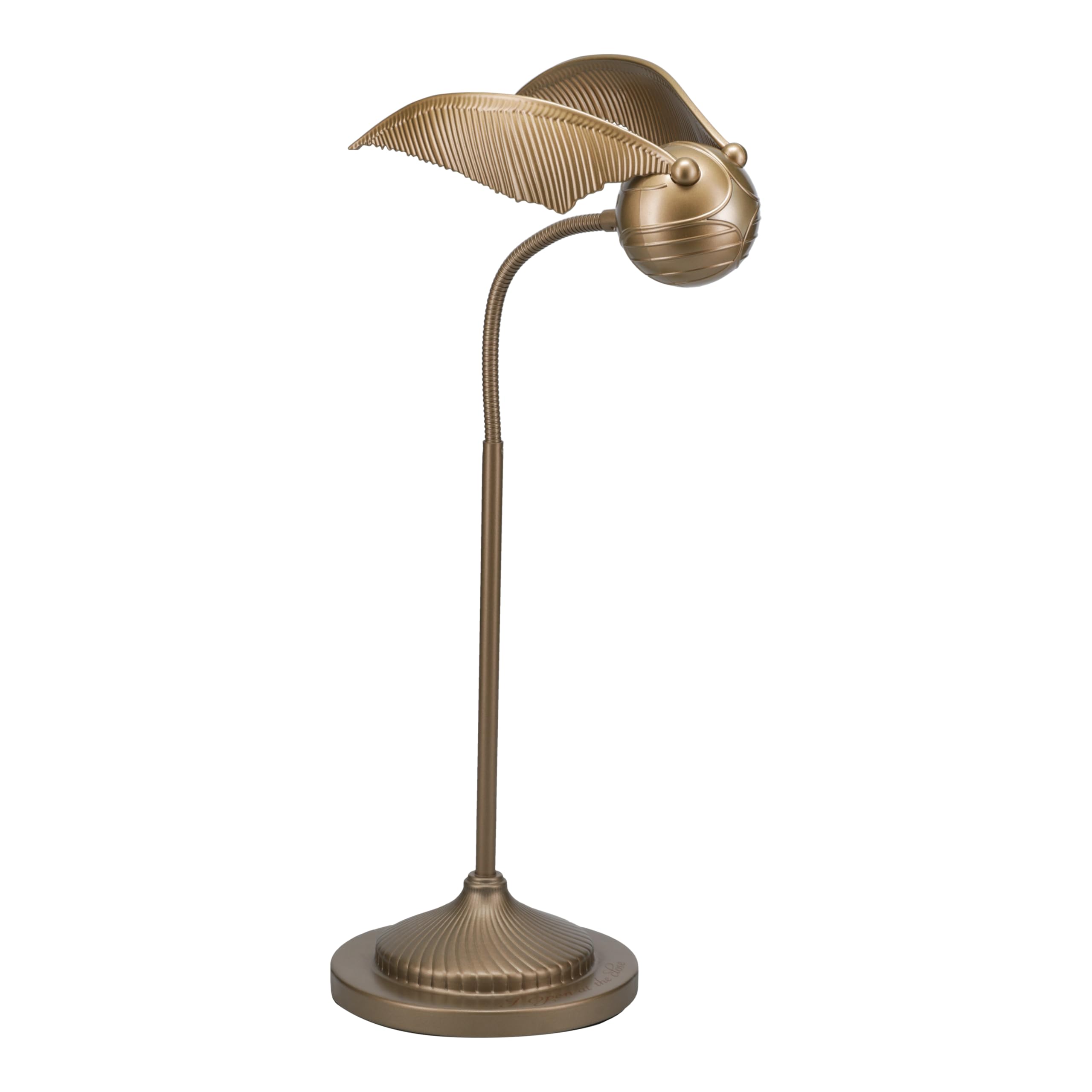
Image: The Golden Snitch lamp set up on a desk.
Operating Instructions
The Golden Snitch lamp features touch control for power and light mode selection. The flexible neck allows for easy adjustment of the light direction.
- Power On/Off: Gently tap the base of the lamp to turn it on or off.
- Change Light Modes: The lamp offers three distinct light modes. Tap the base repeatedly to cycle through these modes:
- Mode 1: White LED light from the Snitch (main light).
- Mode 2: Blue LED light from the base (ambient/reading light).
- Mode 3: Both White LED and Blue LED lights active.
- Mode 4: Lights off.
- Adjust Position: The lamp's neck is fully posable. Gently bend the neck to direct the Golden Snitch and its light output to your desired angle.

Image: The Golden Snitch lamp with its main light on.

Image: The Golden Snitch lamp with its blue base light on.
Demonstration Video
Video: A demonstration of the Paladone Golden Snitch lamp's touch control and adjustable neck.
Maintenance
- Cleaning: To clean the lamp, ensure it is unplugged from the power source. Use a soft, dry, lint-free cloth to wipe down the surfaces. Do not use abrasive cleaners, solvents, or spray directly onto the lamp.
- Storage: When not in use for extended periods, store the lamp in a cool, dry place away from direct sunlight and extreme temperatures.
Troubleshooting
| Problem | Possible Cause / Solution |
|---|---|
| Lamp does not turn on. | Ensure the USB cable is securely connected to both the lamp and a working power source. Try a different USB port or power adapter. |
| Touch sensor is unresponsive or erratic. | Ensure your hands are clean and dry. Try unplugging the lamp for 30 seconds and then plugging it back in to reset the sensor. Avoid placing the lamp on highly conductive surfaces that might interfere with touch sensitivity. |
| Light is not bright enough for reading. | The lamp provides up to 50 lumens, which is suitable for ambient lighting or light reading in a dark environment. For intense reading or task lighting, supplementary light sources may be required. Ensure both white and blue light modes are active for maximum output. |
| Lamp turns on/off by itself. | This could indicate interference with the touch sensor. Try moving the lamp to a different location or ensuring no objects are in constant contact with the base. Unplugging and replugging may also resolve this. |
Warranty and Support
For warranty information or technical support, please refer to the contact details provided on the product packaging or visit the official Paladone website. Keep your proof of purchase for any warranty claims.
Manufacturer: Paladone
Website: Paladone Store on Amazon