
Introduction
This manual provides detailed instructions for the proper use and maintenance of your Retevis Ailunce HA1UV Ham Radio Handheld. Please read this manual thoroughly before operating the device to ensure optimal performance and safety.
Package Contents
Verify that all items listed below are included in your package:
- 2x HA1UV Walkie Talkie
- 2x Battery
- 2x Belt Clip
- 2x Hand Strap
- 1x Cable (likely programming cable)
- 2x Type-C Charging Cable
- 2x Charging Base
- 2x User Manual
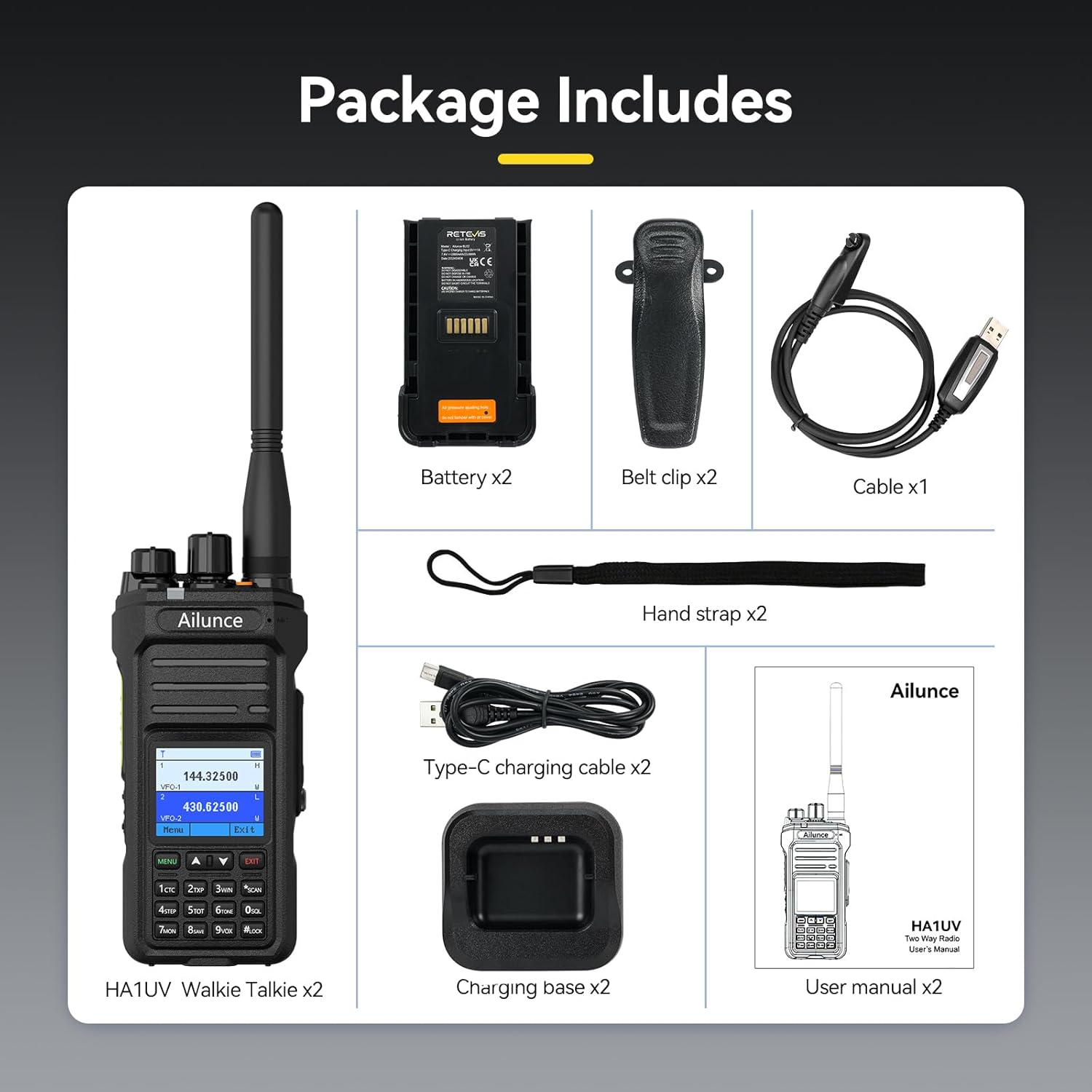
Image: The package includes two HA1UV walkie-talkies, two batteries, two belt clips, two hand straps, one programming cable, two Type-C charging cables, two charging bases, and two user manuals.
Setup
1. Battery Installation and Charging
- Install the Battery: Align the battery with the back of the radio and slide it into place until it clicks securely.
- Charge the Battery:
- Connect the Type-C charging cable to the charging base and a power source.
- Place the radio with the installed battery into the charging base.
- The charging indicator on the base will show the charging status. A full charge provides approximately 20 hours of service life.

Image: The radio features a 2800mAh battery for extended use and a convenient Type-C charging port.
2. Antenna Attachment
Screw the antenna clockwise onto the antenna connector at the top of the radio until it is finger-tight. Do not overtighten.
3. Belt Clip and Hand Strap Attachment
- Belt Clip: Attach the belt clip to the designated slot on the back of the radio.
- Hand Strap: Thread the hand strap through the loop on the top side of the radio for secure carrying.
Operating Instructions
1. Power On/Off and Volume Control
- Power On: Rotate the top-left knob clockwise until you hear a click. The screen will illuminate.
- Power Off: Rotate the top-left knob counter-clockwise until you hear a click.
- Volume Control: Rotate the same knob clockwise to increase volume and counter-clockwise to decrease it.
2. Dual Band Operation (2m and 70cm)
The HA1UV supports dual-band frequencies, allowing transmission and reception on both 2-meter (VHF) and 70-centimeter (UHF) bands simultaneously. The 1.77-inch color screen displays both frequencies clearly.
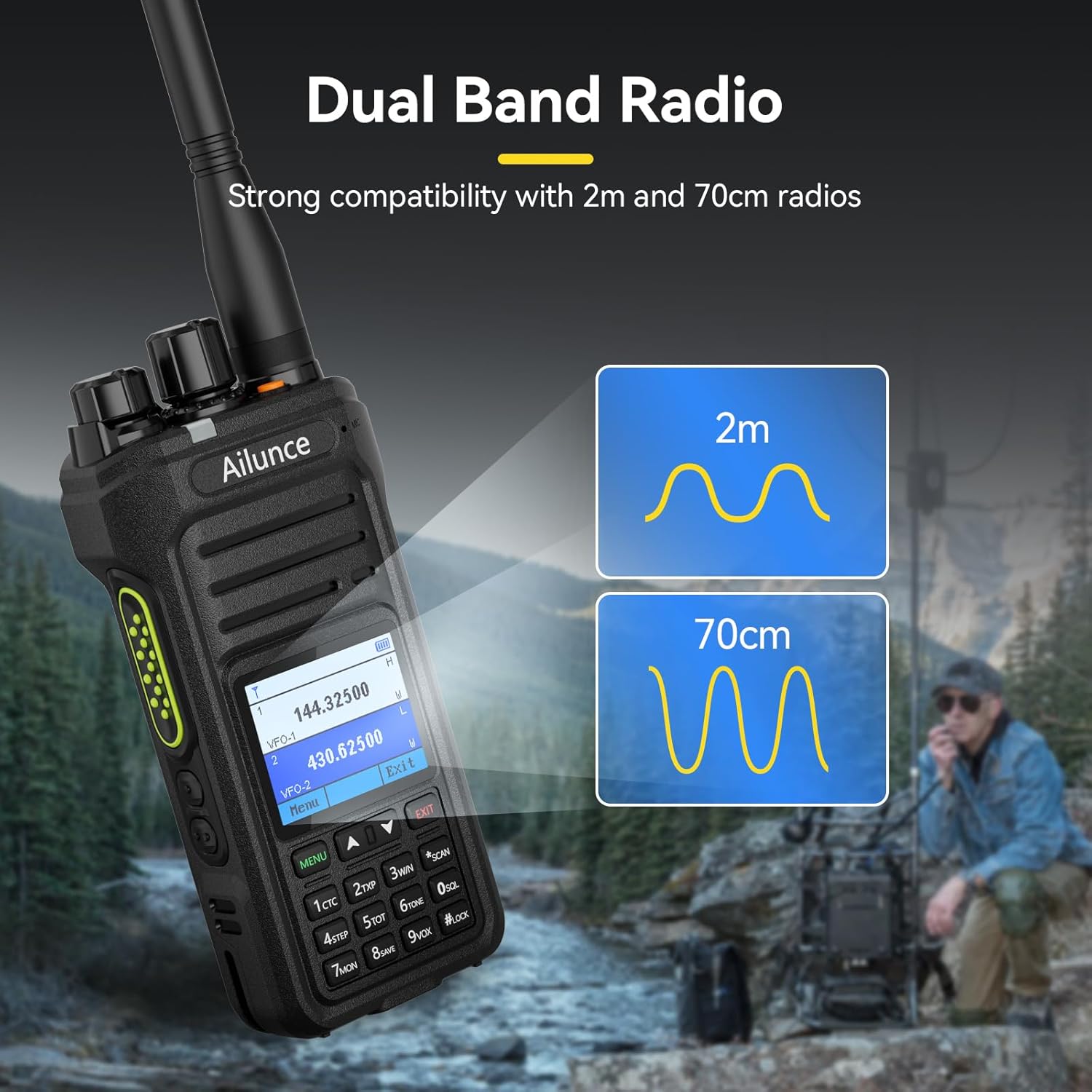
Image: The radio's display shows both 2-meter and 70-centimeter band frequencies, indicating its dual-band capability.
3. VFO Mode and Frequency Input
VFO (Variable Frequency Oscillator) mode allows direct frequency input without requiring computer programming. This is useful for on-the-go frequency adjustments.
- To enter VFO mode, navigate through the menu or use a programmed shortcut key.
- Use the keypad to input the desired frequency.
- The latest firmware update includes VFO scan condition and range settings for enhanced scanning capabilities.
4. Sub-PTT Button
The Sub-PTT button simplifies transmitting on dual-band channels. Pressing this defined side key allows for convenient transmission without complex settings.

Image: The Sub-PTT button is located on the side of the radio, designed for easy access to transmit on two channels.
5. DTMF Dialing and Tone Selection
The radio supports DTMF dialing and single tone selection for various applications, including activating repeaters.
- DTMF Dialing: Use the keypad for DTMF tone generation.
- Single Tone Selection: Select from 1000Hz, 1450Hz, 1750Hz, or 2100Hz tones.
- To send a 1750Hz tone, press the PTT button and any side key simultaneously. This can activate repeaters or call an operator.
6. NOAA Weather Channels
The HA1UV can receive 12 NOAA weather channels, providing timely weather alerts.
- When severe weather alerts (e.g., heavy rain, typhoons) are broadcast, the radio will issue an alert.
- Refer to the menu for accessing and scanning NOAA channels.
7. FM Radio Function
The integrated FM radio allows for entertainment listening when not actively using the ham radio functions.
- Access the FM radio function through the menu.
- Scan for available FM stations.
8. Emergency Alarm
The radio features selectable alarm types and modes to enhance safety during emergencies.

Image: The radio's screen shows an emergency alarm icon, indicating its capability to provide alerts in critical situations.
9. Key Lock Function
The key lock function prevents accidental button presses, ensuring your settings remain unchanged during transport or storage.

Image: The keypad includes a dedicated lock button to prevent unintended input, with various lock modes available.
Maintenance
1. IP67 Waterproofing
The HA1UV is IP67 rated, meaning it is protected against dust ingress and can withstand immersion in 1 meter of water for up to 30 minutes. While robust, proper care is still recommended:
- Ensure all port covers (e.g., Type-C charging port, accessory port) are securely closed before exposure to water or dust.
- Avoid prolonged immersion or exposure to high-pressure water jets.
- If the radio gets wet, dry it thoroughly with a soft cloth before charging or opening any ports.

Image: The radio is shown with water splashing on it, illustrating its IP67 waterproof design, capable of withstanding rain and temporary immersion.
2. Battery Care
- Do not expose the battery to extreme temperatures.
- Charge the battery fully before first use and periodically if stored for long periods.
- Use only the provided charging equipment.
3. Cleaning
- Clean the radio's exterior with a soft, damp cloth.
- Avoid using harsh chemicals or abrasive cleaners.
Troubleshooting
| Problem | Possible Cause | Solution |
|---|---|---|
| Radio does not power on. | Battery is not installed correctly or is depleted. | Ensure battery is securely installed. Charge the battery fully. |
| No audio or low volume. | Volume is too low or squelch is set too high. | Increase volume. Adjust squelch level in the menu. |
| Cannot transmit. | Incorrect frequency, low battery, or PTT button issue. | Verify frequency and power settings. Charge battery. Check PTT button functionality. |
| Display and keypad do not turn on when plugged in and powered on. | Software glitch (reported in some units). | Turn the radio off and then on again. Consider updating firmware. |
| Radio does not turn off while scanning and plugged in. | Software behavior (reported in some units). | Stop the scan function first, then power off. Alternatively, unplug the radio before powering off. |
Specifications
- Model Number: HA1UV
- Brand: Retevis
- Item Weight: 11.9 ounces
- Product Dimensions: 2.36 x 8.07 x 10.03 inches
- Batteries: 2 Lithium Ion batteries (included)
- Display Type: LCD, 1.77-inch color screen
- Number of Channels: 256
- Special Feature: IP67 waterproof
- Frequency Range: Dual Band (2m/70cm)
- Talking Range Maximum: Up to 5 miles (terrain dependent)
- Voltage: 7.4 Volts (DC)
- Water Resistance Level: Waterproof
- First Available: July 23, 2024
Warranty and Support
Warranty Information:
- 2-year warranty for the radio body.
- 1-year warranty for accessories.
- 30-day no-reason return policy.
Post-Warranty Service:
Maintenance services are available beyond the warranty period. Buyers are responsible for associated costs.
Customer Support:
For any inquiries or support needs, please contact Retevis customer service via Amazon. Responses are typically provided within 12 hours.


