
1. Introduction
Thank you for choosing the ZHNN 8.66" Rear Display Screen. This product is designed to enhance the rear passenger experience in your Tesla Model 3 (2019-2023) or Model Y (2019-2024) by providing convenient access to air conditioning controls, seat heating, multimedia entertainment, and smartphone integration features like Wireless CarPlay and Android Auto.
This manual provides detailed instructions for installation, operation, maintenance, and troubleshooting to ensure optimal performance and longevity of your device. Please read this manual thoroughly before installation and use.
2. Safety Information
- Ensure the vehicle is turned off and disconnected from power before beginning installation.
- Do not attempt to disassemble or modify the device. This may void the warranty and cause damage.
- Keep the screen away from liquids and extreme temperatures.
- Use only the provided accessories and cables for installation and operation.
- Consult a professional if you are unsure about any installation steps.
3. Package Contents
Please verify that all items are present in the package:
- 8.66" Rear Display Screen Unit
- Power Cable
- Installation Tools (e.g., pry tool, screwdriver)
- User Manual (this document)
4. Setup and Installation
The installation process involves replacing the original rear air vent panel with the new display unit. It is recommended to watch the official installation video or consult a professional for assistance.

Image: Comparison of the rear console before and after installing the 8.66" display screen.
- Preparation: Ensure your Tesla vehicle is powered off. Carefully remove the original rear air vent panel using a pry tool.
- Cable Connection: Connect the provided power cable from the vehicle's existing wiring harness to the rear display screen unit. Ensure all connections are secure.
- Mounting: Align the new 8.66" display screen unit with the opening in the rear console. Gently push it into place until it clicks securely.
- Testing: Power on your vehicle and test the functionality of the screen, including touch response, air conditioning controls, and audio.
5. Operating Instructions
The 8.66" Rear Display Screen offers a variety of functions accessible via its intuitive touchscreen interface.
Video: Demonstration of the rear display screen's various functions, including climate control, seat adjustments, and app navigation.
5.1. Air Conditioning Control
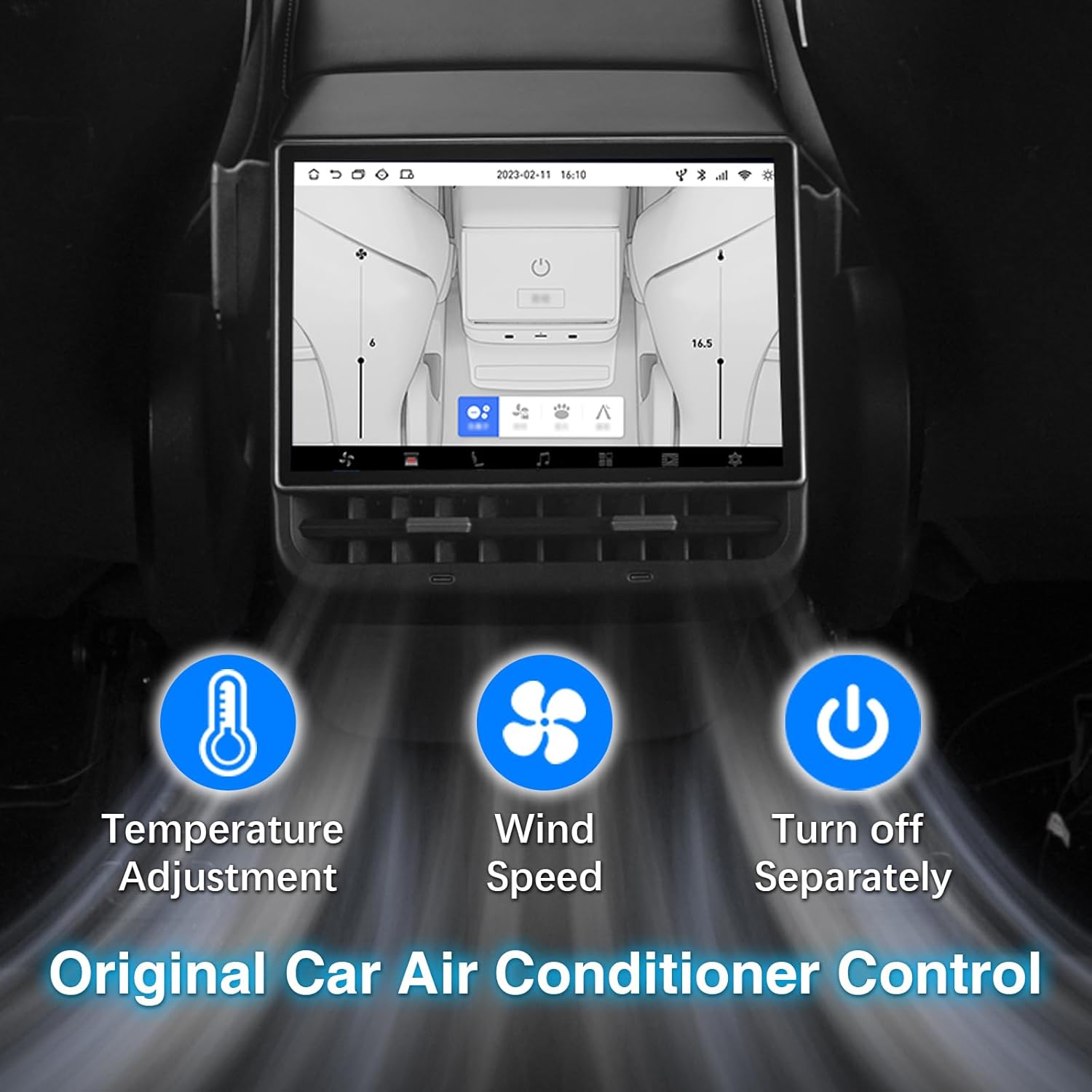
Image: Interface for controlling the original car air conditioner, including temperature adjustment, wind speed, and separate power control.
Access the climate control interface to adjust temperature, fan speed, and air direction for the rear cabin. You can also turn off the rear air conditioning separately.
5.2. Seat Heating and Adjustment

Image: Screen interface for controlling seat heating levels for individual seats.
Control the seat heating for rear passengers directly from the screen. Some models may also support seat adjustment controls.
5.3. Multimedia and Entertainment

Image: The screen supports downloading and running various entertainment applications.
The display supports various entertainment options:
- Music & Video Playback: Play media files directly from the device or connected storage.
- Bluetooth Music: Connect your smartphone via Bluetooth to stream audio.
- Built-in Speakers: The unit features dual speakers for direct audio output.
- Car Audio Synchronization: Audio can be synchronized with the car's existing audio system.
- Bluetooth Headset Support: Connect wireless headphones for private listening.
- App Support: Download and install popular entertainment apps like Netflix, YouTube, and Disney+ from the Play Store.
5.4. Wireless CarPlay and Android Auto

Image: Wireless CarPlay and Android Auto functionality, accessible via the "CPLink" application.
Connect your iPhone or Android smartphone wirelessly to access CarPlay or Android Auto. This allows for navigation, messaging, calls, and music playback through the screen's interface. Navigate to the "CPLink" application on the screen to initiate the connection process.
5.5. Day/Night Mode

Image: The screen supports automatic or manual switching between day and night display modes for optimal visibility.
The display automatically adjusts its brightness and color scheme based on ambient light conditions or can be manually set to Day or Night mode for comfortable viewing.
5.6. Air Purification Function

Image: The display unit integrates an air purification function to improve cabin air quality.
Activate the integrated air purification function to help improve the air quality within the vehicle's cabin.
5.7. Charging Ports

Image: The unit includes convenient Type-C and fast charging ports for rear passengers.
The unit is equipped with Type-C and fast charging ports, allowing rear passengers to conveniently charge their mobile devices.
6. Maintenance
- Cleaning: Use a soft, lint-free cloth to clean the screen. For stubborn smudges, slightly dampen the cloth with water or a screen-safe cleaner. Avoid abrasive materials or harsh chemicals.
- Dust: Regularly wipe down the unit to prevent dust accumulation, especially around the air vents.
- Software Updates: Check for available software updates periodically to ensure optimal performance and access to new features. Follow the on-screen prompts for updates.
7. Troubleshooting
If you encounter issues with your rear display screen, refer to the following common problems and solutions:
| Problem | Possible Cause | Solution |
|---|---|---|
| Screen does not turn on. | Loose power connection, vehicle not powered on. | Check all cable connections. Ensure the vehicle is powered on. |
| Touchscreen is unresponsive. | Temporary software glitch, screen protector interference. | Restart the vehicle. Ensure no debris or liquid is on the screen. If a screen protector is installed, ensure it is properly applied. |
| CarPlay/Android Auto not connecting. | Bluetooth/Wi-Fi issues, phone settings. | Ensure Bluetooth and Wi-Fi are enabled on your phone. Check phone settings for CarPlay/Android Auto permissions. Restart both the screen and your phone. |
| No audio from speakers. | Volume too low, audio output setting. | Increase volume on the screen. Check if audio is routed to car speakers or Bluetooth headphones. |
If the problem persists after attempting these solutions, please contact customer support.
8. Specifications
| Feature | Detail |
|---|---|
| Product Dimensions | 9.6 x 9 x 6 inches |
| Item Weight | 4.53 pounds |
| Brand | ZHNN |
| Media Type | Digital Media Streaming |
| Color | Black |
| Screen Size | 8.66 Inches |
| Display Type | LCD |
| Compatibility | Tesla Model 3 (2019-2023), Tesla Model Y (2019-2024) |
9. Warranty and Support
This product comes with a standard manufacturer's warranty. Please refer to the warranty card included in your package for specific terms and conditions. For technical support, troubleshooting assistance, or warranty claims, please contact ZHNN customer service through the retailer's platform or the official brand website.