
ZIPFORCE ZF-565
ZIPFORCE True Wireless Earbuds User Manual
Model: ZF-565
Introduction
Thank you for choosing ZIPFORCE True Wireless Earbuds. These open-ear Bluetooth headphones are designed to provide a comfortable and high-quality audio experience for various activities, from daily commutes to intense workouts. Featuring advanced Bluetooth 5.3 technology, 4-microphone Environmental Noise Cancellation (ENC) for clear calls, and IPX6 waterproof rating, these earbuds offer reliable performance and convenience. This manual will guide you through the setup, operation, maintenance, and troubleshooting of your new earbuds.
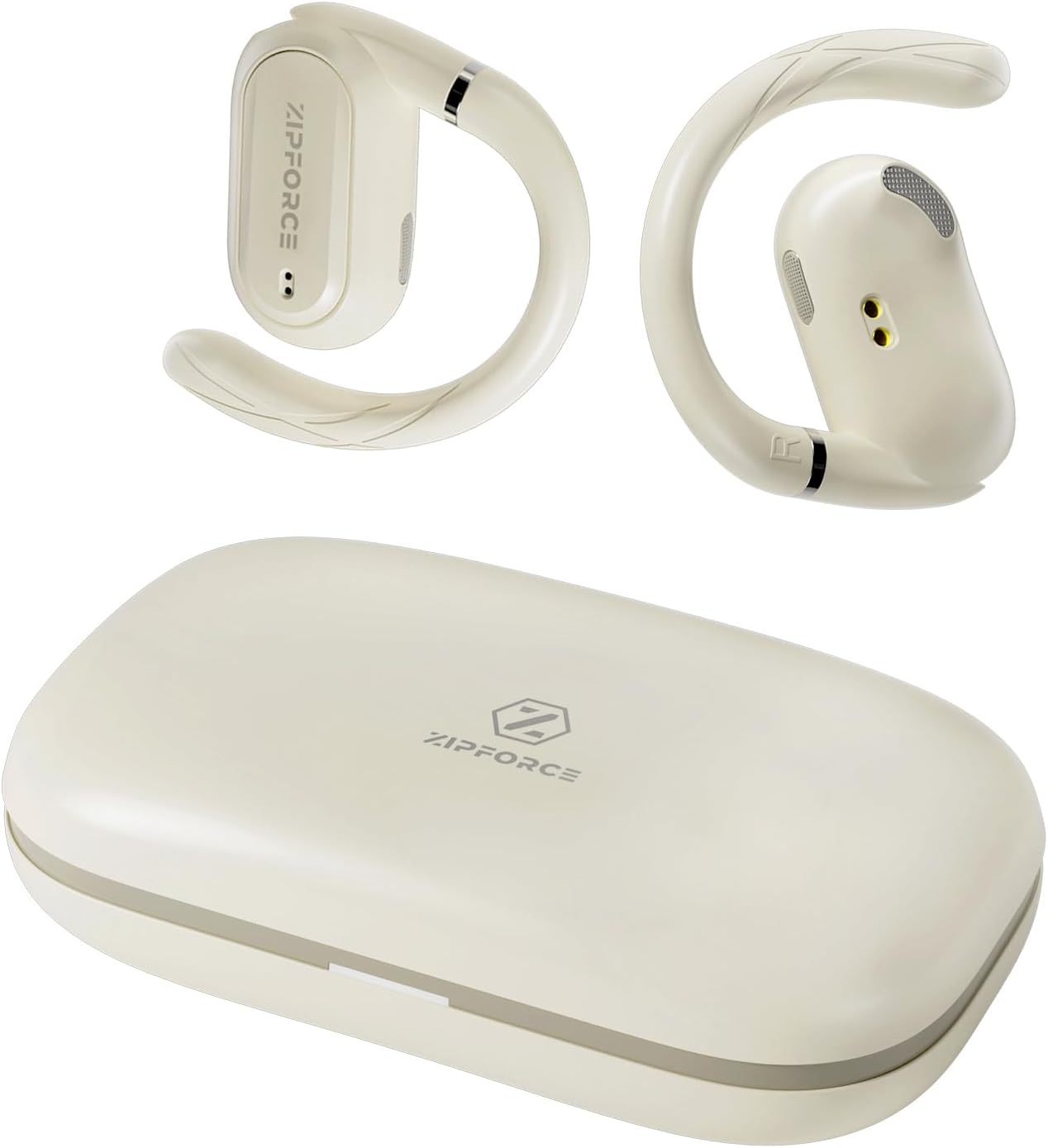
Image: The ZIPFORCE True Wireless Earbuds and their compact charging case.
Setup
1. Charging the Earbuds and Case
Before first use, fully charge the earbuds and the charging case.
- Place the earbuds into the charging case. Ensure they are correctly seated in their respective slots.
- Connect the charging case to a power source using the provided USB cable.
- The indicator lights on the case will show the charging status. A full charge for the case typically takes 1 hour.
- Once fully charged, the earbuds can provide up to 5 hours of use, and the charging case provides an additional 35 hours, totaling 40 hours of combined battery life.

Image: Visual representation of the 40-hour total battery life with the charging case.

Image: The compact size of the portable charging case, with dimensions of 6.5 inches by 2.6 inches.
2. Pairing with Your Device
The earbuds utilize Bluetooth 5.3 technology for a stable and efficient connection.
- Open the charging case. The earbuds will automatically enter pairing mode.
- On your smartphone, tablet, or other Bluetooth-enabled device, go to the Bluetooth settings.
- Search for available devices and select "ZF Airfit One" from the list.
- Once selected, the earbuds will connect automatically. A voice prompt will confirm successful pairing.
- The earbuds will automatically reconnect to the last paired device when taken out of the case, provided Bluetooth is enabled on the device.

Image: The earbuds connected to a smartphone, illustrating Bluetooth 5.4 technology for stable wireless connectivity.
Operating Instructions
1. Wearing the Earbuds
The ZIPFORCE earbuds feature an open-ear, ergonomically designed fit for comfort and stability.
- Gently place the earbud over your ear, ensuring the speaker part is positioned near your ear canal without entering it.
- The flexible ear hook should rest securely behind your ear.
- The innovative rotation design allows you to adjust the angle of the earbuds by up to 60 degrees for a perfect and comfortable fit.

Image: Illustration of the ZIPFORCE rotation design, allowing for a 60-degree adjustment to ensure a perfect fit.

Image: A person wearing an open-ear earbud, demonstrating the non-intrusive design that allows for music enjoyment without blocking the ear canal.
2. Touch Controls
The earbuds feature intuitive touch controls for managing audio playback and calls. The specific touch area is located on the outer surface of each earbud.
- Play/Pause: Single tap on either earbud.
- Next Song: Double tap on the right earbud.
- Previous Song: Double tap on the left earbud.
- Volume Up: Triple tap on the right earbud.
- Volume Down: Triple tap on the left earbud.
- Answer/End Call: Single tap on either earbud during an incoming call.
- Reject Call: Press and hold on either earbud for 2 seconds during an incoming call.
- Activate Voice Assistant: Press and hold on either earbud for 2 seconds when not on a call.

Image: A visual guide to the touch control functions available on the earbuds, including playback, volume, and call management.
3. Call Functionality (ENC Noise Reduction)
Each earbud is equipped with two built-in microphones and Environmental Noise Cancellation (ENC) technology. This system intelligently enhances human voice and suppresses up to 80% of background noise, ensuring clear communication during calls.

Image: A diagram illustrating the 4-microphone setup and ENC technology for clear calls, showing noise reduction up to 35dB.
Maintenance
Proper maintenance ensures the longevity and optimal performance of your ZIPFORCE earbuds.
- Cleaning: Regularly wipe the earbuds and charging case with a soft, dry, lint-free cloth. Avoid using abrasive materials or harsh chemicals.
- Water Resistance: The earbuds are IPX6 waterproof, meaning they are resistant to strong jets of water. They are suitable for sports and outdoor use, including exposure to sweat and rain. However, they are not designed for submersion in water. Do not wear them while swimming or showering.
- Storage: When not in use, store the earbuds in their charging case to protect them from dust and damage. Store in a cool, dry place away from extreme temperatures.
- Battery Care: To preserve battery life, avoid fully discharging the earbuds and case frequently. Charge them regularly, even if not used for extended periods.

Image: The earbuds being splashed with water, highlighting their IPX6 water resistance, ideal for sports and outdoor activities.
Troubleshooting
If you encounter any issues with your earbuds, please refer to the following common solutions:
| Problem | Possible Cause | Solution |
|---|---|---|
| Earbuds not pairing/connecting. | Bluetooth is off on device; earbuds not in pairing mode; interference. |
|
| No sound or low volume. | Volume too low; earbuds not properly seated; low battery. |
|
| Earbuds not charging. | Poor contact; faulty cable/charger; dirty charging contacts. |
|
| Call quality is poor. | Environmental noise; earbud positioning. |
|
Specifications
| Feature | Detail |
|---|---|
| Model Name | Airfit One |
| Item Model Number | ZF-565 |
| Connectivity Technology | Wireless (Bluetooth) |
| Bluetooth Version | 5.4 |
| Bluetooth Range | 15 Meters |
| Ear Placement | Open Ear |
| Noise Control | Active Noise Cancellation (ENC for calls) |
| Microphones | 4-Mic (2 per earbud) with ENC |
| Control Type | Touch |
| Battery Life (Earbuds) | Up to 5 Hours |
| Total Battery Life (with Case) | Up to 40 Hours |
| Carrying Case Battery Capacity | 500 mAh |
| Carrying Case Charging Time | 1 Hour |
| Water Resistance Level | IPX6 (Waterproof) |
| Audio Driver Size | 16 Millimeters |
| Audio Latency | 8 Milliseconds |
| Item Weight | 0.5 Grams (per earbud) / 0.018 ounces (total product) |
| Product Dimensions | 3.54 x 2.95 x 1.77 inches |
| Included Components | CD (Note: This might be an error in the source data, typically USB cable is included) |
Warranty and Support
For warranty information and customer support, please refer to the documentation included with your purchase or visit the official ZIPFORCE website.
If you require further assistance, please contact ZIPFORCE customer service.
Related documentsZF-565

Ask a question about this manual
Ask about setup, troubleshooting, compatibility, parts, safety, or missing instructions. Manuals+ will review the question and use this page’s manual context to help answer it.