
1. Introduction
Thank you for purchasing the Satechi Apple Watch Magnetic Charging Cable. This manual provides essential information for the proper setup, operation, and maintenance of your device. Please read it thoroughly before use and retain it for future reference.
2. Product Overview
2.1 Package Contents
- Satechi USB-C based MFi-certified Apple Watch Magnetic Charging Cable
- User Manual
2.2 Key Features
- Efficient Fast-Charging: Delivers 5W power, charging Apple Watch Series (1-11)/Ultra/SE from 0 to 80% in approximately 45-60 minutes.
- Advanced Safety Features: MFi-certified for safe charging, protecting against overcharge, overheat, and overcurrent.
- Travel-Friendly Design: Lightweight and compact with a Space Gray aluminum enclosure, durable braided cable, strong magnets, and a reinforced neck.
- Broad Compatibility: Supports Apple Watch Ultra (3-1), SE (3-1), Series (11-1), and AirPods Pro (2nd & 3rd Gen). Compatible with various USB-C host devices including laptops, tablets, and smartphones.
2.3 Product Diagram

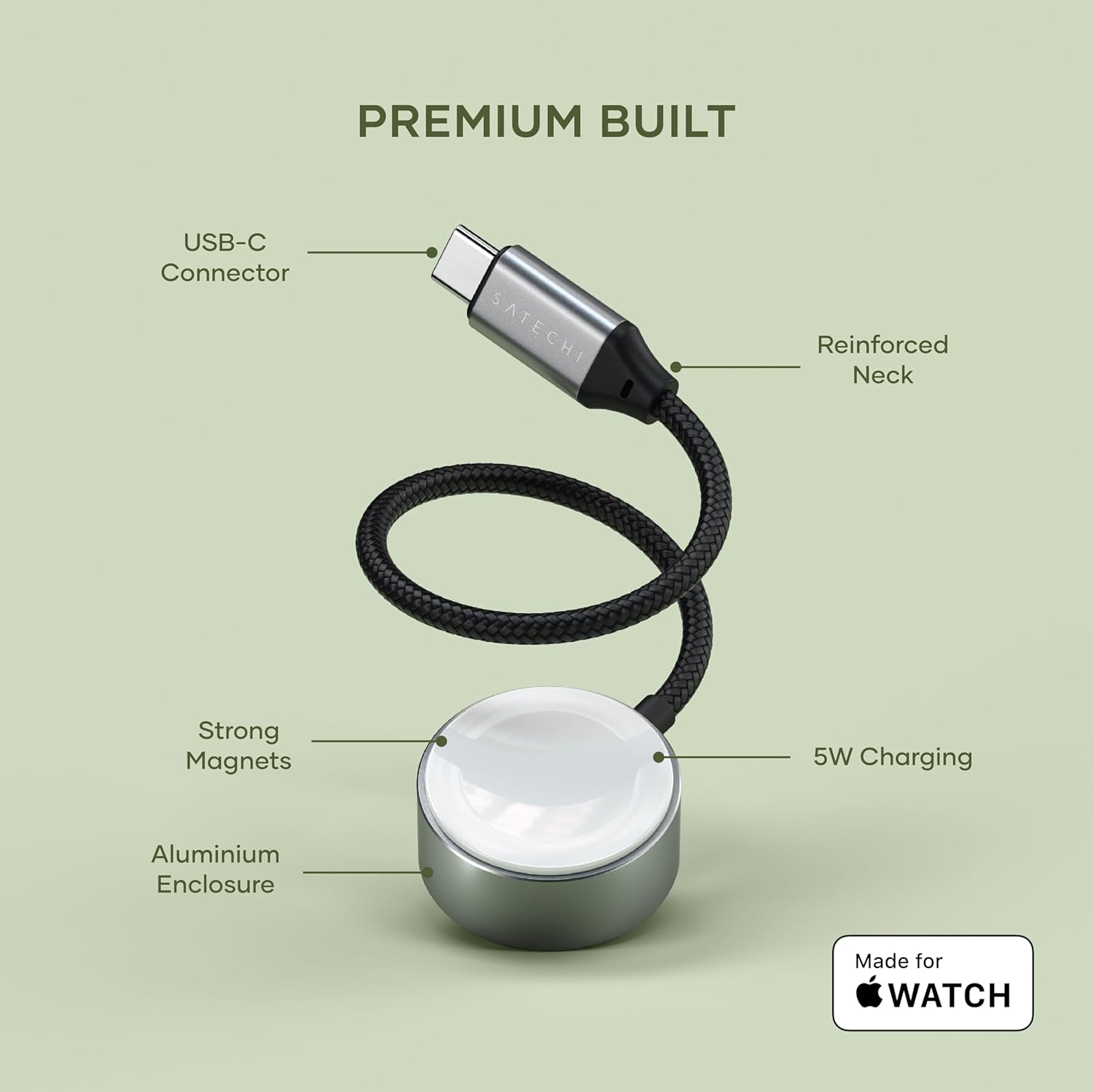
3. Setup Instructions
- Connect to Power Source: Insert the USB-C connector of the Satechi charging cable into a compatible USB-C power adapter, laptop, tablet, or smartphone. Ensure the power source provides sufficient wattage for optimal charging.
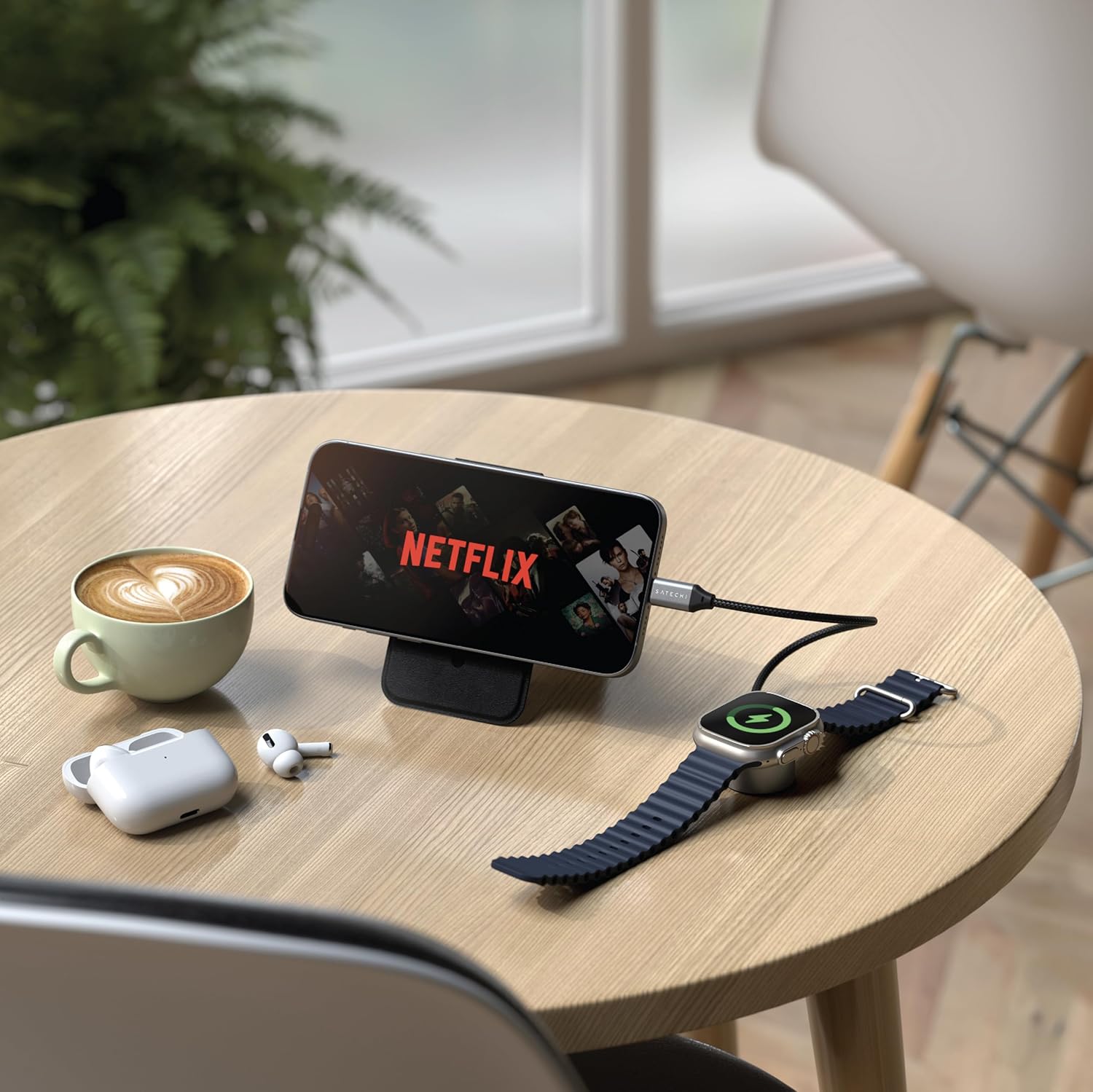
- Place Device on Charger: Gently place your Apple Watch or AirPods Pro charging case onto the magnetic charging puck. The strong magnets will align the device correctly.
- Verify Charging: Confirm that your device displays the charging indicator. For Apple Watch, a green lightning bolt icon typically appears.

4. Operating Instructions
4.1 Charging Your Apple Watch
The Satechi Magnetic Charging Cable is designed for efficient charging of your Apple Watch. Place the back of your Apple Watch onto the charging puck. The magnetic connection will secure it in place. Charging will begin automatically.

4.2 Charging Your AirPods Pro
To charge your AirPods Pro (2nd & 3rd Gen) charging case, place the case directly onto the magnetic charging puck. Ensure the case is properly aligned for charging to initiate.
5. Compatibility
The Satechi Apple Watch Magnetic Charging Cable is compatible with the following devices:
- Apple Watch: Ultra (3, 2, 1), SE (3, 2, 1), Series (11, 10, 9, 8, 7, 6, 5, 4, 3, 2, 1)
- AirPods: AirPods Pro (3rd Gen, 2nd Gen)
- Host Devices: Any device with a USB-C port, including laptops, tablets, and smartphones.
6. Safety Information
To ensure safe operation and prevent damage to your device or the charging cable, please observe the following:
- Do not expose the cable to water or excessive moisture.
- Avoid extreme temperatures.
- Do not attempt to disassemble or modify the cable.
- Keep out of reach of children.
- Use only with compatible USB-C power sources.
- The cable is MFi-certified and includes built-in protection against overcharge, overheat, and overcurrent.

7. Maintenance
- Clean the charging puck and USB-C connector with a soft, dry cloth.
- Do not use harsh chemicals or abrasive cleaners.
- Store the cable in a cool, dry place when not in use.
- Avoid bending the cable sharply, especially near the connectors, to prevent damage to the braided cable and reinforced neck.
8. Troubleshooting
| Problem | Possible Cause | Solution |
|---|---|---|
| Device not charging. | Loose connection, incompatible power source, dirty contacts. |
|
| Slow charging. | Low power output from source, background apps on device. |
|
| Cable or device feels warm. | Normal operation, excessive heat. |
|
9. Specifications
| Model Number | ST-QCAWM |
| Brand | Satechi |
| Connector Type | USB Type C |
| Wattage | 5W |
| Cable Length | 7.5 inches / 0.62 feet (approx. 19 cm) |
| Product Dimensions | 1.18 x 1.18 x 0.55 inches (charging puck) |
| Item Weight | 0.705 ounces |
| Special Features | Fast Charging, Lightweight Design, Magnetic, MFi-certified |
| Color | Space Gray |

10. Warranty and Support
The Satechi Apple Watch Magnetic Charging Cable (Model ST-QCAWM) is covered by a 2-year limited warranty against defects in materials and workmanship under normal use.
For customer service and support, please visit the official Satechi website or contact their customer support team directly. Contact information can typically be found on the product packaging or the Satechi website.


