
Introduction
The NUASI 4G LTE Outdoor Security Camera (Model TZ-SH330) is an advanced 2K 3MP mobile dome surveillance camera designed for enhanced outdoor security. This cutting-edge camera supports color night vision and two-way audio, ensuring clear images and smooth communication at all times. With an IP66 waterproof rating, this camera is built to withstand various weather conditions, providing reliable outdoor surveillance. Integrated AI human and motion detection technology enhances security by accurately detecting human movement and reducing false alerts. Additionally, the camera includes a 32GB memory card for local storage and operates with a SIM card for seamless 4G LTE cellular connectivity, making it ideal for locations without Wi-Fi access.
Package Contents
Please verify that all items listed below are included in your package:
- 1 x NUASI 4G LTE Security Camera
- 1 x Mounting Bracket
- 1 x 5V/2A Power Adapter (2.7m cable)
- 1 x Screw Pack (for mounting)
- 1 x Quick Guide
- 1 x User Manual
- 1 x Warning Sticker (24 Hour Video Surveillance)
- 1 x Positioning Sticker

Setup Instructions
1. SIM Card and Power Connection
This camera operates via 4G LTE cellular data and does not support Wi-Fi connectivity. A SIM card is required for operation. The provided SIM card includes a 7-day unlimited data trial. Ensure the SIM card is correctly inserted before powering on the device.
- Insert the 4G LTE SIM card into the designated slot on the camera.
- Connect the 5V/2A power adapter to the camera and plug it into a power outlet. The camera must be powered via the adapter for continuous operation as it does not contain an internal battery.

2. Mobile Application Installation (UBox)
To control and monitor your camera, download the UBox application on your smartphone.
- Search for "UBox" in the Apple App Store (for iOS devices) or Google Play Store (for Android devices).
- Install the application and follow the on-screen instructions to register an account and add your camera.
3. Mounting the Camera
The camera supports wall mounting for optimal positioning and surveillance coverage.
- Choose a suitable outdoor location for mounting, ensuring a clear line of sight and access to a power source.
- Use the positioning sticker to mark the drill holes on the wall.
- Drill holes and insert the wall anchors.
- Attach the mounting bracket to the wall using the provided screws.
- Secure the camera to the mounting bracket.
Operating Instructions
1. 2K HD Video Quality and 360° Coverage
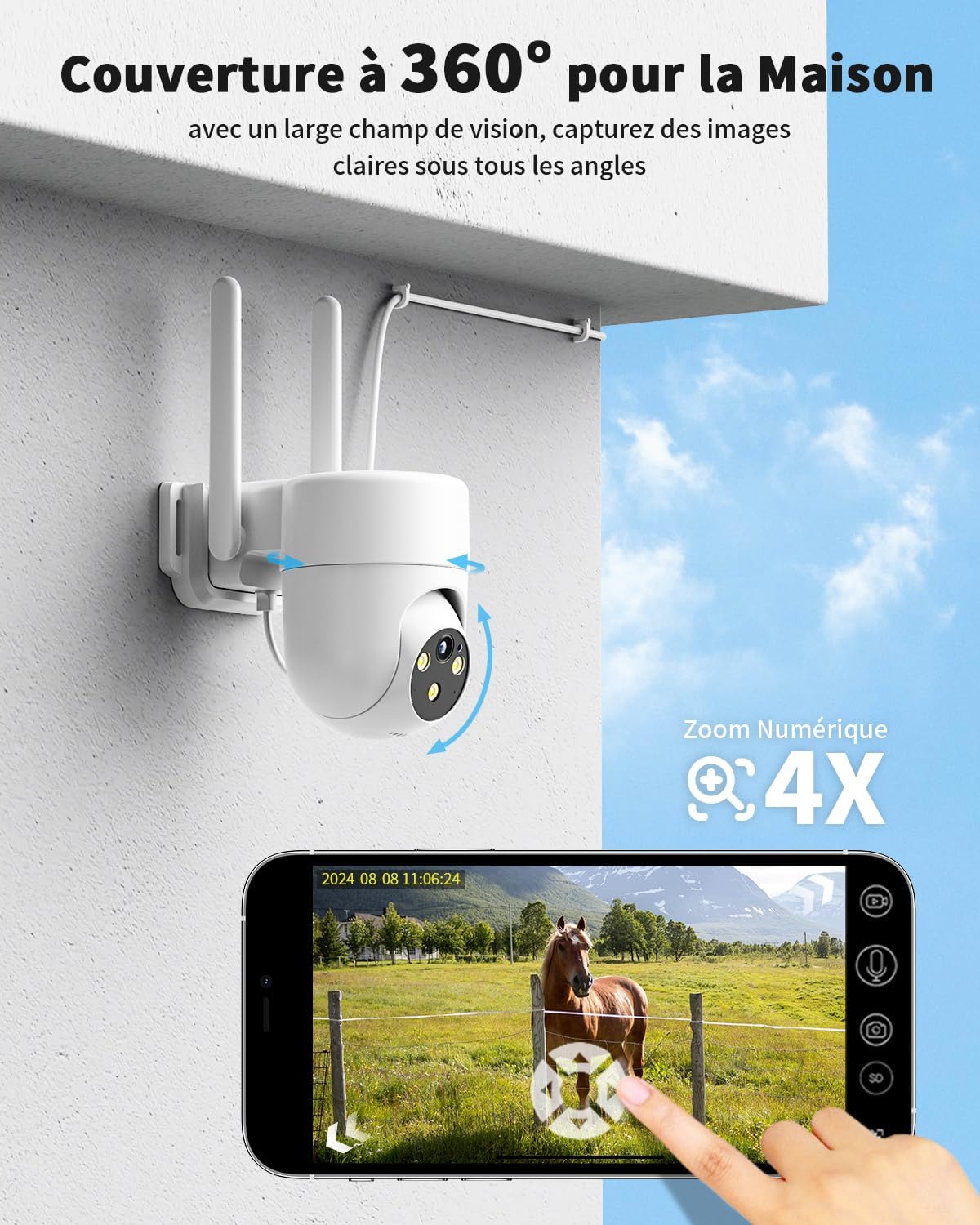
The camera provides stunning 2K Ultra HD video resolution, capturing clear and detailed images. With its PTZ (Pan-Tilt-Zoom) functionality, you can achieve 360° coverage and 4X digital zoom through the UBox app, allowing you to monitor any angle easily.

2. AI Human Detection and Two-Way Audio
The integrated AI algorithm enables intelligent human detection, activating alarms and sending notifications to your UBox app upon detecting human movement. You can customize alarm zones and schedules. The two-way audio feature allows you to communicate with visitors or deter intruders directly through the camera's built-in speaker and microphone.

3. Night Vision Modes
The camera offers multiple night vision modes to ensure clear visibility in low-light conditions:
- Color Night Vision Mode: Activates the spotlight for full-color video at night.
- Infrared Mode: Provides black and white video using infrared LEDs when the spotlight is off.
- Smart Mode: Automatically switches between infrared and color night vision based on detected motion.
4. Continuous Recording and Storage Options
The camera supports 24/7 continuous recording. Video footage can be stored in two ways:
- Local Storage: A 32GB memory card is included for local storage of recordings.
- Cloud Storage: Cloud storage services are available with a 30-day free trial. After the trial, a subscription is required.

Maintenance
The NUASI 4G LTE Outdoor Security Camera is designed with an IP66 waterproof rating, ensuring its durability and reliability in various outdoor weather conditions, including sun, rain, and snow. Regular maintenance is minimal:
- Periodically check the camera lens for dirt or obstructions and clean gently with a soft cloth.
- Ensure the power cable connection remains secure and free from damage.
- Verify the mounting bracket is still firmly attached to the wall.

Troubleshooting
| Issue | Possible Cause / Solution |
|---|---|
| Camera not powering on. | Ensure the 5V/2A power adapter is securely connected to both the camera and a working power outlet. The device must be plugged in to operate. |
| No video feed in the UBox app. |
|
| False alarms from motion detection. | Adjust the AI human detection sensitivity and customize alarm zones within the UBox application to minimize unwanted alerts. |
| Cannot connect to Wi-Fi. | This camera is designed for 4G LTE cellular connectivity only and does not support Wi-Fi. |
| Continuous recording not working. | Ensure the 32GB memory card is properly inserted and not full. If using cloud storage, verify your subscription is active after the trial period. |
Specifications
| Feature | Detail |
|---|---|
| Model Number | TZ-SH330 |
| Video Recording Resolution | 2K (Ultra HD) |
| Connectivity Technology | 4G LTE Cellular (Wired power) |
| Wireless Communication Technology | No Wi-Fi |
| Special Features | Two-Way Audio, AI Human Detection, Color Night Vision |
| Usage | Outdoor Surveillance |
| Water Resistance Level | IP66 (Waterproof) |
| Viewing Angle | 105 Degrees |
| Night Vision Range | 20 Meters |
| Power Source | Electric Cable (5V, 5W) |
| Mounting Type | Wall Mount |
| Material | Metal |
| Dimensions (L x W x H) | 16.8 x 15.6 x 11.8 cm |
| Weight | 620 grams |
| Compatible Devices | Smartphone (iOS, Android) |
Warranty and Support
Specific warranty information is not provided in the product details. For support, please refer to the contact information provided in the included Quick Guide or User Manual. For common questions, refer to the troubleshooting section or the UBox app's help resources.