
Vaporesso GEN MAX Kit
Vaporesso GEN MAX Kit User Manual
Model: GEN MAX Kit
Introduction
This user manual provides detailed instructions for the safe and effective operation of your Vaporesso GEN MAX Kit. Please read this manual thoroughly before using the device to ensure optimal performance and safety. The Vaporesso GEN MAX Kit is a 220W vaporizer featuring the iTank T Clearomizer, designed for Direct-to-Lung (DL) vaping. It supports GTi Mesh Coils (0.2Ω/0.4Ω) and offers a 6ml e-liquid capacity with an auto-open top-fill system.
Package Contents
Upon opening your Vaporesso GEN MAX Kit, please verify that all the following components are included:
- 1 x VAPORESSO GEN MAX MOD
- 1 x VAPORESSO iTank T (6ml)
- 1 x GTi 0.2Ω Mesh Coil (pre-installed)
- 1 x GTi 0.4Ω Mesh Coil (in the package)
- 1 x Extra Glass Tube
- 2 x O-rings
- 1 x Refilling Silicone Plug
- 1 x TYPE-C Cable
- 1 x User Manual
- 1 x Warranty Card
- 1 x Safety Manual

Image: Overview of the Vaporesso GEN MAX Kit components and dimensions.
Safety Information
Please read and understand the following safety precautions before using your Vaporesso GEN MAX Kit. Failure to do so may result in injury or damage to the device.
- Keep the device out of reach of children and pets.
- Do not expose the device to extreme temperatures, direct sunlight, or water.
- Use only recommended external 18650 batteries (not included) and charge them with the provided Type-C cable or a suitable external charger.
- Do not use the device if it is damaged or malfunctioning.
- Avoid dropping or subjecting the device to heavy impact.
- Ensure proper ventilation when using and charging the device.
- This product is intended for adult smokers and vapers only.
Setup Guide
1. Battery Installation
The Vaporesso GEN MAX Kit requires two 18650 batteries (not included). To install:
- Open the battery compartment cover on the side of the mod.
- Insert two 18650 batteries according to the polarity indicators (+/-) inside the compartment.
- Close the battery compartment cover securely.
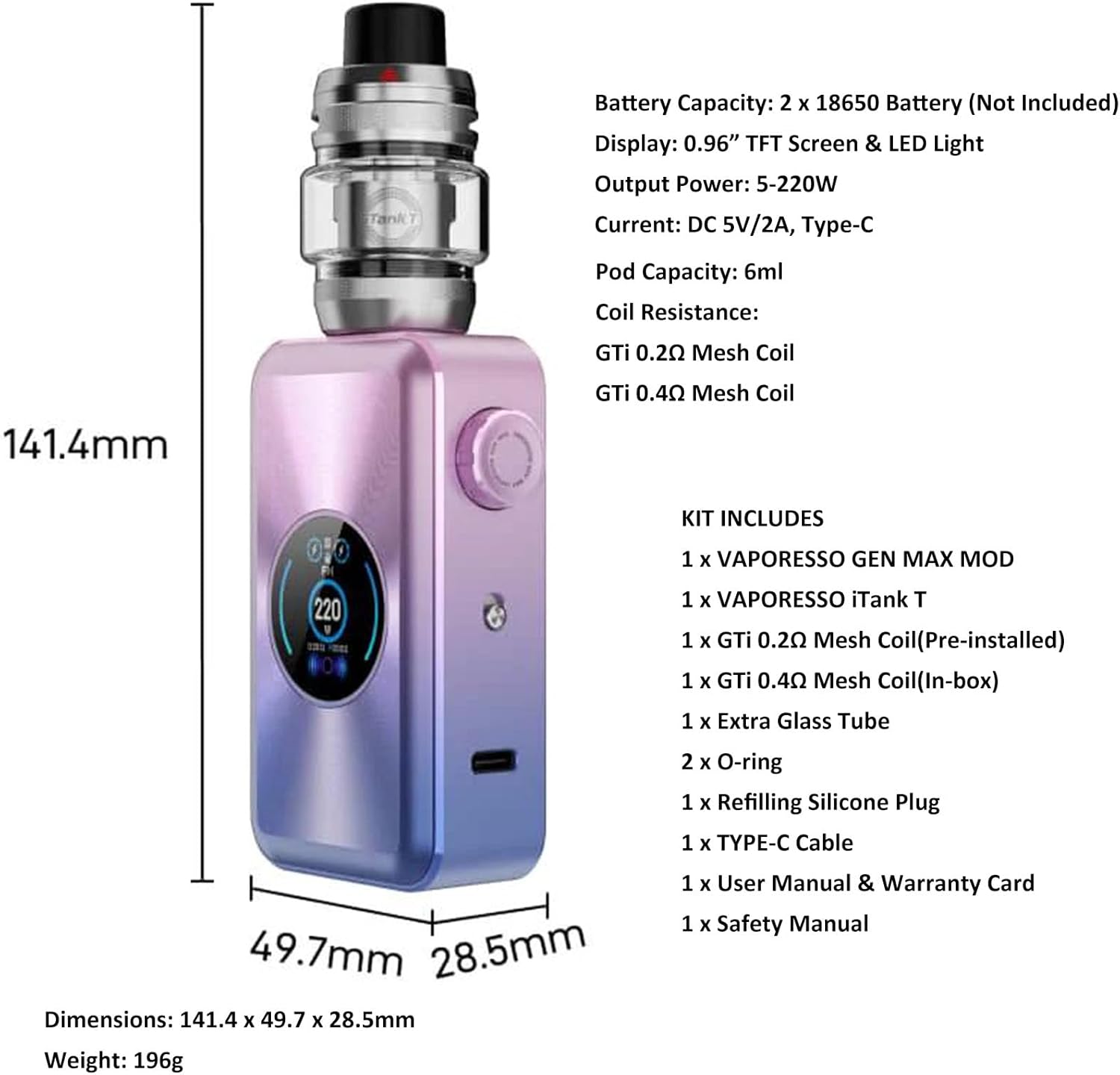
Image: The Vaporesso GEN MAX Mod with its battery compartment open, illustrating where to insert the two 18650 batteries.
2. Coil Installation and Tank Assembly
The iTank T uses GTi Mesh Coils. Two coils (0.2Ω and 0.4Ω) are included.
- Unscrew the base of the iTank T clearomizer.
- Push the desired GTi Mesh Coil into the center of the tank base until it is firmly seated.
- Screw the tank base back onto the clearomizer.
3. Filling the iTank T
The iTank T features an easy top-fill design with a 6ml capacity.
- Locate the arrow indicator on the top cap of the iTank T.
- Push the top cap in the direction of the arrow to slide it open, revealing the filling port.
- Insert the nozzle of your e-liquid bottle into the filling port and gently squeeze to fill the tank. Avoid overfilling.
- Slide the top cap back into place until it clicks shut.
- After filling, allow the coil to prime for at least 5-10 minutes before first use to saturate the cotton and prevent dry hits.

Image: The iTank T demonstrating its top-fill mechanism and internal anti-leaking e-liquid self-circulation system.
Operating Instructions
1. Power On/Off
To turn the device on or off, rapidly press the fire button 5 times within 2 seconds.
2. Adjusting Settings (One Button Control)
The GEN MAX combines the fire button and adjustment button into one, simplifying operation.
- Adjust Wattage: Rotate the fire button clockwise to increase wattage, and counter-clockwise to decrease wattage.
- Lock/Unlock: Rapidly press the fire button 3 times to lock or unlock the adjustment function. The device can still be fired when locked.

Image: The Vaporesso GEN MAX Mod highlighting its innovative single button design for simplified operation.
3. Airflow Adjustment
The iTank T features a precise top airflow adjustment system.
- Rotate the top airflow control ring on the iTank T to increase or decrease airflow.
- Adjusting the airflow allows you to customize your vaping experience from a tighter draw to a more open, airy draw.

Image: The iTank T illustrating its precise top airflow adjustment mechanism for customized vaping.
4. Changing User Interface Themes
The GEN MAX Mod offers a new user interface with three selectable themes: Football, UFO, and General.
- Navigate through the device menu (refer to "Adjusting Settings" for menu access) to find the "Theme" option.
- Select your preferred theme from the available options.

Image: The Vaporesso GEN MAX Mod showcasing its customizable user interface with Football, UFO, and General themes.
Maintenance
1. Cleaning the Device
Regular cleaning helps maintain the performance and longevity of your device.
- Wipe the exterior of the mod with a clean, dry cloth.
- For the iTank T, disassemble it and rinse the glass tube and drip tip with warm water. Allow all parts to dry completely before reassembly.
- Use a cotton swab to clean any e-liquid residue from the 510 connection on both the mod and the tank.
2. Coil Replacement
Coils should be replaced regularly, typically every 1-2 weeks, or when you notice a burnt taste or reduced vapor production.
- Ensure the tank is empty or nearly empty of e-liquid.
- Unscrew the base of the iTank T.
- Pull out the old coil from the base.
- Insert a new GTi Mesh Coil firmly into the base.
- Reassemble the tank and fill with e-liquid, allowing it to prime for 5-10 minutes.
3. Charging the Batteries
The GEN MAX Mod supports Type-C charging (DC 5V/2A). While the device can charge batteries internally, it is recommended to use an external battery charger for optimal battery life and safety.
- Connect the Type-C cable to the charging port on the mod and the other end to a suitable USB power source.
- The display will indicate the charging status.
- Do not leave the device unattended while charging.
Troubleshooting
| Problem | Possible Cause | Solution |
|---|---|---|
| Device not turning on | Batteries not installed correctly or depleted; Device locked. | Check battery polarity and charge; Press fire button 5 times rapidly to power on. |
| No vapor or weak vapor | Coil not installed correctly or burnt out; Low e-liquid; Low battery; Wattage too low. | Ensure coil is seated; Replace coil; Refill tank; Charge batteries; Increase wattage. |
| Leaking from tank | Coil not installed correctly; O-rings damaged; Overfilled tank; Improper airflow. | Re-seat coil; Replace O-rings; Do not overfill; Adjust airflow. The iTank T has an anti-leaking system, ensure all parts are correctly assembled. |
| Burnt taste | Coil is dry or burnt out; E-liquid level too low; Wattage too high. | Prime coil properly; Refill tank; Replace coil; Reduce wattage. |
Specifications
| Feature | Detail |
|---|---|
| Brand | Vaporesso |
| Model | GEN MAX Kit |
| Dimensions (Mod) | 31 x 21 x 101 mm (approx. 141.4 x 49.7 x 28.5mm for the full kit based on image) |
| Weight | 100 g |
| Output Wattage | 5-220W |
| Battery Capacity | Requires 2 x 18650 batteries (not included) |
| Charging Current | DC 5V/2A, Type-C |
| Display | 0.96” TFT Screen & LED light |
| Tank Capacity | 6ml |
| Coil Compatibility | Vaporesso GTi Coil Platform (GTi 0.2Ω Mesh Coil, GTi 0.4Ω Mesh Coil included) |
| Additional Features | AXON CHIP, Pulse Mode, Precise Top Airflow, Anti-leaking E-liquid Self-circulation System, Slide and Top Fill, Customizable UI Themes. |
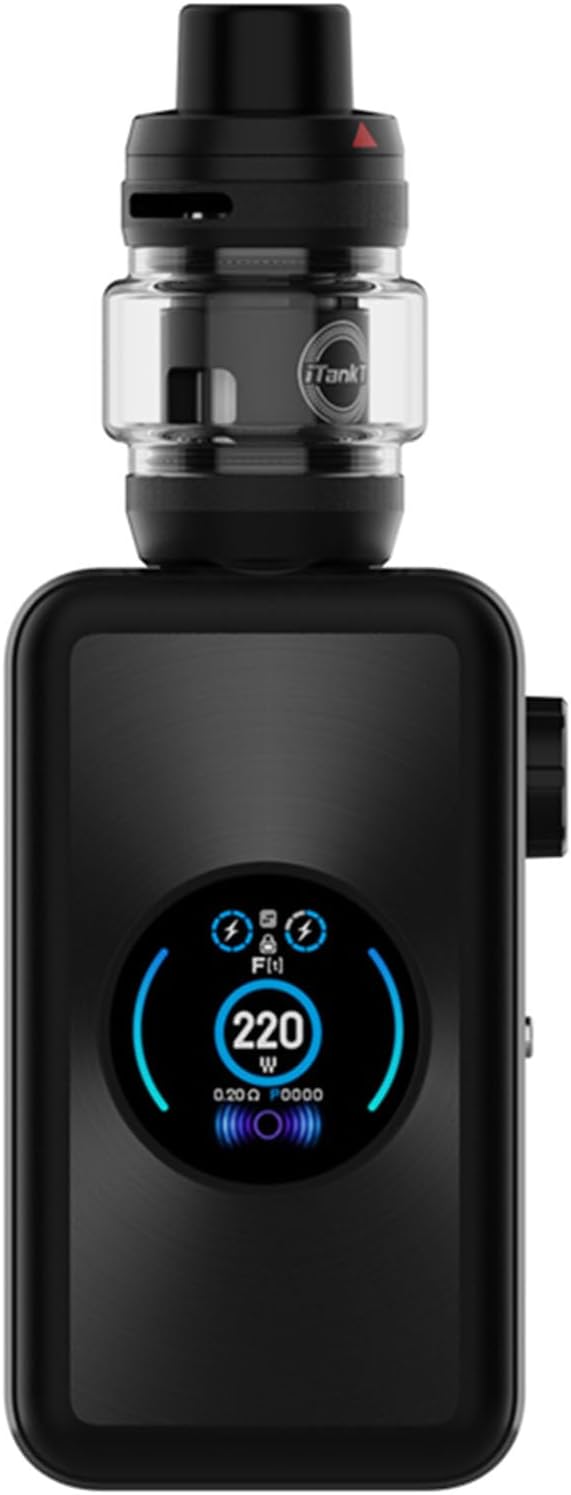

Image: Various views of the Vaporesso GEN MAX Kit, showcasing its design and display.
Warranty and Support
Your Vaporesso GEN MAX Kit comes with a warranty. Please refer to the included Warranty Card for specific terms and conditions, including the warranty period and coverage details. For technical support, troubleshooting assistance, or warranty claims, please contact Vaporesso customer service or the retailer from whom you purchased the product. Keep your proof of purchase for warranty validation.
For more information, visit the official Vaporesso website: www.vaporesso.com
Related documentsGEN MAX Kit

Ask a question about this manual
Ask about setup, troubleshooting, compatibility, parts, safety, or missing instructions. Manuals+ will review the question and use this page’s manual context to help answer it.