
1. Introduction
This manual provides essential information for the proper use and care of your RadioShack HDMI 2.1 Ultra High Speed 8K60Hz Cable. This cable is designed to deliver superior audio and video quality, supporting resolutions up to 8K at 60Hz, making it ideal for connecting high-performance devices such as gaming consoles, PCs, DVD players, and televisions. Please read this manual thoroughly to ensure optimal performance and longevity of your cable.

Figure 1: RadioShack HDMI 2.1 Ultra High Speed 8K60Hz Cable, coiled for display.
2. Product Features
The RadioShack HDMI 2.1 Ultra High Speed Cable offers advanced features for a premium audio-visual experience:
- High-speed HDMI Connectivity: Ensures optimal performance for image and audio transfer, supporting the latest HDMI standards.
- 8K Video Support: Delivers stunning visual clarity and detail with support for 8K video resolution at 60Hz, or 4K at 120Hz.
- Easy Connection: Designed for quick and hassle-free connection to your devices. Simply plug and play.
- Durable Construction: Features an aluminum shell and a nylon braided cable for enhanced durability and longevity, providing reliable performance even with frequent use.
- Optimal Length: The 20-foot length offers flexibility for various setup configurations without compromising signal quality.

Figure 2: Close-up view of the HDMI 8K connector, highlighting its robust design.
3. Setup Instructions
Follow these steps to connect your RadioShack HDMI 2.1 cable:
- Identify Ports: Locate the HDMI output port on your source device (e.g., gaming console, PC, DVD player) and the HDMI input port on your display device (e.g., television, monitor).
- Connect Source: Gently insert one end of the RadioShack HDMI cable into the HDMI output port of your source device. Ensure it is fully seated.
- Connect Display: Gently insert the other end of the RadioShack HDMI cable into the HDMI input port of your display device. Ensure it is fully seated.
- Power On Devices: Turn on both your source device and your display device.
- Select Input: On your display device, select the correct HDMI input source using your remote control or the display's menu.
Your devices should now be connected, and the audio/video signal should be transmitted. If you experience any issues, refer to the Troubleshooting section.

Figure 3: Detail of the HDMI connector featuring the RadioShack 'R' logo.
4. Operating Instructions
Once connected, the RadioShack HDMI 2.1 cable operates automatically to transmit digital audio and video signals. No additional configuration is typically required for the cable itself.
- Signal Transmission: The cable will transmit the highest quality audio and video signals supported by both your source and display devices, up to 8K60Hz.
- Audio Settings: Ensure your source device's audio output settings are configured correctly for HDMI. Your display device should automatically receive the audio signal.
- Video Settings: For optimal video quality, verify that your source device's video output resolution and refresh rate settings match the capabilities of your display and the HDMI 2.1 standard.

Figure 4: Angled view showcasing the robust connector and braided cable design.
5. Maintenance
To ensure the longevity and optimal performance of your HDMI cable, follow these simple maintenance guidelines:
- Handle with Care: Avoid bending the cable sharply or pulling it forcefully from the connectors. Always grasp the connector housing when plugging or unplugging.
- Keep Clean: Use a soft, dry cloth to gently wipe the cable and connectors if they become dusty. Do not use liquid cleaners directly on the connectors.
- Storage: When not in use, coil the cable loosely and store it in a dry, cool place away from direct sunlight and extreme temperatures. Avoid tangling with other cables.
- Inspect Regularly: Periodically check the cable and connectors for any signs of damage, such as frayed braiding or bent pins.
6. Troubleshooting
If you encounter issues with your RadioShack HDMI 2.1 cable, try the following solutions:
| Problem | Possible Solution |
|---|---|
| No video or audio signal |
|
| Poor video quality (e.g., flickering, distorted image) |
|
| No audio, but video is present |
|
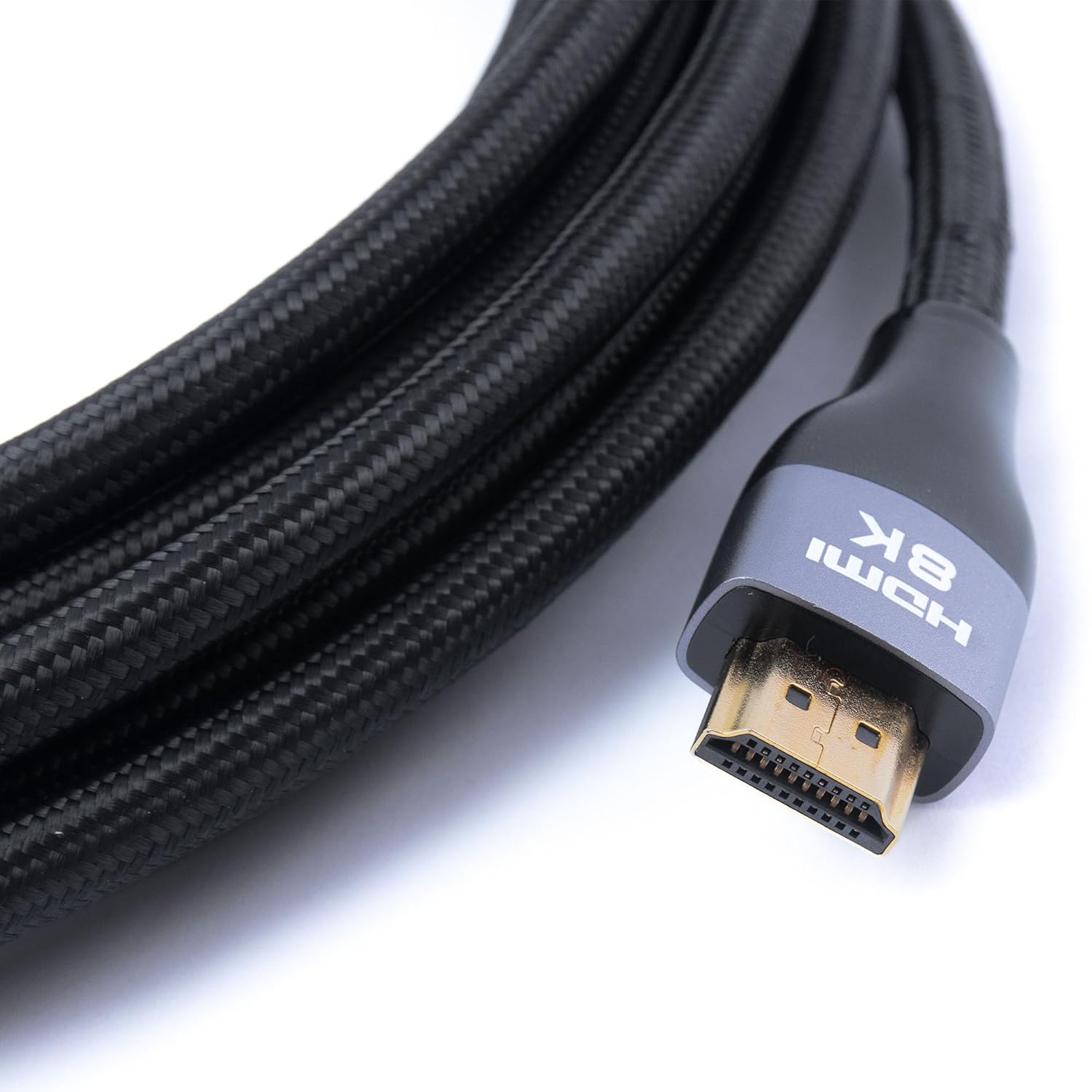
Figure 5: Angled view of the HDMI connector, showing the gold-plated pins.
7. Specifications
Key technical specifications for the RadioShack HDMI 2.1 Ultra High Speed Cable:
| Feature | Detail |
|---|---|
| Brand | RadioShack |
| Model Number | 1503303-PRNT |
| Cable Type | HDMI 2.1 Ultra High Speed |
| Connector Type | HDMI (Male to Male) |
| Length | 20 FT (approximately 6.1 meters) |
| Supported Resolution | Up to 8K@60Hz, 4K@120Hz |
| Compatible Devices | DVD Player, Gaming Console, Personal Computer, Television, and other HDMI-enabled devices. |
| Special Feature | Nylon Braided Cable, Aluminum Shell Connectors |
| Package Dimensions | 7.87 x 7.87 x 1.57 inches |
| Item Weight | 12.32 ounces |
8. Warranty and Support
For warranty information, technical support, or customer service inquiries regarding your RadioShack HDMI 2.1 Ultra High Speed Cable, please contact RadioShack customer support through their official website or the retailer where the product was purchased. Please have your model number (1503303-PRNT) and proof of purchase available when contacting support.
You can visit the official RadioShack store for more information: RadioShack Store