
1. Overview
The Oura Ring 4 is an advanced smart ring designed to monitor over 50 health metrics, including sleep, activity, stress, heart health, metabolic health, and women’s health. Its all-titanium design incorporates Smart Sensing technology for accurate, continuous data collection. The ring offers up to 8 days of battery life and is compatible with both Android and iOS devices.
Key Features:
- Smart Sensing Accuracy: Tracks over 50 health metrics with continuous data, adapting to your unique biometrics.
- Long-Lasting Battery: Provides up to 8 days of battery life, allowing for extended use without frequent charging.
- Comfortable Design: Made from durable titanium with recessed sensors for comfortable 24/7 wear.
- Water Resistant: Designed to be water resistant up to 100 meters.
- Multi-Ring Support: Allows easy switching between different Oura Ring 4 styles within the Oura App.
- HSA/FSA Eligible: Qualifies for reimbursement with HSA or FSA funds for the ring, additional chargers, and shipping.

Image: The Oura Ring 4 in Rose Gold, showcasing its sleek design.
2. Setup
2.1 Sizing Your Oura Ring 4
Accurate sizing is crucial for the Oura Ring 4 to ensure precise data tracking. Oura Ring 4 uses a unique sizing system that differs from standard jewelry rings. It is highly recommended to use an Oura Ring 4 Sizing Kit to determine your correct size before purchasing the ring.

Image: The Oura Ring 4 Sizing Kit, which includes multiple plastic rings to find your ideal fit.
Sizing Tips:
- Try on multiple sizes: Experiment with different sizes from the sizing kit.
- Wear for 24 hours: Wear the chosen size for at least 24 hours to ensure comfort and proper fit throughout the day and night, as finger size can fluctuate.
- Find your most comfortable fit: The ring should feel snug but not tight, and should not rotate freely.
- For best performance and accuracy, it is recommended to wear the Oura Ring on your index finger.

Image: Visual guide demonstrating how to use the Oura Ring 4 Sizing Kit.
2.2 Initial Setup and App Connection
Once you have your Oura Ring 4, follow these steps to set it up and connect it to the Oura App:
- Charge the Ring: Place your Oura Ring 4 on its charger. Connect the USB cable to a power source. The indicator light on the charger will show charging status.
- Download the Oura App: Download the official Oura App from the Apple App Store (for iOS) or Google Play Store (for Android).
- Create an Account: Open the Oura App and follow the on-screen instructions to create your Oura account.
- Pair the Ring: Ensure Bluetooth is enabled on your smartphone. The app will guide you through the pairing process to connect your Oura Ring 4.
- Wear the Ring: Slip the Oura Ring 4 onto your chosen finger (preferably the index finger) with the sensors facing your palm.
Video: Official Oura guide on getting started with the Oura Ring 4, demonstrating initial setup and app connection.
A monthly Oura Membership is required to access the full range of features and insights. The first month of membership is included with your purchase for new members. After the initial month, the subscription is $5.99 per month.
3. Operation
The Oura Ring 4 operates continuously in the background, collecting data on your body's signals. All data and insights are accessible through the Oura App on your smartphone.
3.1 Understanding Your Data
The Oura App provides detailed insights across various health categories:
- Sleep: Tracks sleep stages (REM, deep, light), duration, efficiency, and disturbances.
- Activity: Monitors daily movement, steps, calories burned, and provides activity goals.
- Readiness: Combines sleep, activity, and body signals to provide a daily readiness score, indicating your recovery level.
- Heart Health: Measures resting heart rate (RHR) and heart rate variability (HRV) to assess cardiovascular health and stress levels.
- Stress: Identifies periods of physiological stress and relaxation throughout your day.
- Metabolic Health: Provides insights related to your body's metabolic responses.
- Women's Health: Offers cycle tracking and insights based on body temperature fluctuations.

Image: Screenshot of the Oura App displaying various health metrics and scores.
3.2 Daily Use
Wear your Oura Ring 4 continuously, day and night, to gather the most comprehensive data. The ring is designed to be comfortable for 24/7 wear, with recessed sensors that are barely noticeable.
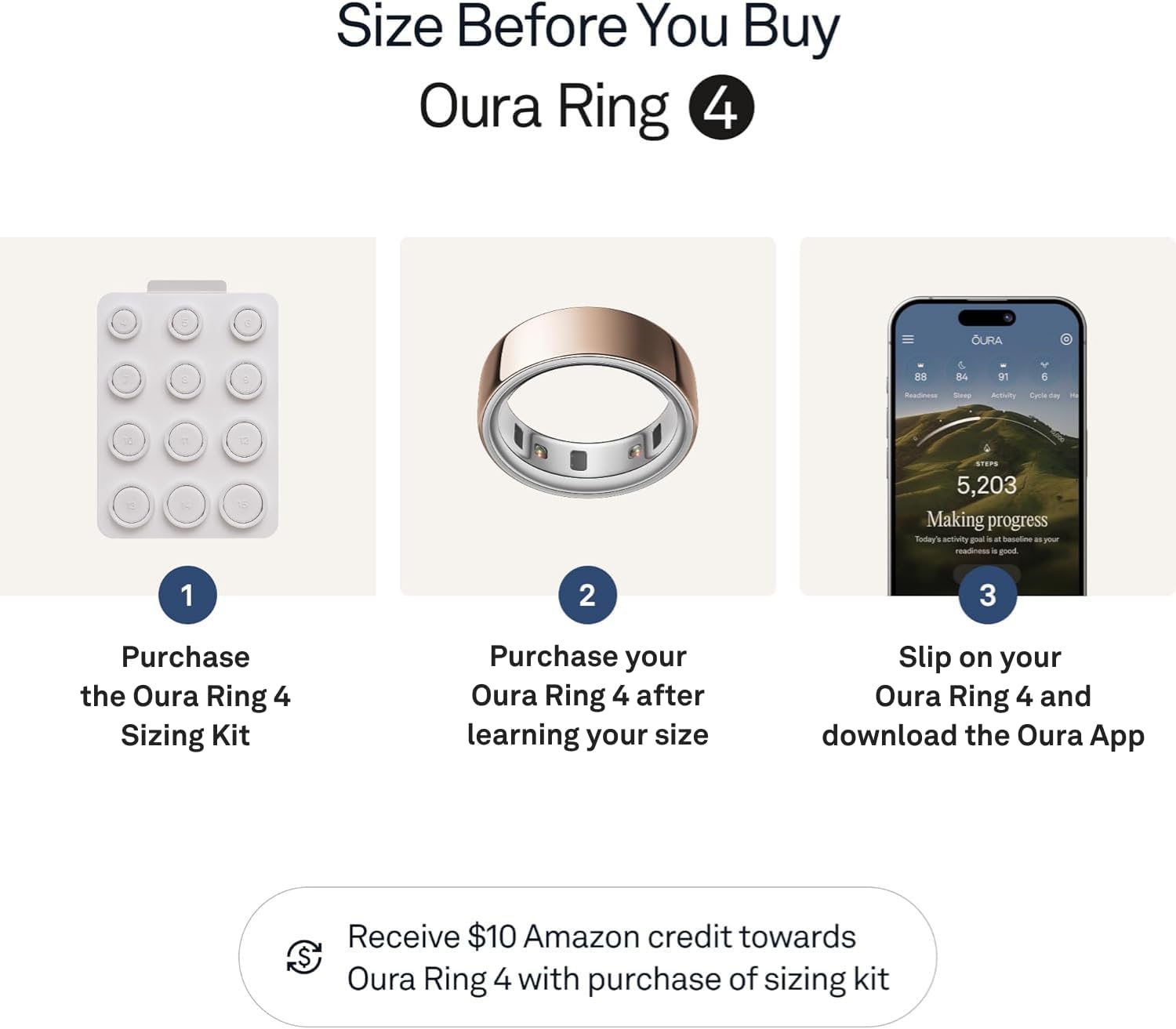
Image: Close-up of the Oura Ring 4 showing the recessed sensors on the inner band.
Synchronize your ring with the Oura App regularly by opening the app. The data will automatically transfer via Bluetooth. Ensure your ring is charged when needed; the app will notify you when the battery is low.
4. Maintenance
4.1 Cleaning Your Oura Ring 4
To maintain optimal performance and hygiene, clean your Oura Ring 4 regularly. You can wash it with mild soap and water. Ensure the ring is completely dry before placing it on the charger or wearing it again.
4.2 Water Resistance
The Oura Ring 4 is water resistant up to 100 meters. This means it can be worn during activities such as showering, swimming, and other water-related activities. However, prolonged exposure to harsh chemicals (e.g., strong cleaning agents, chlorine in high concentrations) should be avoided as it may affect the ring's finish or sensors over time.

Image: The Oura Ring 4 being worn in water, demonstrating its water resistance.
4.3 Charging
Charge your Oura Ring 4 using the provided charger and USB cable. A full charge typically takes approximately 80 minutes and provides up to 8 days of battery life. The app will notify you when the battery is low.

Image: The Oura Ring 4, its charger, and USB cable.
5. Troubleshooting
If you encounter issues with your Oura Ring 4, refer to the following common troubleshooting steps:
- Ring Not Connecting/Syncing:
- Ensure Bluetooth is enabled on your smartphone.
- Make sure the Oura App is open and running in the background.
- Check if the ring's battery is charged.
- Restart your smartphone and the Oura App.
- Try unpairing and re-pairing the ring in your phone's Bluetooth settings and the Oura App.
- Inaccurate Data Readings:
- Verify that the ring is worn on the correct finger (preferably the index finger) and fits snugly.
- Ensure the sensors are clean and free from debris.
- Confirm that the Oura App is up to date.
- Allow a few days for the ring to calibrate to your body, especially after initial setup or if you've been inactive.
- Battery Draining Quickly:
- Ensure the ring is fully charged (approx. 80 minutes).
- Check for recent app updates, as sometimes software issues can affect battery life.
- If the issue persists after a year of use, contact Oura customer support, as battery degradation can occur over time.
- Ring Not Charging:
- Ensure the charger and USB cable are properly connected to a working power source.
- Clean the charging contacts on both the ring and the charger.
- Try a different USB port or power adapter.
For persistent issues not resolved by these steps, please contact Oura customer support.
6. Specifications
| Brand | OURA |
| Model Name | JZ90-54219-06 |
| Style | Metallic |
| Color | Rose Gold |
| Material | Titanium |
| Item Weight | 3.3 g |
| Item Dimensions (LxWxH) | 0.94 x 0.94 x 0.31 inches |
| Operating System | Android, iOS |
| Connectivity Technology | Bluetooth |
| Special Features | Activity Tracker, Cycle Tracking, Daily Workout Memory, Lightweight |
| Metrics Measured | Body Temperature, Menstrual Cycle, Sleep Duration, Stress |
| Water Resistance Level | Water Resistant (up to 100 meters) |
| Battery Type | Lithium Polymer |
| Battery Average Life | Up to 8 days (advertised), typically 5 days (user reported) |
| Battery Charge Time | 80 minutes |
| Display Type | No Display |
| Included Components | Oura Ring 4, Oura Ring 4 Charger, USB Cable, Information Booklet, Quick Start Guide |
7. Warranty and Support
7.1 Manufacturer's Warranty
The Oura Ring 4 comes with a 1-Year Manufacturer's Warranty. This warranty covers defects in materials and workmanship under normal use. Please refer to the included Information Booklet or Quick Start Guide for full warranty terms and conditions.
7.2 Customer Support
For technical assistance, troubleshooting, or warranty claims, please contact Oura customer support directly. Support can typically be accessed through the Oura App or the official Oura website. When contacting support, have your ring's serial number and proof of purchase ready.
7.3 HSA/FSA Eligibility
The Oura Ring 4 is eligible for reimbursement with Health Savings Account (HSA) or Flexible Spending Account (FSA) funds. This applies to the Oura Ring itself, additional chargers, and shipping costs. Employer or provider plans may vary, so it is recommended to check with your administrator's coverage for specific details.

Image: The Oura App interface highlighting HSA/FSA eligibility information.