
Introduction
Thank you for choosing the Joiedomi 15-inch Lighted Prismatic Iridescent Christmas Tree. This manual provides essential information for the safe and proper setup, operation, and maintenance of your new decoration. Please read these instructions thoroughly before use and retain them for future reference.

Image: The Joiedomi 15-inch Lighted Prismatic Iridescent Christmas Tree, showcasing its unique design and vibrant illumination.
Safety Information
- This product is designed for indoor use only.
- Unplug the device during inclement weather or when not in use for extended periods.
- Keep the Christmas tree away from flammable materials, heat sources, and open flames.
- Ensure the product is placed on a stable, flat surface to prevent tipping.
- Do not allow children to play on or near the decoration without supervision.
- Avoid exposing the USB cable or wired control to water or excessive moisture.
- Do not attempt to modify or repair the product. Contact customer support for assistance.
Package Contents
Verify that all items are present and in good condition upon opening the package:
- 1x Joiedomi 15-inch Lighted Prismatic Iridescent Christmas Tree
- 1x Integrated USB Power Cable with Wired Control

Image: Overview of the product's key features, highlighting the 100 LED cool white lights, wired control, and USB power connection. The tree is ready to use with no assembly required.
Setup Instructions
The Joiedomi Prismatic Iridescent Christmas Tree requires no assembly and is ready for immediate use.
- Placement: Select a suitable indoor location for your Christmas tree. Ensure the surface is flat, stable, and dry.
- Power Connection: Locate the integrated USB power cable. Plug the USB connector into a compatible USB power source, such as a USB wall adapter (not included), a computer USB port, or a power bank.
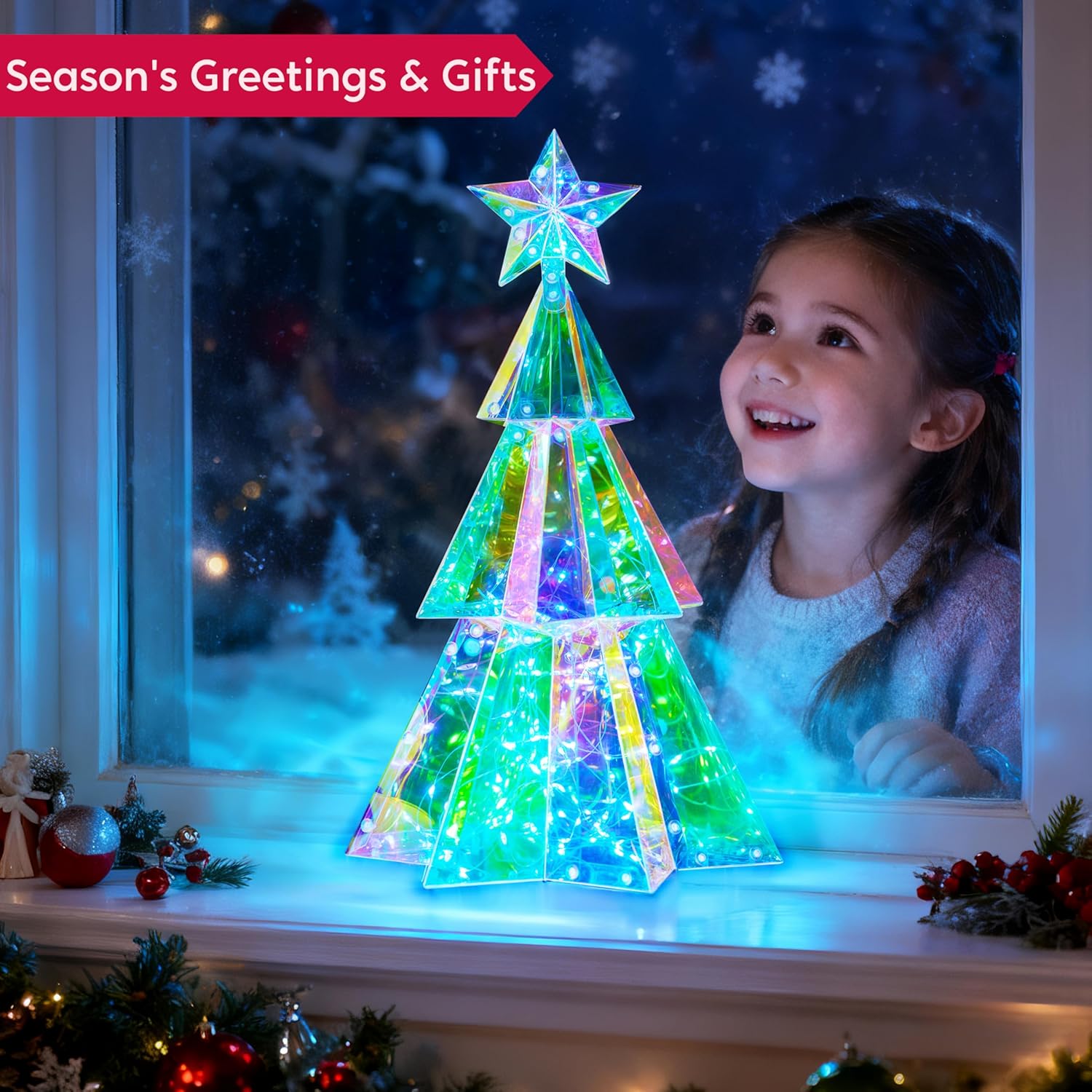
Image: A close-up view of the USB plug, illustrating the power connection method for the Christmas tree.
Operating Instructions
Once connected to a power source, operate your Christmas tree using the wired control:
- Power On/Off: Use the switch on the wired control to turn the lights on or off.
- Light Modes: If your wired control includes a button, press it to cycle through various dynamic light modes and color transformations. The tree's prismatic surface will reflect and refract the 100 cool white LEDs, creating a vibrant display of sapphire, purple, pink, and emerald hues.

Image: The Christmas tree fully illuminated in a darkened setting, demonstrating its bright and colorful light output.
Visual Demonstration
Video: A demonstration of the iridescent Christmas tree's dynamic color changes and light effects, showcasing its visual appeal as a holiday decoration.
Maintenance
- Cleaning: To clean the tree, gently wipe its surface with a soft, dry cloth. Do not use abrasive cleaners or solvents.
- Storage: When not in use, store the Christmas tree in its original packaging in a cool, dry place, away from direct sunlight and extreme temperatures.
Troubleshooting
| Problem | Possible Cause | Solution |
|---|---|---|
| Lights do not turn on. | No power, loose connection, switch off. | Ensure USB cable is securely plugged into both the tree and a working USB power source. Check the wired control switch is in the 'ON' position. Try a different USB port or power adapter. |
| Lights are flickering. | Unstable power, loose connection. | Verify all connections are secure. Ensure the USB power source provides stable power. |
Specifications
- Brand: Joiedomi
- Model Number: USB-A
- Dimensions: 7.5 x 8.5 x 15 inches (L x W x H)
- Item Weight: 15.2 ounces
- Light Color: Cool White (with prismatic effect)
- Number of Light Sources: 100 LEDs
- Power Source: USB Powered
- Material: Metal frame, Iridescent PVC

Image: A visual representation of the Christmas tree's dimensions, indicating its height, width, and depth.
Warranty and Support
For any questions, concerns, or support regarding your Joiedomi Lighted Prismatic Iridescent Christmas Tree, please contact the seller or manufacturer directly through your purchase platform. Please refer to your purchase documentation for specific warranty details, if applicable.