
1. Introduction
This manual provides instructions for the SMATAR RC813 Replacement Remote Control, designed for use with various TCL Google Smart TV models. This remote offers a direct replacement solution without the need for complex programming or pairing.
Compatible TCL Google Smart TV Models include:
- QM8, QM7, S5, S4, S3, Q7, Q6, Q5 Series
- Specific models: 55Q550G, 50Q550G, 65Q550G, 50S45G, 98S550G, 55S470G, 55Q670G, 65Q670G, 75Q670G, 85Q670G, 65QM850G, 75QM850G, 85QM850G, 98QM850G, 85Q650G, 75Q650G, 65Q650G, 55Q650G, 55Q750G, 65Q750G, 75Q750G, 85Q750G, 32S370G, 40S370G, 43S370G, 43S470G, 50S470G, 58S470G, 65S470G, 70S470G, 75S470G, 85S470G, 43S450G, 50S450G, 55S450G, 58S450G, 65S450G, 75S450G, 85S450G.
2. Setup
The SMATAR RC813 remote control requires no programming or pairing. Simply insert batteries, and it will be ready for immediate use with your compatible TCL Google Smart TV.
2.1 Battery Installation
- Locate the battery compartment on the back of the remote control.
- Slide the battery compartment cover downwards to open it.
- Insert two (2) AAA batteries, ensuring the positive (+) and negative (-) terminals align correctly with the markings inside the compartment.
- Slide the battery compartment cover back into place until it clicks securely.
Note: Batteries are not included with the remote control.

Figure 1: Battery installation in the SMATAR RC813 remote control.
3. Operating Instructions
Once batteries are installed, the remote is ready to control your TCL Google Smart TV. Point the remote directly at your television for optimal performance.
3.1 General Operation
- The remote operates effectively within a range of up to 50 feet (approximately 15 meters).
- It features 360-degree multi-angle signal transmission for reliable control.
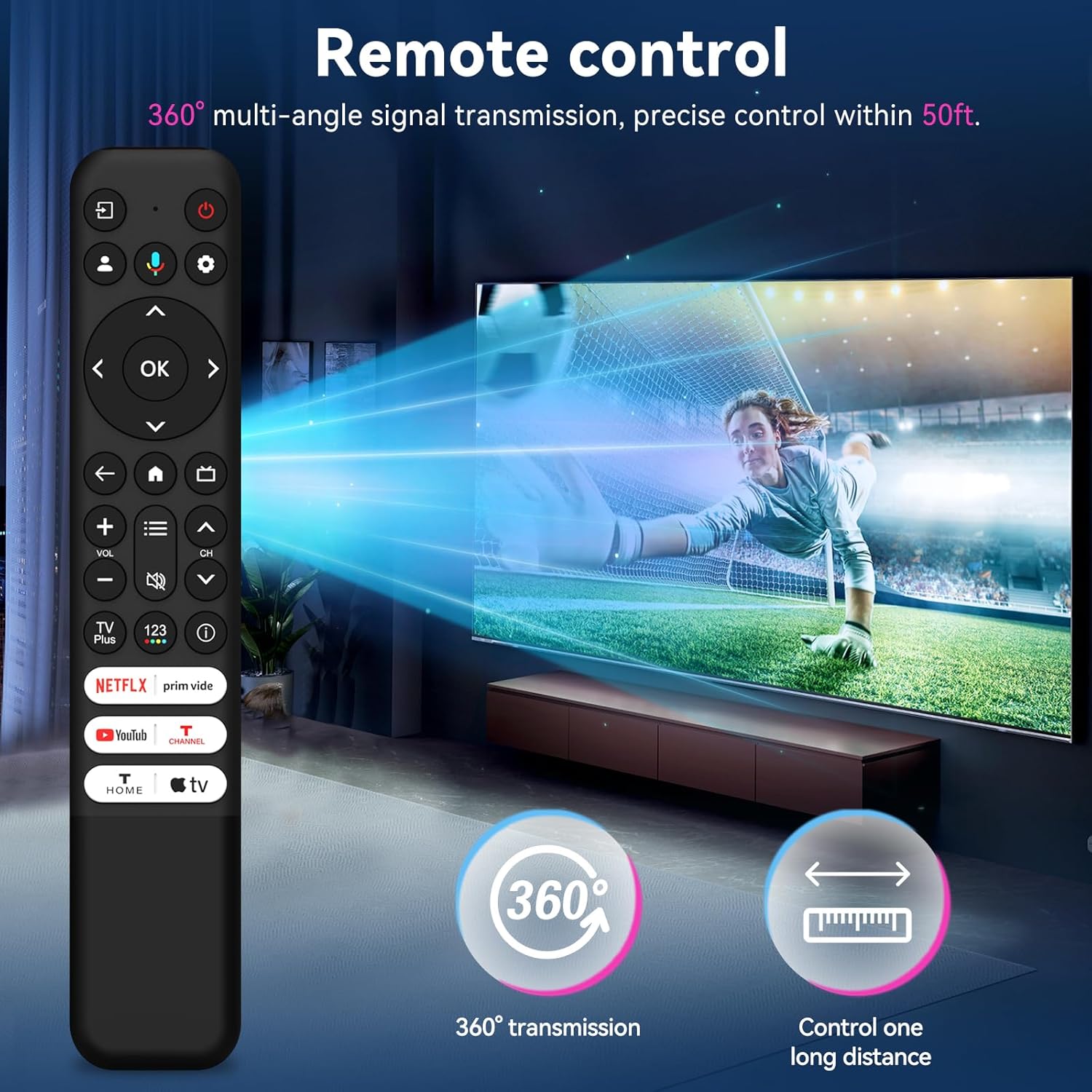
Figure 2: The remote control offers 360-degree signal transmission and a control range of up to 50 feet.
3.2 Quick Access Buttons
The remote includes dedicated shortcut keys for popular streaming channels, allowing quick access to your favorite content.
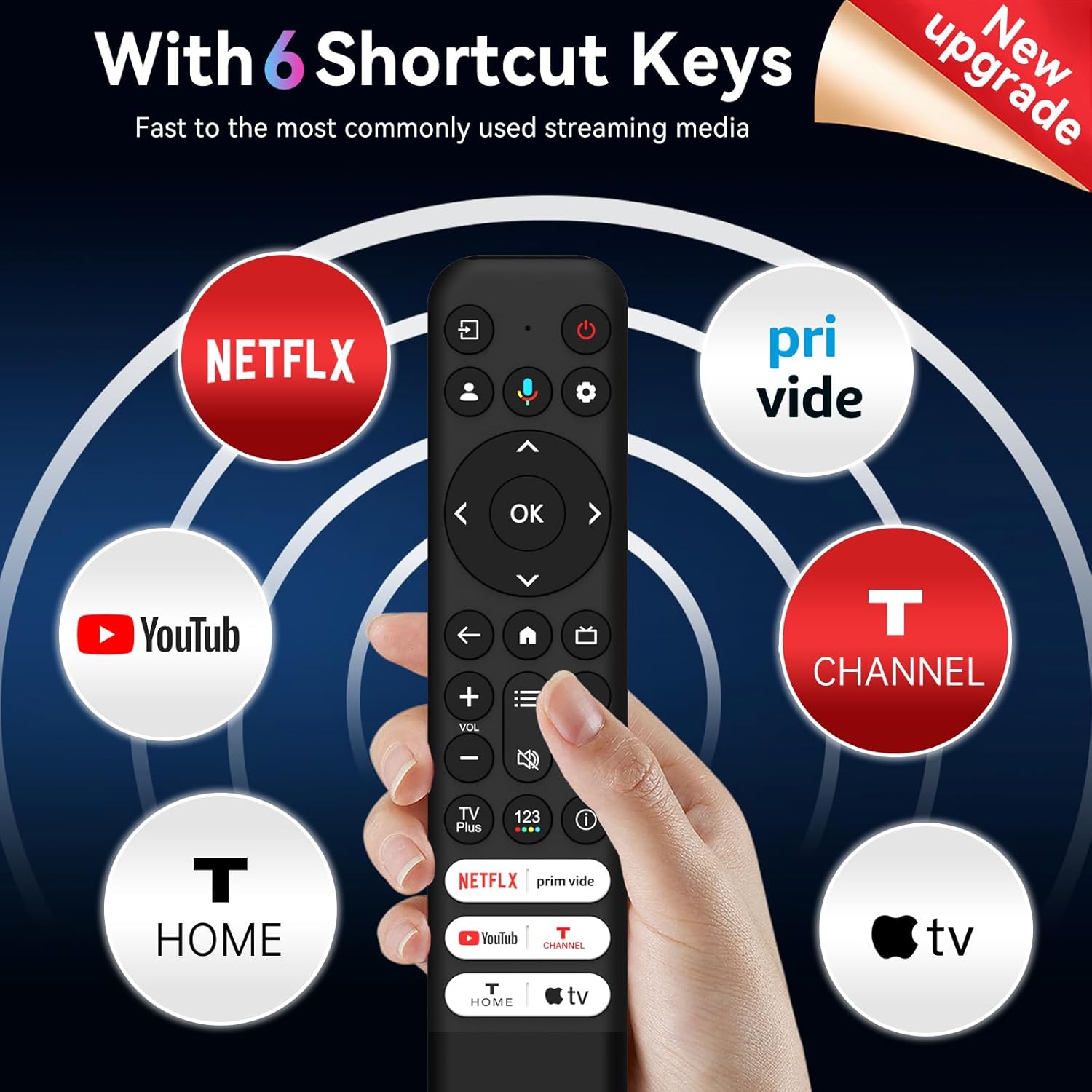
Figure 3: Six dedicated shortcut keys for popular streaming services.
4. Button Functions
Familiarize yourself with the functions of each button on your SMATAR RC813 remote control:

Figure 4: Detailed button layout and functions.
- INPUT: Select input source and display the quick panel.
- POWER: Turn TV on and off.
- PROFILE SELECTOR: Switch user profiles.
- SETTINGS: Display the dashboard menu.
- CIRCULAR D-PAD: Navigation direction buttons (Up / Down / Left / Right).
- OK BUTTON: Confirm an entry or selection.
- BACK: Return to the previous screen.
- HOME: Access the TV homepage.
- LIVE GUIDE: Open the TV EPG (Electronic Program Guide).
- +/- VOLUME: Raise and lower volume.
- ^/v CHANNEL: Change channels.
- QUICK SETTINGS: Open the quick menu.
- MUTE: Press the button to mute the sound.
- TV Plus: Access to network Live Channel.
- 123 VIRTUAL KEYBOARD: Open virtual keyboard on screen.
- INFORMATION: In TV source, press to view program information.
- NETFLIX, Prime Video, YouTube, T-CHANNEL, T-HOME, Apple TV: Direct access to these streaming services.
5. Maintenance
To ensure the longevity and optimal performance of your remote control, follow these maintenance guidelines:
- Cleaning: Wipe the remote with a soft, dry cloth. Do not use liquid cleaners or abrasive materials.
- Battery Replacement: Replace batteries when the remote's response becomes sluggish or stops working. Always replace both batteries at the same time with new ones of the same type (AAA).
- Storage: Store the remote in a cool, dry place away from direct sunlight and extreme temperatures. If not used for extended periods, remove the batteries to prevent leakage.
- Avoid Drops: Protect the remote from physical impact, as drops can damage internal components.
6. Troubleshooting
If you encounter issues with your SMATAR RC813 remote control, refer to the following common solutions:
- Remote not responding:
- Check if the batteries are inserted correctly with the correct polarity.
- Replace old batteries with new AAA batteries.
- Ensure there are no obstructions between the remote control and the TV's infrared receiver.
- Point the remote directly at the TV.
- Buttons are stiff or unresponsive:
- Ensure the remote is clean and free of debris around the buttons.
- Press buttons firmly.
- No voice function:
- Important Note: This SMATAR RC813 remote control does not include a voice control function. This is a standard feature of this replacement model.
- Limited range:
- Ensure fresh batteries are installed.
- Remove any potential interference sources (e.g., bright lights, other electronic devices).
If problems persist after attempting these troubleshooting steps, please contact customer support for further assistance.
7. Specifications
| Brand | SMATAR |
| Model Number | RC813 |
| Compatible Devices | TCL Google Smart Televisions |
| Max Number of Supported Devices | 1 |
| Special Feature | Universal Replacement |
| Color | Black |
| Item Weight | 2.08 ounces (approximately 59 grams) |
| Package Dimensions | 8.23 x 1.65 x 0.67 inches (approximately 20.9 x 4.2 x 1.7 cm) |
8. Support
For any questions, concerns, or issues not covered in this manual, please contact SMATAR customer support. Refer to your product packaging or retailer's website for specific contact information.