
CNCEST HG-HJWJL-2037-US
CNCEST 4500W 110V Tankless Electric Instant Water Heater Instruction Manual
Model: HG-HJWJL-2037-US
Introduction
This manual provides essential instructions for the safe installation, operation, and maintenance of your CNCEST 4500W 110V Tankless Electric Instant Water Heater. Please read this manual thoroughly before installation and use, and retain it for future reference. Proper installation and adherence to these guidelines are crucial for optimal performance and safety.
Important Safety Information
WARNING: Failure to follow these safety instructions could result in electric shock, fire, property damage, or personal injury.
- Grounding and Leakage Protection: The water heater must be equipped with a ground electrode and a leakage protector. This is a critical safety requirement.
- Water Connection First: Always ensure the water source is connected and water is flowing through the unit before turning on the power. Operating the heater without water (dry burning) is strictly prohibited and will cause severe damage.
- Freezing Temperatures: Do not use this product when the ambient temperature is lower than 32°F (0°C) to prevent freezing and damage to the unit.
- Professional Installation: Installation should only be performed by a qualified electrician and plumber in accordance with all local and national electrical and plumbing codes.
- Electrical Requirements: Ensure your electrical system can support the 4500W power rating at 110V. A dedicated circuit with an air switch (circuit breaker) of at least 40A is required. The wire diameter must be at least 4mm (0.16 inches) square copper core wire.
- Water Pressure: The applicable water pressure range is 0.02-0.6 MPa. Ensure your water supply meets these requirements.
Product Overview
The CNCEST Tankless Electric Instant Water Heater provides on-demand hot water with efficient heating technology. Key features include:
- Fast Heating: 4500W power heats water in approximately 3 seconds.
- Constant Hot Water: Adjustable temperature range of 86-131°F (30-55°C) with intelligent thermostat and memory function.
- LED Display: Real-time water temperature display for easy monitoring.
- Touch Control: Intuitive interface for temperature adjustment.
- Overheating Protection: Automatic power-off at 131°F (55°C).
- Low Rated Pressure Operation: Functions effectively with water pressure from 0.02Mpa.
Package Contents
Verify that all items are present in the package:
- 1 x Instant Water Heater Unit
- 1 x Shower Head
- 1 x Shower Hose
- 1 x Shower Holder
- 1 x English Manual (this document)
- Other Accessories Required for Installation (e.g., mounting hardware)
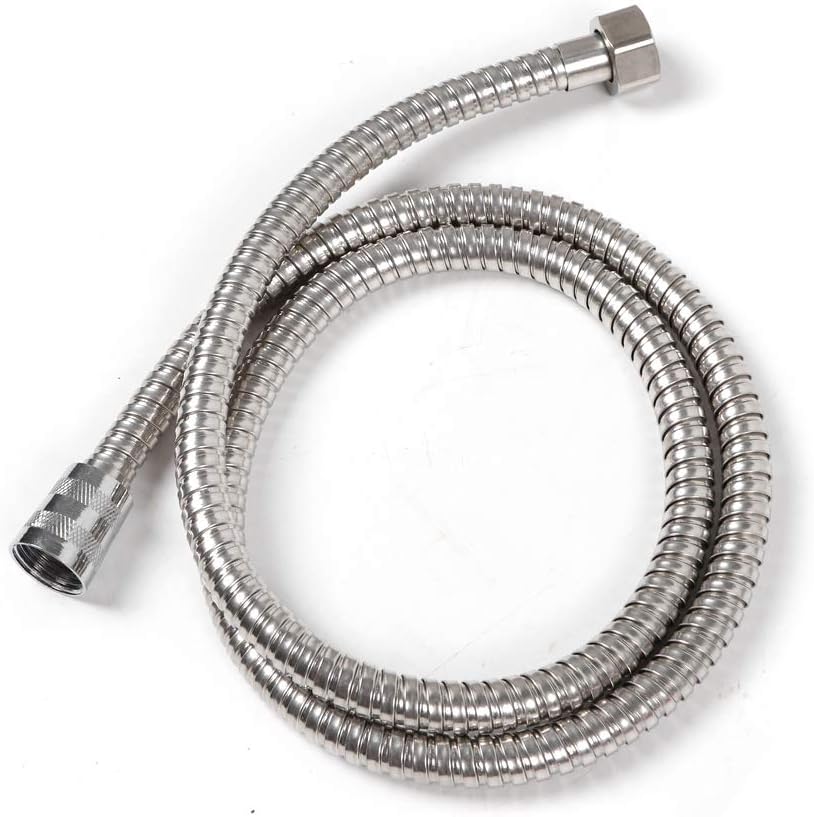
Image: All components included in the product package.
Specifications
| Feature | Specification |
|---|---|
| Model | HG-HJWJL-2037-US |
| Rated Voltage | AC 110V, 60HZ |
| Rated Power | 4500W |
| Rated Current | 40.9A |
| Heating Time | 3 Seconds Instant Heat |
| Waterproof Level | IPX4 |
| Rated Water Pressure | 0.6Mpa |
| Applicable Pressure | 0.02-0.6 MPa |
| Water Flow | 4L/1.06 gal/min |
| Water Flow to Activate | 1.2-1.5L/0.32-0.4 gal/min |
| Temperature Range | 30-55°C / 86-131°F |
| Automatic Power-off Protection Temperature | 55°C / 131°F |
| Air Switch Requirement | ≥40A |
| Wire Diameter Requirement | ≥4mm (0.16 in) Square Copper Core Wire |
| Hot Water Outlet Pipe Connector Diameter | 0.7cm (Inner); 2cm (Outer) |
| Cold Water Inlet Pipe Connector Diameter | 1.2cm (Inner); 2cm (Outer) |
| Product Dimensions | 27.7 x 18.6 x 5.7 cm (10.9 x 7.32 x 2.24 in) |
| Net Weight | 2 kg (4.41 lbs) |
| Mount Type | Wall Mounted |
| Screen Type | LED |
| Control Mode | Touch Control |
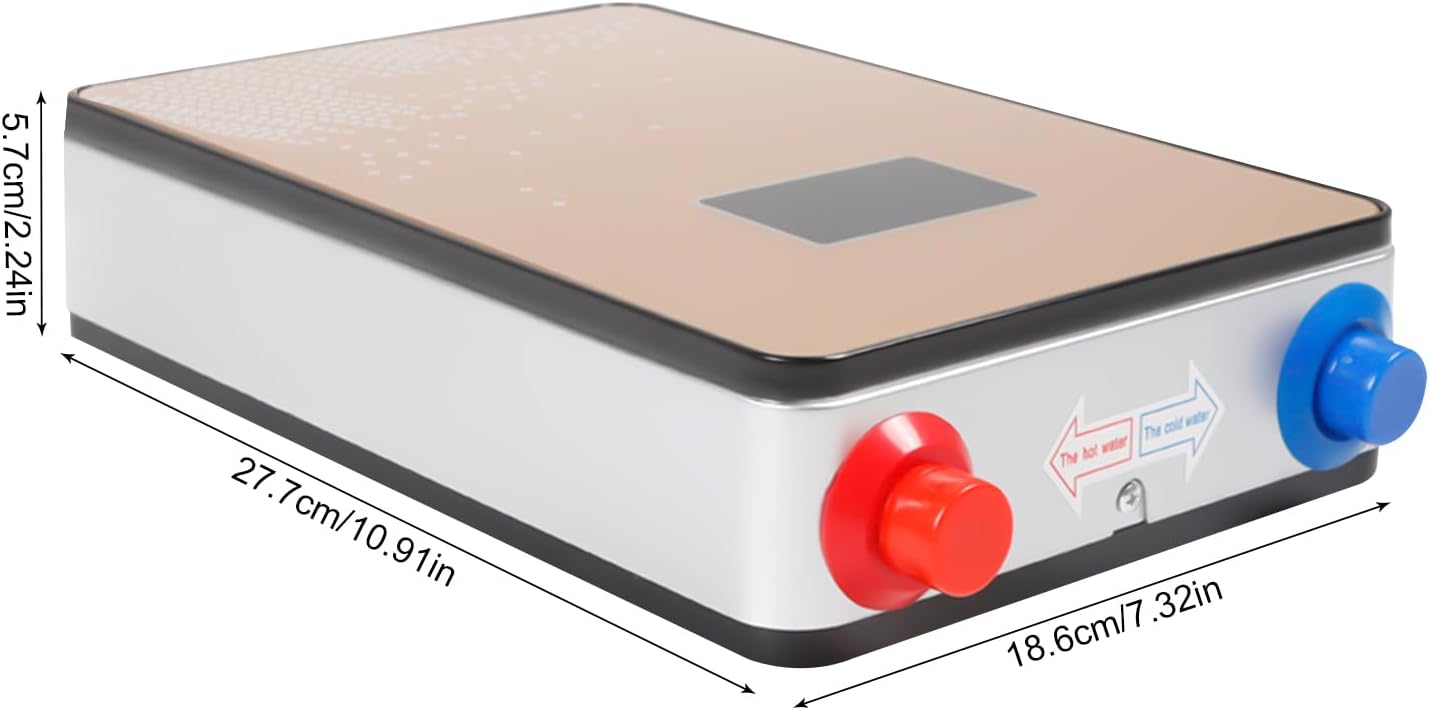
Image: Product dimensions.
Setup and Installation
This water heater is designed for wall-mounted indoor installation. Due to the electrical and plumbing requirements, professional installation is highly recommended.
1. Site Selection
- Choose a location that is protected from freezing temperatures.
- Ensure the wall can support the weight of the unit when filled with water.
- Select a location close to the point of use to minimize heat loss and maximize efficiency.
- Ensure adequate clearance around the unit for maintenance and ventilation.
2. Mounting the Unit
- Mark the desired mounting position on the wall.
- Drill holes for the mounting hardware (provided).
- Securely attach the mounting bracket to the wall.
- Mount the water heater unit onto the bracket.
3. Plumbing Connections

Image: Cold water inlet (blue) and hot water outlet (red) connections.
- Connect the cold water supply line to the blue inlet connector (1.2cm inner diameter).
- Connect the hot water outlet line to the red outlet connector (0.7cm inner diameter).
- Ensure all connections are tight and leak-free. Use appropriate plumbing tape or sealant.
- Install the shower hose, shower head, and shower holder as desired.
- Before proceeding to electrical connection, open the cold water supply valve and allow water to flow through the unit and out of the hot water tap/shower head until all air is purged from the system. This prevents dry burning.
4. Electrical Connections
WARNING: Electrical work should only be performed by a licensed electrician.
- Ensure the main power supply to the circuit is OFF at the breaker panel.
- Connect the water heater to a dedicated 110V, 60Hz circuit.
- Install an air switch (circuit breaker) of at least 40A.
- Use copper core wire with a diameter of at least 4mm (0.16 inches).
- Connect the ground wire properly. The unit must be grounded.
- Double-check all electrical connections for tightness and correctness.
Operating Instructions

Image: Front panel with LED display and touch controls.
- Power On: After ensuring water is flowing through the unit and all connections are secure, turn on the main power supply to the water heater circuit.
- Activation: The unit will activate automatically when water flow is detected (minimum 1.2-1.5 L/min).
- Temperature Display: The LED screen will display the current water temperature in real-time.
- Adjusting Temperature: Use the touch controls (usually marked "LOW" / "HIGH" or up/down arrows) on the front panel to adjust the desired water temperature between 86°F (30°C) and 131°F (55°C). The intelligent thermostat will maintain the set temperature.
- Memory Function: The unit will automatically save your last temperature setting for convenience.
- Shut Off: The unit will stop heating when the water flow ceases.
Note: The actual hot water output temperature and flow rate can be influenced by the incoming cold water temperature and the flow rate you select. For optimal performance, especially in colder climates, you may need to adjust the flow rate at the tap to achieve the desired temperature.
Maintenance
Regular maintenance ensures the longevity and efficient operation of your water heater.
- Cleaning the Exterior: Wipe the unit's exterior with a soft, damp cloth. Do not use abrasive cleaners or solvents.
- Check for Leaks: Periodically inspect all plumbing connections for any signs of leaks. Address any leaks immediately.
- Sediment Filter (if applicable): If your water supply has high sediment, consider installing an inline sediment filter and clean it regularly according to the filter manufacturer's instructions.
- Descaling: In areas with hard water, mineral deposits (scale) can build up over time, affecting efficiency. Consult a qualified plumber for descaling procedures if you notice a decrease in performance or flow.
- Winterization: If the unit is in an area prone to freezing and will not be used for an extended period, drain the unit completely to prevent damage from freezing water.
Troubleshooting
Before contacting support, review these common issues and solutions:
| Problem | Possible Cause | Solution |
|---|---|---|
| No hot water / Unit not heating |
|
|
| Water not hot enough |
|
|
| Water is too hot |
|
|
| Water leakage |
|
|
Warranty and Support
For warranty information or technical support, please refer to the purchase documentation or contact the seller directly. Ensure you have your model number (HG-HJWJL-2037-US) and purchase date available when contacting support.
You can visit the CNCEST Store for more information: CNCEST Official Store
Ask a question about this manual
Ask about setup, troubleshooting, compatibility, parts, safety, or missing instructions. Manuals+ will review the question and use this page’s manual context to help answer it.