
1. Introduction
This manual provides essential information for the proper setup, operation, and maintenance of your kececo H7 Smart Watch. Please read it thoroughly to ensure optimal performance and longevity of your device.
What's in the Box
- kececo H7 Smart Watch
- Charging Cable
- User Manual (this document)

Image: The kececo H7 Smart Watch and its magnetic charging cable, as included in the product packaging.
2. Setup
2.1 Charging the Device
Before first use, fully charge your Smart Watch. Connect the magnetic charging cable to the charging points on the back of the watch and plug the USB end into a standard USB power adapter (not included) or a computer USB port. The watch display will indicate charging status.
2.2 App Installation and Pairing
- Download the App: Scan the QR code provided in the quick start guide or search for "Da Fit" in your smartphone's app store (iOS or Android).
- Create Account: Open the Da Fit app and follow the on-screen instructions to create an account and set up your profile.
- Pair the Watch: Ensure Bluetooth is enabled on your smartphone. In the Da Fit app, navigate to the device section and select "Add Device." Choose "H7" from the list of available devices. Confirm the pairing request on both your phone and the watch.
3. Operating Instructions
3.1 Basic Navigation
- Touchscreen: Swipe up, down, left, or right to navigate through menus and notifications. Tap to select items.
- Power Button: Press to wake/sleep the screen or return to the watch face. Long press to power on/off.
- Sport Button: Press to quickly access sport modes.
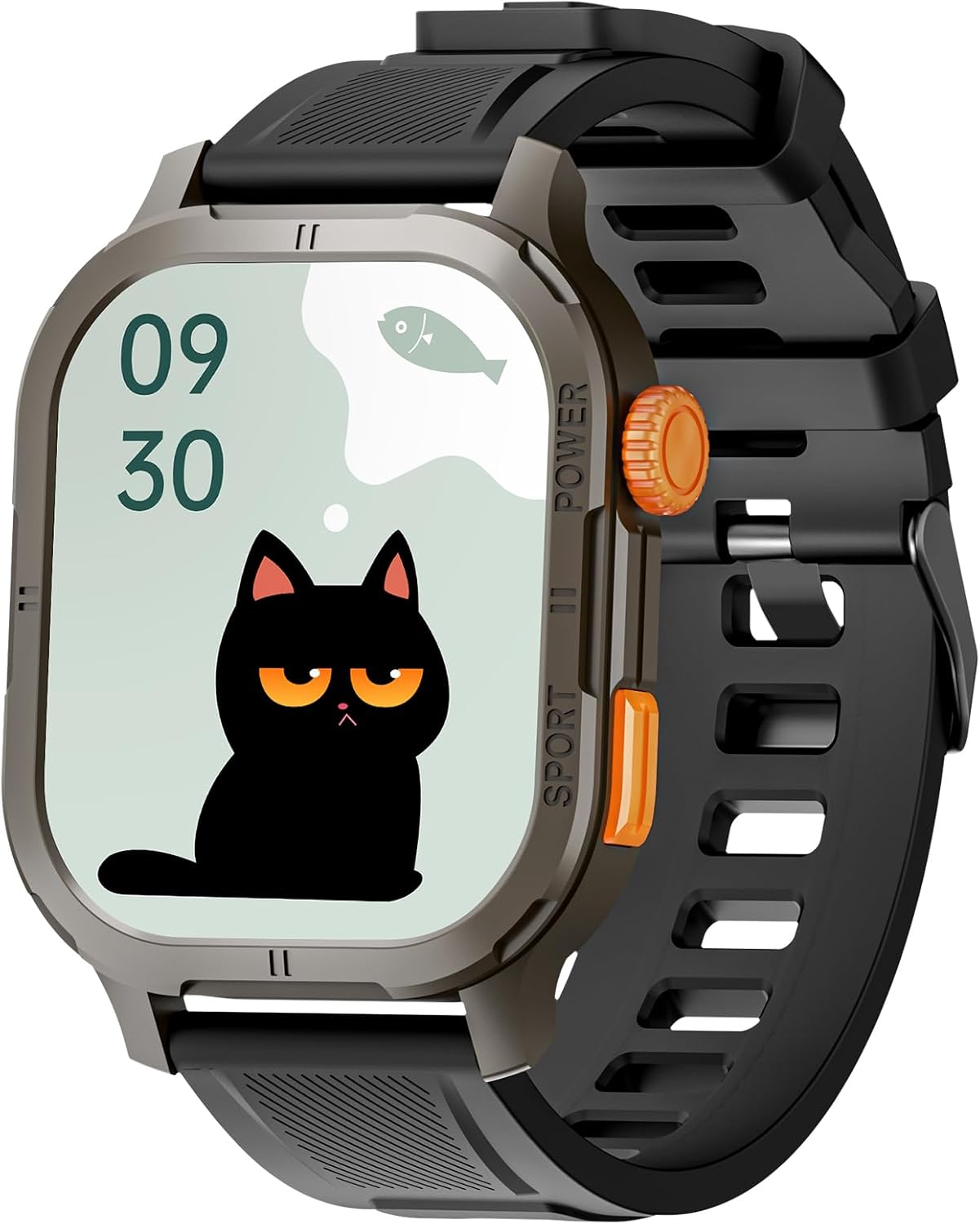
Image: The kececo H7 Smart Watch with its 2.13-inch AMOLED display and physical buttons for navigation.
3.2 Sport Modes
The H7 Smart Watch supports 123 sport modes, including running, hiking, climbing, cycling, and swimming. To start a workout:
- Press the Sport button or navigate to the Sport menu.
- Select your desired activity.
- The watch will begin tracking your performance. Data can be synced with the Da Fit app, Apple Health, and Strava.

Image: The kececo H7 Smart Watch tracking a cycling activity, demonstrating its multi-sport functionality.
3.3 Health Monitoring
The watch continuously monitors various health metrics:
- Heart Rate: Real-time heart rate tracking.
- Blood Oxygen (SpO2): Measures blood oxygen levels.
- Sleep Tracking: Monitors sleep patterns and quality.
- Stress Management: Includes guided breathing exercises.
Access these features via the health menu on the watch or view detailed reports in the Da Fit app.

Image: The kececo H7 Smart Watch displaying health monitoring data for heart rate, blood oxygen, and sleep.
3.4 Smart Features
- Bluetooth Calling: Make and receive calls directly from your wrist when connected to your smartphone.
- AI Voice Assistant: Control your smartphone hands-free using voice commands.
- Notifications: Receive alerts for messages, hydration reminders, alarms, and other app notifications.
- Music Control: Play, pause, skip tracks, and adjust volume for music playing on your phone.
- Camera Control: Use the watch as a remote shutter for your smartphone camera.
- Stopwatch/Timer: Utilize built-in timing functions.
- Find Phone/Watch: Locate your paired smartphone or watch if misplaced.
- Do Not Disturb Mode: Silence notifications during specific periods.

Image: The kececo H7 Smart Watch demonstrating Bluetooth calling and AI voice assistant features.

Image: Smart widgets on the kececo H7 Smart Watch for music control, hydration, weather, and timer.
3.5 Customization
Personalize your watch experience:
- Watch Faces: Choose from a variety of pre-installed watch faces or download more through the Da Fit app.
- Settings: Adjust brightness, vibration intensity, and other preferences via the watch settings or the app.

Image: Customization options for the kececo H7 Smart Watch, including watch faces and utility features.
4. Maintenance
4.1 Cleaning
Regularly clean your watch and strap to prevent skin irritation and maintain device functionality. Use a soft, damp cloth to wipe the screen and strap. Avoid harsh chemicals or abrasive materials.
4.2 Water Resistance
The kececo H7 Smart Watch is 5ATM waterproof, meaning it can withstand pressures equivalent to a depth of 50 meters. It is suitable for swimming and showering. However, it is not recommended for diving or high-pressure water activities. Avoid exposing the watch to hot water or steam, as this may compromise the water seal.
4.3 Battery Care
To prolong battery life:
- Avoid fully discharging the battery frequently.
- Charge the watch in a cool, dry environment.
- Do not expose the watch to extreme temperatures.

Image: The kececo H7 Smart Watch highlighting its AMOLED display and battery performance.
5. Troubleshooting
5.1 Common Issues and Solutions
- Watch not turning on: Ensure the watch is fully charged. Connect it to the charging cable and a power source.
- Cannot pair with phone:
- Ensure Bluetooth is enabled on your phone.
- Make sure the watch is within Bluetooth range.
- Restart both the watch and your phone.
- Check if the Da Fit app is updated to the latest version.
- Inaccurate health data: Ensure the watch is worn snugly on your wrist, not too tight or too loose. Clean the sensor on the back of the watch.
- Notifications not received:
- Verify notification permissions are granted to the Da Fit app on your phone.
- Check if "Do Not Disturb" mode is active on the watch or phone.
- Ensure the watch is connected via Bluetooth.
- Short battery life: Reduce screen brightness, disable always-on display, limit background app refresh, and ensure frequent GPS usage (via smartphone) is managed.
6. Specifications
| Feature | Detail |
|---|---|
| Model Number | H7 |
| Display | 2.13-inch AMOLED, Always On Display |
| Water Resistance | 5ATM |
| Battery Capacity | 350 mAh |
| Typical Battery Life | Up to 15 days |
| Heavy Usage Battery Life | Up to 8 days |
| AOD Mode Battery Life | Up to 3 days |
| Connectivity | Bluetooth |
| Operating System Compatibility | iOS, Android |
| Memory Storage Capacity | 128 MB |
| Item Weight | 50 Grams (1.76 ounces) |
| GPS | Via Smartphone |
| Special Features | Alarm Clock, Always On Display, Multisport Tracker, Music Player, Notifications, Heart Rate Monitor, Blood Oxygen Monitor, Sleep Tracker, Voice Control, Phone Call |
7. Warranty and Support
For warranty information and customer support, please refer to the documentation included with your purchase or visit the official kececo website. Keep your proof of purchase for warranty claims.