
Introduction
Thank you for choosing PChero Rechargeable Flameless Taper Candles. This product provides a safe and convenient alternative to traditional candles, offering realistic flickering light without fire hazards, smoke, or melted wax. Designed for versatility, these candles are suitable for various decorative purposes and occasions. This manual provides essential information for setup, operation, and maintenance to ensure optimal performance and longevity of your candles.
What's in the Box
- 10 x LED Taper Candles
- 1 x Charging Station
- 1 x Remote Control
- 1 x USB-C Power Cable

Specifications
| Brand | PChero |
| Model Name | Flameless Taper Candles with Remote & Charging Station (LC022RS) |
| Dimensions | 0.78"D x 0.78"W x 6.7"H (each candle) |
| Material | Plastic |
| Light Source | LED |
| Special Features | Dimmable, Rechargeable, Remote Control, Timer |
| Power Source | Corded Electric (for charging station) |
| Battery Type | Lithium Polymer (built-in) |
| Charging Time | Approx. 2 hours |
| Working Time | Over 200 hours (at medium brightness) |
Setup
- Unpack Components: Carefully remove all candles, the charging station, remote control, and USB-C power cable from the packaging.
- Initial Charge: Before first use, fully charge all candles. Refer to the 'Charging Instructions' section for details.
- Remote Control: Ensure the remote control has a working battery. No assembly is typically required for the remote.
- Placement: Place the candles in desired candle holders or directly on flat surfaces. Their universal fit (0.78" diameter) accommodates most standard candelabras.

Charging Instructions
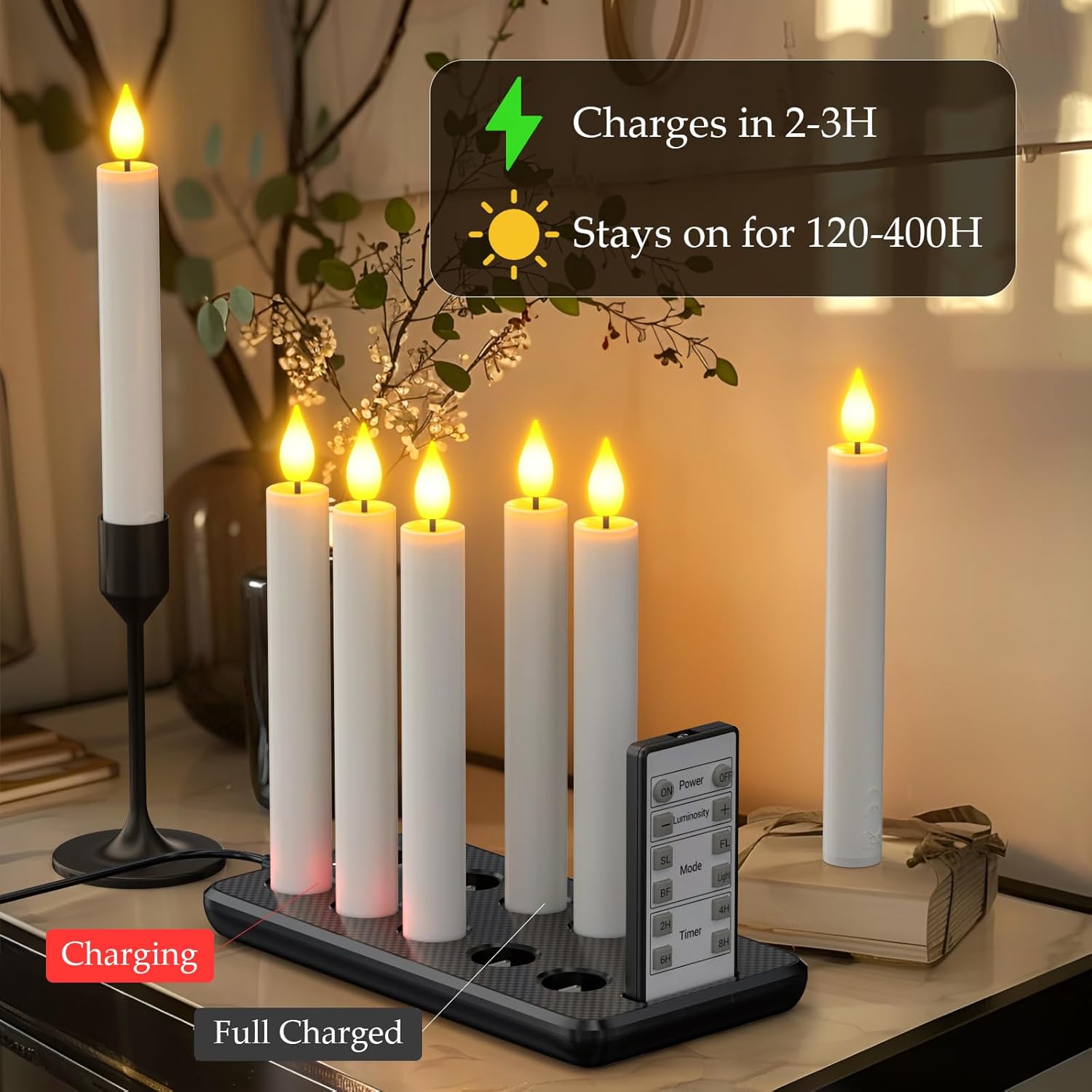
- Connect Charging Station: Plug the provided USB-C power cable into the charging station and connect the other end to a compatible USB power adapter (not included, e.g., a phone charger).
- Place Candles on Station: Insert the bottom of each taper candle into the designated slots on the charging station. Ensure a secure connection.
- Monitor Charging: The indicator lights on the charging station will typically show red when charging and turn green when fully charged.
- Charging Time: A full charge takes approximately 2 hours.
- Battery Life: Once fully charged, the candles can provide over 200 hours of continuous glow at medium brightness.
- Battery Care: For optimal battery lifespan, it is recommended to fully deplete the battery before recharging.
- Long-Term Storage: If not in use for an extended period, turn off the bottom switch on each candle and charge them once every 2 to 3 months to maintain battery health.
Operating Instructions
Remote Control Functions
The included 12-key remote control allows for convenient operation of your candles. Point the remote directly at the candles for best response.

- ON/OFF: Press 'ON' to turn candles on, 'OFF' to turn them off.
- Luminosity (+/-): Adjust brightness levels. There are 5 brightness settings.
- Mode: Cycle through different flicker speeds and light modes.
- SL (Slow Flicker): Provides a gentle, slow flickering effect.
- FL (Fast Flicker): Provides a more rapid flickering effect.
- BF (Breathing Flicker): Mimics the subtle, rhythmic glow of a real candle.
- Light (Steady Light): Provides a constant, non-flickering glow.
- Timer (2H/4H/6H/8H): Set an automatic timer for 2, 4, 6, or 8 hours. The candles will turn on at the same time each day and stay on for the selected duration.

Maintenance
- Cleaning: Wipe the candles and charging station with a soft, dry cloth. Do not use abrasive cleaners or immerse in water.
- Battery Care: Follow the charging instructions to maximize battery lifespan. Avoid frequent partial charges.
- Storage: Store the candles and charging station in a cool, dry place when not in use. Ensure candles are turned off via the bottom switch during long-term storage.
Troubleshooting
- Candles not turning on: Ensure the candles are charged. Check the bottom switch on each candle to confirm it is in the 'ON' position.
- Remote not working: Verify the remote control battery is functional. Ensure there are no obstructions between the remote and the candles.
- Inconsistent flickering: This is a feature of the realistic flicker modes. If you prefer a steady light, select the 'Light' mode on the remote.
Safety Information
These flameless taper candles are designed with safety in mind:
- No Fire Hazard: Eliminates the risk of open flames, making them safe for homes with children and pets.
- No Smoke or Melted Wax: Provides a clean and mess-free lighting solution.
- Indoor Use: Designed for indoor use. Avoid exposure to water or extreme temperatures.
Warranty and Support
Specific warranty details and direct support contact information are not provided in the product data. Please refer to the retailer's return policy or the manufacturer's official website for further assistance.