Introduction
This manual provides detailed instructions for the operation and maintenance of your TANLANIN TE-007R 10-in-1 Vintage Bluetooth Record Player. Please read thoroughly before use to ensure proper functionality and longevity of your device.
Key Features:
- 10-in-1 Multi-Function Turntable: Plays Vinyls, CDs, and Cassettes. Features USB/TF recording & playback, AM/FM radio, Bluetooth, RCA out, and 3.5mm AUX in & headphone jack.
- Source Audio to Digital Format: USB/TF port for encoding and decoding, converting vinyl, Bluetooth, tape, CD, AUX, AM/FM radio audio into digital MP3 format for saving to a USB flash drive or TF card.
- Expanded Connectivity Options: Connect external speakers or an amplifier via RCA Line outputs. Use the headphone jack for personal listening or to output to other speakers via a 3.5mm auxiliary cable.
- Three-Speed Belt-Driven Turntable: Supports 3 sizes (7/10/12 inches) of records at 3 speeds (33-1/3, 45, 78 RPM). Built-in belt drive and spring dampening for improved sound quality and record protection.
- Comprehensive Control: Features a volume adjustment knob, Record/delete button, Stop/USB/TF button, AM/FM switching button and tuning knob, open/close button for CD tray, eject switch for cassettes, and easy click buttons for power, play/pause/forward/rewind, program, and repeat.
What's in the Box
- 1x Vintage Record Player
- 1x User Manual
- 1x 7-inch Turntable Pad & Extra Stylus
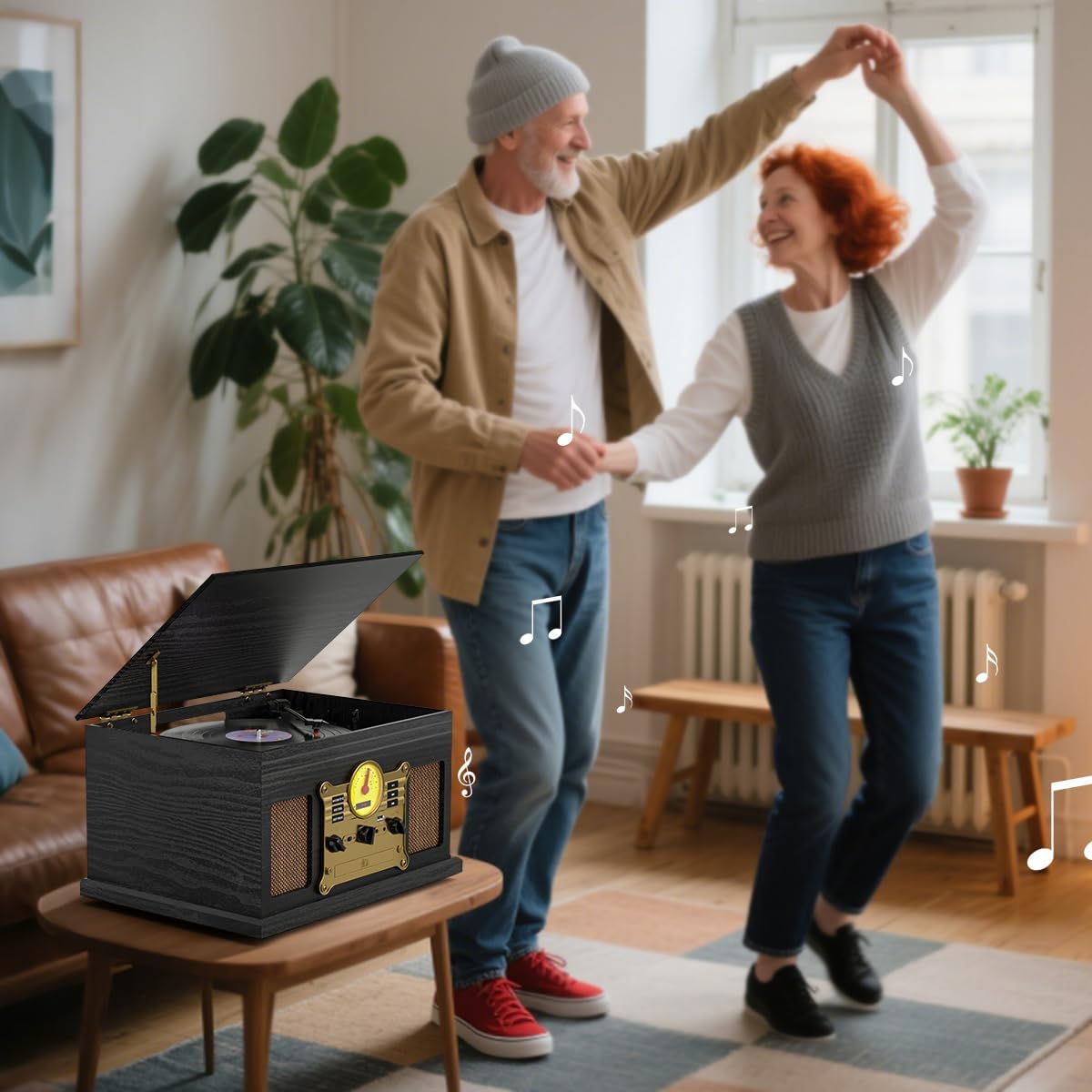
Setup
- Unpacking: Carefully remove the record player and all accessories from the packaging. Retain packaging for future transport or storage.
- Placement: Place the unit on a stable, flat surface away from direct sunlight, heat sources, and excessive dust or moisture.
- Power Connection: Plug the AC power cord into a standard wall outlet. The power cord is permanently attached to the unit.
- Antenna Setup: For optimal AM/FM radio reception, extend the FM wire antenna and position it for the best signal.
- Turntable Preparation: Remove any protective packaging from the turntable platter and tonearm. Ensure the stylus protective cap is removed before playing records.

Operating Instructions
General Controls:
- Power Button: Press to turn the unit ON or OFF.
- Mode Selection Knob: Rotate the left knob to select between TAPE/PHONO/CD/AUX/RADIO modes.
- Volume Knob: Rotate the right knob to adjust the volume level.
Turntable Operation:
- Lift the dust cover.
- Place a vinyl record on the turntable platter. Ensure the 7-inch turntable pad is used for smaller records.
- Select the appropriate speed (33-1/3, 45, or 78 RPM) using the speed selector switch located on the turntable.
- Release the tonearm clip. Use the tonearm lift lever to gently raise the tonearm.
- Manually move the tonearm over the desired track of the record.
- Lower the tonearm gently onto the record using the lift lever. The record will begin to play.
- At the end of the record, the turntable will automatically stop if the Auto Stop feature is enabled. Lift the tonearm and return it to its rest.


CD Player Operation:
- Rotate the mode selection knob to 'CD'.
- Press the 'OPEN/CLOSE' button to open the CD tray.
- Place a CD (label side up) into the tray.
- Press the 'OPEN/CLOSE' button again to close the tray.
- The CD will begin playing automatically. Use the Play/Pause, Forward, and Rewind buttons for control.
Cassette Player Operation:
- Rotate the mode selection knob to 'TAPE'.
- Insert a cassette tape into the cassette slot on the side of the unit. Ensure the correct side is facing up.
- The tape will begin playing automatically. Use the control buttons for play/pause, fast forward, and rewind.
- Press the 'EJECT' switch to remove the cassette.
AM/FM Radio Operation:
- Rotate the mode selection knob to 'RADIO'.
- Use the AM/FM switch to select your desired band.
- Rotate the 'TUNING' knob to search for radio stations. The frequency will be displayed on the retro dial.
Bluetooth Connectivity:
- Rotate the mode selection knob to 'BT' (Bluetooth). The display will show 'BT' and flash, indicating pairing mode.
- On your Bluetooth-enabled device (smartphone, tablet), search for 'TE-007R' in the Bluetooth settings and pair.
- Once paired, you can stream audio wirelessly through the record player's speakers. Use your device or the unit's controls for playback.
USB/TF Card Playback:
- Insert a USB flash drive or TF card (pre-loaded with MP3 audio files) into the respective port.
- Rotate the mode selection knob to 'USB/TF'. The unit will automatically detect and begin playing the audio files.
- Use the Play/Pause, Forward, and Rewind buttons for control.
USB/TF Recording:
- Insert a USB flash drive or TF card (formatted to FAT/FAT32) into the respective port.
- Select the desired audio source (Vinyl, CD, Cassette, AUX, Radio, or Bluetooth).
- Press the 'REC/DEL' button to start recording. The unit will convert the audio to MP3 format and save it to the inserted storage device.
- Press the 'REC/DEL' button again or switch modes to stop recording.

RCA Out / AUX In / Headphone Jack:
- RCA Line Out: Connect RCA cables (not included) from the 'LINE OUT' ports on the back of the unit to an external amplifier or powered speakers for enhanced audio output.
- AUX In: Plug a 3.5mm auxiliary cable (not included) into the 'AUX IN' port on the front panel to connect external audio devices like MP3 players or smartphones.
- Headphone Jack: Plug standard 3.5mm headphones into the headphone jack for private listening. This port can also be used to output audio to other speakers via a 3.5mm auxiliary cable.
Remote Control:
The included remote control allows for convenient operation of various functions. Note that remote control functionality is primarily supported in CD/USB/TF/Bluetooth modes and may have limited use in other modes.
Maintenance
- Cleaning: Wipe the unit with a soft, dry cloth. Do not use abrasive cleaners or solvents.
- Stylus Care: Handle the stylus carefully. Clean the stylus periodically with a soft brush to remove dust and debris. Replace the stylus when sound quality deteriorates.
- Record Care: Keep records clean and free of dust. Store records vertically in their sleeves to prevent warping.
- Dust Cover: Keep the dust cover closed when not in use to protect the turntable from dust.
Troubleshooting
- No Power: Ensure the power cord is securely plugged into the wall outlet and the unit. Check if the power button is pressed.
- No Sound: Check the volume level on the unit and any connected external speakers. Ensure the correct mode is selected. If using external speakers, verify connections.
- Poor Radio Reception: Adjust the position of the FM wire antenna. Try moving the unit to a different location.
- Turntable Not Spinning: Ensure the unit is powered on and the mode is set to 'PHONO'. Check if the tonearm is lifted from its rest.
- Skipping Records: Ensure the record is clean and free of scratches. Place the unit on a stable, level surface to minimize vibrations.
- Bluetooth Pairing Issues: Ensure the unit is in Bluetooth pairing mode (flashing 'BT'). Make sure your external device's Bluetooth is enabled and within range. Forget previous pairings on your device and try again.
- USB/TF Recording Failure: Ensure the USB drive or TF card is formatted to FAT/FAT32 and has sufficient free space. Check that the audio source is playing correctly.
Specifications
- Product Dimensions: 18 x 12.9 x 9.9 inches
- Item Weight: 13.89 pounds
- Item Model Number: TE-007R-BK
- Brand: TANLANIN
- Maximum Rotational Speed: 78 RPM
- Special Feature: Belt Drive Design & Spring Suspension Damping, Built-in Gear Adjustment for Radio Channel Selection, Multimedia Center, USB/TF Card Recording & Playback
- Material: Engineered Wood, Plastic
- Style: Nostalgic
- Compatible Devices: MP3 Player, Personal Computer, Smartphone, Speaker, Wired Headphone
Warranty and Support
For warranty information or technical support, please refer to the contact details provided in the included User Manual or visit the TANLANIN official website. Protection plans may be available for purchase separately to extend coverage beyond the standard manufacturer's warranty.


