1. Introduction
Thank you for choosing the HAUSHOF HH24048A Robotic Window Cleaner. This device is designed to automate the cleaning of smooth surfaces such as windows, glass doors, and mirrors, providing a streak-free finish with minimal effort. Featuring powerful suction, intelligent navigation, and multiple cleaning modes, it simplifies window maintenance for your home or office.
Please read this manual thoroughly before operating the device to ensure safe and efficient use. Keep this manual for future reference.

Image: A user relaxing indoors while the HAUSHOF robotic window cleaner operates on a large window, demonstrating ease of use.
2. Safety Instructions
To prevent injury or damage, always adhere to the following safety guidelines:
- Always attach the safety rope securely to a fixed object before placing the robot on the window. The safety rope is designed to withstand up to 120 kg.
- Ensure the power cord is properly connected and the robot is powered by the mains during operation. The backup battery provides up to 25 minutes of power in case of a power outage, allowing the robot to remain attached to the surface.
- Do not use the robot on cracked or damaged glass surfaces.
- Keep hands, hair, and loose clothing away from moving parts.
- Do not use the robot in rainy or extremely humid conditions.
- Keep out of reach of children and pets.
- Only use the provided power adapter and accessories.

Image: The HAUSHOF robotic window cleaner demonstrating its dual security features: a safety rope securely fastened to a railing and an indicator for its 25-minute backup battery.
3. Package Contents
Verify that all items are present in the package:
- HAUSHOF Robotic Window Cleaner
- Remote Control
- Power Adapter and Extension Cords (4.5m, 1.5m, 1.5m)
- Safety Rope (5 meters)
- Microfiber Cleaning Cloths (10 pieces)
- Cleaning Solution (small bottle)
- User Manual

Image: All components of the HAUSHOF robotic window cleaner package, including the robot, remote control, power cables, safety rope, microfiber cloths, and cleaning solution.
4. Product Overview
Familiarize yourself with the main components of your robotic window cleaner:
- Power Button/Indicator: To turn the device on/off and check status.
- Suction Pads: Two rotating pads for movement and cleaning.
- Ultrasonic Spray Nozzle: Generates a fine mist for effective cleaning.
- Water Tank: Holds 20ml of cleaning solution for the spray function.
- Safety Rope Attachment Point: For securing the safety rope.
- Power Inlet: For connecting the power adapter.
- Edge Detection Sensors: Automatically detect window frames and edges.

Image: Close-up of the HAUSHOF robotic window cleaner highlighting its ultrasonic spray technology, which creates a 12µm mist for deep cleaning.
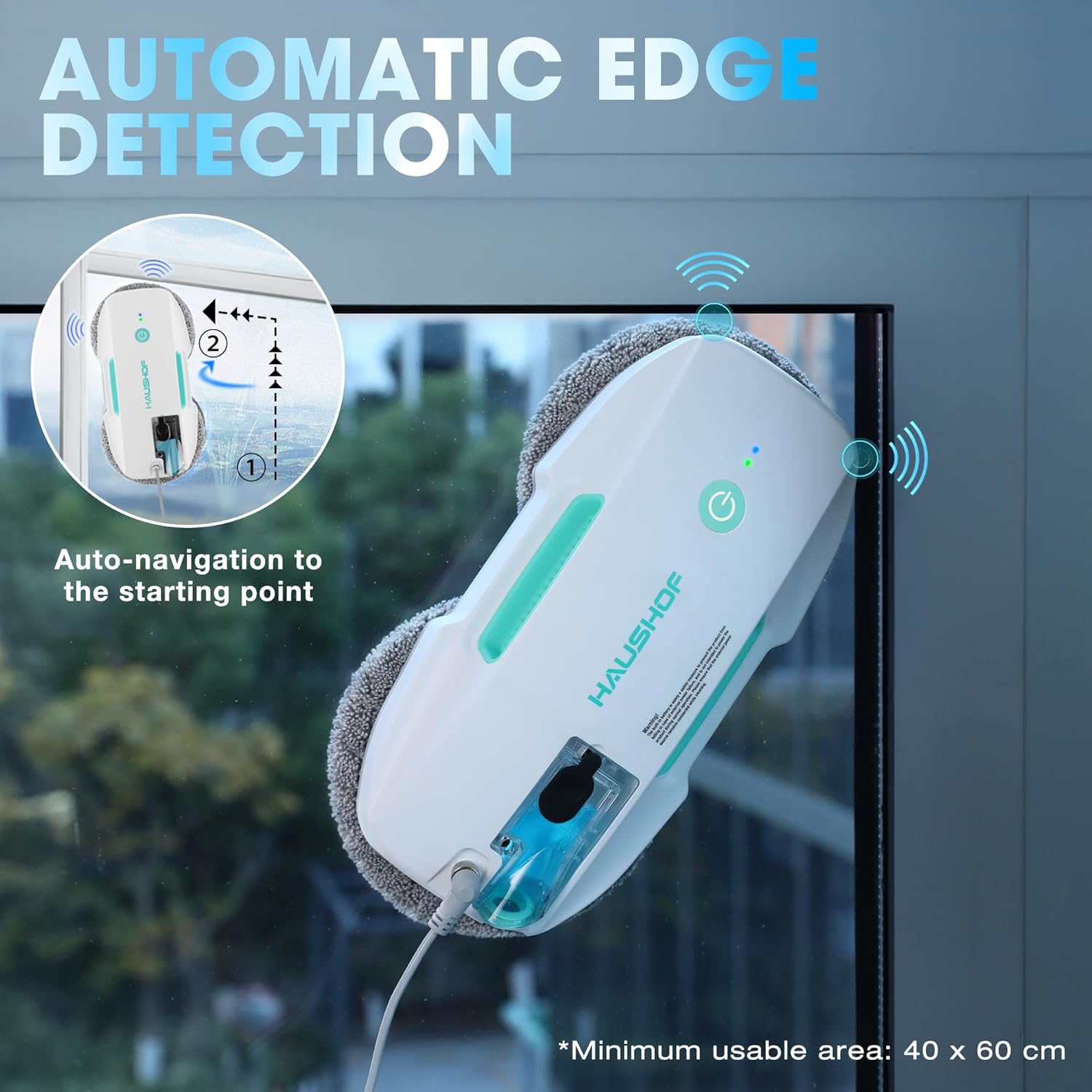
Image: The HAUSHOF robotic window cleaner on a window, illustrating its automatic edge detection system and auto-navigation to the starting point.
5. Setup
- Charge the Device: Before first use, fully charge the internal backup battery. Connect the power adapter to the robot and a power outlet. The charging time is approximately 140 minutes.
- Attach Cleaning Cloths: Securely attach two clean microfiber cloths to the bottom suction pads of the robot. Ensure they are flat and cover the pads completely.
- Fill Water Tank: Open the water tank cap and carefully fill it with the provided cleaning solution or distilled water (max 20ml). Close the cap tightly.
- Connect Safety Rope: Attach one end of the 5-meter safety rope to the robot's safety rope attachment point and the other end to a sturdy, fixed object indoors (e.g., a heavy piece of furniture, a window frame anchor).
- Connect Power Adapter: Connect the power adapter to the robot and then to a power outlet. Ensure all connections are secure.
- Prepare Window: Ensure the window surface is free from large debris or loose particles that could scratch the glass or interfere with suction.

Image: A step-by-step diagram illustrating the connection of the HAUSHOF robotic window cleaner to its power source and the proper attachment of the 5-meter safety rope.
6. Operating Instructions
- Power On: Press and hold the power button on the robot for 3 seconds until the indicator light turns on and you hear a confirmation sound.
- Place on Window: Carefully place the robot onto the window surface. Ensure it adheres firmly before releasing your hand. The robot will automatically create suction.
- Start Cleaning: You can start cleaning in one of two ways:
- One-Button Start: Press the power button on the robot once to initiate automatic cleaning.
- Remote Control: Use the remote control to select a cleaning mode and start the cleaning process.
- Monitor Progress: The robot will intelligently plan its path and clean the entire surface. It will return to its starting point upon completion.
- Pause/Stop: Press the power button on the robot or the pause/stop button on the remote control to pause or stop the cleaning cycle.
- Remove from Window: Once cleaning is complete or paused, carefully grasp the robot and press the power button for 3 seconds to release suction. Remove the robot from the window.

Image: A hand pressing the power button on the HAUSHOF robotic window cleaner, illustrating the one-button operation. Tips are provided to spray water on the cleaning cloth before use to prevent slippage.
Video: A short preview demonstrating the HAUSHOF robotic window cleaner in operation, moving across a window surface.
7. Cleaning Modes
The HAUSHOF Robotic Window Cleaner offers three distinct cleaning modes, selectable via the remote control:
- Automatic Cleaning: The robot intelligently plans its path to cover the entire window surface. This is the default and most common mode.
- Deep Cleaning (x2): For heavily soiled windows, this mode performs two passes over the surface, ensuring a more thorough clean.
- Manual Cleaning: Use the directional arrows on the remote control to guide the robot to specific areas for spot cleaning or to navigate around obstacles.

Image: A visual representation of the three cleaning paths (Up to Down, Right to Down, Left to Down) the robot can take, alongside an illustration of the remote control and its buttons for automatic, manual, and deep cleaning modes.
8. Maintenance
Regular maintenance ensures optimal performance and longevity of your device:
- Cleaning Cloths: After each use, remove the microfiber cloths and wash them. They are reusable and can be hand-washed or machine-washed. Replace cloths when they show signs of wear or no longer clean effectively.
- Robot Body: Wipe the robot's body with a soft, dry cloth. Do not use abrasive cleaners or immerse the device in water.
- Spray Nozzle: If the spray nozzle becomes clogged, gently clean it with a small brush or a cotton swab dampened with water.
- Storage: Store the robot and its accessories in a cool, dry place away from direct sunlight and extreme temperatures.
- Battery Care: For long-term storage, ensure the backup battery is partially charged (around 50%). Recharge every 3-6 months to maintain battery health.

Image: A close-up view of the microfiber cleaning cloths, emphasizing their texture, alongside a pile of clean cloths and icons indicating they are washable.
9. Troubleshooting
If you encounter issues with your HAUSHOF Robotic Window Cleaner, refer to the following table:
| Problem | Possible Cause | Solution |
|---|---|---|
| Robot does not stick to the window. | Insufficient suction; dirty pads; power issue. | Ensure power cord is connected. Check if pads are clean and properly attached. Ensure window surface is smooth and clean. |
| Robot leaves streaks. | Dirty cleaning cloths; too much cleaning solution; very dirty window. | Replace with clean cloths. Use less cleaning solution. For very dirty windows, perform multiple passes with fresh cloths. |
| Robot does not move or moves erratically. | Obstruction; low battery; sensor issue. | Check for obstructions. Ensure the robot is connected to power. Clean edge detection sensors. |
| Remote control not working. | Dead batteries; obstruction. | Replace remote control batteries. Ensure no obstruction between remote and robot. |
10. Specifications
| Feature | Detail |
|---|---|
| Model Number | HH24048A |
| Brand | HAUSHOF |
| Suction Power | 3800Pa |
| Dimensions | 31.3 x 18.2 x 16.8 cm |
| Item Weight | 980 g |
| Material | Plastic |
| Backup Battery | 1 Lithium-ion (included) |
| Backup Battery Runtime | Up to 25 minutes |
| Charging Time | Approx. 140 minutes |
| Safety Rope Length | 5 meters |
| Water Tank Capacity | 20ml |
| Country of Origin | China |
11. Warranty and Support
HAUSHOF products are manufactured to high-quality standards. For information regarding warranty coverage, please refer to the warranty card included with your purchase or contact HAUSHOF customer support directly.
If you have any questions, require technical assistance, or need to report an issue, please contact our customer support team. Contact details can typically be found on the product packaging or the official HAUSHOF website.


