AM ARROWMAX SGS PRO Mini Engraving Pen User Manual
Model: SGS PRO (199213-B) | Brand: AM ARROWMAX
Introduction
The AM ARROWMAX SGS PRO Mini Engraving Pen is a versatile and precise rotary tool designed for intricate designs on a wide range of materials including metal, wood, glass, and plastic. Featuring smart motion control, an OLED display, Bluetooth connectivity for app customization, and convenient wireless magnetic charging, this engraving pen offers both power and precision for artists and craft enthusiasts. This manual provides detailed instructions for setup, operation, maintenance, and troubleshooting to ensure optimal performance and longevity of your device.
What's Included
Your AM ARROWMAX SGS PRO Mini Engraving Pen package includes the following items:
- AM ARROWMAX SGS PRO Mini Engraving Pen
- 42-Piece Accessory Set (30 Engraving Bits, 12 Polishing Bits)
- Magnetic USB Charging Cable
- Storage Case for Pen and Bits
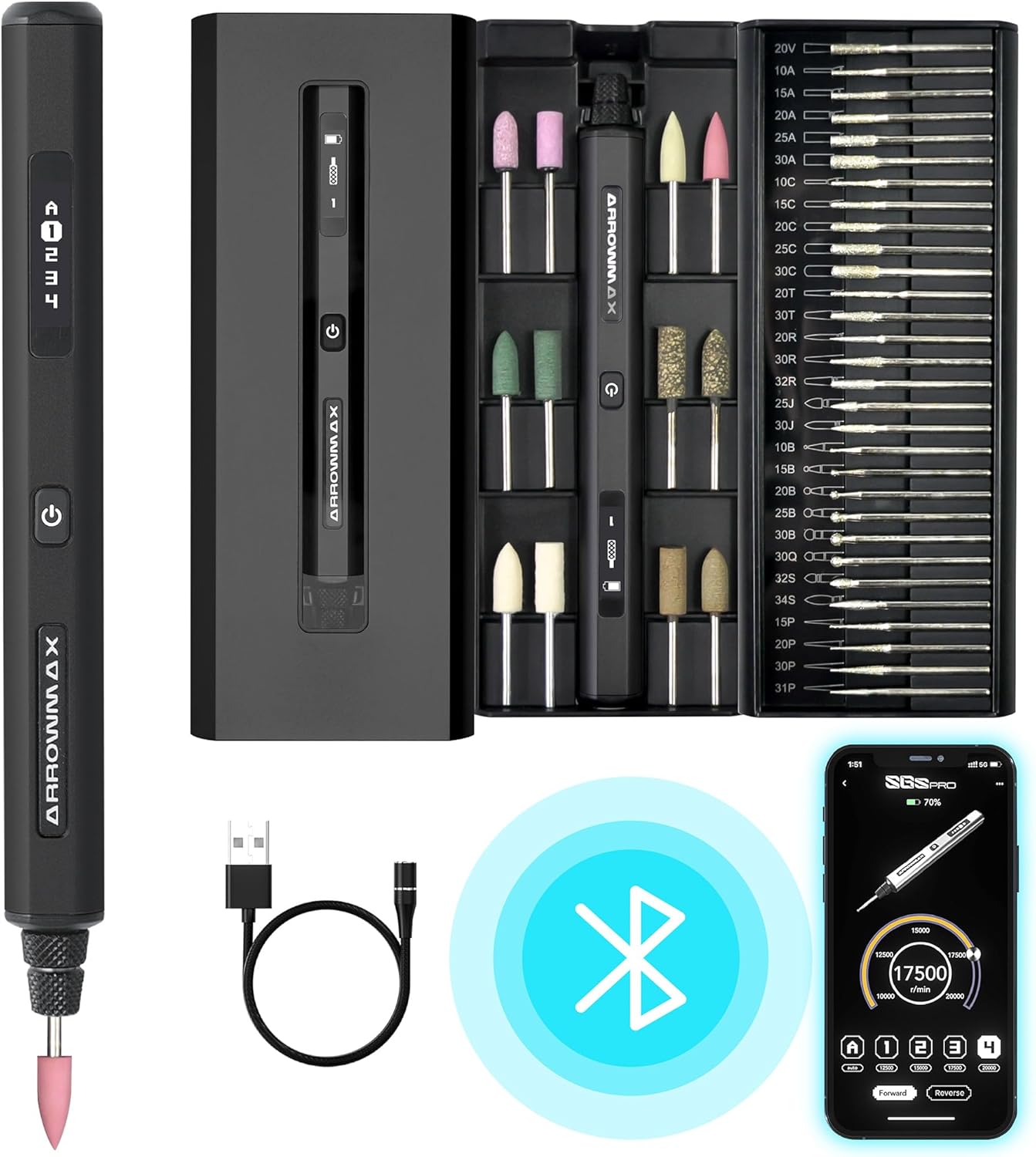
Figure 1: All components included in the AM ARROWMAX SGS PRO package.
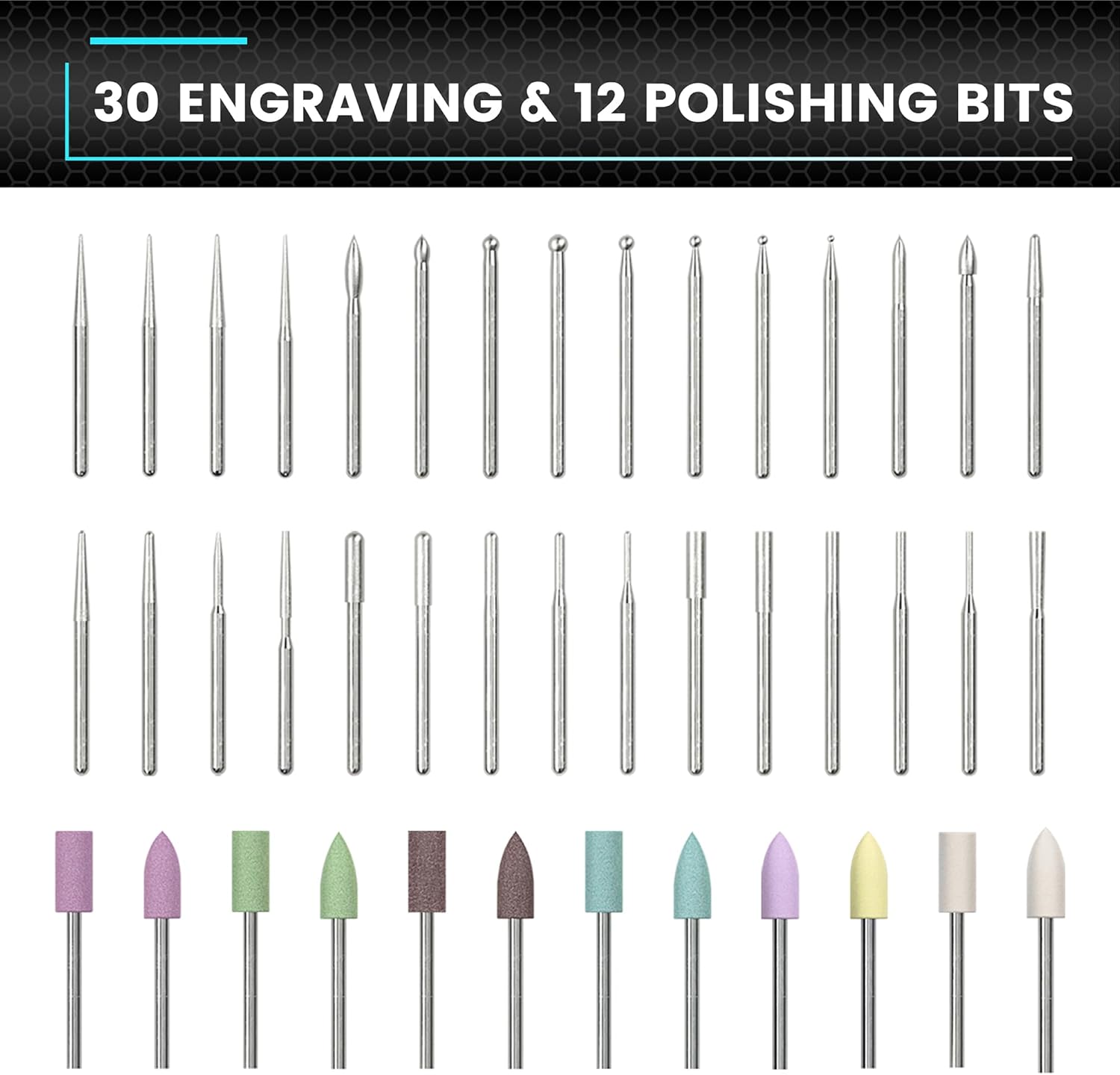
Figure 2: The comprehensive 42-piece accessory set, including various engraving and polishing bits.
Setup
Charging the Device
Before first use, fully charge your engraving pen. The device features a 5V rechargeable battery, providing approximately 90 minutes of continuous operation on a full charge. The magnetic charging cable allows for convenient in-box charging.
- Connect the magnetic end of the USB charging cable to the charging port on the pen or its storage case.
- Connect the USB-A end of the cable to a compatible USB power adapter (not included) or a computer USB port.
- The OLED display will indicate charging status.

Figure 3: The magnetic charging port located on the end of the engraving pen.
Video 1: Demonstrates the magnetic charging process and bit installation for the AM ARROWMAX SGS PRO electric engraving pen.
Installing Engraving Bits
The engraving pen features a chuck for easy bit changes without additional tools.
- Ensure the pen is powered off.
- Gently twist the chuck counter-clockwise to loosen it.
- Insert the desired engraving or polishing bit into the chuck.
- Twist the chuck clockwise to secure the bit firmly in place. Do not overtighten.
Operating Instructions
Power On/Off and Basic Operation
- Power On: Press and hold the power button until the OLED display illuminates.
- Power Off: Press and hold the power button again. The device will also auto-shutdown after 10 seconds of inactivity to conserve battery.
- Direction Control: The intelligent motion system allows for intuitive speed adjustment based on the twist angle of the pen. You can also toggle between forward and reverse modes via the smartphone app.
- Speed Adjustment: The OLED display shows the current speed (RPM). Speed can be customized in increments of 500 RPM via the dedicated smartphone app.

Figure 4: The OLED display provides real-time information on battery status, selected mode, and rotation direction.
App-Enabled Customization
Enhance your engraving experience by connecting your SGS PRO to the AM Arrowmax smartphone app (available for Android and iOS).
- Download the "AM Arrowmax" app from your device's app store.
- Enable Bluetooth on your smartphone and open the app.
- Follow the in-app instructions to pair your SGS PRO engraving pen.
- Within the app, you can precisely customize the speed in 500 RPM increments and switch between forward and reverse rotation modes.

Figure 5: The AM Arrowmax app allows for precise speed customization and direction control.
Engraving on Various Materials
The SGS PRO is designed for light-duty tasks on a variety of materials. Always test on a scrap piece of material first to determine the optimal speed and pressure.
- Wood: Use appropriate engraving bits for detailed carving or marking.
- Metal: Suitable for soft metals and light etching.
- Glass: Ideal for delicate designs and personalization.
- Plastic: Perfect for adding custom touches to plastic items.
- Ceramic/Stone: Can be used for light surface etching.

Figure 6: The engraving pen is suitable for detailed model making.

Figure 7: The SGS PRO can engrave on over 50 different surfaces, offering broad creative possibilities.
Video 2: A short demonstration of the AM ARROWMAX SGS PRO mini electric engraving pen in action on various materials.
Maintenance
Proper maintenance ensures the longevity and optimal performance of your engraving pen.
- Cleaning: After each use, gently wipe the pen body with a soft, dry cloth to remove any dust or debris. Use a small brush to clean around the chuck area.
- Bit Care: Clean bits after use. Store all bits in their designated slots within the accessory case to prevent damage and loss.
- Storage: Store the engraving pen and its accessories in the provided case in a cool, dry place away from direct sunlight and extreme temperatures.
Troubleshooting
If you encounter any issues with your AM ARROWMAX SGS PRO, refer to the following troubleshooting guide:
| Problem | Possible Cause | Solution |
|---|---|---|
| Pen does not turn on. | Low battery; Power button not pressed correctly. | Charge the device fully. Press and hold the power button firmly. |
| Inconsistent engraving/polishing. | Bit is loose; Incorrect speed setting; Worn bit. | Ensure bit is securely tightened. Adjust speed via app. Replace worn bits. |
| Device overheats. | Prolonged continuous use; Excessive pressure. | Allow the device to cool down. Reduce continuous operating time. Apply lighter pressure. |
| Bluetooth connectivity issues. | Bluetooth off; App not updated; Device too far from phone. | Ensure Bluetooth is enabled. Update app to latest version. Keep devices within range. |
Specifications
| Feature | Detail |
|---|---|
| Brand | AM ARROWMAX |
| Model Number | 199213-B (SGS PRO) |
| Item Weight | 13.4 ounces |
| Package Dimensions | 8.82 x 3.03 x 1.3 inches |
| Country of Origin | China |
| Battery Type | 1 Lithium Polymer (included) |
| Special Features | Cordless, Rechargeable, Smart Motion Control, OLED Display, Bluetooth, APP Control, Wireless Magnetic Charge |
| Accessory Set | 42-piece (30 engraving bits, 12 polishing bits) |
Warranty and Support
For warranty information and technical support, please refer to the documentation included with your product or visit the official AM ARROWMAX website. You can also contact AM ARROWMAX customer service directly for assistance with product inquiries, troubleshooting, or replacement parts.
AM ARROWMAX Store: Visit Store


