
1. Introduction
Thank you for purchasing the QUTWOB 1695-52BK 52-inch Ceiling Fan with LED Light. This manual provides detailed instructions for the safe installation, operation, and maintenance of your new ceiling fan. Please read this manual thoroughly before attempting to assemble, install, or operate the product. Keep this manual for future reference.
2. Safety Instructions
To reduce the risk of electric shock, fire, or personal injury, always follow these basic safety precautions:
- Read all instructions before installing the fan.
- WARNING: To avoid possible electrical shock, turn off the electricity at the main fuse box or circuit breaker before you begin fan installation or before servicing the fan.
- All wiring must be in accordance with national and local electrical codes. Electrical installation should be performed by a qualified licensed electrician.
- The fan must be mounted to a structural part of the building capable of supporting the fan's weight (minimum 35 lbs / 15.9 kg).
- Ensure the installation site allows for a minimum clearance of 7 feet (2.1 meters) from the floor to the fan blades and 30 inches (76 cm) from the blades to any wall or obstruction.
- Do not operate the fan with a damaged power cord or plug.
- Do not insert objects into the fan blades while the fan is operating.
- This appliance is not intended for use by persons (including children) with reduced physical, sensory or mental capabilities, or lack of experience and knowledge, unless they have been given supervision or instruction concerning use of the appliance by a person responsible for their safety.
3. Package Contents
Carefully unpack your fan and check that all contents are included. Keep the packaging for future transport or if returns are necessary.
- Fan Motor Housing
- Fan Blades (3)
- Downrods (5-inch, 10-inch, 14-inch)
- Mounting Bracket
- Canopy
- Light Kit with Integrated LED
- Remote Control with Wall Mount
- Hardware Pack (screws, washers, wire nuts)
- User Manual
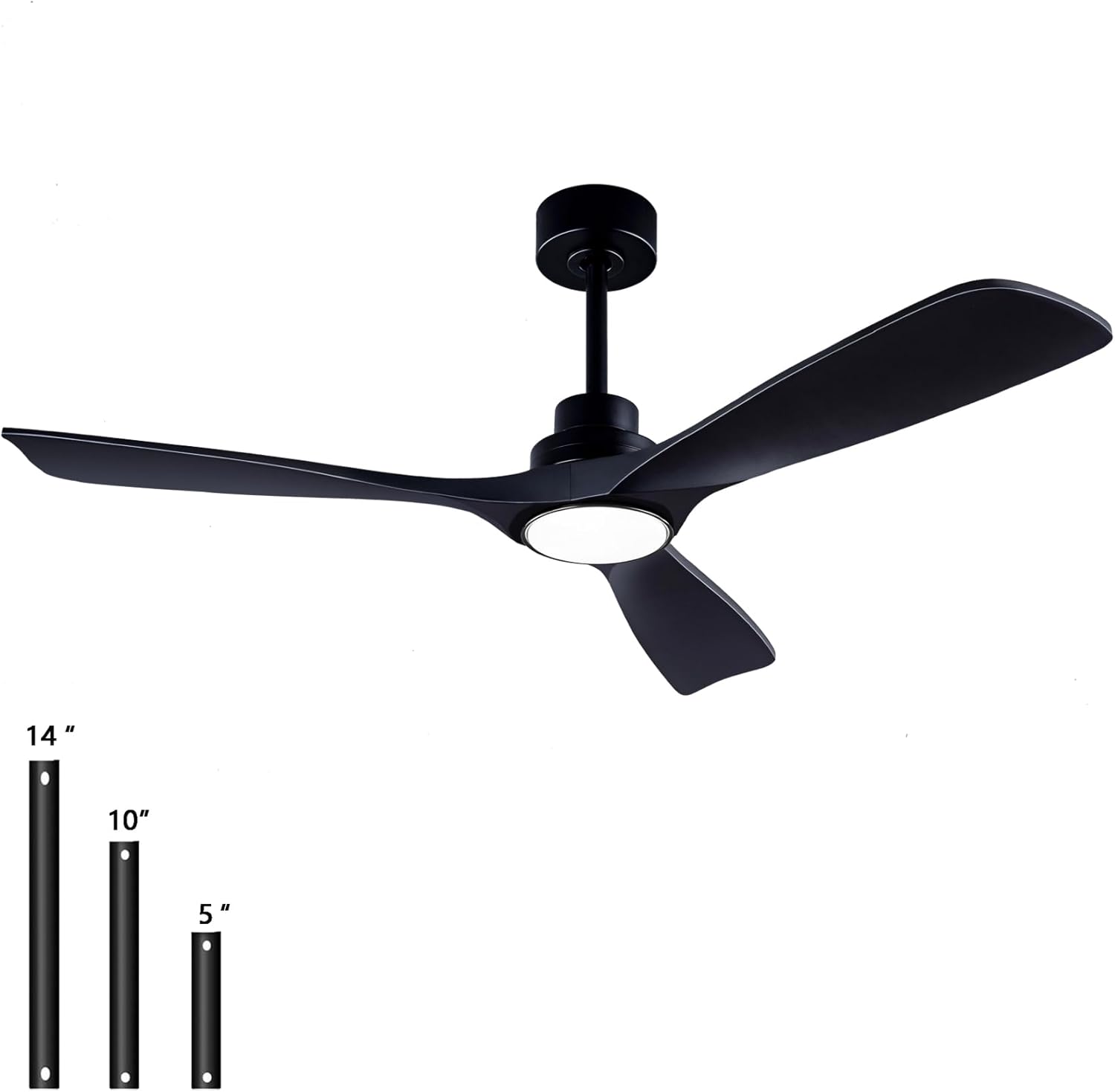
Image: A clear view of the QUTWOB ceiling fan with three interchangeable downrod options (5", 10", 14") displayed alongside it, illustrating the different mounting heights available.
4. Installation Guide
Before starting installation, ensure the power is turned off at the circuit breaker. It is recommended to have two people for installation.
4.1 Pre-installation Checklist
- Tools Required: Phillips screwdriver, flathead screwdriver, wire strippers, electrical tape, step ladder.
- Site Preparation: Ensure the ceiling junction box is securely mounted and rated for fan support.
4.2 Mounting the Bracket
- Secure the mounting bracket to the ceiling junction box using the screws provided. Ensure it is firmly attached.
4.3 Assembling the Fan
- Select the desired downrod length (5", 10", or 14").
- Feed the motor wires through the chosen downrod.
- Attach the downrod to the fan motor housing and secure it with the provided pin and screw.
- Attach the fan blades to the motor housing using the blade screws. Ensure all screws are tightened securely.
4.4 Wiring
- Carefully lift the fan assembly and hang it on the mounting bracket hook (if available) or have someone assist in holding it.
- Connect the fan's electrical wires to the house wiring:
- Connect the Green/Bare Copper wire (Ground) from the fan to the Green/Bare Copper wire from the house.
- Connect the White wire (Neutral) from the fan to the White wire from the house.
- Connect the Black wire (Live) from the fan to the Black wire from the house.
- Secure all connections with wire nuts and wrap with electrical tape.
4.5 Attaching the Fan to the Bracket
- Carefully lift the fan assembly and seat the downrod ball into the mounting bracket.
- Slide the canopy up to the ceiling and secure it to the mounting bracket with the provided screws.
4.6 Installing the Light Kit
- Connect the light kit wires to the corresponding wires from the fan motor housing.
- Attach the light kit assembly to the bottom of the fan motor housing and secure it with the provided screws.

Image: Diagram showing the overall dimensions of the 52-inch ceiling fan, including blade span, downrod lengths (5", 10", 14"), and suitability for sloped ceilings up to 15 degrees. Examples of fan placement in bedroom, living room, and dining room are also shown.

Image: Close-up view of the fan's components, showing compatibility with sloped ceilings (up to 15°), the integrated 15W three-color LED light source, and the ABS blade finish.
5. Operating Instructions
Your QUTWOB ceiling fan is operated by a remote control. Ensure the remote has working batteries (not included, typically 2x AAA).
5.1 Remote Control Functions
- Fan ON/OFF: Press the fan icon button to turn the fan on or off.
- Fan Speed: Use the speed buttons (1-6) to adjust the fan speed. There are 6 available speeds.
- Light ON/OFF: Press the light bulb icon button to turn the light on or off.
- Light Color Temperature: Press the 'CCT' button (or similar icon) to cycle through Warm White (3000K), Natural Light (4500K), and Cool White (6000K).
- Light Brightness Adjustment: Press and hold the light button or use dedicated dimmer buttons (if available) to adjust brightness from 0-100%.
- Timer Function: Press the 'TIMER' button to set the fan to turn off automatically after 1 hour, 4 hours, or 8 hours.
- Reversible Fan Direction (Summer/Winter Mode): Locate the reverse button on the remote (often indicated by a circular arrow icon). Pressing this button will change the direction of the fan blades.
- Downward Mode (Summer): Blades rotate counter-clockwise, pushing air down to create a cooling breeze.
- Upward Mode (Winter): Blades rotate clockwise, drawing air up to circulate warm air evenly throughout the room.
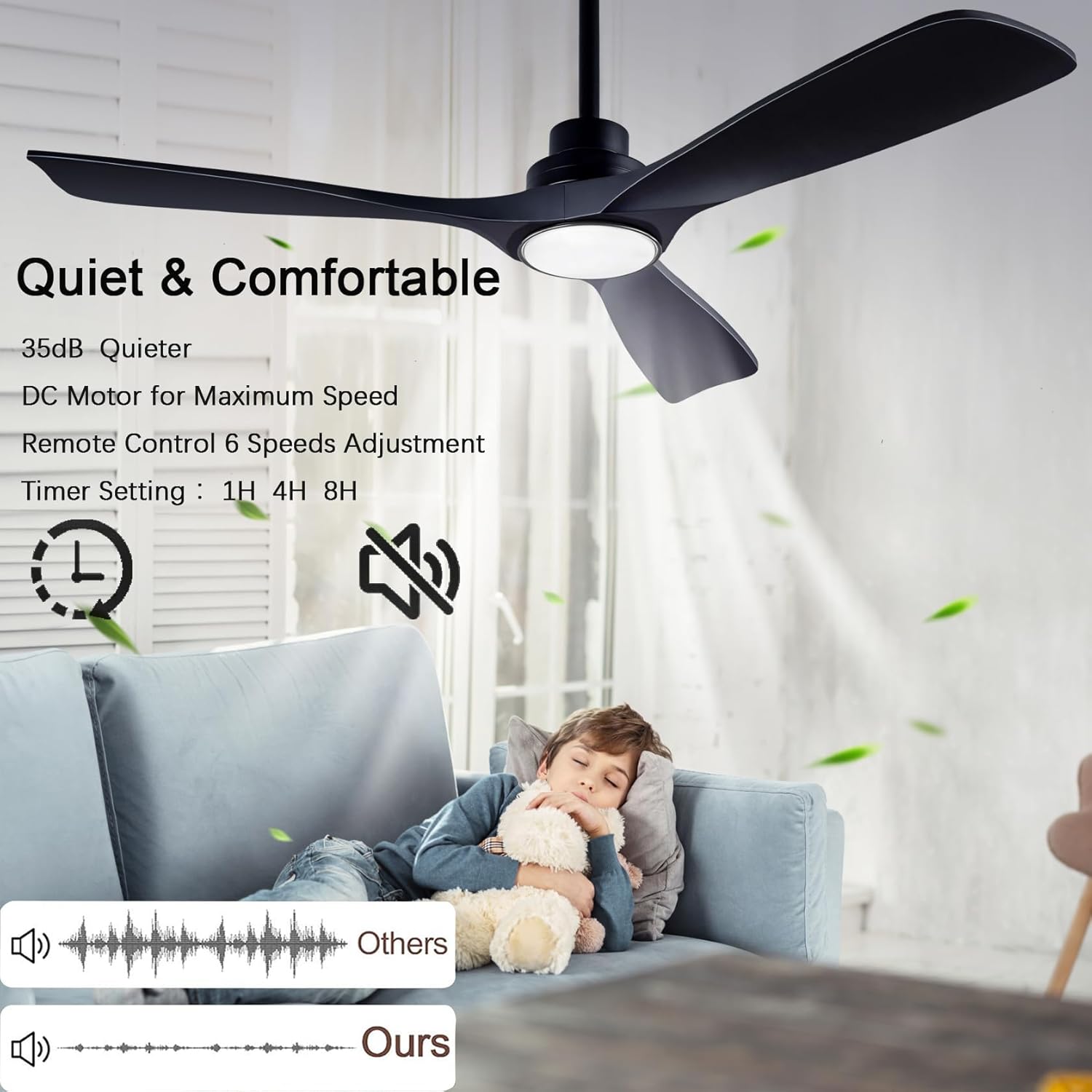
Image: Image highlighting the quiet operation of the fan (35dB), its DC motor for maximum speed, 6-speed remote control adjustment, and timer settings (1H, 4H, 8H). A child is shown sleeping peacefully under the fan.

Image: Illustration demonstrating the reversible airflow function. "Downward Mode" circulates air downwards for a cooling effect in summer, while "Upward Mode" enhances upward air circulation for warmth distribution in winter. Icons for reversible function, remote control, time setting, 6 speeds, and 30dB sound are also present.

Image: Image detailing the integrated 18W LED light with 1500 lumens, offering three color temperatures: Warm white (3000K), Natural light (4500K), and Cool white (6000K). It also shows the 0-100% brightness adjustment range.
6. Maintenance
Regular maintenance will ensure the longevity and optimal performance of your ceiling fan.
- Cleaning: To clean the fan, wipe with a soft, damp cloth. Do not use abrasive cleaners or solvents, as these may damage the finish.
- Blade Care: Periodically check the fan blades for dust accumulation. Clean them gently to maintain balance and airflow.
- Tightness of Screws: Periodically check all screws, especially those on the fan blades and mounting bracket, to ensure they are tight. Loose screws can cause wobbling or noise.
- LED Light Source: The integrated LED light source is designed for long life and is not user-replaceable. If the light fails, please contact customer support.
7. Troubleshooting
If you experience issues with your fan, please refer to the following troubleshooting guide:
| Problem | Possible Cause | Solution |
|---|---|---|
| Fan does not start | No power to the fan; Loose wire connections; Remote control battery dead. | Check circuit breaker/fuse; Ensure all wire connections are secure; Replace remote control batteries. |
| Light does not work | Loose wire connections; Faulty LED driver. | Check light kit wiring; Contact customer support if LED driver is suspected. |
| Fan makes excessive noise (clicking, humming) | Loose screws; Unbalanced blades; Internal motor issue. | Ensure all screws are tight (blades, motor housing, mounting bracket); Check for blade balance; If noise persists, contact customer support. |
| Fan wobbles | Loose mounting bracket; Unbalanced blades; Loose downrod. | Ensure mounting bracket is secure; Check blade balance and tightness; Ensure downrod is securely fastened. |
| Remote control not working | Dead batteries; Remote not paired (if applicable); Obstruction. | Replace batteries; Refer to remote pairing instructions (if any); Ensure clear line of sight to fan receiver. |
8. Specifications
| Feature | Specification |
|---|---|
| Model Number | 1695-52BK |
| Brand | QUTWOB |
| Fan Diameter | 52 inches (132.1 cm) |
| Motor Type | DC Motor |
| Power Consumption (Fan) | 18 Watts |
| Noise Level | 20 Decibels |
| Light Type | Integrated LED |
| Light Wattage | 18 Watts |
| Light Color Temperature | 3000K (Warm White), 4500K (Natural Light), 6000K (Cool White) |
| Blade Material | Wood (ABS Finish) |
| Control Type | Remote Control |
| Mounting Type | Downrod (5", 10", 14" included) |
| Sloped Ceiling Compatible | Yes, up to 15 degrees |
9. Warranty and Support
QUTWOB products are manufactured to high-quality standards. This product comes with a limited warranty against defects in materials and workmanship. Please refer to the warranty card included in your package or visit the official QUTWOB website for detailed warranty terms and conditions.
For technical support, troubleshooting assistance, or to inquire about replacement parts, please contact QUTWOB customer service through the retailer where the product was purchased or visit the brand's official support channels.