
1. Introduction and Overview
This INKBIRDPLUS KNE-CS-711 portable dehumidifier is designed to efficiently remove excess moisture from small to medium-sized indoor spaces, improving air quality and comfort. Featuring advanced semiconductor dehumidification technology, a generous 1100ml water tank, and quiet operation, it is ideal for bedrooms, bathrooms, closets, and other areas up to 20 square meters.
The unit helps prevent mold, mildew, and musty odors by maintaining optimal humidity levels. Its compact design and user-friendly features make it a convenient solution for moisture control in your home.
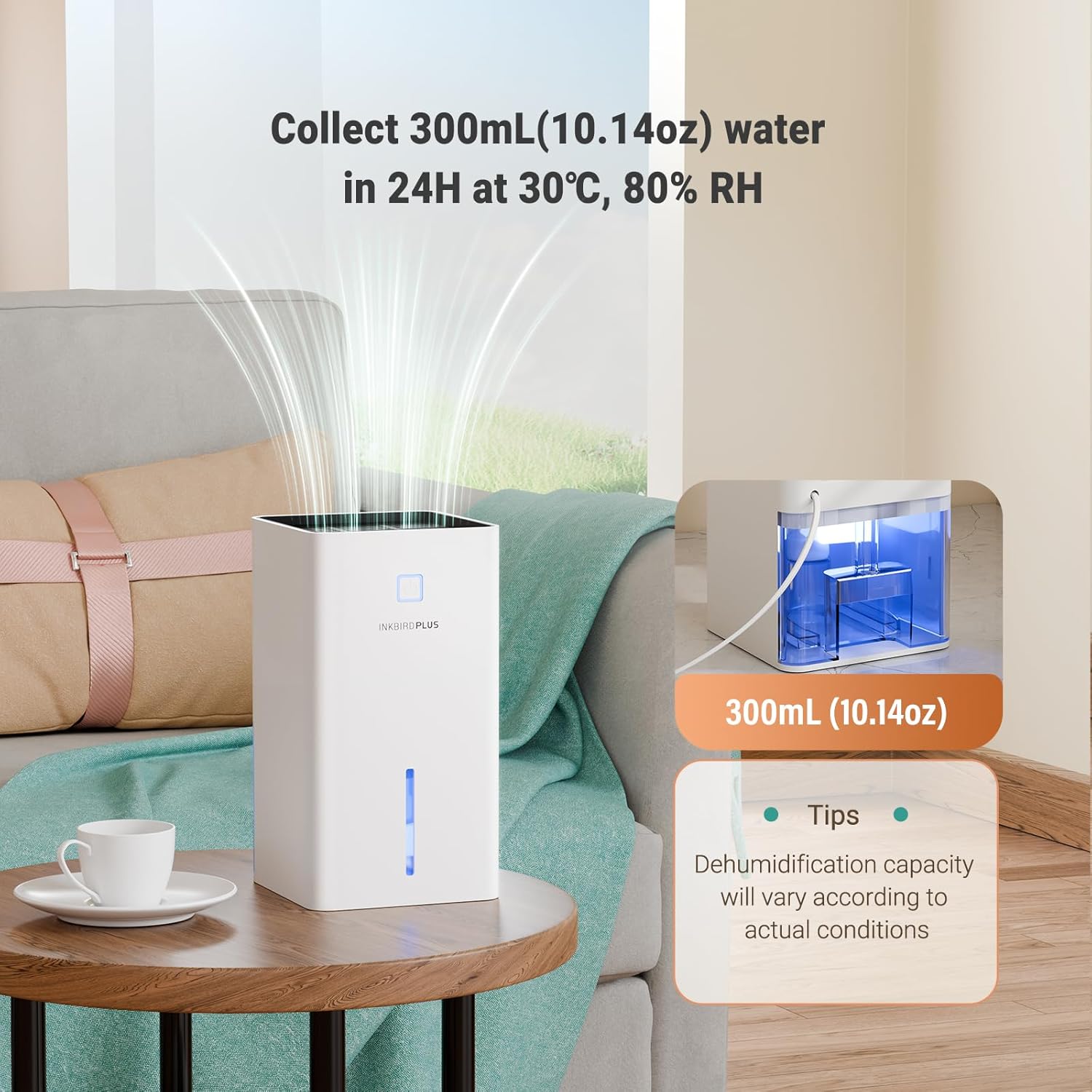
This image demonstrates the dehumidifier's performance, showing it collecting moisture in a typical home environment. It highlights the daily water collection capacity of 300ml at 30°C and 80% relative humidity, with a visual of the water tank.
2. Safety Instructions
Before operating the INKBIRDPLUS KNE-CS-711 dehumidifier, please read all safety instructions carefully to prevent injury or damage. Keep this manual for future reference.
- Always place the unit on a stable, level surface to prevent tipping.
- Ensure the power cord is not damaged and is properly connected to a suitable power outlet (refer to specifications for voltage).
- Do not block the air inlet or outlet. Maintain at least 10 cm (4 inches) clearance around the unit for proper airflow.
- Do not immerse the unit in water or other liquids. Avoid using in excessively wet environments where water might splash onto the unit.
- Unplug the unit from the power outlet before cleaning, maintenance, or when not in use for extended periods.
- Keep out of reach of children and pets. This appliance is not intended for use by persons with reduced physical, sensory or mental capabilities, or lack of experience and knowledge, unless they have been given supervision or instruction.
- Do not use in areas with flammable or explosive gases, or near heat sources.
- Empty the water tank regularly to prevent overflow and ensure continuous operation.
3. Product Components
The INKBIRDPLUS KNE-CS-711 dehumidifier consists of several key components for optimal performance and ease of use.
- Air Inlet: Located on the back/sides, where moist air is drawn into the unit.
- Air Outlet: Located on the top, where dry air is released.
- Control Panel: Features power button and light control button.
- Water Tank: Removable tank for collecting condensed water.
- Water Level Indicator: A transparent window on the front to monitor water level.
- Power Port: Located on the back for connecting the power adapter.

This image illustrates the internal workings of the dehumidifier, showcasing the semiconductor cooling element and fan that draw in moist air, condense it, and release dry air. The design emphasizes high efficiency and quiet operation with a brushless motor.
4. Setup Instructions
Follow these steps to set up your dehumidifier for the first time:
- Unpack the Unit: Carefully remove the dehumidifier and all packaging materials from the box. Inspect the unit for any signs of damage.
- Choose a Location: Place the unit on a firm, level surface in the desired location. Ensure there is at least 10 cm (4 inches) of unobstructed space around the air inlet and outlet for proper airflow. Avoid placing it directly against walls or furniture.
- Connect Power: Connect the provided power adapter to the dehumidifier's power port located on the back. Then, plug the adapter into a standard electrical outlet. Ensure the connection is secure.

This image shows the dehumidifier connected to an electrical outlet, emphasizing the stable and secure power connection for reliable operation.
5. Operating Instructions
Operating your INKBIRDPLUS KNE-CS-711 dehumidifier is straightforward:
- Power On/Off: Press the power button on the control panel to turn the dehumidifier on. The unit will begin dehumidifying automatically. Press the power button again to turn the unit off.
- Night Light Function: Press the light button to cycle through the 7-color night light modes. You can choose a single static color or a rotating color display to create a comfortable atmosphere. Press the button again to turn the light off.
- Sleep Mode: The dehumidifier is designed for ultra-quiet operation, especially in sleep mode, generating noise below 30 dB. This allows for undisturbed reading, working, or sleeping.
- Automatic Shut-Off: When the 1100ml water tank is full, the dehumidifier will automatically shut off to prevent overflow. An indicator light will typically illuminate to signal that the tank needs emptying.

This visual explains the safety feature where the dehumidifier automatically powers off when its 1100ml water tank reaches full capacity. This prevents overflow and ensures safe operation, indicated by a change in light status.

This image illustrates the ultra-quiet operation of the dehumidifier, showing it in a bedroom or living room setting where a person is sleeping undisturbed. It highlights the noise level of less than 30dB, comparable to very quiet environments.
6. Maintenance
Regular maintenance ensures optimal performance and extends the lifespan of your dehumidifier.
- Emptying the Water Tank: When the water tank is full, the unit will stop operating. Carefully remove the water tank from the unit, discard the collected water, and then reinsert the empty tank firmly into place until it clicks.
- Cleaning the Exterior: Wipe the exterior of the dehumidifier with a soft, damp cloth. Do not use abrasive cleaners, solvents, or harsh chemicals, as these can damage the surface.
- Air Inlet/Outlet Cleaning: Periodically check the air inlet and outlet for dust or debris accumulation. Use a soft brush or vacuum cleaner to gently remove any blockages to ensure efficient airflow.
- Storage: If storing the unit for an extended period, ensure the water tank is empty and clean. Clean the exterior of the unit. Store it in a cool, dry place, away from direct sunlight and extreme temperatures.
7. Troubleshooting
If you encounter issues with your INKBIRDPLUS KNE-CS-711 dehumidifier, please refer to the following common solutions:
- Unit does not turn on:
- Check if the power adapter is securely plugged into both the unit and a functioning electrical outlet.
- Ensure the water tank is properly inserted and not full. The unit will not operate if the tank is full or incorrectly placed.
- Dehumidification is ineffective:
- Ensure the room temperature and humidity are within the effective operating range (e.g., typically above 15°C and 40% RH for optimal dehumidification).
- Check that the air inlet and outlet are not blocked by objects or dust.
- Confirm the unit is placed in an appropriate-sized room (5-20 square meters). Using it in a larger space may reduce its perceived effectiveness.
- Close windows and doors in the room to prevent outside moisture from entering.
- Unit is running but no water is collecting:
- The ambient humidity might be too low for significant water collection.
- Ensure the unit has been running for a sufficient amount of time (it may take several hours to see noticeable water collection).
- Unit is making unusual noise:
- Ensure the unit is placed on a stable, level surface.
- Check for any obstructions in the air inlet or outlet that might be causing the fan to work harder.
8. Specifications
Detailed specifications for the INKBIRDPLUS KNE-CS-711 dehumidifier:
| Feature | Specification |
|---|---|
| Brand | INKBIRDPLUS |
| Model Name | KNE-CS-711 |
| Dehumidification Capacity | Up to 300 ml/day (at 30℃, 80% RH) |
| Water Tank Capacity | 1100 ml |
| Coverage Area | 5 - 20 square meters |
| Noise Level | Below 30 dB (in Sleep Mode) |
| Power Consumption | 40W (approx. 0.96 kWh per 24 hours) |
| Dimensions (L x W x H) | 13 cm x 13 cm x 24 cm |
| Operating Mode | Automatic |
| Color | White |

This image provides a clear view of the dehumidifier's compact dimensions and highlights its 1100ml water tank capacity. The tank is shown both inside and removed from the unit.

This image emphasizes the energy efficiency of the dehumidifier, stating that with a power of 40W, it consumes only 0.96kWh of electricity over 24 hours, promoting cost-effective operation.
9. Warranty and Support
For warranty information, product registration, or technical support, please refer to the documentation included with your purchase or contact INKBIRDPLUS customer service directly through the retailer where the product was purchased. Please have your model number (KNE-CS-711) and purchase date ready when contacting support.
