1. Introduction
This manual provides comprehensive instructions for the safe and efficient operation of your HiBy R6 Gen3 Digital Audio Player. Please read this manual thoroughly before using the device and retain it for future reference.
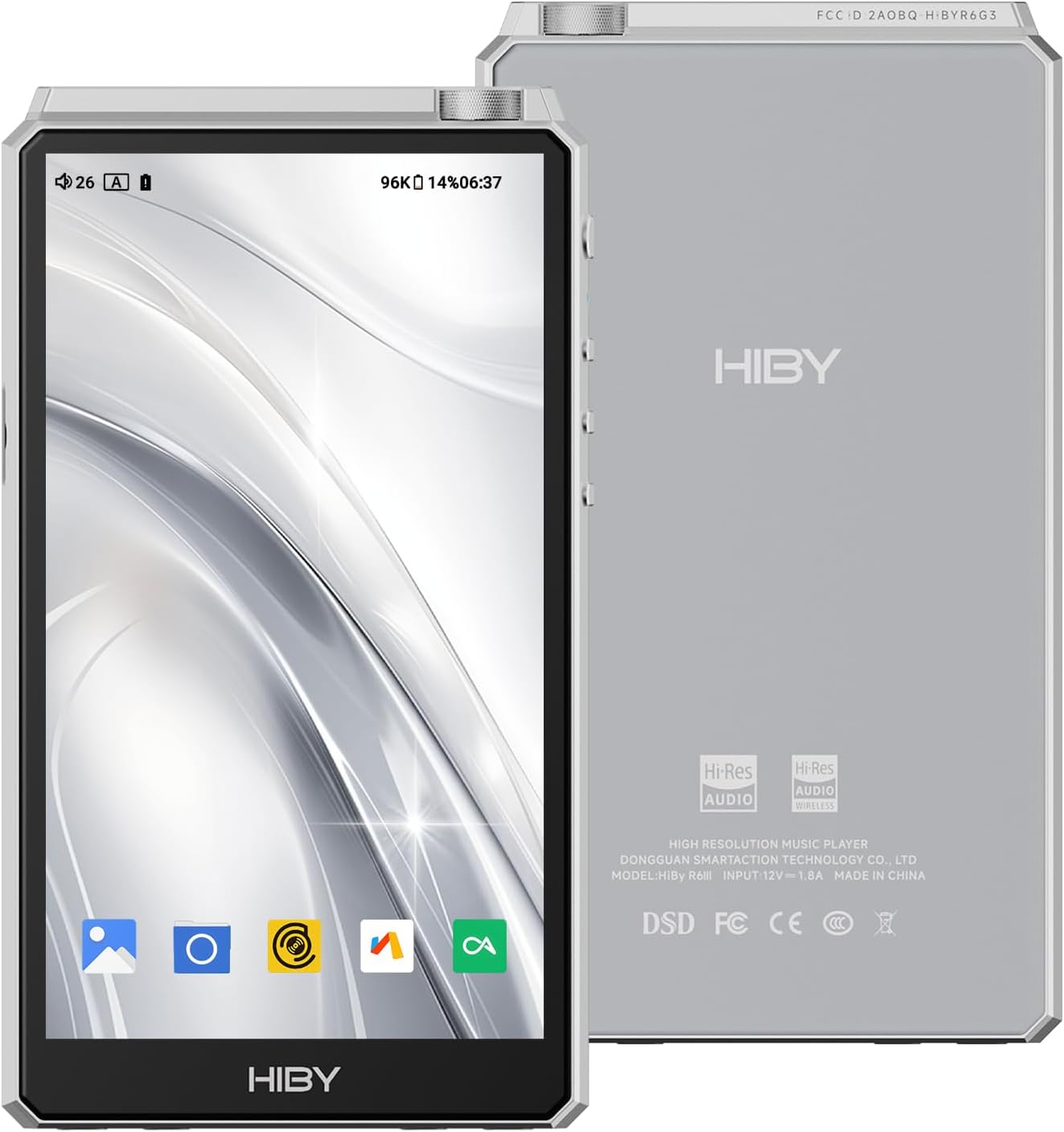
Figure 1: Front and back view of the HiBy R6 Gen3 Digital Audio Player. The front features a large display, while the back shows the HiBy logo and product information.
2. Key Features
- Amplification: Class A and Class AB headphone amplifiers for robust sound performance, suitable for various headphones.
- Digital-to-Analog Conversion (DAC): Dual ES9038Q2M DAC chips for optimal audio fidelity, supporting native DSD512, PCM 32bit/768kHz, and MQA 16x.
- Operating System: Android 12 with Qualcomm Snapdragon 665 processor, 4GB RAM, and 64GB internal storage, expandable up to 2TB via microSD.
- Connectivity: Bluetooth 5.0 (LDAC, aptX, aptX HD, SBC, AAC) and 2.4GHz/5GHz Wi-Fi (up to 433Mbps).
- Audio Outputs: Dedicated 3.5mm and 4.4mm headphone outputs, line outputs, USB digital audio input/output, and coaxial digital output.
3. Package Contents
Verify that all items are present in the package:
- HiBy R6 Gen3 Player
- Player Case
- USB Type-C Cable
- Instruction Manual (this document)
- Screen Protectors
4. Device Overview
4.1. Physical Layout

Figure 2: Angled view of the HiBy R6 Gen3, showcasing its sleek design and side buttons.
The HiBy R6 Gen3 features a robust build with clearly defined physical controls and multiple audio ports.
4.2. Ports and Buttons

Figure 3: Bottom view of the HiBy R6 Gen3, highlighting the 3.5mm and 4.4mm audio jacks, and the USB Type-C port.
- Top: Power button, volume knob.
- Left Side: Play/Pause, Previous Track, Next Track buttons.
- Bottom: 3.5mm Headphone Out (PO), 3.5mm Line Out (LO), 4.4mm Balanced Headphone Out (BAL), 4.4mm Balanced Line Out (BAL.LO), USB Type-C port, MicroSD card slot.
5. Setup
5.1. Initial Power On
- Press and hold the Power button located on the top of the device until the screen illuminates.
- Follow the on-screen prompts to select your language and connect to a Wi-Fi network.
5.2. Charging the Device
Connect the supplied USB Type-C cable to the device's USB-C port and the other end to a compatible USB power adapter (not included) or a computer. The battery indicator on the screen will show charging status.
5.3. Expanding Storage (MicroSD Card)
The device supports microSD cards up to 2TB. Locate the microSD card slot on the side of the player. Insert the card gently until it clicks into place. To remove, push the card inward until it springs out.

Figure 4: Side view of the HiBy R6 Gen3, showing the microSD card slot for expandable memory.
5.4. Transferring Music Files
Connect the HiBy R6 Gen3 to your computer using the USB Type-C cable. The device will appear as a removable storage device. Drag and drop your music files into the internal storage or the inserted microSD card. The player supports various audio formats including MP3, FLAC, WAV, DSD, and MQA.
6. Operating the Device
6.1. Basic Navigation
The HiBy R6 Gen3 runs on Android 12, offering a familiar touchscreen interface. Swipe to navigate between screens, tap to select items, and use the physical buttons for media control.
6.2. Connecting Headphones
Insert your headphones into the appropriate 3.5mm (unbalanced) or 4.4mm (balanced) headphone output jack at the bottom of the device. Ensure the connection is secure.

Figure 5: The HiBy R6 Gen3 connected to headphones, ready for audio playback.
6.3. Bluetooth Connectivity
- Go to Settings > Connected devices > Bluetooth.
- Toggle Bluetooth ON.
- Select "Pair new device" and choose your Bluetooth headphones or speaker from the list.
- The device supports high-quality Bluetooth codecs like LDAC, aptX, aptX HD, SBC, and AAC.
6.4. Wi-Fi Connectivity
- Go to Settings > Network & internet > Wi-Fi.
- Toggle Wi-Fi ON.
- Select your desired network and enter the password if prompted.
- Once connected, you can download streaming apps or browse online content.
6.5. Using Streaming Applications
The Android 12 operating system allows for the installation of various third-party streaming applications from the Google Play Store. Once installed, log in with your account to access your music libraries and playlists.
Video 1: Official HiBy R5 Gen 2 Hi-Res Audio Player overview, demonstrating features and user interface. While this video features the R5 Gen 2, many operational aspects are similar to the R6 Gen3.
Video 2: Official HiBy Digital M300 Music Player with Speaker demonstration. This video provides a general overview of HiBy's digital audio player functionality, which can be helpful for understanding the R6 Gen3's interface.
7. Maintenance
- Cleaning: Use a soft, dry cloth to clean the device. Avoid using harsh chemicals or abrasive materials.
- Software Updates: Regularly check for system updates via Settings > System > System update to ensure optimal performance and access to new features.
- Battery Care: To prolong battery life, avoid fully discharging the device frequently. Store the device in a cool, dry place when not in use for extended periods.
8. Troubleshooting
| Problem | Possible Cause | Solution |
|---|---|---|
| Device does not power on. | Low battery. | Charge the device for at least 30 minutes. |
| No sound from headphones. | Incorrect port, low volume, or faulty headphones. | Ensure headphones are plugged into the correct port, increase volume, or test with different headphones. |
| Cannot connect to Wi-Fi/Bluetooth. | Incorrect password, out of range, or interference. | Verify password, move closer to the router/device, or restart the player. |
| Device is slow or unresponsive. | Too many apps running, low storage, or software glitch. | Close background apps, clear cache, free up storage, or restart the device. |
9. Specifications
| Feature | Detail |
|---|---|
| Model Name | R6 Gen3 (HIBYR6G3) |
| Operating System | Android 12 |
| Processor | Qualcomm Snapdragon 665 |
| RAM | 4GB |
| Internal Storage | 64GB |
| Expandable Memory | Up to 2TB (MicroSD) |
| DAC Chips | Dual ES9038Q2M |
| Amplifier Type | Class A & Class AB |
| Max Audio Playback | Native DSD512, PCM 32bit/768kHz, MQA 16x |
| Bluetooth | 5.0 (LDAC, aptX, aptX HD, SBC, AAC) |
| Wi-Fi | 2.4GHz / 5GHz (up to 433Mbps) |
| Headphone Outputs | 3.5mm (PO), 4.4mm (BAL) |
| Line Outputs | 3.5mm (LO), 4.4mm (BAL.LO) |
| USB Port | Type-C (Digital Audio In/Out) |
| Coaxial Output | Yes |
| Battery | Lithium Ion (included) |
| Dimensions | 8.66 x 5.12 x 2.17 inches |
| Item Weight | 1.21 pounds |
10. Warranty and Support
For warranty information and technical support, please refer to the official HiBy website or contact their customer service. Details are typically provided in the warranty card included with your product.
You can also visit the HiBy Store on Amazon for additional resources and product information.