
FINGEREVO 057T03899KZF27
RG40XXH Handheld Game Console User Manual
Model: 057T03899KZF27
Brand: FINGEREVO
Introduction
Thank you for purchasing the FINGEREVO RG40XXH Handheld Game Console. This device is designed to provide a versatile gaming experience with its 4.0-inch IPS screen, powerful H700 chipset, and extensive connectivity options. This manual will guide you through the setup, operation, and maintenance of your new console to ensure optimal performance and enjoyment.
What's in the Box
- RG40XXH Console (Retro Gray)
- USB-C Charge Cable
- Instruction Manual
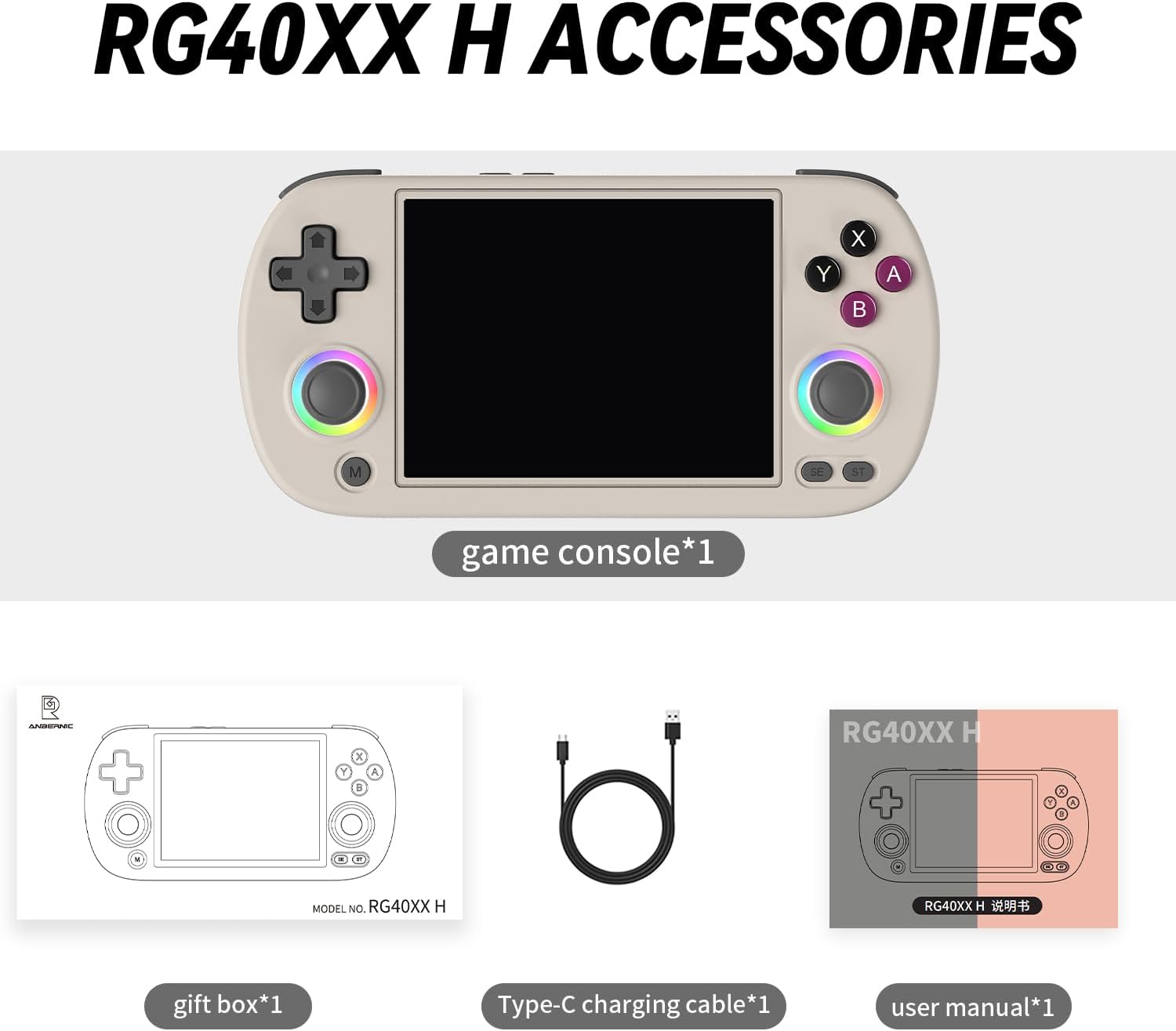
Image: Included accessories for the RG40XXH Handheld Game Console.
Product Overview
The RG40XXH features an ergonomic design for comfortable handheld gaming. It is equipped with a vibrant 4.0-inch IPS screen, dual analog joysticks, a D-pad, and standard gaming buttons.

Image: Front view of the RG40XXH Handheld Game Console.
Controls and Ports
- D-Pad: Directional input.
- Analog Joysticks: Dual joysticks for precise control, featuring customizable RGB light rings.
- Action Buttons (A, B, X, Y): Standard gaming input.
- M Button: Menu button.
- SE Button: Select button.
- ST Button: Start button.
- Shoulder Buttons (L1, L2, R1, R2): Located on the top edge.
- USB-C Port: For charging and data transfer.
- TF1/TF2 Card Slots: For external storage.
- HDMI Output: For connecting to external displays.
The joysticks feature 16 million colors RGB colorful light rings with 6 adjustable light effects (Light, Marquee, Breath, Chasing, Rainbow, Gaming) that can be freely turned on or off and controlled.

Image: RGB Colorful Light Ring feature on the joysticks.

Image: The 4-inch custom screen of the RG40XXH console.
Setup
Charging the Device
Before first use, fully charge the console using the provided USB-C cable and a compatible power adapter (not included). The device supports C2C charging. A full charge typically takes approximately 2-3 hours.
Inserting Storage Cards
The console has two TF card slots: TF1 (internal) and TF2 (external). The operating system and preloaded games are typically on the TF1 card. The TF2 slot can be used to expand storage for additional games. Gently insert the TF cards into the designated slots until they click into place.
Operating Instructions
Powering On/Off
To power on, press and hold the Power button located on the top edge of the console until the screen illuminates. To power off, press and hold the Power button again and select the shutdown option from the menu, or briefly press the power button to save and exit when playing games.
Navigating the Interface
Use the D-pad or analog joysticks to navigate through the console's menus. The A button typically confirms selections, while the B button cancels or goes back.
Playing Games
Navigate to the game selection menu. Select a game using the D-pad or joystick and press the A button to launch it. Please note: The console does not include Nin10do-games. Users are expected to prepare their own games if needed.
Connecting to Wi-Fi
The RG40XXH supports 5G Wi-Fi for online multiplayer and other network features. Go to the system settings, select Wi-Fi, and connect to your desired network.

Image: The RG40XXH supports 5G Wi-Fi for online multiplayer.
TV-Out Functionality
Connect the console to a TV or external monitor using an HDMI cable (not included) to enjoy games on a larger screen. The console supports TV-out functionality.
Multiplayer Function
The console supports multiplayer functionality. Connect external controllers via Bluetooth for local multiplayer gaming.
Moonlight Streaming
The RG40XXH supports Moonlight Streaming, allowing you to play PC games freely on your handheld console. Ensure your PC is set up for Moonlight streaming and connect the console to the same network.

Image: Moonlight Streaming feature for playing PC games.
Maintenance
Battery Care
The RG40XXH is equipped with a 3200mAh built-in LiPo battery, providing 4-6 hours of playing time. To prolong battery life, avoid fully discharging the battery frequently and store the device in a cool, dry place when not in use for extended periods.

Image: Illustration of the 3200mAh battery and its durability.
Cleaning
Use a soft, dry cloth to clean the console's exterior. For the screen, use a microfiber cloth specifically designed for electronics. Avoid using harsh chemicals or abrasive materials.
Troubleshooting
| Issue | Possible Solution |
|---|---|
| Console does not power on. | Ensure the battery is charged. Connect the USB-C cable and try again. |
| Games are not loading. | Check if the TF card is properly inserted. Ensure game files are in compatible formats. |
| Wi-Fi connection issues. | Verify Wi-Fi password. Ensure the console is within range of the router. Restart the console and router. |
| Screen is unresponsive or frozen. | Perform a hard reset by holding the Power button for 10-15 seconds until the device shuts down, then restart. |
Technical Specifications
| Feature | Specification |
|---|---|
| Model Number | 057T03899KZF27 |
| Screen Size | 4.0 Inches |
| Display Type | IPS LCD, 640*480 resolution, OCA 4:3 full view angle |
| Chipset | H700 quad-core ARM Cortex-A53 1.5GHz |
| Battery | 3200mAh Lithium Polymer (included) |
| Battery Life | 4-6 hours (approx. 5 hours stated) |
| Memory Storage Capacity | 64 GB (internal) |
| Hardware Interface | USB-C |
| Connectivity | 5G Wi-Fi, Bluetooth (for external controllers), HDMI TV-out |
| Material | Plastic |
| Product Dimensions | 6.42 x 3.11 x 0.63 inches |
| Item Weight | 7.2 ounces (205 Grams) |
| Recommended Age | 15 years and up |
Warranty and Support
For warranty information and technical support, please refer to the documentation provided with your purchase or contact FINGEREVO customer service through their official channels. Keep your proof of purchase for any warranty claims.
Ask a question about this manual
Ask about setup, troubleshooting, compatibility, parts, safety, or missing instructions. Manuals+ will review the question and use this page’s manual context to help answer it.