
1. Introduction
Thank you for choosing the HEZI OEUP051 Pop-Up Countertop Outlet. This device is designed to provide convenient power access and charging solutions for various environments such as kitchens, offices, conference tables, and RVs. It integrates multiple power options including AC outlets, USB-A and USB-C ports, and a wireless charging panel, all within a compact, retractable design. Please read this manual thoroughly before installation and use to ensure safe and optimal performance.
2. Key Features
- Easy Installation: Designed to fit a 3.15-inch (80mm) desk hole, featuring a spring-loaded pop-up mechanism for simple operation.
- Multi-Device Charging: Offers 4 AC outlets (Tamper Resistant), 2 USB-C ports (PD20W), 2 USB-A ports (QC18W), and a 15W wireless charger panel, allowing simultaneous charging of up to 9 devices.
- Automatic Pop-Up Mechanism: A simple press activates the pop-up function, revealing the power outlets. The wireless charging panel is integrated into the top surface.
- Fast Charging: USB-C ports provide up to 20W Power Delivery, and USB-A ports offer up to 18W Quick Charge, ensuring efficient charging for compatible devices.
- Safety Features: ETL Listed, includes 800J Overload Protection, fire protection coating, and 15A Tamper Resistant (TR) receptacles for enhanced safety.
- Durable Construction: Made from hardened scratch-resistant PVC Plastic with a high-end drawing process finish. Features splash resistance (not waterproof).
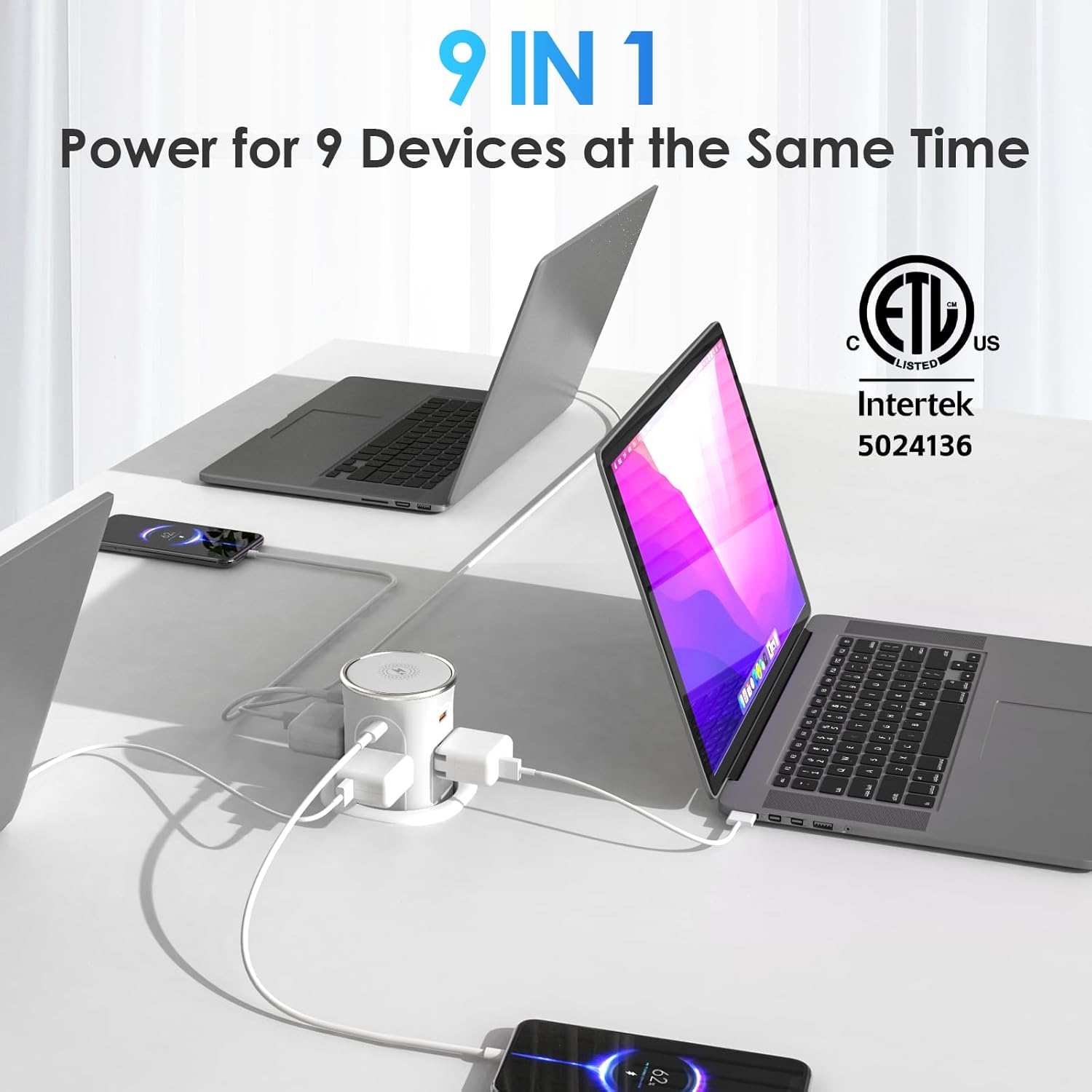
Figure 2.1: HEZI Pop-Up Countertop Outlet in use, demonstrating charging for multiple devices.
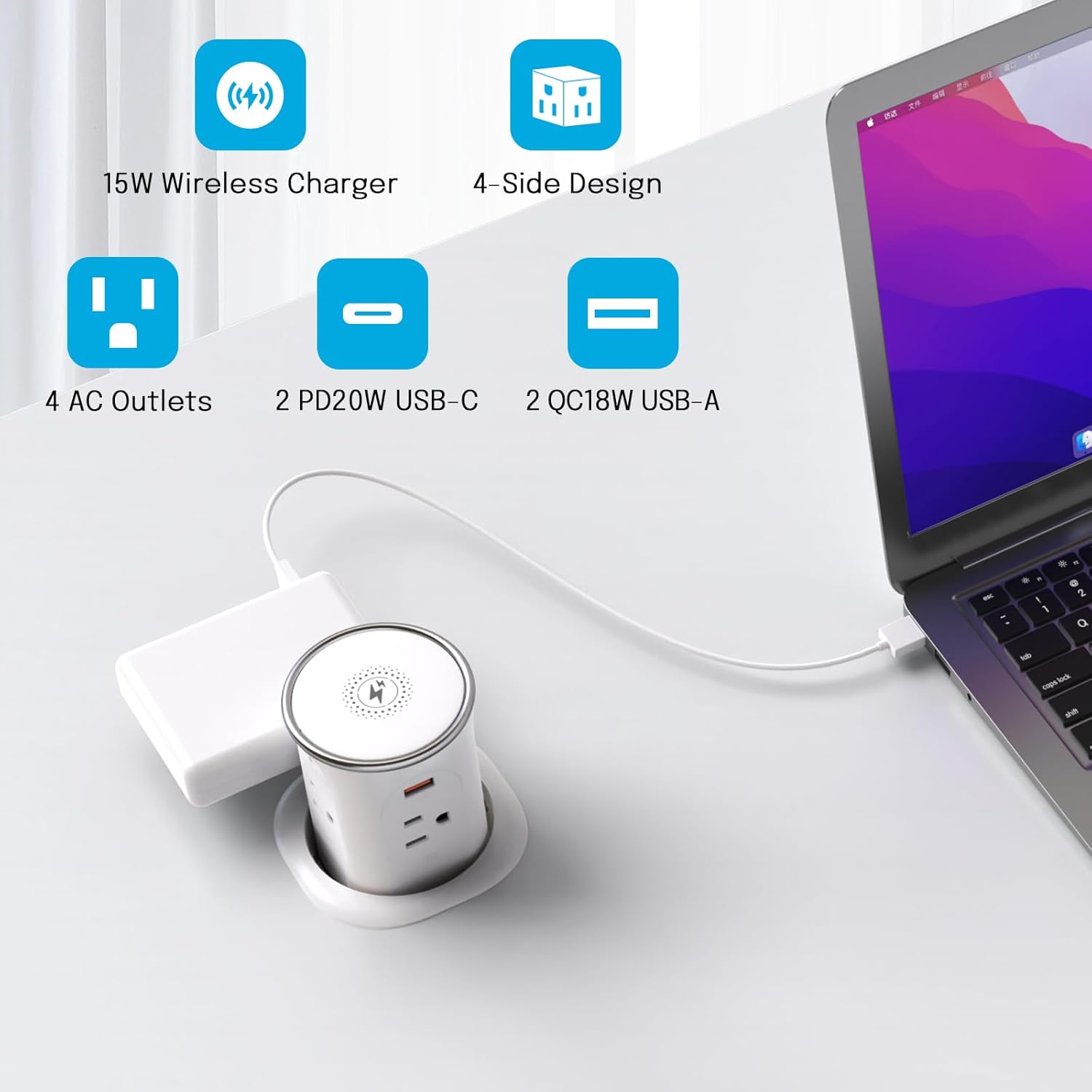
Figure 2.2: Detailed view of the HEZI Pop-Up Countertop Outlet's various ports and wireless charging panel.
3. Installation
Follow these steps for proper installation of your HEZI Pop-Up Countertop Outlet:
- Prepare the Hole: Drill a 3.15-inch (80mm) diameter hole in your countertop or desk. Ensure there is at least 10 inches of clear space underneath the countertop for the unit to retract fully.
- Insert the Unit: Remove the locking ring from the pop-up outlet. Insert the main body of the outlet into the drilled hole from the top.
- Secure the Unit: From underneath the countertop, reattach and tighten the locking ring to secure the pop-up outlet firmly in place.
- Connect Power: Plug the 6ft 14 AWG/SJT power cord into a standard 125V AC wall outlet.

Figure 3.1: Visual guide for the installation procedure.
Video 3.1: Installation process of the HEZI Pop-Up Countertop Outlet.
4. Operation
4.1 Pop-Up Mechanism
To raise the outlet, simply press down on the top surface. The spring-loaded mechanism will cause the unit to pop up, revealing the AC and USB ports. To retract the unit, press down on the top surface again until it locks into its concealed position.
4.2 Wireless Charging
The top surface of the unit features a 15W wireless charging panel. Place your Qi-compatible smartphone directly on the charging pad. The device will begin charging automatically. The wireless charger includes overcharging protection, switching to trickle mode once the phone is fully charged.
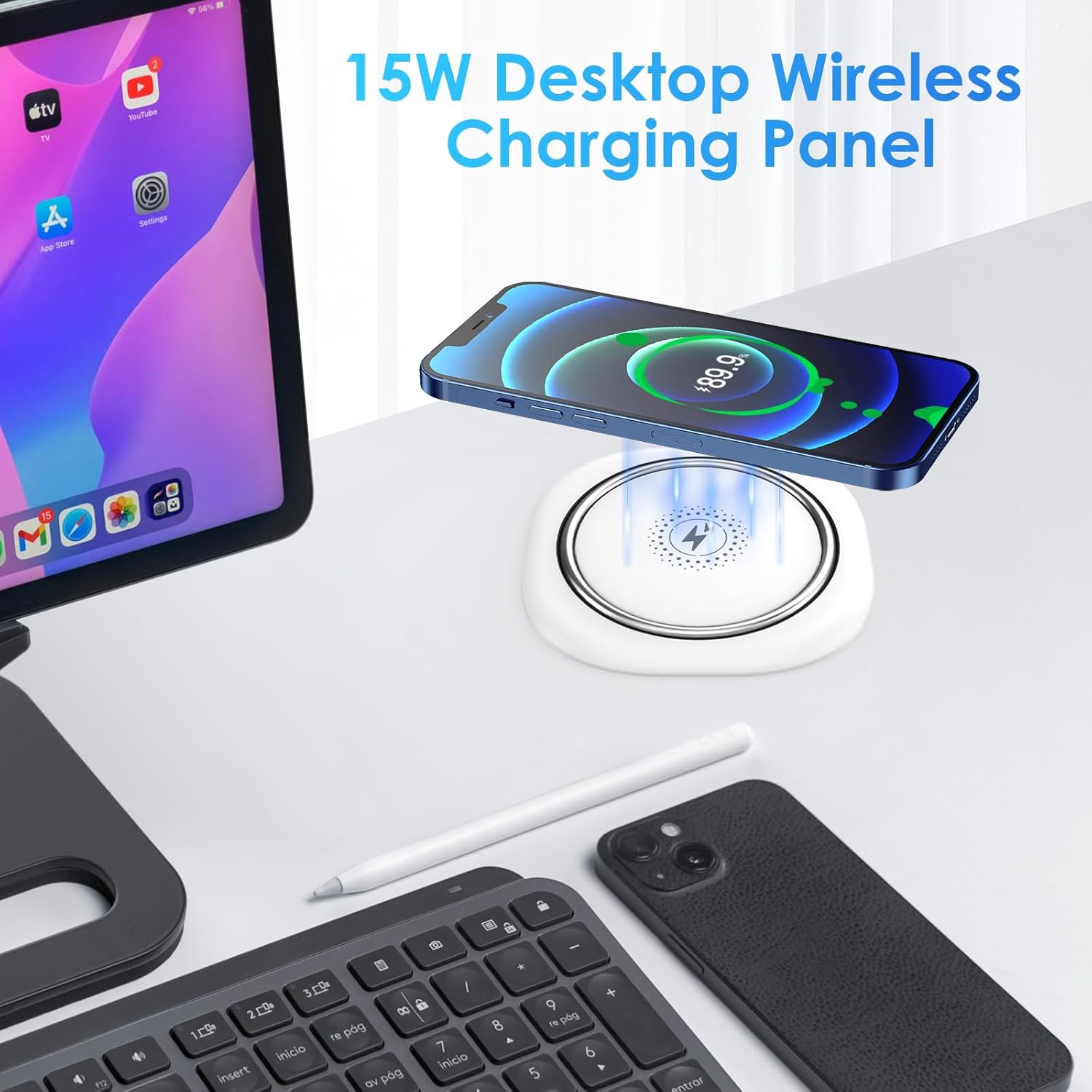
Figure 4.1: Wireless charging in action on the pop-up outlet's top panel.
Video 4.1: Demonstration of the 15W wireless charging panel.
4.3 AC Outlets and USB Ports
The unit provides 4 AC outlets, 2 USB-C ports, and 2 USB-A ports. Simply plug in your devices to utilize these power options. The 4-sided surround design ensures easy access to all ports.
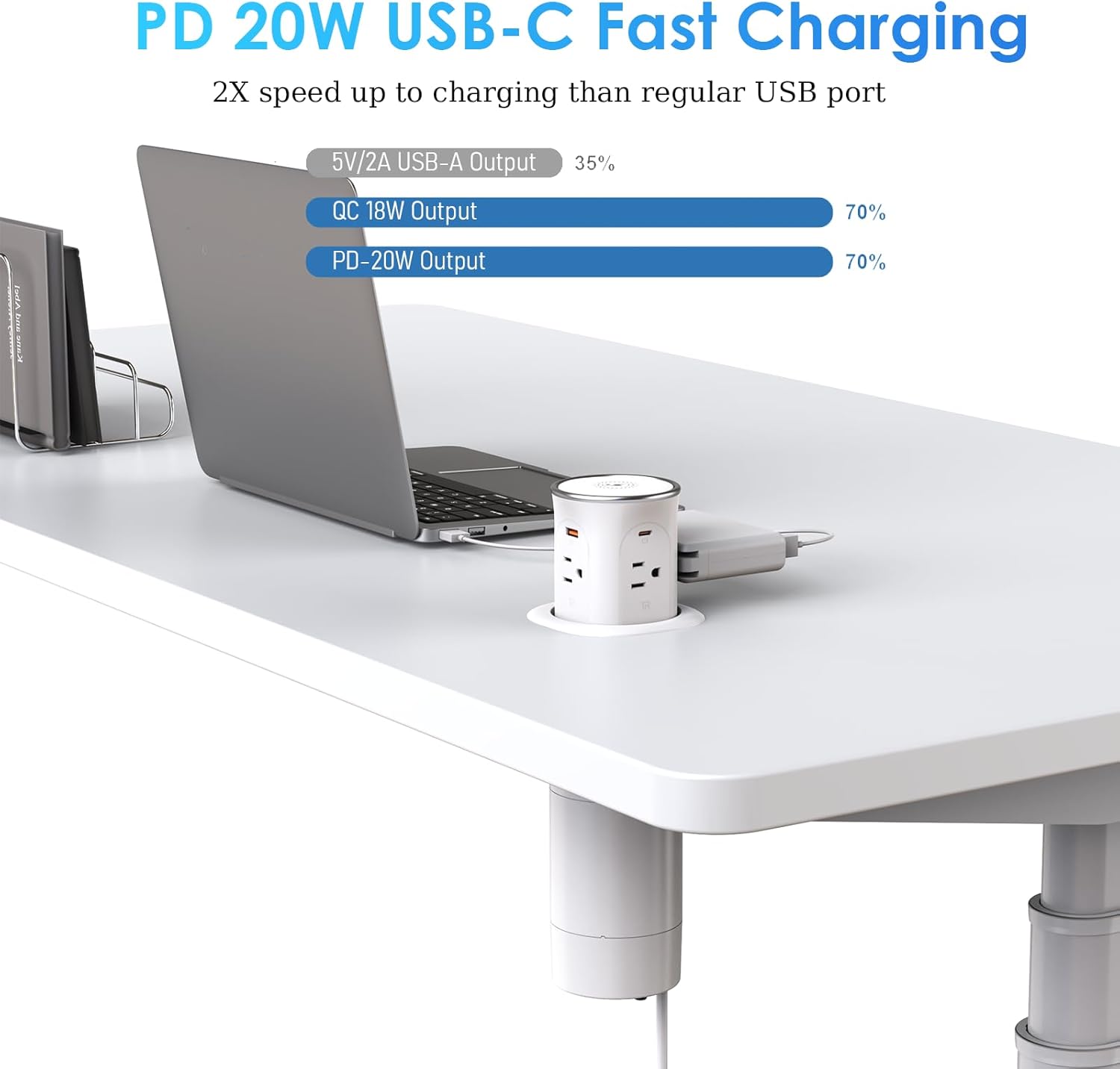
Figure 4.2: Devices connected to the AC and USB ports of the pop-up outlet.
Video 4.2: Overview of the 3.15-Inch Pop-Up Countertop Outlet in action.
5. Safety Information
To ensure safe operation and prevent damage, please observe the following:
- ETL Listed: This product is ETL Listed, indicating compliance with North American safety standards.
- Overload Protection: The unit features 800J Overload Protection. In case of an overload, the power will automatically shut off to protect connected devices. Reduce the load and reset the unit if this occurs.
- Tamper Resistant (TR) Outlets: The AC receptacles are 15A Tamper Resistant to prevent accidental electrical shock, especially for children.
- Splash Resistant: The unit is designed to be splash resistant. In case of accidental water spills, wipe off the water from the surface immediately. Note: This product is NOT waterproof and should not be submerged or exposed to excessive moisture.
- Fire Protection: The product incorporates a fire protection coating for added safety.
- Power Rating: Do not exceed the maximum rating of AC 15A 125V 60HZ 1875W for AC outlets and 5V/3.1A total for USB ports.
6. Specifications
| Feature | Specification |
|---|---|
| Model Number | OEUP051 |
| Product Dimensions | 3.2 x 3.2 x 10 inches |
| Item Weight | 2 pounds |
| Hole Size Requirement | 3.15 inches (80mm) |
| AC Outlets | 4 (15A Tamper Resistant) |
| USB-C Ports | 2 (PD20W Max per port) |
| USB-A Ports | 2 (QC18W Max per port) |
| Wireless Charger | 15W Max |
| AC Rating | 15A 125V 60HZ 1875W |
| USB Total Output | 5V/3.1A |
| Power Cord Length | 6ft (14 AWG/SJT) |
| Safety Certifications | ETL Listed, 800J Overload Protection |
| Material | PVC Plastic |
7. Maintenance
To maintain the performance and appearance of your pop-up outlet:
- Cleaning: Disconnect the unit from the power source before cleaning. Use a soft, dry cloth to wipe the surfaces. For stubborn marks, a slightly damp cloth can be used, ensuring no liquid enters the ports or internal components.
- Avoid Harsh Chemicals: Do not use abrasive cleaners, solvents, or strong detergents, as these can damage the finish and internal components.
- Regular Inspection: Periodically check the power cord and the unit for any signs of damage or wear. If any damage is observed, discontinue use and contact customer support.
8. Troubleshooting
If you encounter issues with your HEZI Pop-Up Countertop Outlet, refer to the following common solutions:
- No Power to Outlets/USB Ports:
- Ensure the power cord is securely plugged into a functioning wall outlet.
- Check if the circuit breaker for the wall outlet has tripped.
- If the unit's overload protection has activated, unplug some devices and reset the unit (if applicable, by pressing a reset button or unplugging/replugging).
- Wireless Charging Not Working:
- Ensure your device is Qi-compatible and properly centered on the charging pad.
- Remove any thick phone cases or metallic objects between the phone and the charging pad.
- Verify the pop-up unit is fully extended and receiving power.
- Unit Not Popping Up/Down Smoothly:
- Check for any obstructions around or within the unit's housing.
- Ensure the 10-inch clearance underneath the countertop is maintained.
If these steps do not resolve the issue, please contact HEZI customer support for further assistance.
9. Warranty and Support
HEZI products are designed for reliability and performance. For specific warranty details, please refer to the warranty card included with your product or visit the official HEZI website. For technical support, troubleshooting, or replacement parts, please contact HEZI customer service through the contact information provided on your product packaging or the HEZI brand store on Amazon.
HEZI Customer Service: Visit the HEZI Store on Amazon