
Introduction
This manual provides comprehensive instructions for the installation, operation, and maintenance of your Swann PRO1080MSD Dome Security Camera System. Please read this manual thoroughly before installation and retain it for future reference. This system is designed to provide reliable surveillance with 1080p Full HD video quality, suitable for both indoor and outdoor environments.
Product Overview
The Swann PRO1080MSD is an add-on dome security camera designed to expand your existing Swann DVR system. It features 1080p Full HD video resolution, ensuring clear and detailed surveillance footage. Equipped with True Detect Heat and Motion Detection, the camera can accurately identify significant activity, reducing false alarms. Its robust design allows for versatile indoor or outdoor installation, with night vision capabilities extending up to 100ft (30m) in black and white, and 32ft (10m) in color with the sensor warning light.
- 1080p Full HD Video: Captures high-definition footage for clear monitoring.
- True Detect Heat & Motion Detection: Advanced PIR sensor for reliable detection of heat-generating objects.
- Wide Viewing Angle: An 85-degree field of view covers broad areas.
- Night Vision: Up to 100ft (30m) in black and white, and 32ft (10m) in color with sensor warning light.
- Weatherproof Design: IP66 rated for indoor or outdoor use, operating in temperatures from -22°F to 131°F (-30°C to 50°C).
- BNC Connectivity: Designed for seamless integration with compatible Swann DVRs.
What's in the Box
Verify that all components are present before beginning installation:
- (2) PRO-1080MSD Dome Cameras
- (2) 60ft BNC Cables
- (1) Power Supply
- (1) Power Splitter

Image: All components included in the Swann PRO1080MSD package, laid out clearly. This includes the two dome cameras, two rolls of BNC cable, a power adapter, a power splitter, and mounting screws.
Setup and Installation
Follow these steps to set up your Swann PRO1080MSD cameras. Ensure your Swann DVR is already set up and operational.
- Choose a Mounting Location:
Select a location that provides the desired viewing angle and is within reach of the provided 60ft BNC cables and power source. The cameras are suitable for both indoor and outdoor use (IP66 rated) and can be mounted on ceilings or walls. Consider areas prone to heat and motion for optimal True Detect performance.
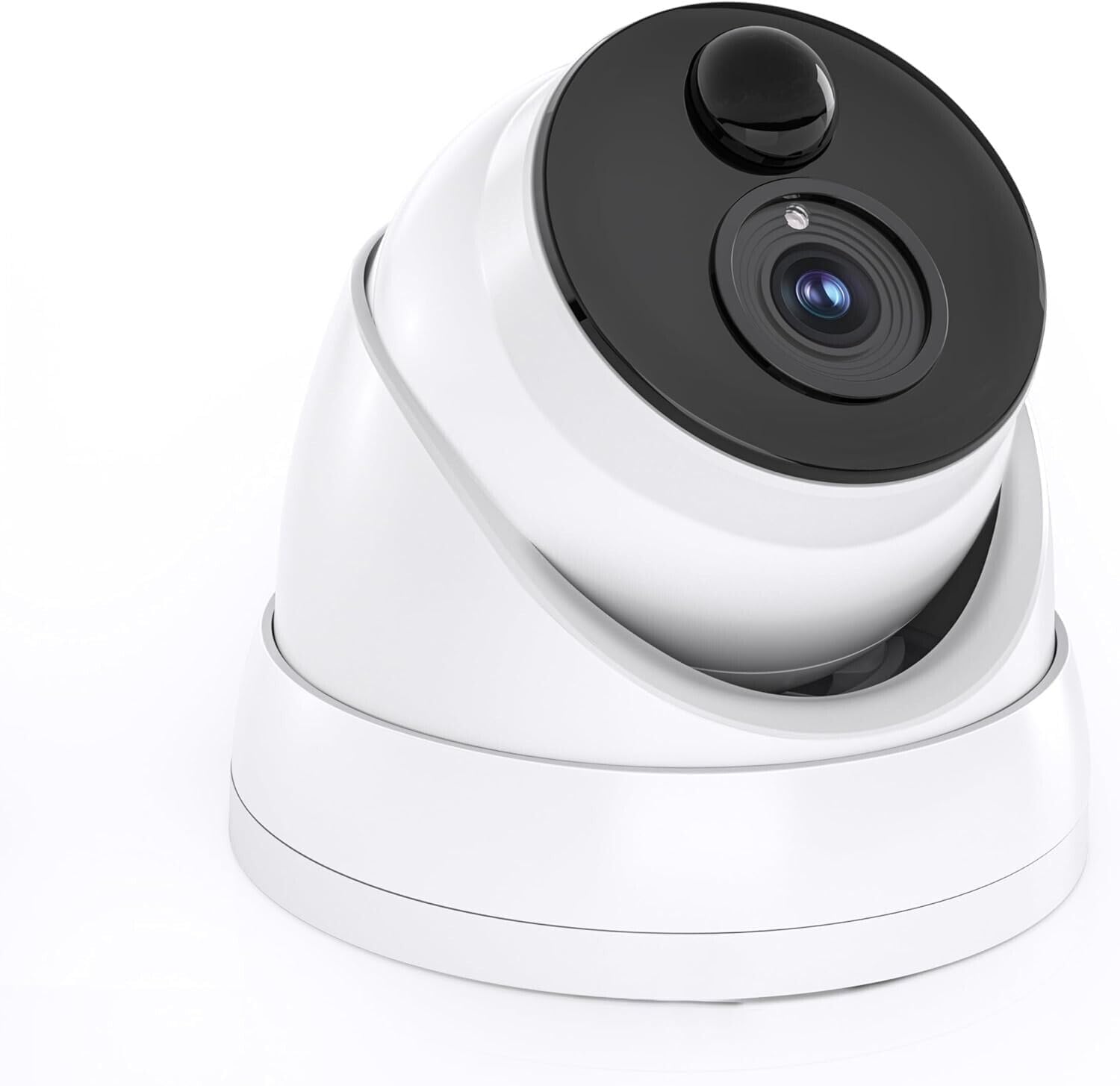
Image: A single Swann PRO1080MSD dome camera, highlighting its form factor suitable for discreet mounting.
- Mount the Camera:
Securely attach the camera to the chosen surface using appropriate screws and anchors (not included, but typically supplied with the DVR kit or purchased separately). Ensure the camera is firmly fixed to prevent movement.
- Connect the BNC Cable:
Connect one end of the 60ft BNC cable to the BNC port on the camera. Connect the other end of the BNC cable to an available video input channel on your Swann DVR. Ensure a secure connection by twisting the BNC connector until it locks into place.
- Connect Power:
Use the provided power splitter to connect both cameras to the single power supply. Plug the power supply into a standard electrical outlet. The cameras will power on automatically.

Image: Two Swann PRO1080MSD dome cameras, illustrating their compact and uniform design.
- Configure on DVR:
Refer to your Swann DVR's user manual for instructions on how to add and configure new cameras. The DVR should automatically detect the connected cameras. You may need to adjust settings such as recording schedules, motion detection zones, and video quality through the DVR interface.
Operating the Camera
The PRO1080MSD camera operates in conjunction with your Swann DVR. All viewing, recording, and playback functions are managed through the DVR system.
- Live View: Access the live feed from the camera through your DVR's monitor output or via the Swann mobile application (if configured with your DVR).
- Recording: The camera continuously feeds video to the DVR. Recording is managed by the DVR's settings, including continuous recording, motion-triggered recording, or scheduled recording.
- Night Vision: The camera automatically switches to night vision mode in low-light conditions. The infrared LEDs provide illumination for black and white night vision up to 100ft (30m). The integrated sensor warning light enables color night vision up to 32ft (10m) when motion is detected.
- True Detect Motion Detection: The built-in PIR sensor detects heat-generating objects, such as people and large animals, triggering recordings and alerts on your DVR. Adjust sensitivity and detection zones via your DVR settings.

Image: Close-up front view of the Swann PRO1080MSD camera, detailing the lens and the integrated sensor for night vision and motion detection.
Maintenance
Regular maintenance ensures optimal performance and longevity of your security cameras.
- Cleaning the Lens: Periodically clean the camera lens with a soft, damp cloth. Avoid abrasive cleaners that could scratch the lens.
- Check Connections: Ensure all BNC and power connections are secure and free from corrosion.
- Environmental Conditions: While the camera is IP66 rated for outdoor use, extreme weather conditions (e.g., heavy snow, direct prolonged sunlight) may temporarily affect performance. Ensure the operating temperature range of -22°F to 131°F (-30°C to 50°C) is respected.
- Firmware Updates: Check the Swann website or your DVR's settings for any available firmware updates for your DVR, which may include improvements for connected cameras.
Troubleshooting
If you encounter issues with your Swann PRO1080MSD camera, refer to the following common problems and solutions. For more complex issues, consult your Swann DVR's manual or Swann support.
| Problem | Possible Cause | Solution |
|---|---|---|
| No video signal from camera. |
|
|
| Poor image quality / blurry video. |
|
|
| Motion detection not working or too sensitive. |
|
|
Specifications
| Feature | Detail |
|---|---|
| Model Name | SWPRO-1080MSD |
| Video Quality | 1080p Full HD (1920 x 1080 pixels) |
| Viewing Angle | 85 degrees |
| Night Vision Distance (B&W) | Up to 100ft / 30m |
| Night Vision Distance (Color) | Up to 32ft / 10m (with Sensor Warning Light) |
| PIR Thermal / Motion Sensor | True Detect PIR Sensor |
| PIR Sensor Range | Up to 32ft / 10m |
| Indoor / Outdoor Use | Indoor or Outdoor (IP66 rated) |
| Operating Temperature | -22°F to 131°F / -30°C to 50°C |
| Dimensions (L x W x H) | 3.94" x 3.94" / 100mm x 100mm (approx.) |
| Material | Metal |
| Connectivity Protocol | BNC (TVI / AHD) |
| Power Source | Corded Electric |
| Compatible Devices | Swann DVRs |
Support and Warranty
For technical support, troubleshooting assistance, or warranty information, please visit the official Swann support website or contact their customer service. Keep your purchase receipt as proof of purchase for warranty claims.
Online Support: www.swann.com/us/support
Product Registration: Register your product online to receive updates and support.


