
Introduction
The Victrola Eastwood LP is a full-size, 3-speed belt-driven record player designed for optimal vinyl playback and versatile audio connectivity. It features an Audio-Technica AT-3600L moving magnet cartridge for superior sound quality, an anti-skip speaker system, and Bluetooth capabilities for both input and output. This manual provides essential information for the proper setup, operation, and maintenance of your record player.

Image: The Victrola Eastwood LP Record Player, showcasing its design and components.
Setup
1. Unpacking and Placement
- Carefully remove all components from the packaging.
- Place the record player on a stable, level surface away from direct sunlight, heat sources, or excessive vibration.
2. Dust Cover Installation
- Attach the removable dust cover to the hinges at the back of the unit.
- Ensure it opens and closes smoothly to protect the platter and tonearm from dust.

Image: Detail of the Audio-Technica cartridge and the removable dust cover.
3. Platter and Slipmat
- Place the 12-inch platter onto the turntable spindle.
- Position the felt slipmat on top of the platter.

Image: The 12-inch platter with felt slipmat in place.
4. Tonearm Setup
- Remove the clear plastic stylus protector from the Audio-Technica AT-3600L cartridge.
- Ensure the tonearm is unlocked from its rest.
5. Power Connection
- Connect the power adapter to the DC input on the back of the record player.
- Plug the adapter into a wall outlet.
Operating Instructions
1. Power On/Off and Mode Selection
- To power on, press and hold the control knob on the front of the unit. The LED ring around the knob will illuminate.
- To switch between modes (Vinyl, Vinyl Stream, Bluetooth Input), double-press the control knob. The unit will announce the current mode.
- To power off, press and hold the control knob again.
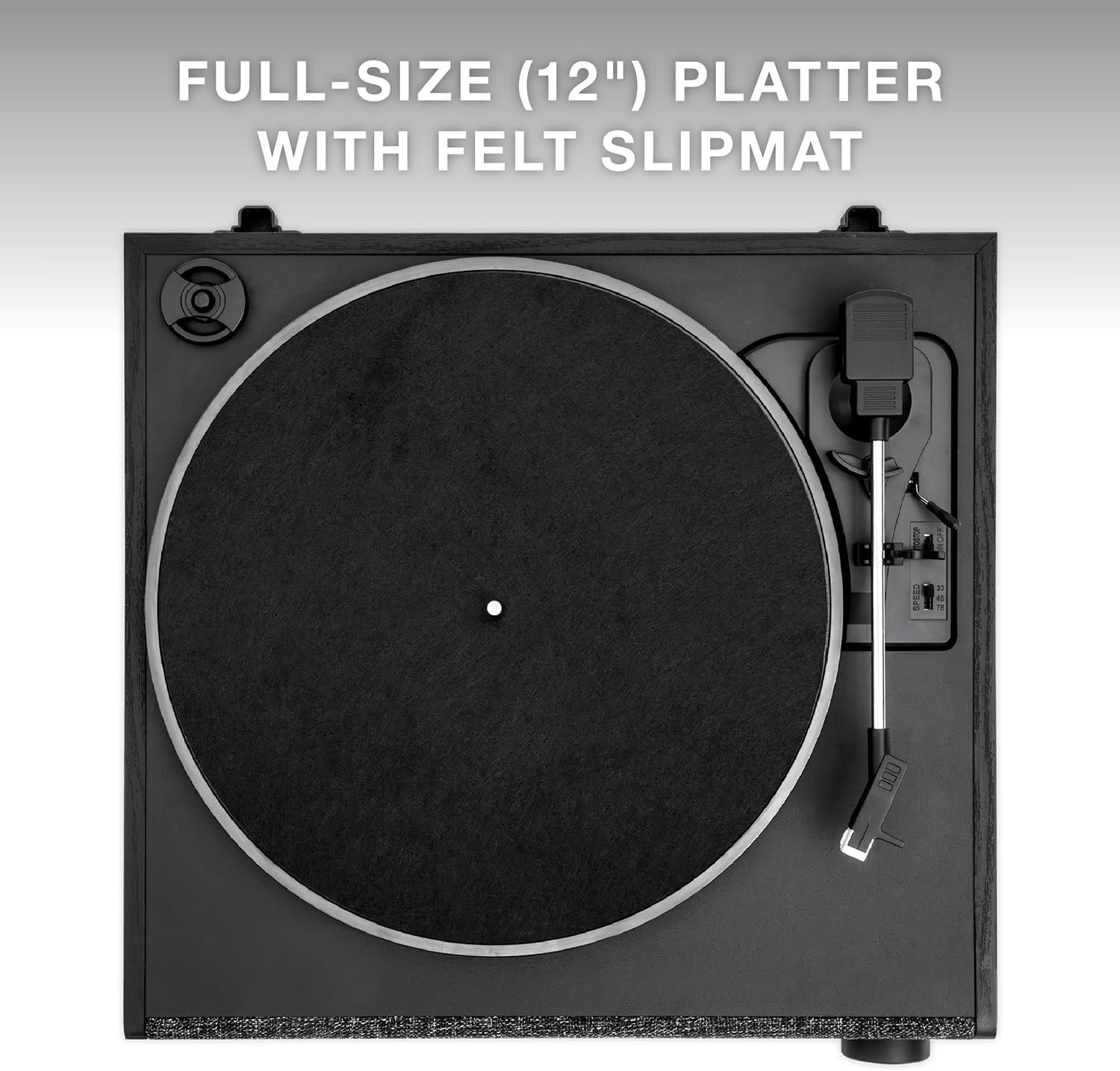
Image: The illuminated control knob for power and mode selection.
2. Playing a Record
- Ensure the unit is in 'Vinyl' mode.
- Select the appropriate speed (33 1/3, 45, or 78 RPM) using the speed selector switch. A 45 RPM adapter is included for records with larger center holes.
- Place your record on the platter.
- Lift the tonearm using the cueing lever.
- Manually position the tonearm over the desired track on the record.
- Gently lower the tonearm using the cueing lever. The record will begin to play.
- When the record finishes, lift the tonearm using the cueing lever and return it to its rest.

Image: The 3-speed turntable in operation.
3. Bluetooth Input (Streaming from a Device)
- Double-press the control knob until the unit announces 'Bluetooth'. The LED ring will flash blue.
- On your smartphone or tablet, enable Bluetooth and search for 'Victrola Eastwood LP'.
- Select the device to pair. Once paired, the LED ring will turn solid blue.
- You can now stream audio from your device through the record player's speakers.
4. Vinyl Stream Bluetooth Output (Streaming to External Speaker)
- Double-press the control knob until the unit announces 'Vinyl Stream'. The LED ring will flash white.
- Ensure your external Bluetooth speaker or headphones are in pairing mode.
- The record player will automatically search for and connect to the nearest available Bluetooth audio device. Once connected, the LED ring will turn solid white.
- Play a record, and the audio will be streamed to your external Bluetooth device.

Image: Illustration of the Vinyl Stream Bluetooth output feature.
5. RCA Output
- Connect an RCA cable (included) from the RCA output ports on the back of the record player to the audio input of an external amplifier or powered speakers.
- Adjust the volume on your external audio system.
6. Headphone Output
- Plug 3.5mm headphones into the headphone jack on the unit for private listening.
Maintenance
1. Cleaning the Unit
- Wipe the exterior of the record player with a soft, dry cloth.
- Avoid using abrasive cleaners or solvents.
2. Cleaning Records
- Use a dedicated record brush to gently remove dust and debris from your vinyl records before each play.
3. Stylus Care
- Periodically inspect the stylus for dirt or damage.
- Clean the stylus gently with a soft brush designed for stylus cleaning, moving from back to front.
4. Dust Cover
- Keep the dust cover closed when the record player is not in use to prevent dust accumulation.
Troubleshooting
No Power
- Ensure the power adapter is securely connected to both the unit and a working wall outlet.
- Verify the control knob has been pressed and held to power on the unit.
No Sound
- Check that the unit is in the correct mode (Vinyl, Bluetooth, or Vinyl Stream).
- If using RCA output, ensure external speakers/amplifier are powered on and volume is adjusted.
- If using Bluetooth output, confirm successful pairing with the external device and its volume.
- Ensure the stylus protector has been removed and the tonearm is properly lowered onto the record.
Record Skipping
- Ensure the record player is on a stable, level surface.
- Clean the record thoroughly to remove any dust or debris.
- Inspect the stylus for damage or dirt.

Image: The anti-skip floating speaker system designed to reduce vibrations.
Bluetooth Pairing Issues
- Ensure the record player is in the correct Bluetooth mode (Input or Output).
- Move the record player closer to the Bluetooth device.
- Turn off and on Bluetooth on both devices and attempt to re-pair.
Specifications
| Feature | Detail |
|---|---|
| Model Number | VTA-78-BLK |
| Turntable Type | Belt-Driven |
| Speeds Supported | 33 1/3, 45, 78 RPM |
| Cartridge | Audio-Technica AT-3600L Moving Magnet |
| Bluetooth Version | 5.1 |
| Inputs | Bluetooth (from smart devices) |
| Outputs | Bluetooth (Vinyl Stream), Headphone (3.5mm), RCA |
| Speaker System | Anti-Vibration Bluetooth stereo speaker enclosure with passive bass radiator |
| Dimensions (W x D x H) | 14.96" x 13.86" x 5.8" (38 CM x 35.2 CM x 14.7 CM) |
| Weight | 9.7 LBS (4.4 KGS) |
| Included Components | Removable Dust Cover, 12" Platter with Slipmat, RCA Cable |
Warranty and Support
For warranty information and technical support, please refer to the warranty card included with your product or visit the official Victrola website. Keep your purchase receipt as proof of purchase for any warranty claims.


