
Introduction
This manual provides essential information for the safe and efficient operation of your GarveeTech 24-inch Electric Single Wall Oven. Please read all instructions carefully before installation and use. Retain this manual for future reference.
Safety Information
Always follow basic safety precautions when using electrical appliances to reduce the risk of fire, electric shock, burns, or injury. This oven is designed for household use only.
- Ensure proper grounding of the appliance.
- Do not touch hot surfaces. Use oven mitts or pot holders.
- Never use water on grease fires; smother the fire or use a dry chemical or foam-type extinguisher.
- Keep children away from the oven during operation.
- Do not store flammable materials in or near the oven.
- Always disconnect power before servicing.
- The triple-layer tempered glass door is designed for thermal insulation but can still be hot during operation.
Setup & Installation
Proper installation is crucial for the safe and optimal performance of your oven. Consult a qualified electrician or installer if you are unsure about any steps.
Dimensions and Clearance
Ensure your cabinet opening meets the required dimensions for a proper fit. The oven is designed to be compatible with standard kitchen setups.

Image: Standard Size for Easy Installation. This image illustrates the precise measurements of the oven (23.42 in W x 22.16 in D x 23.42 in H) and the recommended cabinet cutout dimensions for seamless integration into your kitchen cabinetry.
Electrical Requirements
The oven requires a dedicated electrical circuit. Refer to the electrical specifications section for voltage and amperage requirements. Ensure the power supply is disconnected before installation.
Mounting
Secure the oven into the cabinet opening using the provided mounting screws. Ensure the oven is level and stable before connecting to the power supply.
Operating Instructions
Your GarveeTech oven features an intuitive touch control panel and multiple cooking modes for versatile meal preparation.
Control Panel Overview

Image: Intuitive Touch Control. This image displays the oven's sensitive touch glass panel, highlighting the digital display for temperature and time, along with various function icons such as Lamp, Steam mode, Grill mode, Combined Air explosion, Recipes, Time/Temp, Decrease, Increase, and Start/Pause.
The touch control panel allows for precise temperature and time settings. The digital display shows current settings and cooking status.
Basic Operation
- Power On/Off: Touch the 'Power' icon to turn the oven on or off.
- Setting Temperature: Use the 'Increase' or 'Decrease' icons to adjust the desired temperature.
- Setting Time: Use the 'Time/Temp' icon to switch to time setting, then use 'Increase' or 'Decrease' to set the cooking duration.
- Start/Pause: Touch the 'Start/Pause' icon to begin or temporarily stop cooking.
Cooking Modes
The oven offers 8 automatic programming modes for quick and convenient cooking:
- Insulation
- Warming
- Toasting
- Pizza
- Chicken Leg Mode
- Bread
- Cake
- Beef
Simply select the desired mode from the control panel, and the oven will automatically set the optimal temperature and time. Adjustments can be made manually if needed.
Special Functions
- Air Frying Function: Utilizes powerful convection heating for crispy results.
- 3D Surround Heating: Ensures even heat distribution throughout the oven cavity for consistent cooking.
- Heat/Keep Warm: Maintains food at a serving temperature.
- Reservations: Program the oven to start cooking at a later time.
- Clean and Dry: A specialized cycle for internal cleaning and drying.
- Ferment: Provides a controlled environment for dough proofing.
- Defrost: Gently thaws frozen foods.
- Sterilize: High-temperature function for sterilizing dishes or utensils.
- 108 Smart Menus: Access a variety of pre-programmed recipes for diverse cooking needs.

Image: 2.5 Cu.Ft. Large Capacity. This image demonstrates the spacious 70L interior of the oven, capable of accommodating large items like a whole chicken, making it suitable for daily cooking and gatherings.

Image: All-round 3D Heating. This image highlights the 3000W power rating and the internal heating elements that provide uniform heat distribution for thorough and efficient cooking.
Using Racks and Trays
The oven features 5 side racks in the enamel lining for stable placement of grid racks and trays. Smaller racks should be used with trays to catch drips and spills, simplifying cleanup.
Maintenance & Cleaning
Regular cleaning and maintenance will ensure the longevity and performance of your oven.
Cleaning the Interior
Allow the oven to cool completely before cleaning. Use a damp cloth with mild detergent for the enamel lining. For stubborn stains, use an oven cleaner specifically designed for enamel surfaces, following the product instructions carefully. Utilize the 'Clean and Dry' function for assisted cleaning.
Cleaning the Exterior and Door
Wipe the exterior surfaces and the triple-layer tempered glass door with a soft, damp cloth and mild soap. Avoid abrasive cleaners or scouring pads that could scratch the surface.
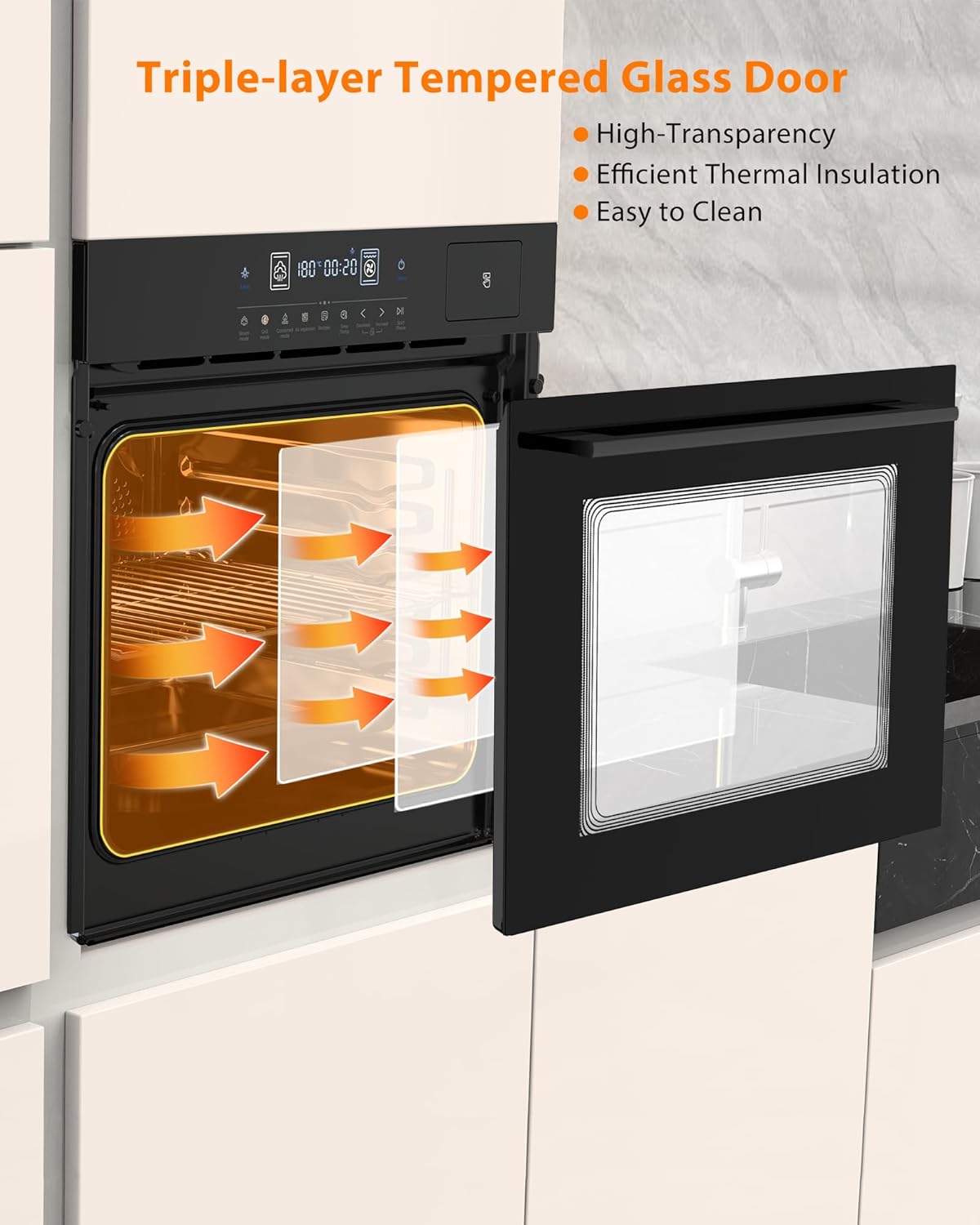
Image: Triple-layer Tempered Glass Door. This image illustrates the oven door's construction, emphasizing its high transparency, efficient thermal insulation, and ease of cleaning due to the smooth glass surface.
Troubleshooting
If you encounter issues with your oven, refer to the following common problems and solutions. If the problem persists, contact customer support.
| Problem | Possible Cause | Solution |
|---|---|---|
| Oven does not turn on | No power supply; circuit breaker tripped | Check power connection; reset circuit breaker. |
| Oven not heating properly | Incorrect settings; heating element issue | Verify temperature and mode settings; contact support if elements are faulty. |
| Digital display not working | Power interruption; control panel issue | Cycle power to the oven; contact support if issue persists. |
| Uneven cooking | Improper rack placement; overloaded oven | Ensure food is centered; avoid overcrowding; use 3D Surround Heating. |
Specifications
Technical details for the GarveeTech 24-inch Electric Single Wall Oven.
| Feature | Specification |
|---|---|
| Model | 24-inch Electric Single Wall Oven |
| Capacity | 2.5 Cu.ft / 70 Liters |
| Dimensions (W*D*H) | 23.42 in x 22.16 in x 23.42 in |
| Heating Method | Radiant, 3D Surround Heating |
| Power Rating | 3000W |
| Control Type | Touch Control, Digital Display |
| Door Type | Triple-layer Tempered Glass |
| Baking Modes | 8 Automatic Programming Modes |
| Special Functions | Air Frying, Heat/Keep Warm, Reservations, Clean and Dry, Ferment, Defrost, Sterilize, 108 Smart Menus |
| Finish Type | Polished |
Warranty & Support
For warranty information and customer support, please refer to the documentation provided at the time of purchase or visit the official GarveeTech website. Keep your purchase receipt as proof of purchase.